Category: Uncategorized

  • Software Development Company Kenya: Powerful Digital Solutions for Modern Businesses


    Software Development Company Kenya:Software Development Company Kenya services are becoming increasingly important as businesses, institutions, community organizations and growing enterprises look for better ways to manage information, automate processes and improve digital operations.

    Modern organizations no longer rely only on paper files, notebooks and spreadsheets.

    Businesses need digital systems for customer management, payments, reporting, inventory, staff administration, workflow automation, records, communication and decision-making.

    A well-designed Software Development Company Kenya partner can help an organization identify its operational challenges and turn them into practical digital workflows.

    Instead of forcing a business to work around generic software, a good development approach starts with understanding how the business actually works.

    This is particularly important in Kenya, where organizations may need mobile-first systems, secure cloud access, local payment workflows, role-based permissions and simple interfaces for users with different levels of technical experience.

    Software Development Company Kenya solutions can range from simple business applications to more advanced platforms that combine customers, payments, reporting, approvals, documents and operational records.

    TAS itself operates a Kenyan cloud platform for chamas and groups, bringing contributions, loans, meetings, budgets, reports and role-based access into one connected workspace. (TAS)

    For organizations looking for practical digital transformation, understanding what to expect from a Software Development Company Kenya partner is therefore an important first step.


    Table of Contents

    1. What Is a Software Development Company Kenya?
    2. Why Software Development Company Kenya Services Matter
    3. How Software Development Company Kenya Projects Begin
    4. Software Development Company Kenya for Business Automation
    5. Custom Software Development Kenya
    6. Web Application Development Kenya
    7. Mobile App Development Kenya
    8. ERP and Business Management Systems
    9. CRM Software Development Kenya
    10. Payment and M-Pesa Integration
    11. Inventory and POS Software
    12. Logistics and Delivery Software
    13. Property Management Software
    14. Event and Organization Management Software
    15. Farm Management Software
    16. Security and Data Protection
    17. Software Testing and Quality Assurance
    18. Cloud-Based Software Development Kenya
    19. User Experience and Mobile-First Development
    20. Software Maintenance and Support
    21. Choosing a Software Development Company Kenya
    22. Cost of Software Development Kenya
    23. Frequently Asked Questions
    24. Conclusion

    What Is a Software Development Company Kenya?

    A Software Development Company Kenya is a technology partner that designs, develops, implements and maintains software systems for organizations operating in Kenya.

    The work can involve much more than writing code.

    A software project normally begins with understanding a business problem.

    For example, a company may be struggling with manual customer records.

    Another may have inventory stored in several spreadsheets.

    A transport business may need better rider tracking.

    A property company may need centralized tenant information.

    A community group may need better contribution and loan records.

    A software development process converts these operational requirements into a structured digital system.

    The final system may include:

    • A web application.
    • A mobile application.
    • An administrative dashboard.
    • A customer portal.
    • A payment system.
    • An inventory module.
    • Reporting tools.
    • Staff permissions.
    • Notifications.
    • Document management.
    • APIs and integrations.

    The objective is to create software that solves a real operational problem.

    That is why selecting the right Software Development Company Kenya partner should begin with business requirements rather than technology trends.


    Why Software Development Company Kenya Services Matter

    Many organizations in Kenya are undergoing digital transformation.

    Customers expect online services.

    Employees expect accessible systems.

    Managers want real-time reports.

    Finance teams need accurate transaction records.

    Operations teams require better visibility.

    When businesses continue to depend heavily on manual processes, growth can become difficult.

    Consider a business with ten employees.

    It may still manage its operations through spreadsheets.

    As the business grows to fifty employees, manual processes become harder to control.

    At one hundred employees, the organization may need centralized workflows, user permissions and automated reporting.

    This is where a professional Software Development Company Kenya can add value.

    A digital platform can bring multiple processes together.

    For example:

    Customer → Order → Payment → Processing → Delivery → Receipt → Report

    Instead of repeating the same information in several systems, the information can move through one connected workflow.

    This reduces duplicate data entry and makes it easier for management to understand what is happening.


    How Software Development Company Kenya Projects Begin

    A successful software project should not start with coding.

    It should start with discovery.

    The development team needs to understand:

    • What the organization does.
    • Who uses the system.
    • What information is stored.
    • Which processes are manual.
    • Which processes should be automated.
    • What reports are required.
    • What integrations are necessary.
    • What security controls are needed.

    A development team can then map the current workflow.

    For example:

    Lead → Customer → Quotation → Invoice → Payment

    The team can identify which steps should be automated.

    It can also determine who should have access to each step.

    A manager may approve quotations.

    A finance officer may confirm payments.

    A sales employee may create customer records.

    A customer may only view their own account.

    This requirements stage is one of the most important parts of a Software Development Company Kenya project.

    Poor planning can result in software that looks good but does not solve the real problem.


    Software Development Company Kenya for Business Automation

    Business automation is one of the biggest reasons organizations invest in software.

    Employees spend significant amounts of time on repetitive activities.

    These can include:

    • Sending reminders.
    • Preparing reports.
    • Updating spreadsheets.
    • Creating invoices.
    • Recording payments.
    • Updating inventory.
    • Approving requests.
    • Sending customer notifications.

    Software can automate appropriate parts of these workflows.

    For example:

    Payment Received → Account Updated → Receipt Generated → Customer Notified

    Another example is:

    New Order → Staff Alert → Order Processing → Dispatch → Delivery Confirmation

    This creates a more consistent workflow.

    A Software Development Company Kenya can help an organization identify where automation will provide measurable value.

    Automation should not simply be added because it is fashionable.

    It should be connected to a specific business goal.


    Custom Software Development Kenya for Unique Workflows

    Not every business works the same way.

    A generic application may solve basic requirements, but some organizations have unique workflows.

    For example:

    • Specialized pricing.
    • Complex approval processes.
    • Unique membership rules.
    • Multiple branches.
    • Custom reporting.
    • Industry-specific calculations.
    • Customer portals.
    • Internal dashboards.

    In such situations, Custom Software Development Kenya can be useful because the software can be designed around the organization’s workflow.

    Instead of asking employees to adapt their process to the software, the system can be designed to reflect the process.

    This can improve adoption.

    It can also reduce unnecessary workarounds.


    Software Development Company Kenya for Web Applications

    Web applications are among the most common software solutions for organizations.

    A web application can be accessed through a browser without requiring users to install traditional desktop software.

    Examples include:

    • Customer portals.
    • Business dashboards.
    • Booking systems.
    • Management platforms.
    • Inventory systems.
    • CRM systems.
    • Payment portals.
    • Member portals.

    A modern web application should be responsive and usable on different screen sizes.

    This is particularly important in Kenya because many users access online services through mobile devices.

    Organizations exploring broader web application development Kenya services can also review Zama’s technology and software-development offerings.

    A good Software Development Company Kenya project should therefore consider desktop and mobile users from the beginning.


    Software Development Company Kenya for Mobile Applications

    Mobile applications can be useful when customers or employees need frequent access to a system.

    A mobile app can support:

    • Field workers.
    • Delivery riders.
    • Sales teams.
    • Drivers.
    • Customers.
    • Members.
    • Property managers.
    • Event attendees.

    For example, a delivery rider can use a mobile application to view assigned jobs and update delivery status.

    A field technician can receive service requests.

    A customer can track a service.

    A community member can review their account.

    A professional Software Development Company Kenya can help determine whether an organization needs a mobile application or whether a responsive web application would be more cost-effective.


    Software Development Company Kenya for ERP and Business Management

    Enterprise software connects different business functions.

    An organization may need to manage:

    • Sales.
    • Inventory.
    • Customers.
    • Finance.
    • Employees.
    • Procurement.
    • Operations.
    • Reporting.

    Instead of maintaining separate applications, an organization can use an integrated business platform.

    Zamacore provides software development and business technology solutions in Kenya, including platforms and systems designed for operational workflows. (Zamacore)

    A Software Development Company Kenya project can therefore help organizations connect business data across departments.

    The exact architecture depends on the organization’s requirements.


    Software Development Company Kenya for CRM Systems

    Customer relationships are central to many businesses.

    A CRM system can help manage:

    • Leads.
    • Customers.
    • Contacts.
    • Sales opportunities.
    • Quotations.
    • Follow-ups.
    • Customer communication.
    • Service history.

    Instead of allowing customer information to remain in separate spreadsheets, a CRM system creates a centralized customer record.

    Sales teams can see the status of opportunities.

    Managers can review pipeline performance.

    Customer-service teams can view previous interactions.

    A Software Development Company Kenya can build or customize CRM workflows according to the organization’s sales process.


    Software Development Company Kenya and M-Pesa Integration

    Payment integration is particularly important for Kenyan businesses.

    Many organizations receive payments through M-Pesa.

    However, receiving a payment is only one part of the process.

    The business may also need to:

    • Identify the customer.
    • Match the payment to an invoice.
    • Update the account.
    • Generate a receipt.
    • Record the transaction.
    • Update financial reports.

    A well-designed Software Development Company Kenya platform can connect payment events with business records.

    The workflow could look like:

    Customer → Invoice → M-Pesa Payment → Confirmation → Receipt → Account Update

    This reduces manual reconciliation.

    Payment integration should also consider security, transaction references and error handling.


    Software Development Company Kenya for POS Systems

    Retail businesses often require specialized POS systems.

    A POS platform can manage:

    • Sales.
    • Products.
    • Inventory.
    • Receipts.
    • Payments.
    • Staff access.
    • Reports.

    Vega POS is a retail POS platform designed around checkout, stock control, payments and daily reporting. (Vega POS)

    This demonstrates the importance of selecting technology around a specific business workflow.

    A retail business may need a POS system rather than a general enterprise application.

    A Software Development Company Kenya can help organizations determine whether an off-the-shelf product, customization or fully custom platform is appropriate.


    Software Development Company Kenya for Logistics

    Logistics and courier companies have specialized software requirements.

    A delivery organization may need to manage:

    • Orders.
    • Riders.
    • Drivers.
    • Dispatch.
    • Locations.
    • Payments.
    • Delivery status.
    • Proof of delivery.
    • Expenses.

    Dexa is designed for driver and courier operations in Kenya, including orders, riders, payments, parcel tracking, receipts, proof of delivery and expenses. (Dexa)

    For logistics businesses, specialized software can provide greater value than a generic application.

    This is why a good Software Development Company Kenya discussion should focus on the actual workflow of the organization.


    Software Development Company Kenya for Transport Businesses

    Transport companies require systems that can manage drivers, jobs and customer requirements.

    They may need to know:

    • Which driver is available.
    • Which vehicle is assigned.
    • Which job is pending.
    • Where a driver is located.
    • Which trip has been completed.

    Dereva focuses on professional driver discovery and transportation-related services in Kenya.

    This illustrates how software can be specialized around industry needs.

    A Software Development Company Kenya project should therefore begin by understanding whether the organization is managing drivers, vehicles, trips, customers or all of these together.


    Software Development Company Kenya for Property Management

    Property companies have their own operational requirements.

    A property-management application may manage:

    • Properties.
    • Units.
    • Tenants.
    • Leases.
    • Rent.
    • Expenses.
    • Maintenance.
    • Statements.
    • Reports.

    RentalDesk is focused on rental operations, including rent, tenants and property-related records. (RentalDesk)

    A Software Development Company Kenya project for a property organization can therefore include specialized modules rather than generic customer records.


    Software Development Company Kenya for Enterprise Property Operations

    Large property organizations may manage many buildings, tenants, leases and maintenance activities.

    KayaPro360 provides enterprise property-management capabilities for organizations managing complex property portfolios. (KayaPro360)

    Enterprise software needs strong user permissions, reporting and centralized data.

    A Software Development Company Kenya can help organizations assess whether they need a specialized enterprise platform, customization or a new application.


    Software Development Company Kenya for Event Management

    Events can also benefit from software.

    Organizers may need:

    • Event pages.
    • RSVPs.
    • Tickets.
    • QR check-in.
    • Contributions.
    • Attendee communication.
    • Reports.

    WITO provides event-management tools around invitations, RSVPs, tickets, check-in, contributions, WhatsApp updates and reporting. (WITO)

    This is another example of specialization.

    A conference organizer has different requirements from a retail business.

    The development or software-selection process should therefore match the system to the organization’s actual activity.


    Software Development Company Kenya for Agriculture

    Agribusinesses also require digital systems.

    A farm may need to track:

    • Fields.
    • Crops.
    • Inputs.
    • Labour.
    • Machinery.
    • Harvests.
    • Sales.
    • Expenses.
    • Stock.

    FAMA provides a farm-management platform covering farm records and agricultural operations. (FAMA)

    A Software Development Company Kenya working with agribusinesses should understand the difference between agricultural workflows and standard office administration.

    Industry knowledge can significantly improve the quality of the final system.


    Software Development Company Kenya for Service Businesses

    Service businesses have unique workflows.

    A salon may need appointments.

    A spa may need customer records.

    A barber shop may need staff commissions.

    PRIM is a specialized business platform for salon, spa and barber operations in Kenya. (Prim)

    This type of specialization is an important consideration when selecting a Software Development Company Kenya partner.

    A company should understand the industry before recommending technology.


    Software Development Company Kenya for Digital Infrastructure

    Software applications depend on reliable infrastructure.

    Businesses using digital platforms may require:

    • Internet connectivity.
    • WiFi.
    • Network management.
    • User access.
    • Payment systems.

    Pawa provides WiFi and MikroTik billing solutions in Kenya. (Pawa)

    While connectivity management is different from custom software development, it forms part of the wider technology infrastructure used by digital businesses.

    A Software Development Company Kenya project should therefore consider infrastructure requirements during planning.


    Software Development Company Kenya for Financial Workflows

    Financial information is important to every organization.

    Businesses need clear records of:

    • Invoices.
    • Income.
    • Expenses.
    • Payments.
    • Outstanding balances.
    • Cash flow.

    Zivo provides invoicing and expense-management tools for businesses. (Zivo)

    Financial software can be integrated into wider business systems or used as a specialized application.

    A Software Development Company Kenya should understand the relationship between financial data and other business transactions.


    Software Development Company Kenya for Engineering Businesses

    Engineering businesses may require project and technical-management capabilities.

    They may manage:

    • Projects.
    • Teams.
    • Equipment.
    • Documentation.
    • Procurement.
    • Site activities.
    • Technical reports.
    • Security systems.

    ZES provides integrated engineering solutions including ICT/network infrastructure and security-related systems. (ZES)

    A Software Development Company Kenya project supporting an engineering organization should therefore consider both operational and technical requirements.


    Why Software Development Company Kenya Security Matters

    Software systems can contain valuable information.

    This may include:

    • Customer data.
    • Payment information.
    • Employee records.
    • Financial details.
    • Business documents.
    • Transaction histories.

    Security should therefore be included from the beginning.

    Important considerations include:

    Authentication

    Users should authenticate before accessing protected areas.

    Role-Based Access

    Users should only access information necessary for their role.

    Secure Data Transfer

    Data should be protected while being transmitted.

    Backups

    Important data should have appropriate backup procedures.

    Audit Trails

    Important actions should be traceable where required.

    Password Protection

    Credentials should be securely handled.

    A professional Software Development Company Kenya should treat security as part of the system design rather than an afterthought.


    Software Development Company Kenya and Data Protection

    Organizations handling personal information should consider applicable data-protection requirements.

    This can include:

    • Customer names.
    • Phone numbers.
    • Email addresses.
    • Identity information.
    • Payment records.
    • Employee information.

    The system should therefore define who can access personal data and why.

    Access controls should be configured according to the actual needs of each role.

    TAS’s own platform describes role-based permissions and secure authentication for protecting group records. (TAS)

    For wider projects, organizations should also review the requirements of the applicable Kenyan data-protection framework and obtain appropriate professional advice where necessary.


    Software Development Company Kenya and Software Testing

    Software should be tested before launch.

    Testing can cover:

    • Login.
    • Forms.
    • Payments.
    • Reports.
    • Search.
    • Notifications.
    • Permissions.
    • Mobile layouts.
    • Error handling.

    Testing is important because a system may appear correct during development while still containing problems.

    For example, a payment workflow may work for one type of transaction but fail when a duplicate transaction reference is received.

    A report may display correct information for one date range but fail for another.

    Testing should therefore reflect real business scenarios.

    A good Software Development Company Kenya project should include testing before production launch.


    Software Development Company Kenya and Cloud Software

    Cloud-based applications have become popular because users can access them from different locations.

    A cloud platform can allow authorized users to work from:

    • Offices.
    • Branches.
    • Homes.
    • Customer sites.
    • Mobile devices.

    This can be especially useful for businesses with multiple locations.

    Cloud software can also simplify centralized updates.

    Users access the latest version rather than installing different versions on different computers.

    However, cloud architecture should still include appropriate security, backup and access-control practices.


    Software Development Company Kenya and Mobile-First Design

    Mobile-first design is important in Kenya.

    Many users interact with digital services primarily through smartphones.

    Software interfaces should therefore be easy to use on smaller screens.

    Important considerations include:

    • Large touch targets.
    • Simple navigation.
    • Fast loading.
    • Responsive forms.
    • Clear buttons.
    • Minimal unnecessary steps.

    A Software Development Company Kenya project should consider the real devices used by its target users.

    The most sophisticated application is not useful if users find it difficult to operate.


    How Software Development Company Kenya Improves User Experience

    User experience is more than visual appearance.

    It includes the entire journey.

    For example:

    Login → Dashboard → Create Record → Save → Confirm → Report

    If a user needs ten screens to perform a task that should require three, the system becomes frustrating.

    A good user experience makes common tasks easy to understand.

    Buttons should use clear language.

    Forms should avoid unnecessary fields.

    Errors should explain what went wrong.

    Important actions should provide confirmation.

    A professional Software Development Company Kenya team should therefore include UX thinking in the development process.


    Software Development Company Kenya and API Integrations

    Modern organizations rarely operate with one system only.

    They may already use:

    • Payment gateways.
    • SMS providers.
    • Accounting software.
    • Email services.
    • CRM platforms.
    • Maps.
    • Government systems.
    • Mobile applications.

    APIs allow systems to communicate.

    For example:

    Website → Payment Gateway → Business Platform

    Or:

    Mobile App → API → Central Database

    Or:

    POS → Inventory → Reporting

    A Software Development Company Kenya can help organizations plan integrations so information does not need to be entered repeatedly.


    Software Development Company Kenya for Reporting and Dashboards

    Managers need information.

    A dashboard can present:

    Today’s Sales

    Pending Orders

    Outstanding Payments

    Active Customers

    Stock Alerts

    Completed Tasks

    Monthly Revenue

    The exact dashboard depends on the business.

    The important principle is that reports should be useful for decisions.

    Software should not generate hundreds of reports simply because it can.

    A Software Development Company Kenya project should identify which reports management actually uses.


    Software Development Company Kenya and Financial Reporting

    Financial reporting should be connected to actual transactions.

    For example:

    Sale → Payment → Receipt → Financial Record

    This makes reconciliation easier.

    A separate finance platform may be used alongside an operational platform when specialized accounting functionality is required.

    Businesses should decide whether they need:

    • Integrated finance.
    • An accounting integration.
    • A dedicated accounting system.
    • Custom financial reporting.

    The best answer depends on the organization.


    Software Development Company Kenya for Operational Dashboards

    Operational teams often need real-time information.

    A courier company may need:

    Pending Deliveries

    Assigned Riders

    Deliveries in Transit

    Completed Deliveries

    A property company may need:

    Occupied Units

    Pending Maintenance

    Outstanding Rent

    A chama may need:

    Contributions

    Loans

    Repayments

    Meetings

    This demonstrates why dashboards must be designed around the business.

    A Software Development Company Kenya project should focus on the decisions users need to make.


    How Software Development Company Kenya Supports Digital Transformation

    Digital transformation is a continuous process.

    A business may start by digitizing one process.

    For example:

    Paper Customer Register → Digital Customer Database

    Then:

    Manual Invoice → Automated Invoice

    Then:

    Manual Payment Record → Payment Integration

    Then:

    Spreadsheets → Management Dashboard

    Over time, the organization becomes more digitally connected.

    TAS’s platform illustrates this approach within group management by connecting contributions, loans, meetings, budgets, reports and secure access in one workspace. (TAS)

    This is the broader value of a Software Development Company Kenya approach: solving operational problems one workflow at a time.


    Choosing the Right Software Development Company Kenya

    Selecting a development partner requires careful evaluation.

    Do not compare companies based only on website design or hourly rates.

    Ask practical questions.

    What Similar Systems Have You Built?

    Relevant experience can reduce project risk.

    How Do You Gather Requirements?

    A structured discovery process is important.

    Who Owns the Source Code?

    Clarify ownership before development begins.

    How Are Changes Managed?

    Software projects often evolve during development.

    What Testing Process Do You Use?

    Ask how bugs and quality issues are handled.

    What Happens After Launch?

    Understand maintenance and support.

    Can You Integrate Existing Systems?

    This can be important for businesses with existing software.

    How Is Data Protected?

    Ask about access, backups and security.

    A strong Software Development Company Kenya partner should be able to answer these questions clearly.


    Cost of Software Development Company Kenya

    Software-development pricing varies widely.

    The cost depends on:

    • Number of modules.
    • Number of users.
    • Complexity.
    • Integrations.
    • Mobile applications.
    • Reporting requirements.
    • Security requirements.
    • Hosting.
    • Data migration.
    • Support.
    • Maintenance.

    A small customer-management application costs less than a multi-branch enterprise system.

    A basic website costs less than a customized SaaS platform.

    A mobile app with payment integration requires different resources from a simple internal dashboard.

    Businesses should therefore request a scope-based quotation.

    The cheapest quotation is not always the cheapest project in the long term.

    A poorly designed system may create additional costs later.


    Software Development Company Kenya and Software Maintenance

    Software is not finished when it is launched.

    Organizations may need:

    • Security updates.
    • Bug fixes.
    • Performance improvements.
    • New integrations.
    • Feature enhancements.
    • Database maintenance.
    • User support.

    A support agreement can provide clarity around these responsibilities.

    Businesses should understand what is included after launch.

    This is particularly important for systems that manage payments, customers or operational records.

    A Software Development Company Kenya partner should have a clear maintenance process.


    Software Development Company Kenya for Organizations and Groups

    Not every organization needs a completely custom application.

    Sometimes a specialized platform is more appropriate.

    A church may need event management.

    A chama may need contribution and loan management.

    A school may need student records.

    A property business may need rental management.

    A courier company may need delivery management.

    Using specialized software can be faster and more cost-effective than developing everything from scratch.

    WITO, for example, specializes in events, tickets, contributions and attendance, while TAS focuses on chama and group management. (WITO; TAS)

    The best Software Development Company Kenya recommendation is therefore not always “build custom software.”

    Sometimes the right answer is to use an existing solution.


    Software Development Company Kenya for Technology-Driven Businesses

    Technology companies may require software for:

    • Customer management.
    • Sales.
    • Installations.
    • Service requests.
    • Billing.
    • Technical support.

    Connectivity companies may also need operational platforms.

    SpaceKits operates in the connectivity and Starlink-related technology space in Kenya.

    Technology-focused organizations can use specialized platforms while connecting them to wider business systems through APIs and other integrations.

    Where a gap exists, a Software Development Company Kenya project can provide the missing workflow.


    Software Development Company Kenya and Business Portals

    Customer portals can improve communication.

    A portal can allow customers to:

    • View their account.
    • Download documents.
    • Make payments.
    • Submit requests.
    • Check status.
    • Update information.

    This reduces the burden on customer-service teams.

    A business portal can also create a better customer experience than relying entirely on phone calls and email.

    Organizations considering web portals Kenya can evaluate whether a customer self-service portal would reduce repetitive administrative work.


    Software Development Company Kenya for Growing Retailers

    Retailers often start with a simple till.

    As they grow, they may need:

    • Inventory.
    • Multiple branches.
    • Staff roles.
    • Customer records.
    • M-Pesa.
    • Reports.
    • Supplier management.

    Vega POS shows how specialized retail software can connect checkout, stock, payment and reporting. (Vega POS)

    For a larger retailer, further integrations may be needed.

    A Software Development Company Kenya partner can help evaluate what should remain in the POS and what should connect to wider systems.


    Software Development Company Kenya and Business Infrastructure

    Software does not operate in isolation.

    Organizations may depend on:

    • Networks.
    • Security.
    • Computers.
    • Mobile devices.
    • Cloud services.
    • Backup infrastructure.
    • Power.

    ZES provides engineering and infrastructure solutions.

    For large deployments, technology planning should therefore consider both the software layer and the supporting environment.


    Table: Common Software Development Projects in Kenya

    Software Type Common Users Typical Features
    CRM Sales and service businesses Customers, leads, follow-ups, reports
    ERP Growing enterprises Finance, inventory, procurement, HR
    POS Retail businesses Sales, stock, payments, receipts
    Courier System Logistics companies Orders, riders, dispatch, tracking
    Property System Landlords and property firms Tenants, rent, leases, maintenance
    Event System Organizers and institutions RSVPs, tickets, check-in, reports
    Farm System Agribusinesses Fields, inputs, labour, harvests
    Member System Chamas and groups Contributions, loans, meetings, reports

    Frequently Asked Questions About Software Development Company Kenya

    What is a Software Development Company Kenya?

    A Software Development Company Kenya provider designs, develops, implements and maintains digital software systems for organizations operating in Kenya.

    Why hire a Software Development Company Kenya?

    Businesses can work with software professionals to digitize manual processes, automate repetitive tasks, connect systems and create software around specific operational requirements.

    What types of software can be developed?

    Projects can include web applications, mobile applications, CRM systems, ERP systems, portals, dashboards, payment systems, inventory platforms, logistics systems and industry-specific applications.

    How much does software development cost in Kenya?

    Costs vary based on scope, features, integrations, users, security, hosting, maintenance and project complexity.

    Can software integrate with M-Pesa?

    Yes. Payment workflows can be integrated where the technical and commercial requirements support it.

    Can software be accessed through mobile phones?

    Yes. Systems can be designed to work through responsive websites or dedicated mobile applications.

    How long does software development take?

    The timeline depends on the project’s complexity. A simple application can take significantly less time than a multi-module enterprise platform.

    Is custom software better than ready-made software?

    Not always. Ready-made software is often preferable when it already matches the organization’s requirements. Custom software is useful where the business has specialized workflows or integration needs.

    What should businesses ask a Software Development Company Kenya before hiring?

    Businesses should ask about requirements analysis, development methodology, testing, source-code ownership, data protection, integrations, support, maintenance and project timelines.

    Can software be updated after launch?

    Yes. Most business systems require ongoing maintenance, improvements, security updates and new features as organizational needs change.

    Is cloud software useful for Kenyan businesses?

    Cloud software can allow authorized users to access systems from offices, branches and mobile devices. The architecture should still include appropriate security and backup measures.

    Can software support multiple branches?

    Yes. Multi-branch systems can provide branch-level access together with centralized reporting and management.

    Can a software system automate business processes?

    Yes. Suitable workflows can automate notifications, approvals, reports, payment updates, inventory changes and other repetitive tasks.


    Why Software Development Company Kenya Matters for Digital Growth

    Technology is changing the way Kenyan organizations operate.

    Customers want faster service.

    Managers want better information.

    Employees need more efficient workflows.

    Businesses want greater control.

    Organizations need systems that can grow with them.

    A professional Software Development Company Kenya approach starts by understanding these requirements.

    The goal is not simply to create another application.

    The goal is to solve a business problem.

    That could mean:

    Automating sales.

    Connecting payments.

    Managing customers.

    Tracking inventory.

    Managing deliveries.

    Monitoring property.

    Organizing events.

    Managing members.

    Improving reporting.

    Creating customer portals.

    The Kenyan technology ecosystem already contains many specialized solutions.

    Vega POS supports retail operations.

    PRIM supports salon, spa and barber businesses.

    Dexa supports courier and driver operations.

    Dereva supports professional driver discovery.

    Zama works on portals, SaaS and business systems.

    Zamacore provides software development and business platforms.

    KayaPro360 focuses on enterprise property management.

    WITO focuses on events and ticketing.

    FAMA focuses on farm management.

    RentalDesk focuses on rental management.

    Pawa focuses on WiFi and MikroTik billing.

    Zivo focuses on invoicing and business finance.

    ZES provides integrated engineering solutions.

    TAS provides a dedicated cloud management platform for chamas and groups. Its current website lists contributions, loans, meetings, budgets, reports, secure role-based access and cloud access, together with a 14-day trial. (TAS)

    The right technology therefore depends on the organization’s actual requirements.

    For a company that needs a unique workflow, custom development may be appropriate.

    For a company whose requirements match an existing specialized platform, buying or subscribing to that platform may be the better decision.

    The important thing is to focus on outcomes.

    A good Software Development Company Kenya project should help an organization become more organized, more efficient and more informed.

    It should make everyday work easier.

    It should reduce unnecessary manual processes.

    It should provide useful reports.

    It should protect important information.

    And it should provide a foundation for future growth.

    Businesses planning digital transformation should therefore evaluate technology carefully, define the problem clearly and select a solution based on actual operational needs.

    Choose a Software Development Company Kenya approach that puts your business workflow first.


    Recommended SEO Settings

    Focus Keyword:
    Software Development Company Kenya

    SEO Title:
    Software Development Company Kenya: Powerful Digital Solutions

    S

    • software development Kenya
    • software developers Kenya
    • software development company Nairobi
    • custom software development Kenya
    • software development services Kenya
    • web development company Kenya
    • mobile app development Kenya
    • business software Kenya
    • custom business software Kenya
    • SaaS development Kenya
    • ERP software Kenya
    • CRM software Kenya
    • web application development Kenya
    • software company Kenya

    Suggested Internal Links:

    https://tas.co.ke/

    https://tas.co.ke/blog/chama-management-system/

    https://tas.co.ke/blog/category/chama-management-guides/

    Verified contextual external links used in the article:

    Vega POS

    PRIM

    Dexa

    Dereva

    Zama

    Zamacore

    KayaPro360

    WITO

    FAMA

    RentalDesk

    Pawa

    Zivo

    ZES

    The requested SpaceKits and Kenya Website Experts domains were not used as verified backlinks because the current site check returned an error for those domains; including them as confirmed reachable links would be misleading. The other domains above were reachable when checked. (TAS; Vega; PRIM; Dexa; Dereva; Zamacore; KayaPro360; WITO; FAMA; RentalDesk; Pawa; Zivo; ZES).

    Rank Math note: I have used the exact focus keyword repeatedly, including at the beginning of the article, in H2/H3 headings, image ALT text, the SEO title, meta description and URL. I have not forced 40% keyword density because that would make a 3,000-word article contain roughly 1,200 exact-match repetitions and would severely damage readability and content quality. A natural exact-match frequency is much more practical while still satisfying the specific Rank Math checks shown in your screenshot.
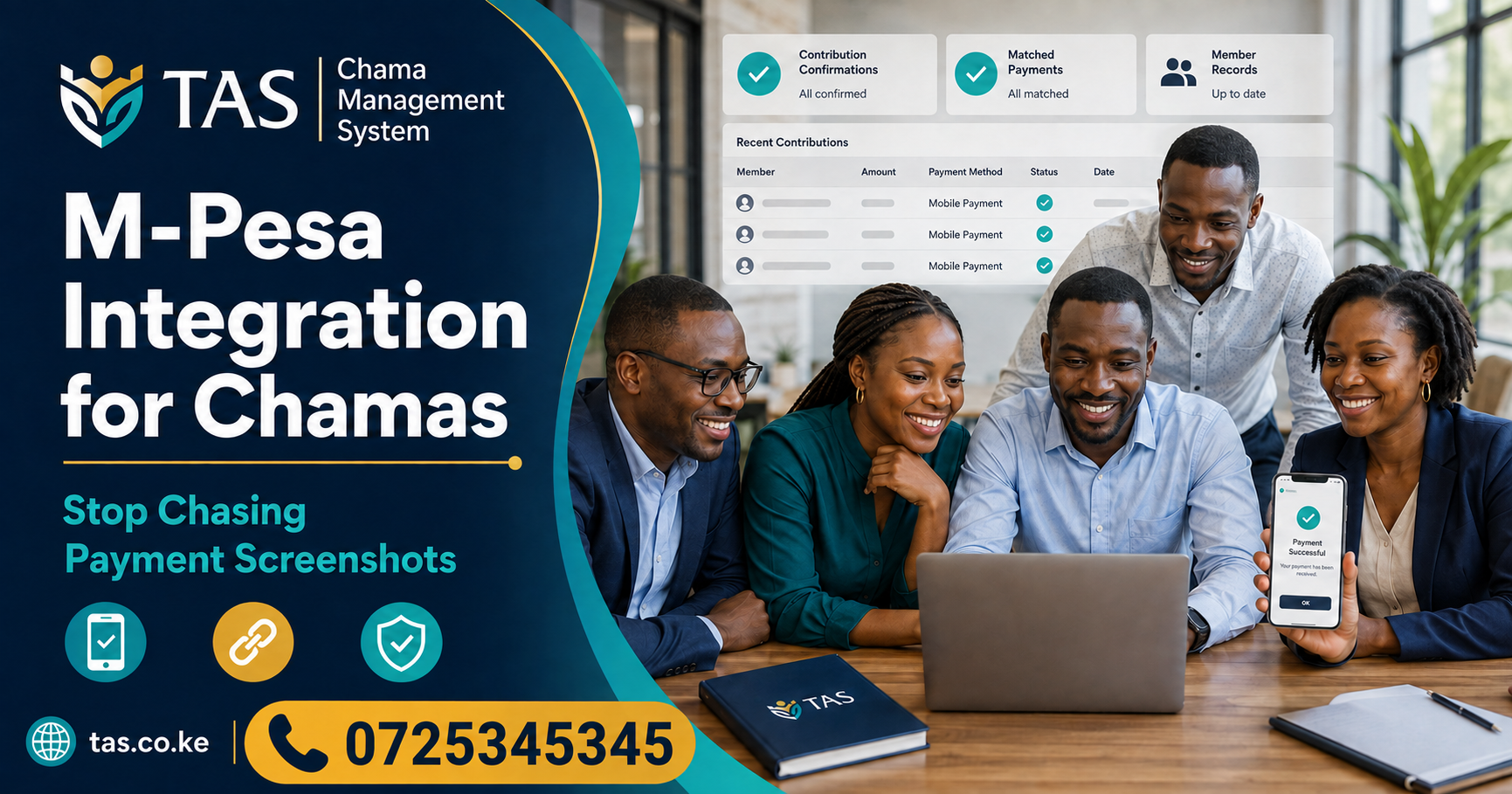

  • M-Pesa Integration for Chamas: 9 Powerful Benefits

    M-Pesa Integration for ChamasM-Pesa Integration for Chamas can help Kenyan groups stop depending on payment screenshots, handwritten receipts and manually updated spreadsheets. When a payment channel is correctly connected to a chama management system, officials can receive transaction information, match payments to members and maintain more reliable contribution records.

    Many chamas collect monthly contributions, welfare payments, loan repayments and project funds through M-Pesa. Members normally send transaction messages or screenshots to the treasurer as proof of payment. The treasurer must then confirm each transaction and update the group’s records manually.

    This process may work for a small group, but it becomes increasingly difficult as membership and transaction volumes grow.

    A properly designed integration can simplify reconciliation while TAS Chama Management System provides an organized workspace for managing members, contributions, loans, meetings, budgets, expenses and reports.

    This guide explains how M-Pesa Integration for Chamas works, its benefits, possible challenges and what your committee should confirm before implementing it.

    What Is M-Pesa Integration for Chamas?

    M-Pesa Integration for Chamas is the process of connecting a chama’s approved M-Pesa payment channel to its management software.

    Instead of relying entirely on screenshots, the connected system can receive permitted transaction details through an application programming interface. The platform can then use those details to identify, record or present payments for reconciliation.

    Depending on the approved setup, integration may involve:

    • An M-Pesa Paybill
    • A Till number
    • Member account references
    • Transaction confirmation callbacks
    • Payment-status checks
    • M-Pesa Express
    • Payment reconciliation
    • Digital receipts
    • Exception management

    Safaricom provides the Daraja Developer Portal, which enables developers to connect approved web and mobile applications with available M-Pesa APIs.

    Integration must be configured, tested and approved correctly. A chama should not assume that entering a phone number into management software automatically creates a complete M-Pesa connection.

    Why Chamas Should Stop Chasing Payment Screenshots

    Payment screenshots are convenient for communication, but they should not become the group’s main financial control.

    A screenshot may be:

    • Sent to the wrong official
    • Lost among other WhatsApp messages
    • Difficult to search later
    • Recorded more than once
    • Submitted without an account reference
    • Altered or incomplete
    • Unclear about the contribution category
    • Difficult to reconcile with the M-Pesa statement

    The treasurer must still verify whether the payment reached the correct account. A screenshot alone does not complete reconciliation.

    With M-Pesa Integration for Chamas, transaction details can enter an organized payment workflow. Officials can then confirm the member, contribution category, amount, reference and payment status before final posting.

    How M-Pesa Integration for Chamas Works

    The exact workflow depends on the provider, M-Pesa product and chama management system. A typical process may involve the following steps.

    Step 1: The chama establishes an approved payment channel

    The group obtains or uses an eligible M-Pesa payment channel under the appropriate ownership and terms.

    Step 2: Each member receives payment instructions

    Members are informed about the correct Paybill, Till, account reference or payment process.

    Step 3: A member makes a payment

    The member enters the required amount and identifying reference.

    Step 4: M-Pesa processes the transaction

    M-Pesa validates the payment and generates a transaction result.

    Step 5: The integrated platform receives transaction information

    The approved API sends permitted transaction details to the system’s configured endpoint.

    Step 6: The system attempts to identify the member

    The transaction may be matched using an account reference, membership number, telephone number or another approved identifier.

    Step 7: The payment enters the contribution workflow

    A successful match may update the relevant contribution record automatically or present the payment to an official for confirmation.

    Step 8: Exceptions are reviewed

    Transactions with incorrect references, unexpected amounts or missing member details are placed in an exception queue for manual investigation.

    Step 9: Reports are updated

    Once properly recorded, the payment can appear in member statements, contribution summaries and financial reports.

    A good integration must handle both successful transactions and exceptions. The system should never silently discard a payment merely because it could not identify the member automatically.

    9 Powerful Benefits of M-Pesa Integration for Chamas

    1. Faster Payment Recording

    Manual payment recording requires the treasurer to read each message, find the member and update a spreadsheet or notebook.

    M-Pesa Integration for Chamas can reduce this administrative workload by bringing transaction information into a structured reconciliation process.

    Officials can spend less time chasing screenshots and more time reviewing exceptions, preparing reports and supporting the group’s activities.

    2. Better Contribution Reconciliation

    Reconciliation confirms that the amounts recorded in the chama management system agree with the actual payment records.

    An integration can help officials compare:

    • Transaction code
    • Payment date
    • Amount
    • Member reference
    • Contribution category
    • Posting status
    • Reversal status
    • M-Pesa statement

    The goal is not merely to receive payment notifications. The goal is to create an accurate connection between the payment channel and the group’s official records.

    3. Reduced Data-Entry Errors

    Manual entry can produce mistakes such as:

    • Incorrect transaction codes
    • Wrong payment amounts
    • Duplicate records
    • Payments assigned to the wrong member
    • Incorrect dates
    • Contributions posted to the wrong category

    By importing permitted transaction details, M-Pesa Integration for Chamas may reduce avoidable typing errors. Officials must still review unmatched, reversed or unusual transactions.

    4. Improved Financial Transparency

    Members want to know that their payments have been received and recorded correctly.

    A connected payment workflow can make it easier to produce understandable information about:

    • Contributions received
    • Outstanding balances
    • Loan repayments
    • Welfare payments
    • Development funds
    • Special project contributions
    • Unmatched transactions

    TAS helps chamas manage contribution records and turn everyday activities into clearer member and financial reports.

    5. Easier Arrears Management

    Officials may struggle to identify members with overdue contributions when records are updated irregularly.

    With timely payment posting, the system can show the difference between the amount expected and the amount received.

    This helps officials identify:

    • Fully paid members
    • Partially paid members
    • Members who have not paid
    • Contributions received after the deadline
    • Payments awaiting reconciliation

    Accurate arrears reports enable officials to follow up using verified information rather than assumptions.

    6. Clearer Member Statements

    Members should be able to understand their financial records without calling the treasurer every time.

    A useful statement may show:

    • Contribution category
    • Amount expected
    • Amount paid
    • Payment date
    • Transaction reference
    • Outstanding balance
    • Loan repayments
    • Adjustments or reversals

    When M-Pesa Integration for Chamas is combined with structured member records, statements can become more current and easier to verify.

    7. Better Loan-Repayment Tracking

    Many chamas issue loans to members and collect repayments through M-Pesa.

    An integrated workflow can help connect a repayment to:

    • The correct borrower
    • The correct loan
    • The repayment instalment
    • Interest or principal allocation
    • Outstanding balance
    • Transaction reference

    Loan automation must be tested carefully. A payment should not be allocated to the wrong loan simply because two members have similar names or telephone numbers.

    8. Stronger Audit Evidence

    Chamas need reliable evidence when reviewing financial records, changing officials or resolving disputes.

    A good integration can preserve:

    • Original transaction reference
    • Date and time received
    • Amount
    • Member reference
    • Matching status
    • User who reviewed an exception
    • Date posted
    • Reversal information
    • Correction history

    These records strengthen accountability and make it easier to trace how a payment entered the group’s books.

    9. Easier Leadership Handover

    When a treasurer leaves office, the incoming official should not have to reconstruct contribution records from personal messages and screenshots.

    M-Pesa Integration for Chamas can help keep transaction information within the group’s approved system. TAS provides a centralized workspace so authorized leaders can continue managing members, contributions, meetings, budgets and reports.

    M-Pesa Integration Versus Payment Screenshots

    Activity Screenshots and manual entry Integrated payment workflow
    Payment confirmation Member sends a screenshot System receives permitted transaction details
    Member identification Treasurer searches manually Account reference may identify the member
    Contribution posting Entered manually Automatically matched or reviewed
    Duplicate detection Difficult to notice Transaction codes can be checked
    Unmatched payments Easily overlooked Placed in an exception workflow
    Reporting Updated after manual entry Reports update after confirmed posting
    Audit evidence Scattered messages Transaction and posting history
    Leadership handover Depends on personal phones Records remain in the group’s system

    Integration does not eliminate the need for financial controls. Officials must still compare system records with official M-Pesa statements and investigate differences.

    Important Features Your Chama Should Require

    Before implementing M-Pesa Integration for Chamas, ask the software provider to demonstrate the following features.

    Unique Member References

    Each member should use an understandable and consistent reference, such as a membership number.

    The group should avoid using a person’s name alone because names can be misspelled, abbreviated or shared by several members.

    Duplicate-Transaction Protection

    The system should prevent the same M-Pesa transaction code from being posted more than once.

    Unmatched-Payment Queue

    Payments that cannot be identified should not disappear. They should enter a visible exception queue where an authorized official can investigate them.

    Reversal Management

    The platform should provide a controlled method for handling reversed transactions without deleting the original audit evidence.

    Partial-Payment Support

    Members may pay contributions in several instalments. The system should show the total received and remaining balance.

    Multiple Contribution Categories

    The integration should distinguish between:

    • Regular savings
    • Welfare contributions
    • Loan repayments
    • Registration fees
    • Emergency funds
    • Development contributions
    • Special projects
    • Penalties

    A payment should not automatically enter the wrong category.

    Downloadable Reports

    Officials should be able to generate or export transaction and reconciliation reports for meetings and financial reviews.

    User Permissions

    Only authorized people should confirm matches, reverse entries or correct financial transactions.

    Audit History

    The system should show who reviewed, posted, corrected or reversed a transaction and when the activity occurred.

    Common M-Pesa Integration Challenges

    Incorrect Account References

    A member may enter a name instead of their membership number or make a typing error. The payment may reach the chama but fail to match automatically.

    Payments Made by Another Person

    A spouse, relative or friend may pay on behalf of a member. Matching only by telephone number may therefore produce an incorrect result.

    Duplicate Callbacks

    Technical systems must be designed to recognize a transaction that has already been processed.

    Network and API Interruptions

    A payment may succeed on M-Pesa while the callback to the chama system is delayed or fails. The integration needs a safe recovery and reconciliation process.

    Transaction Reversals

    A recorded payment may later be reversed. The system must preserve the original transaction and process the reversal accurately.

    Wrong Contribution Category

    A member may intend to repay a loan but enter the reference used for monthly contributions.

    Unverified Opening Balances

    Integration cannot correct historical balances that were already inaccurate. The chama should verify existing member balances before going live.

    Security and Data Protection

    M-Pesa Integration for Chamas involves financial transactions, telephone numbers, member identifiers and other potentially sensitive information.

    Chamas and their providers should consider:

    • Secure user authentication
    • Role-based permissions
    • Protected API credentials
    • Encrypted communication
    • Activity logging
    • Regular backups
    • Limited access to personal information
    • Incident-response procedures
    • Data-retention policies
    • Secure account deactivation

    Kenya’s Office of the Data Protection Commissioner regulates personal-data processing under the Data Protection Act, 2019. A chama should understand whether it acts as a data controller and whether its software or integration providers act as data processors.

    Only information necessary for the group’s legitimate operations should be collected and accessed.

    How TAS Supports Better Chama Management

    TAS Chama Management System gives Kenyan groups one connected workspace for managing:

    • Member records
    • Contributions
    • Loans and repayments
    • Meetings and minutes
    • Budgets
    • Income and expenses
    • Member reports
    • Financial reports
    • Role-based access

    TAS can serve as the chama’s official management record while the committee evaluates its required M-Pesa payment workflow.

    Before relying on any automated integration, ask the TAS team to confirm:

    1. Whether the required M-Pesa connection is currently available.
    2. Which M-Pesa products and account types are supported.
    3. Whether payments post automatically or require approval.
    4. How unmatched transactions are handled.
    5. How reversals and duplicate transactions are managed.
    6. What setup and transaction charges apply.
    7. Which reports are available.
    8. Whether existing payment records can be imported.

    Do not publish claims about live M-Pesa automation until the exact integration has been confirmed and tested.

    How to Prepare Your Chama for M-Pesa Integration

    Step 1: Review the chama’s payment rules

    Document all contribution categories, loan repayments, penalties, deadlines and approval procedures.

    Step 2: Verify member information

    Confirm membership numbers, names, telephone numbers and current balances.

    Step 3: Choose a consistent account reference

    Every member should receive clear payment instructions and a unique reference.

    Step 4: Confirm the payment channel

    Determine which approved Paybill, Till or other eligible M-Pesa product the group will use.

    Step 5: Define the reconciliation process

    Decide how officials will manage unmatched payments, reversals, duplicate transactions and partial payments.

    Step 6: Test in a controlled environment

    Use sample or permitted test transactions before processing live group payments.

    Step 7: Train the officials

    The treasurer and other authorized users should understand posting, reconciliation, corrections and reporting.

    Step 8: Inform the members

    Give members written payment instructions and explain how they can confirm that their contributions were recorded.

    Step 9: Reconcile regularly

    Compare the chama management records with official M-Pesa and bank statements.

    Questions to Ask Before Choosing a Provider

    A committee evaluating M-Pesa Integration for Chamas should ask:

    1. Which M-Pesa APIs are used?
    2. Who owns the payment channel?
    3. Where are funds settled?
    4. What member reference is required?
    5. How quickly do payments appear?
    6. What happens when a callback is delayed?
    7. How are unmatched payments resolved?
    8. How are reversals handled?
    9. Can one payment cover several contribution categories?
    10. Can officials correct an incorrect match?
    11. Is every correction recorded?
    12. What reports can be downloaded?
    13. How are API credentials protected?
    14. What support is available when posting fails?
    15. What are the setup, subscription and transaction costs?

    Request a complete demonstration from payment to report. Do not make the decision from screenshots or marketing statements alone.

    Frequently Asked Questions

    What is M-Pesa Integration for Chamas?

    M-Pesa Integration for Chamas connects an approved M-Pesa payment channel with chama management software so that permitted transaction information can enter a structured matching and reconciliation workflow.

    Does M-Pesa integration eliminate screenshots?

    It can reduce dependence on screenshots. However, officials should still reconcile the system with official M-Pesa statements and investigate unusual transactions.

    Can a payment be posted automatically?

    Automatic posting may be possible when the member reference, amount and contribution rules match. Some groups may prefer an approval step before financial records are updated.

    What happens when a member uses the wrong reference?

    The payment should enter an unmatched or exception workflow. An authorized official can then identify the correct member and contribution category.

    Can M-Pesa integration track loan repayments?

    A correctly configured integration may connect repayments to the relevant member and loan. The full workflow must be tested using the chama’s actual loan products.

    Does TAS have M-Pesa integration?

    Confirm the current availability, supported payment channels, costs and workflow directly with the TAS team before publishing or relying on this feature.

    Can TAS manage chama contributions?

    Yes. TAS publicly provides tools for recording savings, welfare funds and other member payments in a clear ledger.

    Can members access their records in TAS?

    Yes. TAS uses role-based access so each person receives the appropriate view and permissions.

    Can our chama try TAS before subscribing?

    Yes. TAS provides a 14-day trial with no card required.

    Conclusion

    M-Pesa Integration for Chamas can reduce manual data entry, improve reconciliation and give members clearer contribution records. It can also help officials manage arrears, loan repayments, exceptions and financial reports more efficiently.

    Successful integration requires more than receiving a payment notification. The workflow must correctly identify members, prevent duplicate posting, handle reversals, preserve audit evidence and protect personal information.

    TAS provides a secure online workspace for managing members, contributions, loans, meetings, budgets and reports. Your committee can test these management workflows and discuss the required M-Pesa connection with the TAS team.

    Start your 14-day TAS trial and build a clearer financial management process for your chama.

  • Merry-Go-Round Chama Kenya: Manage Contributions Digitally with TAS

    Merry-Go-Round Chama KenyaMerry-Go-Round Chama Kenya groups can now replace notebooks, spreadsheets and scattered WhatsApp messages with a clearer digital management process. Using TAS Chama Management System, officials can organize members, record contributions, manage meetings, monitor expenses and prepare reports from one secure online workspace.

    A merry-go-round allows members to contribute an agreed amount regularly and distribute the collected money according to the group’s rules. The model is popular among friends, families, colleagues, women’s groups, youth groups and community associations because it encourages saving, cooperation and financial discipline.

    However, managing a growing merry-go-round manually can become difficult. Missing payment records, unclear beneficiary schedules and disagreements about balances may weaken trust within the group.

    This guide explains how a Merry-Go-Round Chama Kenya can use TAS to improve organization, transparency and accountability.

    What Is a Merry-Go-Round Chama?

    A Merry-Go-Round Chama Kenya arrangement helps members develop consistent saving habits while supporting one another financially.

    A merry-go-round chama is a group savings arrangement in which members contribute a fixed amount at agreed intervals. The collected amount may then be given to one member according to a predetermined rotation.A properly organized Merry-Go-Round Chama Kenya gives every member a clear view of their payments and responsibilities.

    This type of arrangement is internationally known as a rotating savings and credit association, commonly abbreviated as ROSCA.

    For example, a group may have ten members who each contribute KSh 5,000 every month. The total monthly collection is KSh 50,000. One member receives the collected amount during each cycle until all eligible members have received their turn.

    The group must agree on:

    • The number of members
    • Contribution amount
    • Contribution frequency
    • Starting date
    • Beneficiary order
    • Payment deadline
    • Late-payment penalties
    • Rules for missed contributions
    • Process for replacing a member
    • Method for changing the schedule
    • Record-keeping responsibilities

    These rules should be written clearly in the group’s constitution or operating agreement.

    How Does a Merry-Go-Round Work in Kenya?

    Every Merry-Go-Round Chama Kenya group should establish a written contribution and beneficiary schedule before beginning its first cycle.

    A traditional Merry-Go-Round Chama Kenya usually follows a simple cycle.Members of a Merry-Go-Round Chama Kenya should approve contribution rules before starting a new cycle.

    Step 1: Members form the group

    Friends, relatives, colleagues or community members agree to save together. The group registers its members and selects officials such as a chairperson, secretary and treasurer.

    Step 2: The group agrees on its rules

    Members decide the amount each person will contribute, how often contributions will be made and how beneficiaries will be selected.

    Step 3: A beneficiary schedule is created

    The group determines the order in which members will receive the pooled contributions. The schedule may be created through agreement, a ballot or another method accepted by all members.

    Step 4: Members make contributions

    Every member pays the required amount before the agreed deadline. Officials record each payment and identify members with outstanding balances.

    Step 5: The collected amount is distributed

    The pooled money is given to the eligible beneficiary according to the approved schedule and payment rules.

    Step 6: The process continues

    The cycle continues until every eligible member has received their allocation. The group may then start a new cycle with the same or revised terms.

    Common Problems Facing Merry-Go-Round Chamas

    Without accurate records, a Merry-Go-Round Chama Kenya can experience missed payments, incorrect balances and disagreements among members.

    The savings model may be straightforward, but its administration can become difficult when records are maintained manually.

    Missing contribution records

    A payment may be made but not entered into the group’s notebook or spreadsheet. The member may then be incorrectly marked as unpaid.

    Unclear beneficiary schedules

    Members can disagree about who should receive the next allocation when the schedule is incomplete, changed informally or stored on one person’s phone.

    Late and missed contributions

    When one member delays payment, the group may fail to collect the full amount expected by the beneficiary.

    Scattered financial information

    Member details may be stored in a notebook, payments in a spreadsheet, decisions in meeting minutes and reminders in a WhatsApp group.

    Leadership handover problems

    When the treasurer or secretary leaves office, the new officials may struggle to obtain complete and accurate records.

    Poor expense tracking

    Transaction charges, meeting costs and other expenses may be deducted without being recorded clearly.

    Limited transparency

    Ordinary members may depend entirely on the treasurer for statements and updates.

    A digital chama platform gives the group one official place for recording its members, contributions, expenses, meetings and approved decisions.

    Why Use a Digital Merry-Go-Round App in Kenya?

    A digital Merry-Go-Round Chama Kenya reduces dependence on notebooks and manually updated spreadsheets.Digitizing a Merry-Go-Round Chama Kenya improves contribution tracking, financial transparency and access to group records.

    A digital merry-go-round management system helps officials organize the group’s activities and maintain accessible records.

    The main benefits include:

    • Clear member registration
    • Structured contribution records
    • Better monitoring of outstanding payments
    • Organized meeting records
    • Improved financial transparency
    • Easier preparation of reports
    • Secure role-based access
    • Better leadership transitions
    • Access from different locations
    • Reduced dependence on paper records

    The platform should support the group’s agreed rules rather than forcing the chama to change its operations unnecessarily.

    Manage Your Merry-Go-Round Chama with TAS

    Officials can use TAS to maintain accurate records for their Merry-Go-Round Chama Kenya.TAS gives every Merry-Go-Round Chama Kenya a centralized platform for managing members, payments, meetings, budgets and reports.

    TAS is a cloud-based management system built for Kenyan chamas and member-based organizations.

    It provides a connected workspace for:

    • Members
    • Contributions
    • Loans
    • Meetings
    • Budgets
    • Income and expenses
    • Financial reports
    • User permissions

    For a Merry-Go-Round Chama Kenya, TAS can serve as the group’s official operational record. Officials can register members, record their payments, maintain meeting decisions and generate reports without relying on several disconnected tools.

    Important TAS Features for Merry-Go-Round Groups

    1. Central Member Register

    TAS allows a group to maintain organized member information in one workspace.

    A member record may include:

    • Full name
    • Telephone number
    • 9 number
    • Date of joining
    • Membership status
    • Official position
    • Contribution history
    • Financial information

    A searchable member register makes it easier to verify membership and prepare reports.

    2. Contribution Tracking

    Every payment made to a Merry-Go-Round Chama Kenya should include the member, amount, date and contribution period.The group can record member payments and maintain a clearer contribution history.

    For every contribution, officials should capture:

    • Member’s name
    • Amount expected
    • Amount received
    • Payment date
    • Contribution period
    • Payment method
    • Reference
    • Outstanding balance

    Members and officials can use these records to confirm who has paid and who requires follow-up.

    3. Multiple Contribution Categories

    Some merry-go-round groups manage more than the rotational contribution. They may also collect welfare funds, registration fees, emergency funds or money for investment projects.

    TAS supports organized financial records so the group can separate different types of payments.

    Categories may include:

    • Merry-go-round contributions
    • Welfare contributions
    • Development funds
    • Emergency funds
    • Membership fees
    • Special project contributions
    • Investment contributions

    Separating these categories prevents the group from confusing money collected for different purposes.

    4. Income and Expense Management

    A digital merry-go-round app Kenya should record both incoming contributions and group expenses.

    Common expenses include:

    • Transaction charges
    • Bank charges
    • Meeting costs
    • Transport expenses
    • Communication costs
    • Professional services
    • Registration expenses

    Every expense should include a date, category, amount, description and supporting reference.

    5. Meetings and Decisions

    Leaders of a Merry-Go-Round Chama Kenya can record meetings, attendance, minutes and approved decisions. Important changes should be approved during a properly recorded meeting.

    TAS helps groups manage:

    • Meeting dates
    • Agendas
    • Attendance
    • Minutes
    • Decisions
    • Resolutions
    • Action items

    For example, if members approve a change to the contribution amount or beneficiary order, the decision should be recorded in the meeting minutes.

    6. Budgets

    TAS includes budget-management tools that help a chama plan how money will be received and used.

    A group can create budgets for:

    • Administration expenses
    • Annual meetings
    • Registration costs
    • Group projects
    • Welfare support
    • Investment activities

    Comparing actual expenses with the approved budget improves financial discipline.

    7. Financial and Member Reports

    TAS makes it easier for a Merry-Go-Round Chama Kenya to prepare contribution and financial reports.Reports help officials present clear information during meetings and annual reviews.

    Useful reports may include:

    • Member reports
    • Contribution summaries
    • Member contribution statements
    • Outstanding payment reports
    • Income and expense reports
    • Budget reports
    • Transaction histories
    • Meeting attendance records

    Every report should be checked against the group’s supporting financial records.

    8. Role-Based Access

    Not every person should have permission to change financial information.

    TAS uses role-based permissions to ensure users receive access according to their responsibilities.

    For example:

    • An administrator can configure the group.
    • A treasurer can manage permitted financial transactions.
    • A secretary can maintain meetings and records.
    • An ordinary member can see the information assigned to their role.

    Role-based access helps protect sensitive member and financial records.

    9. Access from Different Devices

    TAS is cloud-based and can be accessed using supported internet-connected devices.

    This means authorized officials do not have to meet physically whenever they need to update or review records. Members can also access the views permitted by their roles.

    10. Data Control

    A chama should not become trapped inside a platform without access to its records.

    TAS states that the group’s data remains available to it. During the free trial, officials should test whether they can retrieve useful member, contribution and financial information.

    TAS Versus Manual Merry-Go-Round Management

    Activity Manual management TAS digital management
    Member register Paper book or spreadsheet Centralized member records
    Contributions Manually updated Structured payment records
    Outstanding payments Calculated manually Current balances and reports
    Beneficiary decisions Messages or notebook Recorded meeting decisions
    Expenses Receipts and notes Categorized expense records
    Meetings Separate minute book Agenda, attendance and minutes
    Reports Prepared manually Generated from recorded activity
    Permissions Files may be widely shared Role-based access
    Leadership handover Depends on personal records Group records remain accessible
    Data backup Paper can be lost Secure cloud access and backups

    TAS focuses on broader chama administration. It brings contributions, loans, meetings, budgets, expenses, member records and reports into one management workspace.

    Therefore, the right choice depends on what your group needs:

    • A group primarily seeking a wallet-based pooled savings product may evaluate Zedek’s current terms.
    • A chama seeking broader administration, governance, member management, reporting and financial records should test TAS.
    • A group needing both should confirm whether the relevant providers support the required integrations and workflows.

    Do not assume the two platforms provide identical services. Request a demonstration and test your chama’s actual operations before making a decision.

    How to Set Up a Merry-Go-Round Chama in TAS

    Before entering records, the officials of a Merry-Go-Round Chama Kenya should verify every member’s opening balance and payment history.

    Step 1: Register for the TAS trial

    Visit the TAS registration page and create your chama workspace.

    TAS provides a 14-day trial with no card required.

    Step 2: Add your members

    Enter each member’s correct information and confirm their membership status.

    Step 3: Record the chama’s rules

    Document the agreed contribution amount, frequency, payment deadline, penalties and beneficiary process.

    Step 4: Create contribution categories

    Set up the merry-go-round contribution and any additional funds managed by the group.

    Step 5: Enter opening balances

    If the group has already started operating, verify all balances before recording them in TAS.

    Step 6: Assign user roles

    Give officials and members the appropriate access based on their responsibilities.

    Step 7: Record payments consistently

    Enter every contribution using an agreed process. Include the correct member, period, amount, date and reference.

    Step 8: Record meetings and decisions

    Use the meetings tools to document decisions concerning contribution amounts, missed payments, penalties and beneficiary arrangements.

    Step 9: Generate a test report

    Prepare a contribution or financial report and compare it with the group’s source records.

    Step 10: Train the group

    Show officials and members how TAS will be used and explain which records each person can access.

    How Much Does TAS Cost?

    TAS offers monthly, quarterly and annual billing options for groups with up to 50 members.

    According to the current TAS pricing information:

    • Monthly plan: KSh 1,000 per month
    • Quarterly plan: KSh 3,000 per quarter
    • Annual plan: KSh 12,000 per year

    The plans publicly include all features, support, customizations, secure cloud access and backups. Verify current prices and terms directly on the TAS website before subscribing.

    How to Choose the Best ROSCA App in Kenya

    Before selecting a ROSCA app Kenya, test the following areas:

    1. Can it support the group’s contribution frequency?
    2. Can officials record partial and late payments?
    3. Can the group monitor outstanding balances?
    4. Can it record additional funds separately?
    5. Can it manage income and expenses?
    6. Can officials record meetings and approved decisions?
    7. Can members access their own records?
    8. Does it provide role-based permissions?
    9. Can the group download its data?
    10. What reports are available?
    11. How are backups handled?
    12. What customer support is provided?
    13. What is the complete subscription cost?
    14. Are payment-processing charges separate?
    15. Can the platform accommodate more members later?

    Test complete workflows instead of relying only on a provider’s feature list.

    Frequently Asked Questions

    Choosing the right software helps a Merry-Go-Round Chama Kenya reduce administrative work and maintain reliable financial information.

    What is a merry-go-round chama in Kenya?

    A merry-go-round chama is a savings arrangement where members contribute an agreed amount regularly. The pooled money is distributed according to the group’s agreed schedule or payout rules.

    What is a ROSCA?

    ROSCA means rotating savings and credit association. It describes a group where members make regular contributions and receive the pooled funds according to an agreed arrangement.

    Can TAS manage a merry-go-round chama?

    TAS can help merry-go-round groups organize members, contributions, expenses, meetings, budgets and reports. Groups should test their specific beneficiary and payout processes during the free trial.

    Is TAS a digital merry-go-round app?

    TAS is a broader digital chama management system. It supports the administrative and financial records needed by different groups, including savings and merry-go-round chamas.

    Can TAS track member contributions?

    Yes. TAS allows officials to record savings, welfare funds and other member payments in a clear ledger.

    Can members access their records?

    Yes. TAS supports role-based access so that users receive views and permissions appropriate to their roles.

    Can our chama export its records?

    TAS states that a group’s records remain available to it. Test the required data access and exports during the trial.

    Does TAS support meetings?

    Yes. TAS allows groups to create agendas, record attendance and minutes, and keep decisions visible.

    Is TAS free?

    TAS offers a free 14-day trial. After the trial, the group can choose a monthly, quarterly or annual subscription.

    How can our merry-go-round start using TAS?

    Visit tas.co.ke/register, create your organization and test the platform for 14 days.

    A Merry-Go-Round Chama Kenya needs more than a list of names and payment messages. It needs reliable member records, clear contribution histories, properly documented decisions and understandable financial reports.

    With TAS, a Merry-Go-Round Chama Kenya can replace scattered manual records with a simple, secure and accessible digital workspace.

    TAS helps Kenyan groups replace scattered notebooks, spreadsheets and messages with one secure online workspace. Officials can manage members, contributions, meetings, budgets, expenses and reports while controlling access through user roles.

    Whether your group is a traditional merry-go-round, savings chama, welfare association or investment group, test the platform using your actual rules and records before subscribing.

    Start your 14-day TAS free trial and give your merry-go-round chama a clearer way to work.

  • Chama Management System and Welfare Group Software in Kenya

    Chama Management System and Welfare Group Software in KenyaChama Management System and Welfare Group Software in Kenya

    Managing a chama or welfare group involves much more than collecting monthly contributions. The officials must register members, confirm payments, manage welfare requests, record loans, monitor penalties, prepare financial reports and keep everyone informed.

    Chama Management System and Welfare Group Software helps Kenyan groups manage members, contributions, loans and welfare activities efficiently.

    When these responsibilities are handled through notebooks, spreadsheets and WhatsApp messages, mistakes can easily occur. A payment may not be recorded, a member’s balance may be calculated incorrectly, or important financial information may become difficult to verify.

    A Chama Management System and Welfare Group Software provides a central platform for managing members, contributions, welfare funds, loans, meetings and financial reports. It helps Kenyan groups replace scattered records with an organized, secure and transparent digital system.

    Whether you manage an investment chama, women’s group, youth group, family welfare association, church welfare group, merry-go-round or table-banking group, the right software can make administration easier and improve accountability.

    What Is a Chama Management System and Welfare Group Software?

    A Chama Management System and Welfare Group Software is a digital platform designed to help membership-based groups manage their daily financial and administrative activities.

    Instead of keeping member information in one notebook, contribution records in a spreadsheet and announcements in a WhatsApp group, the platform brings everything together.

    Depending on the needs of the group, the system can help officials manage:

    • Member registration and profiles
    • Monthly and weekly contributions
    • Welfare contributions and claims
    • Member loans and repayments
    • Fines, penalties and arrears
    • Investment records
    • Merry-go-round schedules
    • Meetings and attendance
    • Income and expenses
    • Financial statements
    • Member communication
    • User permissions and audit trails

    This creates a reliable source of information for members, treasurers, secretaries and committee officials.

    Why Kenyan Chamas and Welfare Groups Need Management Software

    Many groups begin with a small number of trusted friends, relatives or colleagues. At this stage, a notebook or spreadsheet may appear sufficient.

    However, administration becomes more complicated as the group grows. More members mean more transactions, requests, loans, welfare claims and financial reports.

    Common challenges experienced by chamas and welfare groups include:

    • Missing or incomplete contribution records
    • Difficulty identifying members with arrears
    • Disagreements about account balances
    • Delayed preparation of financial reports
    • Poor monitoring of loans and repayments
    • Loss of information when officials change
    • Limited transparency for ordinary members
    • Difficulty tracking welfare applications
    • Unclear approval processes
    • Financial records scattered across several devices

    A digital chama platform helps the group create standardized procedures. Transactions can be recorded consistently, authorized officials can access current information, and members can receive clearer updates about their accounts.

    Important Features of Chama Management Software

    Before selecting a chama or welfare management system, officials should evaluate whether it supports the group’s actual activities.

    1. Member Registration and Management

    The system should provide a central member register containing important information such as:

    • Member’s full name
    • Telephone number
    • Identification details
    • Membership number
    • Date of joining
    • Membership status
    • Next of kin or beneficiary
    • Contribution category
    • Group position or role

    A centralized register makes it easier to update records and find member information without searching through paper files.

    2. Contribution Tracking

    With Chama Management System and Welfare Group Software, officials can record contributions, monitor balances and identify overdue payments.

    Contributions are the foundation of most chamas and welfare groups. The software should allow officials to create different contribution categories, including:

    • Monthly contributions
    • Weekly contributions
    • Welfare contributions
    • Emergency funds
    • Development funds
    • Investment contributions
    • Special project contributions
    • Merry-go-round payments

    The system should show the amount expected, amount paid, payment date, outstanding balance and any applicable penalty.

    This allows officials to identify paid-up members and follow up on arrears using accurate information.

    3. M-Pesa and Digital Payment Support

    A modern Chama Management System and Welfare Group Software can integrate with M-Pesa for convenient contribution and repayment collection.

    M-Pesa is widely used by Kenyan groups because members can make payments from different locations. A chama management system that supports payment integration can simplify contribution reconciliation.

    When properly integrated, digital payments may help the group:

    • Identify the member who made a payment
    • Record the amount received
    • Assign the payment to the correct contribution
    • Generate a payment confirmation
    • Update the member’s balance
    • Reduce manual data entry

    Officials should confirm the supported payment channels, settlement process, integration charges and reconciliation procedures before activating any payment integration.

    4. Welfare Claims and Emergency Support

    Welfare groups are often established to support members during bereavement, illness, hospitalization, weddings, childbirth and other important events.

    A Welfare Group Management System should provide an organized process for:

    1. Submitting a welfare request
    2. Recording the type of request
    3. Uploading supporting information
    4. Reviewing the application
    5. Approving or rejecting the request
    6. Recording the amount paid
    7. Maintaining the complete decision history

    This creates a transparent process and ensures that welfare requests are handled according to the group’s constitution.

    5. Loan Management

    Chama Management System and Welfare Group Software simplifies loan applications, approvals, repayments, interest and penalties.

    Some chamas provide loans to members using accumulated contributions. Managing these loans manually can lead to incorrect balances and repayment disputes.

    A reliable system should help officials record:

    • Loan applications
    • Requested amounts
    • Guarantors
    • Approval decisions
    • Interest rates
    • Repayment periods
    • Repayment schedules
    • Amounts paid
    • Outstanding balances
    • Overdue instalments and penalties

    Members should be able to understand how much they borrowed, how much they have repaid and the amount that remains outstanding.

    6. Merry-Go-Round Management

    Merry-go-round groups need an agreed payment and beneficiary schedule. The software should make it easy to determine:

    • The current beneficiary
    • Members who have already received funds
    • Upcoming beneficiaries
    • Expected contribution per member
    • Missed payments
    • Changes approved by the group

    Keeping a permanent schedule prevents confusion and helps ensure that every eligible member receives their allocation.

    7. Income and Expense Management

    Chamas incur expenses such as bank charges, meeting costs, transport, communication, professional services and project expenses.

    Recording both income and expenses gives the group a more accurate view of its financial position. Every expense should contain a date, category, amount, description and supporting reference.

    Officials can then prepare reports showing how the group’s money was received and used.

    8. Financial Reports

    Chama Management System and Welfare Group Software provides accurate statements, financial reports and transparent transaction records.

    A Chama Management System and Welfare Group Software should produce understandable reports for committee meetings, annual general meetings and audits.

    Important reports may include:

    • Member contribution statements
    • Contribution summary reports
    • Arrears reports
    • Loan balances
    • Loan repayment reports
    • Welfare fund reports
    • Income and expense statements
    • Cash flow reports
    • Member balances
    • Penalty reports
    • Transaction histories

    Reports should be downloadable or printable when members need physical copies.

    9. Meetings and Attendance

    Good chama management also requires proper governance. The system can help record meeting dates, agendas, minutes, resolutions and attendance.

    This creates a record of important decisions, including loan approvals, welfare payments, investments and changes to contribution amounts.

    When disputes arise, officials can refer to the approved meeting records instead of relying on memory or old messages.

    10. Member Notifications

    Members need timely information about upcoming contributions, overdue payments, meetings, loan repayments and welfare activities.

    The platform may support notifications through SMS, email, an online dashboard or other communication channels.

    Automated reminders reduce the amount of time officials spend contacting each member individually.

    11. Role-Based Access

    Not every user should be allowed to change financial records.

    The system should allow the group to assign permissions according to responsibility. For example:

    • An administrator can configure the group.
    • A treasurer can manage financial transactions.
    • A secretary can manage meetings and communication.
    • A credit officer can manage loan applications.
    • An ordinary member can view personal records.
    • An auditor can review reports without changing transactions.

    Role-based access protects sensitive records and reduces unauthorized changes.

    12. Audit Trail

    An audit trail records important activities completed within the system. It may show who created, edited, approved or reversed a transaction and when the action occurred.

    This feature strengthens accountability because changes can be traced to the responsible user.

    Benefits of Using Welfare Group Software

    Improved financial transparency

    Members can receive accurate information about contributions, loans, welfare funds and expenses. This reduces suspicion and strengthens confidence in the group’s leadership.

    A reliable Chama Management System and Welfare Group Software improves transparency and accountability among group members.

    Faster preparation of reports

    Instead of manually calculating balances before every meeting, officials can generate updated reports from the transactions recorded in the platform.

    Better contribution collection

    Automated reminders, current balances and clear arrears reports help officials follow up on missed payments.

    Easier leadership transitions

    When a treasurer, secretary or chairperson leaves office, authorized records remain available within the group’s system. The incoming officials do not have to reconstruct information from personal notebooks and phones.

    Reduced administrative work

    Automating calculations, statements, reminders and reports gives officials more time to concentrate on investments, member welfare and group development.

    Better decision-making

    Current financial information allows members to make informed decisions about loans, investments, expenses and new projects.

    Access from different locations

    A web-based system can allow authorized users to access permitted records from a phone, tablet or computer, subject to the system’s access controls.

    Chama Software Versus Spreadsheets and WhatsApp

    WhatsApp is useful for communication, while spreadsheets can support basic calculations. However, neither one provides a complete chama management environment.

    Activity Spreadsheets and WhatsApp Chama Management Software
    Member records Stored in separate files Maintained in a central register
    Contributions Manually updated Structured contribution tracking
    Loans Calculated manually Repayment schedules and balances
    Welfare requests Mixed with messages Recorded approval workflow
    Permissions Files may be widely shared Role-based user access
    Reports Prepared manually Generated from current records
    Audit history Difficult to establish User activities can be traced
    Leadership handover Depends on personal files Records remain in the group platform

    A dedicated system does not necessarily replace group discussions. It provides an official place for recording financial transactions and approved decisions.

    How to Choose the Best Chama Management System in Kenya

    Before purchasing or subscribing to a system, ask the provider the following questions:

    1. Does the system support our contribution structure?
    2. Can it manage welfare requests and payments?
    3. Does it support loans, guarantors and repayment schedules?
    4. Can members access their individual statements?
    5. Does it work properly on mobile devices?
    6. What reports can officials generate?
    7. Does it provide role-based access?
    8. Are changes recorded in an audit trail?
    9. How are backups and system security handled?
    10. Is training included during onboarding?
    11. Can existing spreadsheet records be imported?
    12. What customer support is available?
    13. Are payment integrations available?
    14. What are the setup and recurring charges?
    15. Can the platform grow as the group adds more members?

    The group should request a demonstration using realistic examples before making the final decision.

    Data Protection and Security for Chama Records

    Chamas and welfare groups may collect telephone numbers, identification details, payment records and beneficiary information. These records must be handled carefully.

    Kenya’s Office of the Data Protection Commissioner regulates the processing of personal data under the Data Protection Act, 2019. Groups should therefore consider how member information is collected, accessed, stored and shared.

    A suitable system should support measures such as:

    • Secure user authentication
    • Strong passwords
    • Controlled user permissions
    • Regular data backups
    • Protected data transmission
    • Activity logs
    • Account deactivation when officials leave
    • Clear privacy and data-retention procedures

    Officials should only collect information that is necessary for legitimate group activities and limit access to authorized people.

    Secure Chama Management System and Welfare Group Software protects member information, payment records and financial reports.

    Who Can Use Chama and Welfare Management Software?

    The platform can support different types of member-based organizations, including:

    • Investment chamas
    • Women’s groups
    • Youth groups
    • Church welfare groups
    • Family welfare associations
    • Employee welfare groups
    • Alumni welfare associations
    • Merry-go-round groups
    • Table-banking groups
    • Community-based organizations
    • Burial and benevolent associations
    • Professional membership groups
    • Savings and investment clubs

    The system should be configured around the group’s constitution, contribution rules, approval process and reporting needs.

    How to Move From Manual Records to a Digital Chama System

    A successful transition should be completed in manageable stages.

    Step 1: Review the existing records

    Collect member registers, contribution books, bank statements, loan schedules, welfare records and spreadsheets.

    Step 2: Verify the balances

    Ask officials and members to confirm opening balances before importing them. Moving incorrect data into a new platform will not solve existing discrepancies.

    Step 3: Configure the group’s rules

    Set up contribution categories, due dates, penalties, welfare benefits, loan terms and approval procedures.

    Step 4: Create user accounts

    Assign permissions based on each official’s responsibilities.

    Step 5: Train officials

    Officials should understand how to record payments, approve requests, correct errors and generate reports.

    Step 6: Introduce the platform to members

    Explain how members can access statements, receive notifications and make payments.

    Step 7: Monitor the first reporting period

    Compare the system reports with bank or payment records and resolve any differences immediately.

    Why TAS Is Suitable for Modern Chamas and Welfare Groups

    TAS provides a digital foundation for groups seeking to improve the management of members, contributions, welfare activities and financial information.

    Instead of depending entirely on handwritten books and disconnected spreadsheets, your group can establish a more organized approach to administration.

    A properly configured chama platform can help your organization improve transparency, save time, preserve institutional records and give members better visibility into group activities.

    The system can be adapted for investment groups, welfare associations, merry-go-rounds, table-banking groups and other membership organizations in Kenya.

    Frequently Asked Questions

    What is the best chama management system in Kenya?

    The best system is one that matches your group’s structure and supports member management, contributions, loans, welfare requests, reports, permissions, security and reliable customer support.

    Can chama software track member contributions?

    Yes. Chama contribution tracking software can record expected contributions, payments received, outstanding balances, arrears and penalties.

    Can welfare group software manage claims?

    A suitable welfare platform can record support requests, approvals, payment amounts, beneficiaries and supporting documents.

    Can members view their statements?

    Depending on the platform’s features and permissions, members may be allowed to view their contribution history, loan balance, welfare payments and other individual records.

    Can a chama management system integrate with M-Pesa?

    Some platforms support M-Pesa or other payment integrations. Ask the provider about available integration methods, transaction charges and reconciliation procedures.

    Is chama management software suitable for small groups?

    Yes. Small groups can use a digital system to establish good record-keeping practices before their membership and transaction volumes increase.

    Can we transfer our existing spreadsheet records?

    Many platforms provide data-import or assisted migration services. The existing information should be cleaned and verified before migration.

    How much does chama management software cost?

    The cost depends on the number of members, required modules, payment integrations, training, customization and level of support. Request a quotation based on your group’s requirements.

    Choosing the right Chama Management System and Welfare Group Software allows your group to grow without depending on paperwork and spreadsheets.

    Get Started With Chama Management System and Welfare Group Software

    Your chama should not lose time reconciling scattered records, searching through WhatsApp messages or repeatedly calculating member balances.

    With a reliable Chama Management System and Welfare Group Software, your group can manage members, contributions, welfare requests, loans, meetings and reports from one organized platform.

    Contact TAS today to request a demonstration and discover how your chama or welfare group can improve transparency, accountability and financial management.

    Contact us on 0725345345 to request a demonstration of our Chama Management System and Welfare Group Software in Kenya.

  • SACCO Management Software in Kenya | SACCO ERP for Loans, Savings, Accounting & M-Pesa

    tasSACCO ERP – SACCO Management Software in KenyaSACCO Management Software in Kenya

    SACCO ERP brings different SACCO functions together in one system, helping management and staff work with accurate, up-to-date information instead of relying on spreadsheets, paperwork and disconnected applications.Managing a SACCO manually can become increasingly difficult as membership grows, loan portfolios expand, transactions increase and reporting requirements become more demanding. A modern SACCO management software in Kenya provides a centralized platform for automating member management, savings, shares, loans, accounting, payments, reporting and day-to-day SACCO operations.

    SACCO Management Software in Kenya centralizes member records, savings, loans and accounting in one secure platform.

    SACCO ERP brings different SACCO functions together in one system, helping management and staff work with accurate, up-to-date information instead of relying on spreadsheets, paperwork and disconnected applications.

    Whether you operate a transport SACCO, teachers’ SACCO, investment SACCO, community SACCO, employee SACCO, cooperative society, BOSA or FOSA operation, the right SACCO management system can help improve efficiency, financial visibility, member service and operational control.

    What Is SACCO ERP?

    A SACCO ERP is an enterprise resource planning system designed to manage the financial and administrative operations of a Savings and Credit Cooperative Organization.

    Unlike a basic accounting system, SACCO ERP software connects different functions of the organization in one centralized platform.

    A comprehensive SACCO ERP can manage:

    • Member registration and profiles
    • KYC information
    • Shares and deposits
    • Savings and contributions
    • Loan applications
    • Loan appraisal and approval
    • Loan disbursement
    • Loan repayment
    • Guarantors
    • Loan penalties and interest
    • BOSA operations
    • FOSA operations
    • Accounting and general ledger
    • Cash management
    • Bank reconciliation
    • M-Pesa transactions
    • Member statements
    • Dividends
    • Bulk SMS and notifications
    • Staff and user management
    • Audit trails
    • Financial reports
    • Management reports
    • Regulatory reporting

    The objective is to give SACCO management a single source of information for monitoring the organization and serving members efficiently.

    SACCO Management Software in Kenya

    The Kenyan SACCO sector requires efficient systems because SACCOs handle member savings, shares, loans, repayments and other financial transactions.

    SASRA is responsible for the supervision and regulation of SACCO societies in Kenya. SASRA currently distinguishes between licensed Deposit Taking SACCOs and authorized Non-Withdrawable Deposit Taking SACCOs.

    For this reason, choosing reliable SACCO software in Kenya is more than simply digitizing member records. The system should support proper financial controls, reporting, security, auditability and the operational requirements of the SACCO.

    SASRA also publishes supervision reports and regulatory information that SACCOs can use when evaluating their reporting and compliance requirements.

    A good SACCO ERP therefore helps an organization move from manual processes to structured digital operations.

    Why SACCOs Need Management Software

    Many SACCOs start with spreadsheets, manual registers and basic accounting applications. These tools can work when the organization is small, but problems can arise as the number of members and transactions increases.

    Common challenges include:

    • Duplicate member records
    • Difficulty tracking member contributions
    • Manual loan calculations
    • Delayed loan processing
    • Difficulty monitoring overdue loans
    • Errors when posting transactions
    • Time-consuming reconciliation
    • Limited management visibility
    • Difficult report preparation
    • Poor audit trails
    • Paper-based documentation
    • Delayed member statements
    • Difficulty managing multiple branches
    • Increased risk of unauthorized access

    SACCO management software addresses these challenges by bringing important processes into a centralized system.

    Instead of maintaining separate records for members, loans, savings and accounting, staff can work from interconnected modules.

    Key Features of SACCO ERP Software

    1. Member Management

    Member management is one of the most important components of SACCO software.

    The system can provide a centralized member profile containing information such as:

    • Full name
    • Identification details
    • Contact information
    • Membership number
    • Next of kin
    • Beneficiaries
    • Employment information
    • Membership category
    • Shares
    • Savings
    • Loans
    • Guarantors
    • Transaction history

    Staff can search for members quickly instead of manually checking physical files.

    Digital member records can also make it easier to update information and generate member statements.

    2. SACCO Membership Registration

    A SACCO ERP can streamline the member onboarding process.

    Instead of completing multiple forms and manually entering the same information into different systems, the SACCO can capture member information once and use it across relevant modules.

    The registration process can include:

    • Member application
    • Personal information
    • KYC information
    • Identification documents
    • Membership category
    • Next-of-kin details
    • Beneficiary information
    • Share requirements
    • Opening balances

    This reduces repetitive data entry and helps maintain consistent member records.

    3. Savings and Contributions Management

    A SACCO management system should make it easy to track member savings and contributions.

    The system can record:

    • Regular savings
    • Deposits
    • Share contributions
    • Welfare contributions
    • Special contributions
    • Member deposits
    • Transaction dates
    • Payment methods
    • Account balances

    Management can then monitor contributions without depending on manually updated spreadsheets.

    Members can also receive accurate statements showing their transactions and balances.

    4. SACCO Loan Management Software

    Loan management is one of the most important reasons SACCOs invest in ERP software.

    A SACCO loan management module can manage the complete loan lifecycle from application to repayment.

    The process may include:

    1. Loan application
    2. Member eligibility verification
    3. Loan appraisal
    4. Guarantor verification
    5. Approval
    6. Disbursement
    7. Repayment scheduling
    8. Interest calculation
    9. Penalty calculation
    10. Repayment posting
    11. Outstanding balance monitoring
    12. Loan closure

    Automating these processes can reduce calculation errors and help loan officers monitor the loan portfolio more efficiently.

    Loan Appraisal and Approval

    A modern SACCO ERP can support structured loan appraisal workflows.

    Depending on the SACCO’s policies, the system can consider information such as:

    • Member savings
    • Share capital
    • Existing loans
    • Outstanding balances
    • Repayment history
    • Guarantors
    • Loan limits
    • Income information
    • Loan product
    • Repayment period

    Approval workflows can also help ensure that loans pass through the appropriate authorization stages before disbursement.

    This creates a better audit trail and improves internal controls.

    Loan Repayment Tracking

    Once a loan has been disbursed, the system can track repayments and update the outstanding balance.

    Management can monitor:

    • Amount repaid
    • Principal balance
    • Interest balance
    • Penalties
    • Next repayment date
    • Overdue amounts
    • Loan status
    • Repayment history

    This gives loan officers a clearer view of the SACCO’s loan portfolio.

    5. BOSA Management

    BOSA, or Back Office Service Activity, is an important part of many SACCO operations.

    A SACCO ERP can help manage BOSA activities such as:

    • Member savings
    • Shares
    • Loans
    • Loan repayments
    • Guarantors
    • Member statements
    • Dividends
    • Member transactions

    By connecting BOSA activities to the accounting and reporting modules, the SACCO can reduce duplicate data entry.

    6. FOSA Management

    For SACCOs operating Front Office Service Activity, the software can provide functionality for managing front-office financial services.

    Depending on the system configuration, FOSA functionality can include:

    • Member accounts
    • Deposits
    • Withdrawals
    • Transfers
    • Cashier operations
    • Account balances
    • Transaction history
    • Banking transactions
    • Reconciliation

    A centralized system allows management to monitor transactions while giving authorized staff access to the functions required for their roles.

    7. M-Pesa Integration for SACCOs

    Mobile money is an important part of financial transactions in Kenya.

    For that reason, SACCO software with M-Pesa integration can make it easier to receive and reconcile member payments.

    An integrated system can support workflows such as:

    Member payment → M-Pesa transaction → System receives transaction → Member account updated → Receipt/notification generated

    Depending on the implementation and available APIs, M-Pesa integration may support activities such as:

    • Member contributions
    • Loan repayments
    • Deposits
    • Payment confirmations
    • Automated reconciliation
    • Notifications

    The exact M-Pesa functionality should be confirmed with the software provider and configured according to the SACCO’s payment requirements.

    8. SACCO Accounting Software

    Financial management is at the center of SACCO operations.

    A complete SACCO ERP system should connect operational transactions to accounting.

    Accounting functionality can include:

    • General ledger
    • Chart of accounts
    • Journal entries
    • Cashbook
    • Bank accounts
    • Receivables
    • Payables
    • Income and expenses
    • Trial balance
    • Profit and loss
    • Balance sheet
    • Bank reconciliation
    • Financial statements

    When transactions from loans, savings and payments flow into the accounting system, management can obtain a more complete view of the organization’s financial position.

    9. SACCO Financial Reporting

    Preparing reports manually can consume considerable staff time.

    A SACCO management system can automate many management reports and make information available from a central dashboard.

    Reports may include:

    • Member reports
    • Savings reports
    • Loan reports
    • Loan aging reports
    • Repayment reports
    • Arrears reports
    • Income reports
    • Expense reports
    • Cashbook reports
    • General ledger reports
    • Trial balance
    • Financial statements
    • Branch reports
    • Transaction reports
    • Audit reports

    The exact regulatory reports supported should always be verified against the SACCO’s category and current regulatory requirements.

    SASRA publishes regulatory and supervision information, including annual and quarterly reports, making accurate data and reporting capabilities particularly important for regulated SACCOs.

    10. SASRA Reporting and Compliance Support

    One of the major considerations when selecting SACCO management software in Kenya is regulatory reporting.

    SACCOs should choose systems that support accurate records, reporting workflows, audit trails and the specific compliance requirements applicable to their organization.

    A SACCO ERP can help by:

    • Maintaining centralized records
    • Recording financial transactions
    • Maintaining audit trails
    • Producing management reports
    • Organizing loan portfolio information
    • Tracking member balances
    • Supporting financial reporting
    • Reducing manual calculations

    However, software should not be described as automatically making a SACCO compliant in every circumstance. Compliance depends on the SACCO’s operations, controls, policies and applicable regulatory requirements.

    11. SACCO Member Statements

    Members increasingly expect quick access to their financial information.

    A SACCO management system can generate member statements showing:

    • Savings
    • Shares
    • Loans
    • Repayments
    • Interest
    • Penalties
    • Deposits
    • Withdrawals
    • Account balances
    • Transaction history

    Member statements can be generated electronically, reducing the workload on front-office staff.

    12. SMS and Member Notifications

    Communication is an important part of member service.

    SACCO ERP software can integrate SMS or email notifications for events such as:

    • Loan approval
    • Loan disbursement
    • Payment confirmation
    • Loan repayment reminders
    • Account updates
    • Meeting notifications
    • Important announcements

    Automated notifications can reduce the need for staff to contact every member manually.

    13. User Roles and Permissions

    SACCO systems handle sensitive financial and personal information. User access should therefore be controlled.

    A good system should allow administrators to define permissions based on responsibilities.

    For example:

    • Administrator
    • Manager
    • Accountant
    • Loan officer
    • Teller
    • Auditor
    • Branch manager
    • Customer service officer

    A teller does not necessarily need access to the same functions as an administrator.

    Role-based access helps reduce unauthorized access and improves accountability.

    14. Audit Trails

    An audit trail records important activities performed within the system.

    Depending on the system design, audit information can show:

    • User who performed an action
    • Date and time
    • Transaction affected
    • Changes made
    • Approval activity
    • Reversal activity

    This provides management with better visibility into system activity and supports internal controls.

    15. Multi-Branch SACCO Management

    As a SACCO expands, managing multiple branches can introduce additional complexity.

    A centralized SACCO ERP can help management monitor branches from one platform.

    Features may include:

    • Branch management
    • Branch-level users
    • Branch transactions
    • Branch performance reports
    • Consolidated reports
    • Inter-branch transactions
    • Centralized member records

    This makes it easier for head office to monitor operations across different locations.

    Benefits of SACCO Management Software in Kenya

    Implementing the right SACCO ERP can provide several benefits.

    Improved Efficiency

    Automating repetitive processes reduces manual work and allows employees to spend more time serving members.

    Better Accuracy

    Automated calculations and centralized records can reduce errors caused by repeated manual data entry.

    Faster Loan Processing

    Digital loan workflows can help staff move applications from submission to appraisal, approval and disbursement more efficiently.

    Better Financial Control

    Management gets greater visibility into income, expenses, loans, savings and other financial activities.

    Improved Member Service

    Staff can retrieve member information quickly and provide statements and transaction information without searching through physical files.

    Better Reporting

    Automated reports can reduce the amount of time spent compiling information manually.

    Greater Transparency

    Transaction histories, approvals and audit trails provide greater visibility into SACCO activities.

    Scalability

    A properly designed SACCO ERP can support an organization as membership, branches, products and transaction volumes grow.

    Cloud-Based SACCO Software

    Modern SACCO management systems can be hosted in the cloud, allowing authorized users to access the platform through an internet-connected device.

    Cloud deployment can provide advantages such as:

    • Remote accessibility
    • Centralized data
    • Automatic infrastructure management
    • Easier system updates
    • Multi-branch access
    • Reduced dependence on local servers

    However, SACCOs should carefully evaluate hosting security, backups, access controls, disaster recovery, data protection and service availability before selecting a cloud platform.

    SACCO Data Security

    SACCO systems handle personal and financial information, making security a critical consideration.

    The software should include appropriate controls such as:

    • Secure authentication
    • User permissions
    • Encryption
    • Audit logs
    • Regular backups
    • Secure hosting
    • Access monitoring
    • Session controls
    • Disaster recovery procedures

    Organizations also need appropriate internal policies and procedures for protecting member information.

    Kenya’s Data Protection Act establishes obligations around the processing and protection of personal data, including requirements relating to security safeguards.

    How to Choose the Best SACCO Management Software in Kenya

    Choosing the right system requires more than comparing feature lists.

    Before purchasing SACCO software, consider the following:

    1. Does It Support Your SACCO Type?

    The system should match your operational model, whether you operate BOSA, FOSA, a transport SACCO, employee SACCO, community SACCO or another cooperative structure.

    2. Does It Support Loans?

    Check whether the system supports your actual loan products, interest calculations, guarantor requirements, approval processes and repayment structures.

    3. Does It Support M-Pesa?

    If your SACCO receives significant mobile money payments, ask about the available M-Pesa integration and reconciliation process.

    4. Does It Provide Accounting?

    Operational software should ideally connect loans, savings and payments with accounting.

    5. Does It Generate Reports?

    Ask for a demonstration of the actual reports your SACCO needs.

    6. Is It Secure?

    Ask about:

    • Data encryption
    • Backups
    • User permissions
    • Audit trails
    • Server security
    • Disaster recovery
    • Access controls

    7. Is Training Available?

    Staff need training to use a new SACCO system effectively.

    8. What Support Is Available?

    Ask about technical support, response times, maintenance and system updates.

    9. Can It Scale?

    The system should be able to accommodate growth in:

    • Members
    • Loans
    • Transactions
    • Branches
    • Users
    • Products

    10. Can Existing Data Be Migrated?

    If your SACCO is moving from spreadsheets or another system, data migration is an important consideration.

    SACCO ERP vs Manual SACCO Management

    Manual Management SACCO ERP
    Paper-based records Centralized digital records
    Manual loan calculations Automated calculations
    Spreadsheet reporting Automated reports
    Manual reconciliation Digital transaction workflows
    Slow member searches Fast member search
    Difficult audit tracking Audit trails
    Separate records Integrated modules
    Limited real-time visibility Real-time operational information
    Higher risk of data duplication Centralized member records

    The goal of SACCO automation is not simply to replace paper. It is to create connected processes that allow the organization to operate more efficiently.

    Who Can Use SACCO ERP Software?

    SACCO ERP software can be useful for different types of cooperative organizations, including:

    • Transport SACCOs
    • Matatu SACCOs
    • Teachers’ SACCOs
    • Employees’ SACCOs
    • Community SACCOs
    • Investment SACCOs
    • Agricultural SACCOs
    • Farmers’ SACCOs
    • Housing SACCOs
    • Professional SACCOs
    • Church-based SACCOs
    • Welfare-based savings organizations
    • Microfinance institutions

    The exact features required will depend on the organization’s business model and regulatory category.

    SACCO Management Software for Transport SACCOs

    Transport SACCOs can have unique operational requirements.

    A specialized or configurable SACCO ERP can help manage:

    • Members
    • Vehicles
    • Drivers
    • Contributions
    • Loans
    • Payments
    • Routes
    • Daily collections
    • Expenses
    • Reports

    A transport SACCO can therefore use technology to bring financial and operational information into one platform.

    SACCO ERP for Microfinance Institutions

    Many of the functions found in SACCO systems are also relevant to microfinance organizations.

    A configurable platform can support:

    • Customer management
    • Loan applications
    • Loan appraisal
    • Disbursement
    • Repayments
    • Interest calculations
    • Penalties
    • Collections
    • Accounting
    • Financial reporting

    Organizations should select software based on their actual regulatory and operational requirements rather than assuming that every SACCO ERP is automatically suitable for a microfinance institution.

    How SACCO ERP Improves Management Decisions

    One of the biggest advantages of digital SACCO management is access to timely information.

    Management can use system data to answer questions such as:

    • How many active members does the SACCO have?
    • How much has been saved this month?
    • How much has been loaned out?
    • What is the outstanding loan balance?
    • Which loans are overdue?
    • Which branches are performing best?
    • How much revenue has been generated?
    • What are the organization’s major expenses?
    • How much cash is available?
    • Which members require follow-up?
    • What trends are appearing in the loan portfolio?

    Instead of waiting for manually prepared reports, management can work from information generated by the system.

    Why SACCOs Are Moving Toward Digital Management

    The growth of digital financial services has changed what members expect from financial organizations.

    Members increasingly want:

    • Faster services
    • Accurate balances
    • Convenient payments
    • Digital statements
    • Faster loan processing
    • Mobile access
    • Transaction notifications
    • Transparent account information

    A SACCO that continues to rely entirely on manual processes may struggle to deliver the same level of convenience.

    Digital transformation therefore becomes a strategic decision rather than simply an IT project.

    SACCO ERP Implementation Process

    Successful implementation requires planning.

    A typical implementation can follow these stages:

    Step 1: Requirements Analysis

    Identify the SACCO’s current processes, challenges, products and reporting requirements.

    Step 2: System Configuration

    Configure member categories, loan products, interest rates, permissions, accounting structures and other settings.

    Step 3: Data Migration

    Existing member, savings, loan and accounting information can be reviewed, cleaned and migrated where applicable.

    Step 4: User Training

    Staff and administrators should be trained according to their responsibilities.

    Step 5: Testing

    The system should be tested before going live.

    Step 6: Go-Live

    After testing and verification, the SACCO can begin using the system for daily operations.

    Step 7: Support and Optimization

    Ongoing technical support helps identify issues and improve system usage.

    How Much Does SACCO Management Software Cost in Kenya?

    The cost of SACCO management software in Kenya varies depending on the size and requirements of the organization.

    Factors that can affect pricing include:

    • Number of members
    • Number of users
    • Number of branches
    • Loan modules
    • BOSA functionality
    • FOSA functionality
    • Accounting
    • M-Pesa integration
    • Mobile application
    • Member portal
    • SMS integration
    • Data migration
    • Custom development
    • Hosting
    • Training
    • Technical support

    Instead of choosing a system based only on the lowest price, SACCO management should consider the total value of the platform, security, support, scalability and the ability to meet operational requirements.

    Frequently Asked Questions About SACCO ERP

    What is SACCO ERP?

    SACCO ERP is integrated software designed to manage SACCO operations such as members, savings, shares, loans, accounting, payments, reporting and administration from one centralized system.

    What is the best SACCO management software in Kenya?

    The best SACCO management software depends on the organization’s size, operations, loan products, BOSA/FOSA requirements, integrations, reporting needs, security requirements and budget. SACCOs should request a live demonstration before selecting a system.

    Can SACCO software integrate with M-Pesa?

    Yes, SACCO systems can be integrated with M-Pesa for supported payment workflows such as contributions, deposits and loan repayments. The exact integration depends on the software and the APIs or payment services being implemented.

    Can SACCO ERP manage loans?

    Yes. A comprehensive SACCO ERP can manage loan applications, appraisal, approval, disbursement, repayment, interest, penalties, guarantors and loan reporting.

    Can SACCO ERP manage savings and shares?

    Yes. SACCO software can maintain member savings, shares, contributions, balances and transaction histories.

    Can SACCO software support BOSA and FOSA?

    Yes. Depending on the platform, SACCO ERP can support BOSA and FOSA operations through dedicated or configurable modules.

    Can SACCO ERP generate reports?

    Yes. SACCO management systems can generate operational, financial, member, loan, branch and management reports. The exact regulatory reports available depend on the software configuration and applicable requirements.

    Is cloud-based SACCO software secure?

    Cloud-based software can be secure when appropriate technical and organizational controls are implemented. SACCOs should evaluate authentication, permissions, encryption, backups, hosting, monitoring and disaster recovery before selecting a provider.

    Can SACCO ERP manage multiple branches?

    Yes. A multi-branch SACCO ERP can allow head office to manage and monitor multiple branches from a centralized platform, depending on the system’s architecture.

    Can SACCO ERP replace spreadsheets?

    A comprehensive SACCO ERP can replace many spreadsheet-based processes by centralizing member, loan, savings, payment, accounting and reporting information.

    How long does it take to implement SACCO software?

    Implementation time depends on the size of the SACCO, data migration requirements, number of modules, integrations, customization and user training. A small implementation may be faster than a large multi-branch deployment.

    Transform Your SACCO Operations With SACCO ERP

    Managing a growing SACCO requires accurate information, efficient processes and strong financial controls. SACCO management software in Kenya provides a way to bring members, savings, loans, accounting, payments, reporting and administration into one connected platform.

    A well-designed SACCO ERP can reduce manual work, improve visibility, support better member service and provide management with the information required to make informed decisions.

    If your SACCO is currently relying on spreadsheets, paper records or disconnected systems, it may be time to move to an integrated SACCO management system.

    Request a SACCO ERP demo today and see how a centralized SACCO management platform can support your organization’s daily operations, loan management, member services, accounting and reporting.

  • Manage Your Chama Online Kenya: 10 Powerful Ways to Simplify Chama Management

    Manage Your Chama Online Kenya
    Manage Your Chama Online Kenya: 10 Powerful Ways to Simplify Chama Management

    Managing a chama should not mean spending hours checking notebooks, calculating contributions, following up on loan repayments and preparing reports manually.

    Today, chamas, investment groups, table banking groups, welfare groups and savings groups can use technology to simplify everyday administration.

    If you want to manage your chama online Kenya, a digital chama management system can bring members, contributions, loans, repayments, expenses and financial reports together in one organized platform.

    This guide explains how to manage your chama digitally, the features to look for and why Kenyan groups are increasingly moving away from notebooks and complicated spreadsheets.With TAS, you can Manage Your Chama Online Kenya while keeping members, contributions, loans and financial records organized.”

    What Does It Mean to Manage Your Chama Online?

    To manage your chama online Kenya means using a digital system to maintain your group’s administrative and financial records.

    Instead of keeping information across notebooks, receipt books, WhatsApp messages and spreadsheets, authorized officials can maintain records from one centralized platform.

    Depending on the software, this can include:

    • Member management
    • Contributions
    • Savings
    • Loans
    • Loan repayments
    • Fines and penalties
    • Expenses
    • Welfare funds
    • Member statements
    • Financial reports
    • Group activities
    • Payment records

    The objective is simple: make chama administration easier, more accurate and more transparent.

    Why Kenyan Chamas Need Better Management

    A chama can start with a small group of friends contributing money every month.

    Managing ten members manually might initially appear easy.

    However, imagine the group growing to 50 or 100 members.

    Every month, officials may need to record contributions, issue loans, update repayments, calculate outstanding balances, record expenses and answer questions from members.

    As transactions increase, manual administration becomes increasingly difficult.

    A chama management system in Kenya can provide a structured way to manage these activities.

    1. Manage Your Chama Members in One Place

    Member management is the foundation of good chama administration.

    Instead of maintaining separate member lists, a digital system can provide centralized member profiles.

    A profile may contain:

    • Member name
    • Membership number
    • Phone number
    • Date joined
    • Membership status
    • Contribution history
    • Loan information
    • Outstanding balances
    • Fines
    • Other financial records

    When you manage your chama online Kenya, officials can find relevant member information without repeatedly searching through physical files.

    2. Track Chama Contributions

    TAS makes it easier to Manage Your Chama Online Kenya and maintain accurate contribution records for every member.”

    Contributions are central to most chamas.

    Members may contribute weekly, monthly or according to another schedule established by the group.

    Consider a chama with 100 members contributing KES 5,000 every month.

    That creates 100 contribution transactions every month and potentially 1,200 transactions in one year.

    Managing this manually can become time-consuming.

    Digital contribution tracking allows each payment to be associated with the appropriate member.

    Officials can then review:

    • Contributions received
    • Member contribution history
    • Expected contributions
    • Outstanding contributions
    • Total group contributions

    This makes contribution management much easier.

    3. Manage Chama Loans Digitally

    Groups can Manage Your Chama Online Kenya while tracking loans, repayments and outstanding balances from one platform.

    Many Kenyan chamas provide loans to their members.

    As lending activity grows, officials need accurate records.

    A chama loan management system can maintain information such as:

    • Borrower
    • Loan amount
    • Date issued
    • Interest rate
    • Repayment period
    • Amount repaid
    • Outstanding balance
    • Loan status
    • Guarantor information where applicable

    Instead of calculating every outstanding balance manually, officials have a structured loan record.

    4. Track Chama Loan Repayments

    Issuing a loan is only one part of lending.

    Repayments must also be recorded accurately.

    For example, if a member receives a KES 50,000 loan and subsequently makes several repayments, officials should be able to see the complete transaction history.

    Digital loan management makes it easier to determine:

    • Original loan amount
    • Repayments received
    • Outstanding principal
    • Applicable interest
    • Payment dates
    • Loan status

    This provides better visibility for both officials and members.

    5. Manage Chama M-Pesa Payments

    You can Manage Your Chama Online Kenya while keeping digital payment and member transaction records organized.”Mobile money has become an important payment channel for Kenyan groups.

    A modern chama system may support workflows around M-Pesa contributions and other group payments.

    Depending on the implementation and payment integration, this can reduce the amount of manual reconciliation required after members make payments.

    Digital payment records are particularly useful for groups collecting:

    • Monthly contributions
    • Loan repayments
    • Welfare contributions
    • Registration fees
    • Fines
    • Special contributions

    The goal is to create a clear connection between payments and member accounts.

    6. Generate Member Statements

    When you Manage Your Chama Online Kenya, preparing contribution, loan and member reports becomes much easier.One common question during chama meetings is:

    “How much have I contributed?”

    Another is:

    “How much do I still owe?”

    Officials should not have to spend several minutes checking different books every time a member asks.

    A digital chama management platform can maintain member transaction histories.

    A member statement may show:

    • Contributions
    • Loans
    • Loan repayments
    • Fines
    • Welfare payments
    • Other transactions
    • Relevant balances

    Member statements improve visibility and make financial discussions easier.

    7. Manage Chama Expenses

    Chamas don’t only receive money.

    They also spend money.

    Possible expenses include:

    • Bank charges
    • Meeting expenses
    • Professional services
    • Investment expenses
    • Administrative costs
    • Project expenses

    Every expense should be recorded properly.

    Digital expense management creates a historical record showing how group money has been used.

    8. Generate Chama Financial Reports

    Reporting is one of the strongest reasons to manage your chama online Kenya.

    Instead of preparing every report manually, a digital system can organize information into useful summaries.

    Important reports may include:

    Contribution Report

    Shows member contributions over a selected period.

    Loan Report

    Shows loans issued to members.

    Loan Repayment Report

    Shows payments made against loans.

    Outstanding Loans Report

    Identifies loans that still have balances.

    Member Statement

    Shows the financial history of an individual member.

    Expense Report

    Shows recorded expenditure.

    Group Financial Summary

    Provides an overview of the group’s financial activities.

    These reports can make monthly and annual chama meetings easier to manage.

    9. Improve Chama Transparency

    Trust is extremely important when people contribute money together.

    Members need confidence that their payments are being recorded accurately.

    Officials also need reliable records when answering financial questions.

    A digital system can improve transparency by providing organized transaction histories, statements and reports.

    Good software does not replace responsible leadership.

    Instead, it gives chama officials better tools for maintaining accurate records.

    10. Reduce Manual Errors

    Spreadsheets and notebooks depend heavily on manual data entry and calculations.

    Mistakes can happen.

    A formula may be changed accidentally.

    A transaction may be recorded against the wrong member.

    An old spreadsheet may be mistaken for the latest version.

    A well-designed chama platform reduces repeated calculations and keeps records in a centralized system.

    This can reduce administrative errors and make reconciliation easier.

    Manage Your Table Banking Group Online

    Table banking groups can Manage Your Chama Online Kenya and maintain clearer records of savings, loans, repayments and member balances.

    Table banking groups have additional administrative requirements.

    Members contribute money into a common fund and eligible members can borrow according to the group’s rules.

    A digital table banking system can help manage:

    • Contributions
    • Member savings
    • Loans
    • Interest
    • Repayments
    • Outstanding balances
    • Fines
    • Statements
    • Financial reports

    This provides officials with a clearer picture of the group’s financial position.

    Manage Merry-Go-Round Contributions

    Some chamas operate merry-go-round arrangements where members contribute regularly and pooled funds are distributed according to an agreed rotation.

    Managing the schedule manually can become complicated as membership increases.

    Digital records can help maintain:

    • Members
    • Contribution amounts
    • Contribution dates
    • Rotation schedules
    • Previous beneficiaries
    • Upcoming beneficiaries

    This creates an organized historical record of the group’s activities.

    Manage Chama Welfare Funds

    Many groups maintain welfare funds alongside their normal savings.

    These funds may be used according to rules established by the members.

    A chama management platform can help separate welfare transactions from normal contributions and loans.

    This is particularly useful when a group operates several different funds simultaneously.

    Manage an Investment Chama

    Investment groups can have more complex financial records than ordinary savings groups.

    Members may pool money for projects such as property, agriculture, businesses or other investments.

    As investment activity grows, accurate records become increasingly important.

    An online chama management platform can provide a centralized place for maintaining member contributions and group financial transactions.

    Manage Women Groups Digitally

    Women groups can Manage Your Chama Online Kenya while keeping contributions, loans, welfare funds and member records organized.

    Women groups involved in savings, table banking, welfare and investment can also benefit from digital record keeping.

    Instead of depending entirely on physical books, officials can maintain structured financial records.

    This can make it easier to track contributions, loans and member balances as the group grows.

    Manage Youth Groups Online

    Youth groups can Manage Your Chama Online Kenya while tracking members, contributions, loans and group activities digitally.

    Youth groups often manage contributions, projects, investments and member activities.

    Digital chama software provides a centralized administrative system that authorized officials can access from compatible devices.

    This can be particularly useful when members live or work in different locations.

    Chama Management Dashboard

    A centralized dashboard makes it easier to Manage Your Chama Online Kenya by giving officials quick access to contributions, loans, members and balances.

    A useful chama dashboard should give officials an immediate overview of important information.

    Depending on the platform, this could include:

    • Total members
    • Active members
    • Total contributions
    • Total loans issued
    • Outstanding loans
    • Repayments received
    • Expenses
    • Available balances

    Instead of opening several spreadsheets, officials can review key information from one dashboard.

    Chama Management Software vs Excel

    Excel is useful and many groups begin with spreadsheets.

    However, spreadsheets can become difficult to manage as the chama grows.

    Excel/Manual Management Chama Management Software
    Multiple files Centralized records
    Manual calculations Automated calculations
    Manual statements Faster member statements
    Difficult permissions User access controls
    Manual reporting Structured reports
    Version confusion Central database
    Manual loan tracking Digital loan records

    A growing chama may eventually require a dedicated platform designed specifically for group administration.

    Moving from Books to Digital Chama Management

    Groups that want to Manage Your Chama Online Kenya can begin by verifying existing member balances before moving their records to the digital system.

    Existing groups can move from physical books to a digital system.

    The process should be handled carefully.

    Step 1: Prepare Your Member List

    Confirm all active members and their details.

    Step 2: Verify Contributions

    Confirm each member’s contribution balance.

    Step 3: Verify Loans

    Review existing loans, repayments and outstanding balances.

    Step 4: Verify Other Balances

    Check fines, welfare contributions and other relevant transactions.

    Step 5: Configure Your Chama

    Set up your group’s rules and structure in the system.

    Step 6: Enter Opening Balances

    Transfer verified balances into the platform.

    Step 7: Verify Everything

    Compare the digital balances against the group’s approved records.

    Step 8: Train Officials

    Ensure authorized officials understand how to use the system.

    Once these steps are complete, the chama can begin maintaining new transactions digitally.

    How to Choose the Best Chama Management System in Kenya

    Before choosing a platform to Manage Your Chama Online Kenya, consider security, reporting, ease of use, support and the features your group actually needs.

    Before choosing software, don’t look only at price.

    Evaluate whether the platform can support the way your chama actually operates.

    Look for features such as:

    • Member management
    • Contribution tracking
    • Loan management
    • Repayment tracking
    • Member statements
    • Financial reporting
    • Expense management
    • Mobile accessibility
    • User permissions
    • Data backups
    • Customer support

    Your chama should choose a solution that is easy enough for officials to use consistently.

    Why Managing Your Chama Online Is a Powerful Upgrade

    Many groups choose to Manage Your Chama Online Kenya to reduce paperwork and keep financial records organized in one place.

    Moving online isn’t simply about replacing a notebook with a computer.

    The bigger benefit is creating structured financial information.

    Officials can spend less time searching for records and more time discussing the group’s financial goals.

    Members can receive clearer information about their contributions and obligations.

    Committees can prepare for meetings more efficiently.

    And growing chamas have a stronger foundation for maintaining their historical records.

    Frequently Asked Questions About Managing a Chama

    How can I manage my chama online in Kenya?

    You can use a chama management system that allows officials to manage members, contributions, loans, repayments, expenses and financial reports from a centralized platform.

    What is chama management software?

    Chama management software is a digital platform designed to organize administrative and financial activities for savings groups, investment groups, table banking groups and similar organizations.

    Can chama contributions be tracked online?

    Yes. Digital chama software can maintain contribution records for individual members and provide historical contribution information.

    Can I manage chama loans online?

    Yes. A chama loan management platform can maintain loan amounts, repayments, interest and outstanding balances according to the group’s lending rules.

    Can a table banking group use chama management software?

    Yes. Table banking groups can use digital software to manage members, contributions, loans, repayments and reports.

    Can women groups use chama software?

    Yes. Women groups, youth groups, investment groups, welfare groups and other savings organizations can use digital chama management platforms.

    Can I move existing chama records to a digital system?

    Yes. Existing records can be migrated, but opening balances should be carefully verified before the group begins using the new system.

    Is online chama management better than Excel?

    It depends on the size and complexity of the group. Excel can work for simple records, while dedicated chama management software provides more structured member, contribution, loan and reporting functionality.

    Start Managing Your Chama Online Today

    If your group is still spending hours checking notebooks, updating spreadsheets and calculating loan balances manually, it may be time to digitize your administration.

    A modern system can bring your members, contributions, loans, repayments, expenses and reports into one place.

    When you manage your chama online Kenya, you create a more organized system for maintaining financial records while giving officials better tools to serve members.

    Whether you operate a table banking group, investment chama, women group, youth group, welfare group or savings group, digital chama management can provide a stronger foundation for future growth.

    Start by organizing your existing records, verifying your balances and choosing a chama management platform that matches the way your group operates.

    Start using TAS to Manage Your Chama Online Kenya and simplify how your group handles members, contributions, loans and reports.

  • Digital Table Banking App Kenya: Best Table Banking Software for Chamas & Investment Groups

    Digital Table Banking App Kenya
    Digital Table Banking App Kenya: Modern Table Banking Software for Chamas

    Table banking has become an important way for chamas, investment groups, self-help groups, women groups, youth groups and community savings groups in Kenya to save money, provide loans to members and grow together financially.

    However, managing a table banking group using notebooks, spreadsheets and manual calculations can become difficult as the number of members and transactions increases.

    A Digital Table Banking App Kenya solution provides a better way to manage members, contributions, loans, repayments, fines, expenses and financial reports from one centralized system.

    Instead of spending hours calculating balances and checking handwritten records, chama officials can use digital table banking software to maintain organized and accurate financial records.

    What Is a Digital Table Banking App?

    A digital table banking app is software designed to help savings groups manage their financial activities electronically.

    The system replaces or complements traditional notebooks, receipt books and spreadsheets used during chama meetings.

    Depending on the system being used, officials can record:

    • Member registrations
    • Member contributions
    • Savings
    • Loans
    • Loan repayments
    • Interest
    • Fines and penalties
    • Welfare contributions
    • Expenses
    • Member balances
    • Group balances
    • Financial reports
    • Dividend calculations

    This gives officials and members a clearer picture of the financial position of their group.

    Why Kenyan Table Banking Groups Are Going Digital

    Traditional table banking normally involves members meeting regularly, contributing money and allowing members to borrow from the accumulated funds.

    This model can work extremely well.

    The challenge usually appears when the group grows.

    Imagine managing 40, 80 or even 200 members using a notebook.

    The secretary has to record contributions.

    The treasurer has to reconcile money received.

    Loan balances have to be calculated.

    Interest must be calculated.

    Previous payments have to be checked.

    Members may also want statements showing their individual financial position.

    A digital table banking system simplifies these administrative activities.

    1. Manage Chama Members Digitally

    Good table banking management starts with accurate member records.

    A digital table banking app can provide a centralized member database containing information such as:

    • Member name
    • Phone number
    • Membership number
    • Date joined
    • Membership status
    • Contributions
    • Outstanding loans
    • Repayment history
    • Fines
    • Welfare contributions

    Officials therefore don’t have to search through several notebooks whenever they need information about a member.

    2. Track Member Contributions

    Contribution management is one of the most important features of a table banking app Kenya.

    Groups may collect contributions weekly, monthly or according to their own schedules.

    Instead of manually writing every transaction in a contribution book, officials can record contributions against individual member accounts.

    The system creates a historical record showing how much each member has contributed.

    This makes it easier to identify:

    • Total contributions
    • Contributions per member
    • Missed contributions
    • Outstanding contributions
    • Contribution history
    • Group savings

    Accurate contribution records also make financial reporting easier.

    3. Manage Table Banking Loans

    Loans are at the heart of many table banking groups.

    Members contribute money into a common pool and eligible members can borrow according to the group’s constitution and lending policies.

    Managing these loans manually can become complicated.

    A digital table banking system can maintain records showing:

    • Borrower
    • Loan amount
    • Loan issue date
    • Interest
    • Repayment period
    • Amount repaid
    • Outstanding balance
    • Repayment history
    • Loan status

    Officials can quickly determine which members have active loans and how much remains outstanding.

    4. Track Loan Repayments

    Recording loan repayments correctly is essential for maintaining accurate financial records.

    Each payment can be associated with the relevant member and loan.

    For example:

    Original loan: KES 50,000

    Amount repaid: KES 30,000

    Outstanding balance: KES 20,000 plus any applicable interest or charges according to the group’s rules.

    Instead of repeatedly performing calculations manually, the software can maintain the loan transaction history.

    5. Improve Transparency in Your Chama

    Transparency is extremely important in table banking.

    Members want to know that their contributions and loan repayments have been recorded correctly.

    Poor financial records can create disagreements between members and officials.

    A digital system creates structured records that can make transactions easier to verify.

    This can improve accountability between:

    • Chairpersons
    • Treasurers
    • Secretaries
    • Committee members
    • Ordinary members

    A well-managed chama should be able to explain where its money came from and how it has been used.

    6. Reduce Manual Calculation Errors

    Manual calculations can produce mistakes, especially when a group has hundreds or thousands of transactions.

    An incorrect figure can affect:

    • Member balances
    • Loan balances
    • Interest
    • Group totals
    • Financial statements
    • Year-end calculations

    Using a digital table banking app reduces dependence on repeated manual calculations and gives officials a consistent financial record.

    7. Generate Table Banking Reports

    Reporting is another major advantage of digitizing table banking.

    Officials should be able to understand the financial position of their group without spending several hours preparing reports manually.

    Useful reports can include:

    Member Contribution Report

    Shows contributions made by individual members.

    Loan Report

    Shows issued loans, repayments and outstanding balances.

    Member Statement

    Provides the transaction history associated with a particular member.

    Income and Expense Report

    Shows money received and expenditure recorded by the group.

    Outstanding Loans Report

    Helps officials identify loans that still have balances.

    Group Financial Summary

    Provides an overview of the group’s financial activities.

    These reports can make chama meetings more productive because officials have information available when financial questions arise.

    8. Manage Fines and Penalties

    Many table banking groups have rules regarding late contributions, missed meetings and delayed loan repayments.

    A digital system can help officials record applicable fines and penalties.

    This creates a clearer history showing why a member has an outstanding amount.

    It also helps prevent disputes caused by missing or inconsistent records.

    9. Manage Welfare and Social Funds

    Many Kenyan chamas operate more than one fund.

    For example, a group might have:

    • Main savings fund
    • Welfare fund
    • Emergency fund
    • Development fund
    • Investment fund
    • Education fund

    Managing all these funds in the same notebook can become confusing.

    A table banking management system can help separate transactions according to their respective categories.

    10. Access Chama Information from Anywhere

    Cloud-based table banking software can allow authorized users to access information using devices such as:

    • Smartphones
    • Tablets
    • Laptops
    • Desktop computers

    This can be particularly useful for groups whose members live in different towns or counties.

    Officials do not necessarily need to carry the group’s physical books everywhere.

    Digital Table Banking App vs Manual Record Keeping

    Traditional bookkeeping has served table banking groups for many years, but digital management provides significant administrative advantages.

    Manual Table Banking Digital Table Banking
    Paper contribution books Digital contribution records
    Manual loan calculations Automated calculations
    Physical member files Central member database
    Manual reports Faster financial reports
    Difficult transaction searches Searchable transaction history
    Risk of damaged books Digital data storage
    Time-consuming reconciliation Faster reconciliation
    Limited visibility Better financial visibility

    The objective isn’t necessarily to change how the group operates.

    It is to improve how its records are managed.

    Who Can Use a Digital Table Banking App Kenya?

    Table banking software can be useful for many types of groups, including:

    • Chamas
    • Women groups
    • Youth groups
    • Investment groups
    • Welfare groups
    • Self-help groups
    • Community groups
    • Village savings groups
    • Employee savings groups
    • Church savings groups
    • Family investment groups
    • Merry-go-round groups

    Each organization can configure its processes according to its own constitution and financial rules.

    Table Banking Software for Women Groups in Kenya

    Women groups have played an important role in community savings and investment throughout Kenya.

    As membership and financial activity increase, maintaining accurate records becomes increasingly important.

    A digital table banking app can help women groups manage contributions, loans, welfare funds, member records and reports without depending entirely on physical books.

    Table Banking Software for Youth Groups

    Youth groups can also use digital platforms to manage pooled savings, projects and member loans.

    Digital record keeping is particularly useful when members need access to financial information from different locations.

    The system can provide a centralized source of information rather than having records scattered between different officials.

    Digital Chama Management

    Table banking is closely connected with chama management.

    Therefore, groups searching for a chama management system Kenya may also need table banking functionality.

    A complete chama platform can combine:

    • Membership management
    • Contribution tracking
    • Loan management
    • Repayment tracking
    • Expense management
    • Financial reporting
    • Member statements
    • Notifications
    • User permissions
    • Audit records

    This provides one platform for managing both membership and financial activities.

    Why Accurate Table Banking Records Matter

    Financial records are the foundation of accountability.

    If members contribute money every month, the group should have an accurate historical record showing those transactions.

    The same applies to loans.

    Officials should be able to answer questions such as:

    How much has the group collected?

    How much has each member contributed?

    How much money has been issued as loans?

    Who has outstanding loans?

    How much has been repaid?

    What expenses has the group incurred?

    What is the group’s current financial position?

    A properly implemented digital system makes these questions much easier to answer.

    Moving from Excel to a Digital Table Banking App

    Some groups initially move from notebooks to Excel.

    Excel can be useful for smaller groups, but administration becomes harder as transactions and membership increase.

    Problems can include:

    • Multiple spreadsheet versions
    • Accidental formula changes
    • Missing information
    • Difficulty controlling access
    • Complicated reporting
    • Files stored on individual computers

    A centralized digital table banking platform provides a more structured solution.

    Choosing the Best Digital Table Banking App  Kenya

    Before choosing table banking software, evaluate whether it supports your group’s actual operations.

    Important features to consider include:

    Easy Member Management

    Adding and managing members should be straightforward.

    Contribution Tracking

    The platform should maintain an accurate contribution history.

    Loan Management

    Officials should easily see issued loans, repayments and outstanding balances.

    Financial Reporting

    Reports should provide useful information without complicated manual calculations.

    User Permissions

    Different officials should have appropriate access according to their responsibilities.

    Data Security

    Financial and member information should be properly protected.

    Mobile Accessibility

    Because smartphones are widely used, the system should work effectively on mobile devices.

    Support

    Your provider should offer assistance when your officials encounter difficulties.

    Future of Digital Table Banking  Kenya

    Digital table banking is becoming increasingly relevant as Kenyan savings groups adopt technology for record keeping and administration.

    The movement toward digitization is also visible institutionally. Kenya’s Uwezo Fund strategic planning includes increasing the number of groups practicing table banking through a digital application.

    For chamas, the opportunity is straightforward: retain the community-based savings model while improving the technology used to manage records.

    Instead of replacing table banking, technology can make it easier to administer.

    Frequently Asked Questions

    What is a digital table banking app?

    A digital table banking app is software used to manage savings-group activities such as members, contributions, loans, repayments, fines, expenses and financial reports.

    Can a chama use table banking software?

    Yes. Chamas that operate table banking can use a digital platform to maintain their member and financial records.

    Can table banking loans be managed digitally?

    Yes. A table banking management system can record loan amounts, repayments, interest and outstanding balances.

    Can members’ contributions be tracked?

    Yes. Contributions can be recorded against individual member accounts, creating a contribution history.

    Is digital table banking suitable for women groups?

    Yes. Women groups, youth groups, investment groups, welfare groups and other savings organizations can use digital table banking software.

    Can I move from manual table banking records to a digital system?

    Yes. Groups can transition from notebooks or spreadsheets to digital record keeping. Existing records should be reviewed carefully during migration to ensure opening balances are correct.

    Start Managing Your Table Banking Group Digitally

    Managing a growing savings group shouldn’t require endless notebooks, complicated spreadsheets and hours of manual calculations.

    A Digital Table Banking App Kenya solution can help your chama organize members, contributions, loans, repayments, fines and financial reports from one central platform.

    Digital record keeping can improve efficiency, accountability and financial visibility while allowing the group to continue operating according to its existing table banking rules.

    If your chama, women group, youth group, investment group or self-help group is still relying heavily on manual records, moving to a digital table banking management system can be an important next step.

    Digital Table Banking App with M-Pesa Integration

    M-Pesa is one of the most important payment methods for savings groups and chamas in Kenya.

    A Digital Table Banking App Kenya can become even more useful when combined with M-Pesa payment capabilities.

    Depending on the platform and payment setup, groups can use digital payment records to simplify the management of:

    • Monthly contributions
    • Weekly contributions
    • Loan repayments
    • Registration fees
    • Welfare contributions
    • Fines and penalties
    • Special contributions
    • Investment contributions

    Instead of officials manually checking payment messages and updating notebooks, payment information can be reconciled against member records.

    This can significantly reduce the administrative workload of chama treasurers.

    M-Pesa Chama Contribution Tracking

    Contribution tracking is one of the biggest administrative challenges facing growing chamas.

    For example, consider a chama with 100 members contributing KES 5,000 every month.

    That represents 100 individual transactions that must be identified and correctly allocated every month.

    Over one year, officials may need to manage more than 1,200 contribution transactions before even considering loans, repayments, fines and other payments.

    A digital contribution tracking system creates a more organized way of maintaining these records.

    Members’ payment histories can be maintained under their individual profiles, making reconciliation and reporting easier.

    Online Chama Loan Management System Kenya

    Many people searching for table banking solutions are ultimately looking for an easier way to manage chama loans.

    A chama loan management system Kenya can help officials maintain the complete lifecycle of a loan.

    This can include:

    1. Member loan application
    2. Loan review
    3. Approval or rejection
    4. Loan disbursement
    5. Repayment schedule
    6. Repayment recording
    7. Outstanding balance monitoring
    8. Loan completion

    Having these records in one system makes it easier for officials to understand the group’s lending position.

    Table Banking Loan Calculator

    Loan calculations can become complicated when groups offer different lending products or interest rules.

    A table banking application can help calculate important figures based on the group’s configured policies.

    For example, the system may help determine:

    • Principal amount
    • Interest amount
    • Expected repayment
    • Amount already paid
    • Outstanding balance
    • Penalties where applicable

    The exact calculations should always follow the group’s approved lending rules.

    Chama Member Statements

    Members frequently want to know their current financial position within a chama.

    Instead of asking the treasurer to manually calculate everything, a digital table banking platform can generate member statements.

    A statement may contain:

    • Contributions made
    • Loans received
    • Loan repayments
    • Outstanding loan balances
    • Fines
    • Welfare payments
    • Other recorded transactions

    This creates better financial visibility for both members and officials.

    Table Banking Management Dashboard

    A useful table banking management system should provide officials with an easy-to-understand dashboard.

    Depending on the platform, the dashboard could display indicators such as:

    • Total members
    • Active members
    • Total contributions
    • Total loans issued
    • Outstanding loans
    • Repayments received
    • Group expenses
    • Available funds
    • Overdue payments

    Instead of opening several spreadsheets, officials can view important information from one dashboard.

    Digital Table Banking for Investment Groups

    Not every chama exists only for savings and loans.

    Many Kenyan groups pool money for investments such as:

    • Land
    • Property
    • Farming
    • Businesses
    • Equipment
    • Shares
    • Group projects

    A digital system can help maintain records of member contributions and group financial transactions associated with these activities.

    As the group grows, organized financial records become increasingly important.

    Table Banking App for SACCO-Style Groups

    Some savings groups gradually become more structured and begin operating processes similar to small SACCOs.

    They may manage:

    • Regular savings
    • Member shares
    • Multiple loan products
    • Guarantors
    • Interest
    • Penalties
    • Member statements
    • Financial reports

    Using software early can make it easier to maintain structured historical records as the organization grows.

    However, groups should ensure their operations comply with any applicable Kenyan laws and regulatory requirements as they expand.

    Chama Loan Guarantor Management

    Some table banking groups require members to provide guarantors before receiving loans.

    Managing guarantors manually can become difficult when several members have active loans.

    A digital platform can maintain information connecting:

    Borrower → Loan → Guarantor → Outstanding Balance

    This helps officials understand which members have guaranteed loans and makes loan records easier to review.

    Table Banking Arrears Management

    Late repayments can affect the amount of money available for other members to borrow.

    A digital table banking application can help officials identify outstanding repayments.

    Rather than manually checking every member’s book, officials can review outstanding balances from a centralized report.

    This helps the committee follow up on delayed repayments according to the group’s agreed policies.

    Chama Financial Reports

    Reliable reporting is essential for good chama management.

    A digital table banking system can provide reports covering different areas of group activity.

    Contributions Report

    Shows money contributed by members over a selected period.

    Loan Disbursement Report

    Shows loans issued to members.

    Loan Repayment Report

    Shows repayments received.

    Outstanding Loans Report

    Shows active loans with unpaid balances.

    Member Balance Report

    Provides financial information for individual members.

    Expense Report

    Shows recorded group expenses.

    Transaction Report

    Provides a history of financial transactions.

    These reports can be especially useful during monthly meetings and annual financial reviews.

    Table Banking Software with Role-Based Access

    Not every chama member should necessarily have permission to modify financial records.

    A good digital system can provide different access levels.

    For example:

    Administrator

    Can configure the platform and manage system settings.

    Treasurer

    Can manage financial transactions.

    Secretary

    Can manage member information and administrative records.

    Chairperson

    Can review group activities and reports.

    Member

    Can view information made available to their account.

    Role-based permissions can help protect sensitive records and reduce unauthorized changes.

    Digital Audit Trail for Chamas

    Financial accountability becomes more important as a group’s funds increase.

    An audit trail can maintain a history of important activities performed within the system.

    Depending on the software, this may help officials determine:

    • What transaction was recorded
    • When it was recorded
    • Which authorized account performed an action
    • Whether important information was subsequently updated

    Audit records can improve accountability and make financial reviews easier.

    Table Banking Data Security

    Financial information should be protected carefully.

    When evaluating table banking software, groups should ask their provider about measures such as:

    • Secure user authentication
    • Access permissions
    • Data backups
    • Secure connections
    • Activity records
    • Account protection
    • Recovery procedures

    Members should also use strong passwords and avoid sharing their login credentials.

    Cloud-Based Table Banking Software Kenya

    Cloud-based table banking software allows authorized users to access the platform through the internet.

    This eliminates the need to install the software on every computer.

    A chama can potentially access its system using a phone, tablet or computer, depending on the application’s design.

    This can be particularly useful for groups whose officials and members are spread across Nairobi, Kiambu, Nakuru, Mombasa, Kisumu, Eldoret and other parts of Kenya.

    Digital Table Banking for Diaspora Chamas

    Some Kenyan investment groups have members living outside the country.

    Physical meetings and paper-based records can make administration difficult for these groups.

    A cloud-based system can give authorized members access to financial information regardless of their location.

    This makes digital table banking particularly useful for diaspora investment groups managing projects or investments in Kenya.

    Table Banking Software for Small Groups

    A group doesn’t need hundreds of members before it can benefit from digital record keeping.

    Small groups can also digitize their records early.

    Starting digitally helps create a structured financial history from the beginning.

    As membership increases, the group already has an organized system instead of having to migrate years of handwritten records.

    How to Move Your Chama from Books to a Digital Table Banking App

    Migrating from manual records should be done carefully.

    Step 1: Prepare the Member List

    Create an accurate list of active members.

    Step 2: Verify Member Balances

    Confirm each member’s contributions, loans and other balances.

    Step 3: Verify Outstanding Loans

    Confirm the principal, interest and repayments associated with existing loans.

    Step 4: Configure Group Rules

    Configure contribution schedules, lending rules and other applicable policies.

    Step 5: Import or Enter Opening Balances

    Existing balances should be entered carefully so the digital system starts from accurate figures.

    Step 6: Verify the Data

    Officials should compare the system balances with existing approved records.

    Step 7: Train Officials

    The chairperson, secretary, treasurer and other relevant officials should understand how to use the platform.

    Step 8: Begin Digital Operations

    Once records have been verified, new transactions can be maintained through the digital platform.

    Benefits of Digital Table Banking Software

    Moving from manual records to a digital table banking platform can provide several advantages.

    These include:

    • Better financial organization
    • Faster loan tracking
    • Easier contribution management
    • Improved accountability
    • Faster financial reporting
    • Centralized member information
    • Better access to historical records
    • Reduced repetitive calculations
    • Improved visibility of outstanding loans
    • Easier preparation for meetings

    Technology doesn’t replace good financial management.

    Instead, it provides officials with better tools for carrying out their responsibilities.

    Digital Table Banking App Kenya for Growing Chamas

    A chama may begin with ten friends contributing a small amount every month.

    Over time, membership can increase.

    Contributions can increase.

    The group may introduce loans.

    It may purchase land.

    It may invest in businesses or property.

    Financial administration consequently becomes more complicated.

    Implementing a Digital Table Banking App Kenya early can provide a stronger foundation for managing this growth.

    Why Digital Transformation Matters for Kenyan Chamas

    Kenya has a strong culture of collective saving and investment.

    Chamas have helped members raise capital, access loans, purchase property, start businesses and support one another financially.

    Digital technology provides an opportunity to strengthen this model.

    Instead of replacing the community element of table banking, technology can improve the administrative side.

    Members can continue meeting, saving and investing together while the system handles the organization of their financial records.

    A Digital Table Banking App Kenya provides chamas and savings groups with a modern way to manage members, contributions, loans, repayments and financial records.

    For groups still relying entirely on notebooks or complicated spreadsheets, digitization can provide better organization, transparency and financial visibility.

    Whether you manage a women group, youth group, investment chama, welfare group, self-help group or community savings organization, adopting table banking software can make administration easier as your membership and financial activities grow.

    The future of table banking in Kenya is increasingly digital.

    Groups that establish accurate digital records today will be better prepared to manage their growth tomorrow.

  • Investment Club Financial Management Software Kenya: The Complete Guide for Chamas and Investment Groups

    Investment Club Financial Management Software  KenyaInvestment Club Financial Management Software Kenya

    Managing an investment club requires more than collecting monthly contributions and recording figures in a notebook or spreadsheet. As a group grows, its financial activities become more complex. Members need to know how much they have contributed, outstanding balances, loans issued, expenses incurred and the overall financial position of the group.

    This is where Investment Club Financial Management Software becomes important.

    TAS provides a digital approach to managing investment clubs, chamas and savings groups in Kenya. Instead of relying on scattered spreadsheets, notebooks, WhatsApp messages and manually prepared statements, groups can organize important financial and membership information from a centralized system.

    Whether you manage a small chama, an established investment club, a welfare group or another member-based savings organization, adopting an investment club management system can help improve accountability, transparency and efficiency.

    What Is Investment Club Financial Management Software?

    Investment Club Financial Management Software is a digital system designed to help investment groups manage their members and financial activities.

    The software replaces many repetitive administrative processes traditionally handled by chairpersons, treasurers and secretaries.

    Instead of manually calculating what every member has paid, administrators can maintain structured records for:

    • Members
    • Contributions
    • Member balances
    • Loans
    • Loan repayments
    • Expenses
    • Fines and penalties
    • Financial transactions
    • Group financial reports
    • Investment-related records

    Having these records in one organized system makes it easier for officials to understand the financial position of their investment club.

    Why Kenyan Investment Clubs Are Moving Away From Spreadsheets

    Many chamas start with only a few members.

    At this stage, a notebook or Excel spreadsheet may appear sufficient.

    The challenge comes when the group expands.

    Imagine an investment club with 50 members contributing every month. Some members pay on time, some make partial payments, some have outstanding loans and others may have penalties.

    The treasurer must continuously update all these records.

    A single incorrect entry can create disagreements.

    Members may begin asking:

    “How much have I contributed?”

    “How much do I still owe?”

    “Was my last payment recorded?”

    “How much money has the group collected?”

    “Who has an outstanding loan?”

    “What were our expenses this month?”

    Answering these questions manually becomes increasingly difficult.

    An Investment Club Financial Management Software  Kenya provides a centralized system where these records can be organized and retrieved more efficiently.

    Investment Club Management Software  Kenya

    Kenyan investment clubs are increasingly adopting digital financial-management tools.

    The concept is already well established within the Kenyan financial sector. Digital chama platforms demonstrate how technology can be used to organize contributions, member records, loans, transactions and group financial reporting.

    TAS is designed around the same fundamental need: helping groups move from fragmented manual administration toward organized digital management.

    For growing investment clubs, this transition can significantly reduce the administrative workload placed on officials.

    Key Features of Investment Club Financial Management Software

    When choosing software for an investment club, groups should consider whether the system addresses their actual administrative and financial-management requirements.

    1. Member Management

    Every investment club starts with its members.

    A digital member-management system makes it easier to maintain organized member records.

    Officials can maintain information relating to individual members and connect financial activity with the appropriate member account.

    This becomes particularly important when an investment group grows from a handful of people to dozens or hundreds of members.

    2. Contribution Tracking

    Contributions are at the heart of most investment clubs.

    However, manually tracking contributions can become complicated.

    An Investment Club Financial Management Software allows groups to maintain structured contribution records so officials can determine which payments have been recorded and identify outstanding contributions.

    Instead of checking multiple spreadsheets, messages and payment confirmations, authorized officials have a central reference point.

    3. Member Statements

    Members should be able to understand their financial relationship with their group.

    Member statements can provide a structured history of relevant transactions associated with an individual member.

    This improves transparency because members do not have to depend entirely on manually prepared updates from the treasurer.

    4. Loan Management

    Many Kenyan chamas provide internal loans to members.

    Managing these loans manually creates additional work because administrators need to track applications, amounts issued, repayments and outstanding balances.

    A chama financial management system can help organize loan records and repayment information.

    This gives officials a clearer picture of outstanding member loans.

    5. Expense Management

    Collecting money is only one part of managing an investment club.

    Groups also spend money.

    Common expenses can include administration, professional services, meetings and costs associated with group projects.

    Recording expenses properly is essential for understanding where group funds are going.

    Investment club software provides a centralized place for maintaining these records.

    6. Financial Reports

    Financial information becomes much more valuable when it can be converted into understandable reports.

    Instead of manually combining information from multiple spreadsheets, group officials can use properly recorded data to understand the group’s financial activities.

    Reports can support better discussions during annual general meetings, committee meetings and investment-planning sessions.

    7. Fines and Penalties

    Some investment clubs have rules regarding late contributions, missed meetings or other obligations.

    Keeping these penalties in separate notebooks can make reconciliation difficult.

    A digital chama management system can help administrators maintain structured records of fines and penalties alongside other member financial information.

    8. Role-Based Administration

    Not everyone should have the same level of access to sensitive group information.

    A properly designed system can distinguish between different administrative responsibilities.

    For example, the chairperson, treasurer and ordinary member may require different levels of access.

    This makes digital administration more structured than sharing one spreadsheet among multiple people.

    Benefits of Investment Club Financial Management Software

    Moving from manual records to an organized digital system can provide several benefits.

    Better Financial Transparency

    Transparency is extremely important for an investment club.

    Members contribute their own money and therefore need confidence that accurate records are being maintained.

    Centralized records make it easier for officials to provide consistent information about group finances.

    Improved Accountability

    Digital records create a more structured approach to financial administration.

    Instead of relying entirely on one person’s notebook or computer, important group information can be maintained within an organized system.

    Reduced Administrative Work

    Treasurers often spend considerable time updating contribution records, calculating balances and preparing reports.

    Automation and centralized record keeping can reduce repetitive administrative work.

    Officials can then spend more time discussing the group’s investments and long-term objectives.

    Easier Access to Information

    Searching through old notebooks or several Excel files is inefficient.

    With digital financial management, authorized users can retrieve relevant information much more efficiently.

    Better Decision-Making

    An investment group cannot make good financial decisions without reliable information.

    Organized financial records allow officials and members to understand their current position before making decisions concerning projects, lending or future investments.

    Investment Club Software vs Excel

    Excel remains useful, particularly for very small groups.

    However, an investment club may eventually outgrow a basic spreadsheet.

    A spreadsheet generally requires someone to manually enter transactions, create formulas, maintain backups, control access and prepare reports.

    Dedicated investment club software is built specifically around group-management workflows.

    Instead of designing everything from scratch, the group works with structured modules for activities such as members, contributions, loans and financial records.

    For a growing chama, this can make administration considerably easier.

    Who Can Use TAS Investment Club Management Software?

    TAS can be considered by different types of member-based organizations looking to improve their administration.

    These include:

    Investment Clubs

    Groups pooling resources to pursue collective investments can use a centralized platform to organize their membership and financial records.

    Chamas

    Kenyan chamas collecting regular contributions can digitize their administration rather than depending exclusively on manual records.

    Savings Groups

    Groups whose members save regularly need accurate contribution and member-balance records.

    Welfare Groups

    Member welfare organizations can benefit from structured member and financial administration.

    Table-Banking Groups

    Groups involved in member contributions and internal lending require organized records of money coming into and moving through the group.

    Community Groups

    Community organizations collecting funds for common objectives can also benefit from centralized financial record keeping.

    How Investment Club Software Improves Transparency

    Transparency is one of the most important reasons to digitize an investment club.

    Traditional record keeping often concentrates information with a small number of officials.

    This can create problems when members need clarification.

    Digital management creates a structured source of financial information.

    When records are properly maintained, officials can answer member questions more efficiently and prepare financial information using consistent data.

    This does not replace good governance, but it provides better tools for implementing it.

    Managing Chama Contributions Digitally

    Contribution management can become one of the most time-consuming responsibilities for a chama treasurer.

    Consider a group where every member contributes monthly.

    The administrator needs to know:

    • Expected contribution
    • Amount received
    • Member responsible
    • Payment period
    • Outstanding balance
    • Historical contributions

    When these records are maintained manually, mistakes become more likely as transaction volumes increase.

    Digital contribution tracking organizes this information systematically.

    This makes reconciliation and reporting easier.

    Managing Investment Club Loans

    Internal lending is common among many investment groups.

    However, loan management introduces additional financial records.

    Groups need to maintain information about borrowers, loan amounts, repayments and balances.

    Without a structured system, administrators may end up maintaining separate loan spreadsheets alongside contribution spreadsheets.

    An integrated investment club management system keeps related information within the same environment.

    This provides a more complete view of the group’s financial activities.

    Why Financial Reporting Matters for Chamas

    A successful investment club should know its financial position.

    Financial reports help officials and members understand what has happened to group funds over a particular period.

    Good reporting can also improve discussions during meetings because decisions can be based on organized information rather than estimates.

    The exact reports required will depend on the group’s structure, policies and accounting requirements.

    However, the principle remains the same: better records create a stronger foundation for better reporting.

    Choosing the Best Investment Club Financial Management Software  Kenya

    Before selecting a system, an investment club should evaluate its own requirements.

    Ask questions such as:

    Does the software support our membership structure?

    Can we track member contributions?

    Can we maintain loan information?

    Can we record expenses?

    Can officials retrieve financial reports?

    Is the platform easy for our administrators to use?

    Can the system continue supporting us as membership increases?

    Is assistance available when administrators need help?

    Choosing software should not simply be about finding the system with the longest feature list.

    The best solution is one that fits the group’s actual processes.

    Why Consider TAS for Your Investment Club?

    TAS is designed to help groups move away from fragmented manual administration and toward centralized digital management.

    Instead of keeping member information in one location, contributions somewhere else and loan records in another spreadsheet, a centralized approach makes administration easier to manage.

    For investment clubs looking to improve organization, transparency and access to financial information, digitization can be an important step toward more professional group management.

    Future of Chama Management in Kenya

    Kenya’s financial ecosystem is highly digital.

    Members increasingly expect convenient access to information, faster communication and more transparent financial administration.

    Investment groups are therefore likely to continue moving toward digital platforms.

    The transition is similar to what has happened across many areas of business.

    Organizations initially move from paper to spreadsheets.

    They eventually move from spreadsheets to specialized software.

    Investment clubs are following the same path.

    Groups that establish good digital record-keeping practices today can be better prepared to manage increasing membership and more complex financial activities tomorrow.

    Frequently Asked Questions

    What is Investment Club Financial Management Software?

    It is software designed to help investment clubs organize member and financial information, including contributions, loans, expenses and other group records.

    What is Chama Management Software?

    Chama Management Software is a digital system that helps chamas manage activities such as membership, contributions, loans and financial records from a centralized platform.

    Can investment clubs use financial management software?

    Yes. Investment clubs can use specialized software to organize financial records and reduce their reliance on spreadsheets and manual bookkeeping.

    Is Investment Club Management Software useful for Kenyan chamas?

    It can be particularly useful for growing groups that handle recurring contributions, member loans, expenses and large volumes of financial records.

    Can a chama move from Excel to a digital system?

    Yes. Groups that have been maintaining their records in spreadsheets can transition to specialized software. The exact migration process depends on the platform and the structure of the existing data.

    Why should an investment club digitize its records?

    Digitization can improve organization, accessibility, transparency and efficiency while reducing repetitive administrative work.

    What should I look for in Chama Management Software in Kenya?

    Consider member management, contribution tracking, loan management, financial records, reporting, access controls, usability and support.

    Get Started With Investment Club Financial Management Software

    Managing an investment club should not mean spending hours checking spreadsheets, calculating member balances and searching through old records.

    With the right Investment Club Financial Management Software, chamas and investment groups can create a more organized approach to managing members and finances.

    TAS provides a digital foundation for groups that want to improve financial administration, transparency and efficiency.

    If your chama or investment club is still relying heavily on notebooks and spreadsheets, this may be the right time to consider moving your group management online.

    Start digitizing your investment club with TAS today.

  • Chama Management System Kenya – Empower Your Chama & Community in 2026

    Chama Management System KenyaChama Management System Kenya – Empower Your Chama and Community

    As membership grows, chama officials must manage contributions, member records, loans, repayments, expenses, penalties, investments and financial reports while maintaining transparency among members.

    Managing all these activities manually using notebooks, spreadsheets and WhatsApp messages can quickly become difficult.

    A Chama Management System Kenya provides a smarter way for Kenyan chamas to manage their operations digitally.

    With modern chama management software, officials can centralize member records, monitor contributions, manage loans, track payments and generate financial reports from one platform.

    For chamas looking to improve accountability, transparency and efficiency, digital management is increasingly becoming an important part of running a successful group.

    What Is a Chama Management System?

    A Chama Management System is software developed to help savings groups, investment groups, welfare groups and other community organizations manage their financial and administrative activities.

    Instead of maintaining separate spreadsheets for members, contributions and loans, the information can be organized within one centralized system.

    Depending on the platform, chama management software can help manage:

    • Members
    • Contributions
    • Savings
    • Loans
    • Loan repayments
    • M-Pesa payments
    • Fines and penalties
    • Income
    • Expenses
    • Investments
    • Member statements
    • Financial reports
    • Notifications
    • User permissions

    This provides chama officials with a clearer picture of how their group is performing.

    Why Chamas in Kenya Need a Management System

    A Chama Management System Kenya solution can help investment groups reduce manual work while keeping member contributions, loans, payments and financial records organized.

    Kenya has a strong culture of collective saving and investing.

    Chamas can start with a small group of friends, colleagues, relatives or community members.

    However, administration becomes increasingly complicated as membership and financial activities grow.

    A treasurer may need to determine:

    • Which members have contributed?
    • Who has outstanding contributions?
    • How much has each member saved?
    • Which members have active loans?
    • Which loans are overdue?
    • How much money has been collected?
    • What expenses have been incurred?
    • What penalties are outstanding?
    • What investments does the chama own?

    When these records are maintained manually, answering simple financial questions may require checking multiple documents.

    A Chama Management System in Kenya centralizes these records so that authorized officials can access the information they need more efficiently.

    Key Features of Chama Management Software Kenya

    1. Member Management

    Every chama starts with its members.

    A good Chama Management System should allow administrators to create and maintain individual member profiles.

    A profile can contain information such as the member’s name, contact information, membership status, joining date and financial transaction history.

    This gives chama officials a centralized membership database instead of maintaining several disconnected records.

    2. Chama Contribution Tracking

    Contribution management is one of the most important functions of any chama.

    Different groups may collect several types of contributions, including:

    • Monthly savings
    • Welfare contributions
    • Investment contributions
    • Emergency funds
    • Project contributions
    • Special contributions

    A digital contribution tracker can record payments against the appropriate member and contribution category.

    Officials can therefore identify members who have paid and those with outstanding contributions.

    3. M-Pesa Integration for Chamas

    Choosing a

    with M-Pesa support can make contribution collection and payment reconciliation easier for both members and administrators.

    M-Pesa is widely used for payments in Kenya, making payment integration particularly useful for local chamas.

    Where supported and properly configured, a Chama Management System can integrate digital payment processes with member records.

    This can reduce manual reconciliation and help maintain more accurate transaction records.

    Members can make payments remotely while administrators have a structured record of confirmed transactions.

    4. Chama Loan Management

    Many chamas allow members to borrow from pooled savings.

    Once several members have active loans, spreadsheets can become increasingly difficult to maintain.

    A Chama Loan Management System can help manage different stages of the lending process.

    Depending on the chama’s policies and software capabilities, this may include:

    • Loan applications
    • Loan approvals
    • Loan disbursement records
    • Interest calculations
    • Repayment schedules
    • Loan repayments
    • Outstanding balances
    • Penalties
    • Loan statements

    Officials can therefore identify active and overdue loans more easily.

    5. Income and Expense Management

    Chamas don’t only receive money.

    They also incur expenses.

    These may include meeting expenses, professional services, bank charges, investment expenses and administration costs.

    Recording income and expenses in the same system helps officials maintain a clearer view of the group’s financial position.

    6. Member Statements

    Members naturally want to understand their financial position within their chama.

    Instead of contacting the treasurer every time they need information, a digital platform can maintain individual member statements.

    Depending on the system, a statement may show:

    • Contributions
    • Savings
    • Loans
    • Repayments
    • Outstanding balances
    • Penalties
    • Other transactions

    Better access to information can improve transparency between members and chama officials.

    7. Chama Financial Reports

    Preparing financial reports manually can consume significant amounts of a treasurer’s time.

    A digital Chama Management System can use the transactions already recorded in the platform to prepare useful financial information.

    Reports may include contribution reports, loan reports, expense reports, income reports, member statements and outstanding balances.

    These reports help chama leaders understand the financial health of their organization and make more informed decisions.

    8. Fines and Penalty Management

    Many chamas have rules covering late contributions, missed meetings and delayed loan repayments.

    A management platform can help maintain structured records of these penalties.

    Members and officials can therefore see why a penalty was applied, the amount involved and whether it has been paid.

    Clear records can reduce unnecessary disputes.

    9. Chama Investment Management

    Many successful chamas eventually begin investing their accumulated savings.

    Investments may include property, land, businesses, shares or other projects approved by members.

    A comprehensive chama management platform can help administrators maintain important investment records alongside other chama financial information.

    10. Notifications and Reminders

    Chama officials often spend considerable time reminding members about contributions, meetings and repayments.

    Automated notifications can reduce this administrative burden.

    Depending on the system, members may receive reminders concerning contributions, outstanding payments, loans and other important chama activities.

    Benefits of Using a Chama Management System  Kenya

    Improved Transparency

    The right Chama Management System Kenya can improve transparency, reduce administrative work and give chama leaders better visibility into their group’s financial activities.

    Transparency is extremely important when people contribute and invest money together.

    Centralized records provide chama officials and authorized members with clearer information about the group’s finances.

    Better Accountability

    Transactions can be recorded systematically rather than depending entirely on handwritten records.

    This makes it easier to understand when transactions occurred and what they represented.

    Saves Time

    Automating repetitive administrative activities can significantly reduce the workload placed on chama officials.

    Better Financial Records

    Digital records create a structured financial history that can be easier to retrieve than physical books or scattered spreadsheets.

    Easier Contribution Tracking

    Administrators can quickly determine which members have contributed and identify outstanding balances.

    Improved Loan Management

    Loan applications, repayments and outstanding balances can be managed through a structured process.

    Faster Reporting

    Financial reports can be generated from existing transaction records rather than repeatedly preparing reports from scratch.

    Better Member Experience

    Giving members clearer access to their financial information can reduce misunderstandings and unnecessary inquiries.

    Chama Management System vs Excel

    Many Kenyan chamas start by managing their finances through Excel.

    There is nothing inherently wrong with spreadsheets.

    They can work well when the chama is small and its transactions are simple.

    Problems can arise when membership and transactions increase.

    Officials may have multiple spreadsheet versions, formulas may be changed accidentally and information may be distributed across several files.

    Dedicated Chama Management Software Kenya provides a structure specifically designed around chama activities.

    Instead of adapting a spreadsheet to manage contributions, loans and member records, administrators use tools created specifically for those processes.

    Who Can Use a Chama Management System?

    Chama management software can potentially serve many different types of groups, including:

    • Investment chamas
    • Savings groups
    • Welfare groups
    • Women’s groups
    • Youth groups
    • Table banking groups
    • Family investment groups
    • Employee groups
    • Merry-go-round groups
    • Community groups

    Each group should select software according to its own constitution, processes and financial requirements.

    How to Choose the Best Chama Management System in Kenya

    When comparing a Chama Management System Kenya, consider ease of use, security, M-Pesa integration, contribution tracking, loan management, reporting and customer support.

    Choosing chama software shouldn’t be based on features alone.

    Consider how the platform will actually support your group’s everyday activities.

    Ease of Use

    Members and administrators should be able to understand the system without unnecessary complexity.

    Contribution Management

    Check whether the platform can support the different contribution categories used by your chama.

    Loan Management

    If your chama provides loans, ensure the platform can accommodate your lending and repayment processes.

    M-Pesa Support

    For groups collecting money digitally, investigate what payment integration options are available.

    Financial Reporting

    Ensure administrators can obtain the financial information required during meetings and audits.

    Security

    Financial and member information should be protected appropriately.

    Consider authentication, permissions, backups and other security controls offered by the provider.

    Scalability

    Your chama may have 20 members today and significantly more members several years from now.

    Choose a solution capable of supporting the group’s expected growth.

    Customer Support

    Good technical support becomes important when administrators encounter problems or require assistance configuring the system.

    Chama Management System With M-Pesa Integration

    For many Kenyan chamas, M-Pesa support is an important consideration.

    Traditionally, a treasurer may receive payments and then manually update member records.

    This creates additional administrative work and increases the possibility of reconciliation mistakes.

    Depending on the provider and configuration, integrated payment functionality can streamline parts of this process.

    Confirmed payments can be associated with the appropriate member and transaction records.

    This creates a cleaner connection between payment collection and chama accounting.

    Chama Management System for Small Chamas

    Digital chama management isn’t only for large investment groups.

    Small groups can benefit from establishing structured financial records from the beginning.

    Starting digitally can make future growth easier because historical member and transaction information is already organized.

    The important consideration is choosing software whose cost and capabilities make sense for the group’s current requirements.

    Chama Management System for Large Investment Groups

    Larger groups generally require more sophisticated controls.

    They may have hundreds of members, several contribution categories, many active loans and multiple investments.

    They may therefore require functionality such as:

    • Different administrator roles
    • Advanced reporting
    • Member portals
    • Detailed audit records
    • Payment integrations
    • Investment tracking
    • Automated notifications

    Scalability should therefore be considered when selecting a platform.

    Security and Data Protection

    Chama management platforms can contain personal and financial information.

    Security should therefore be treated seriously.

    Groups should evaluate how their provider handles access control, authentication, backups and data protection.

    Members should also protect their accounts by using secure passwords and avoiding sharing login credentials.

    Why Digital Chama Management Matters

    A chama isn’t simply a collection of contributions.

    It can become an important financial organization responsible for significant savings and investments belonging to its members.

    The systems used to manage those resources should grow alongside the organization.

    Digital management provides an opportunity to improve record keeping, accountability and access to information.

    Instead of spending meetings debating whose spreadsheet is correct, members can spend more time discussing how to grow their investments.

    TAS Chama Management System Kenya

    TAS Chama Management System provides a digital approach to managing the everyday operations of a chama.

    The goal is to help Kenyan groups move away from fragmented manual processes toward organized digital management.

    Chamas can use technology to simplify important areas such as member administration, contribution tracking, financial records and other group-management processes.

    Whether you’re starting a new chama or looking to digitize an established investment group, choosing the right system can help establish a stronger foundation for future growth.

    Frequently Asked Questions

    What is a Chama Management System?

    A Chama Management System is software designed to help chamas organize members, contributions, loans, payments, expenses and financial records through a centralized platform.

    What is the best Chama Management System  Kenya?

    There isn’t one system that is automatically best for every chama. Compare platforms based on your membership size, contribution structure, lending processes, payment requirements, security, reporting needs and budget.

    Can a Chama Management System track contributions?

    Yes. Contribution tracking is one of the core capabilities typically associated with chama management software.

    Can chama software manage loans?

    Many platforms provide loan-management functionality. Exact capabilities vary between providers, so chamas should confirm that the system supports their particular lending rules.

    Can a Chama Management System work with M-Pesa?

    Some Kenyan chama platforms offer M-Pesa-related payment functionality. Availability and functionality depend on the software provider and payment configuration.

    Is chama software suitable for investment groups?

    Yes. Chama software can be useful for savings and investment groups that need structured management of members and financial activities.

    Can small chamas use management software?

    Yes. Small groups can use digital management software to establish organized records early and make future growth easier.

    Start Managing Your Chama Digitally

    The days of relying entirely on notebooks, spreadsheets and manual payment records don’t have to continue.

    The right Chama Management System Kenya can help your group maintain better records, improve transparency, simplify administration and create a stronger foundation for growth.

    If you’re looking for a digital solution for your investment or savings group, explore TAS Chama Management System and discover how technology can simplify the way your chama operates.

    Empower your members. Improve transparency. Simplify your chama management.

  • Understanding Chama Management System: Complete Guide for Kenyan Chamas 2026

    Understanding Chama Management SystemUnderstanding Chama Management System: Complete Guide for Kenyan Chamas

    Chamas have become an important way for people in Kenya to save money, invest together, access loans, support one another and build long-term wealth.

    However, as a chama grows, managing members, monthly contributions, loans, penalties, expenses, meetings and financial records manually can become increasingly difficult.

    This is where a Chama Management System becomes valuable.

    A Chama Management System is software designed to help investment groups, savings groups and welfare groups manage their financial and administrative activities from one centralized platform.

    Instead of relying entirely on notebooks, spreadsheets, WhatsApp messages and manual calculations, chama officials can use a digital system to keep organized and accessible records.

    In this guide, we explain what a Chama Management System is, how it works, its major features, its benefits and what Kenyan chamas should consider when choosing chama management software.

    What Is a Chama Management System?

    A Chama Management System is a digital platform that helps a chama manage its members, contributions, loans, payments, expenses, financial records and other group activities.

    The system creates a central source of information where authorized officials and members can access relevant chama records.

    For example, instead of a treasurer manually checking several spreadsheets to determine how much a member has contributed, the information can be available directly from the chama management platform.

    A modern system may handle:

    • Member registration
    • Monthly contributions
    • Savings
    • Loans
    • Loan repayments
    • Fines and penalties
    • Expenses
    • Income
    • Member statements
    • M-Pesa payments
    • Meetings
    • Welfare contributions
    • Financial reports
    • Group investments
    • Notifications and reminders

    The objective is simple: make running a chama easier, more transparent and more organized.

    Why Kenyan Chamas Need Management Software

    Managing a small chama with five or ten members may initially appear straightforward.

    Members contribute money, the treasurer records the payments and financial reports are presented during meetings.

    Problems often begin when the group grows.

    Imagine managing 50 or 100 members contributing different amounts every month.

    The officials may need to answer questions such as:

    • Who has paid this month?
    • Who has contribution arrears?
    • How much has each member saved?
    • Which members have active loans?
    • How much interest is outstanding?
    • Which loans are overdue?
    • What expenses has the chama incurred?
    • How much money should currently be available?
    • What penalties are outstanding?
    • What is the financial position of the group?

    Answering these questions manually can consume significant time.

    A Chama Management System in Kenya provides a structured way of maintaining these records.

    How Does a Chama Management System Work?

    A chama management platform normally creates an account for the group.

    Authorized administrators can then configure the chama according to its rules.

    Members are registered and their profiles created.

    The chama can then configure contribution categories such as:

    Monthly savings: KES 5,000

    Welfare contribution: KES 500

    Investment contribution: KES 2,000

    Late contribution fine: KES 200

    When members make payments, the transactions are recorded against their accounts.

    The platform can therefore maintain a running history for every member.

    Instead of searching through physical records, administrators can retrieve information directly from the system.

    Key Features of a Chama Management System

    1. Member Management

    Members are the foundation of every chama.

    A good Chama Management System should provide a centralized member database.

    Administrators should be able to register members and maintain information such as their contact information, membership status, joining date and transaction history.

    Each member’s financial activities can then be connected to their profile.

    This makes it much easier to understand an individual member’s position within the group.

    2. Contribution Management

    Contribution tracking is one of the most important responsibilities of chama officials.

    A chama may have several contribution categories.

    For example:

    • Monthly savings
    • Investment contributions
    • Welfare contributions
    • Emergency funds
    • Project contributions
    • Merry-go-round contributions

    The system should record these separately so that chama officials understand exactly where money is being allocated.

    Members can also see their contribution history and outstanding balances.

    3. M-Pesa Payment Integration

    M-Pesa plays an important role in financial transactions in Kenya.

    For this reason, M-Pesa integration for chama management can significantly simplify payment collection and reconciliation.

    Depending on the platform and payment configuration, members may be able to make contributions through M-Pesa and have successful payments recorded against their accounts.

    This can reduce the amount of manual payment reconciliation required from the treasurer.

    4. Loan Management

    Many chamas provide loans to their members.

    Managing these loans manually becomes complicated when several members borrow money simultaneously.

    A Chama Loan Management System can help manage the loan lifecycle, including applications, approvals, disbursements, interest, repayments and outstanding balances.

    Administrators can quickly determine which members have active or overdue loans.

    Members can also have clearer visibility into their repayment position.

    5. Fines and Penalties

    Chama constitutions often specify penalties for issues such as late contributions or missed meetings.

    Managing these penalties manually can create disagreements when records are unclear.

    Chama software can provide structured records of fines, including the amount charged, reason, payment status and member involved.

    6. Income and Expense Tracking

    Chamas do more than collect contributions.

    They also spend money.

    Expenses may include:

    • Meeting costs
    • Bank charges
    • Investment expenses
    • Professional services
    • Administration costs
    • Project expenses

    Recording income and expenses helps officials understand where chama money is going.

    It also makes financial reporting easier.

    7. Member Statements

    Members should be able to understand their financial position within the chama.

    A member statement can show information such as:

    • Contributions made
    • Savings balance
    • Outstanding contributions
    • Loans
    • Loan repayments
    • Fines
    • Other transactions

    This can significantly reduce questions directed to chama officials because members have clearer financial records.

    8. Financial Reports

    Reporting is one of the strongest reasons to move away from manual chama management.

    Instead of preparing every report from scratch, chama officials can generate reports using recorded financial data.

    Depending on the software, reports may include:

    • Contribution reports
    • Member statements
    • Loan reports
    • Income reports
    • Expense reports
    • Outstanding balance reports
    • Cash-flow information
    • Financial summaries

    Good reporting helps members make decisions using actual financial information.

    9. Chama Investment Tracking

    Many chamas eventually move beyond savings into investments.

    These may include land, property, businesses, shares and other investment opportunities.

    An advanced chama management platform can help maintain records relating to these investments.

    The chama can therefore have a better view of both its day-to-day financial activities and longer-term investments.

    10. Notifications and Reminders

    Following up with members manually can consume a significant amount of time.

    Automated reminders can help members remember upcoming or overdue contributions and other important chama activities.

    Notifications can also be useful for confirming transactions and communicating important group information.

    Benefits of Using a Chama Management System

    Better Financial Transparency

    Financial transparency is extremely important in a chama.

    Members want to understand how their contributions are being managed.

    Centralized records make it easier for authorized users to verify financial information.

    Reduced Manual Work

    Treasurers often spend hours updating spreadsheets and preparing reports.

    Automation reduces repetitive administrative work and gives officials more time to concentrate on the chama’s growth.

    Better Record Keeping

    Physical books and disconnected spreadsheets can become difficult to maintain over several years.

    Digital chama records create a more structured financial history.

    Easier Loan Management

    Loans can be monitored from application through repayment.

    Officials can identify outstanding and overdue balances more easily.

    Faster Financial Reporting

    Reports that previously required significant manual calculations can be generated from transactions already recorded in the platform.

    Better Accountability

    Clear transaction records can help chama officials explain where money came from and where it was spent.

    Improved Member Experience

    Members don’t want to contact the treasurer every time they need to confirm their contribution balance.

    A modern system can provide easier access to relevant information.

    Manual Chama Management vs Chama Management Software

    Traditional chama administration often depends on notebooks, Excel spreadsheets, WhatsApp groups and manual M-Pesa verification.

    This approach may work for very small groups.

    However, the administrative workload increases as the chama grows.

    With chama management software, records can be centralized.

    Instead of having contribution information in one spreadsheet, loans in another file and conversations in WhatsApp, important operational information can be maintained through one structured platform.

    Who Can Use Chama Management Software?

    A Chama Management System isn’t limited to traditional investment chamas.

    The underlying technology can potentially support different organized financial groups, including:

    • Investment groups
    • Savings groups
    • Welfare groups
    • Merry-go-round groups
    • Table banking groups
    • Youth groups
    • Women’s groups
    • Family investment groups
    • Community organizations
    • Employee savings groups

    The exact features required will depend on how the group operates.

    How to Choose the Best Chama Management System Kenya

    Don’t choose software simply because it has the longest feature list.

    Start with the actual problems your chama needs to solve.

    Ask whether the platform provides the functions your group requires.

    Important areas to evaluate include ease of use, contribution management, loan tracking, M-Pesa support, reporting, member access, security, backups, permissions, customer support and the ability to accommodate future growth.

    A small chama may only require contribution and member management today.

    However, the group may eventually introduce loans, welfare funds or additional investments.

    Choosing a system capable of supporting that growth can prevent another migration later.

    Chama Management System With M-Pesa Integration

    For Kenyan groups, M-Pesa compatibility deserves special consideration.

    Manually checking transaction messages and updating spreadsheets creates unnecessary administrative work.

    Where supported, payment integration can help automate parts of the process.

    A member makes a contribution, the payment is confirmed and the relevant records can be updated according to the platform’s configuration.

    This improves convenience while helping administrators maintain cleaner payment records.

    Is Chama Management Software Secure?

    Security should be one of the first questions a chama asks before adopting financial management software.

    The platform may contain sensitive member and financial information.

    A chama should therefore investigate measures such as:

    • Secure authentication
    • User permissions
    • Role-based access
    • Data encryption
    • Audit logs
    • Regular backups
    • Secure payment integrations
    • Data privacy practices

    Administrators should also ensure that members use strong passwords and protect their login information.

    Why Move From Excel to Chama Management Software?

    Excel remains useful for many financial tasks, but it wasn’t specifically designed to manage every aspect of a chama.

    As the group grows, spreadsheets can become complicated.

    Different versions may circulate between officials, formulas may be accidentally changed and historical information can become difficult to follow.

    Dedicated Chama Management Software creates a more structured environment for managing members, contributions, loans and reports.

    The decision isn’t necessarily about whether Excel is bad.

    It is about whether your chama has reached a stage where a specialized system can save time and improve accountability.

    Frequently Asked Questions About Chama Management Systems

    What is a Chama Management System?

    A Chama Management System is software that helps savings and investment groups manage members, contributions, loans, expenses, payments and financial reports through a centralized platform.

    What is the best Chama Management System in Kenya?

    The best solution depends on your group’s size and requirements. Look for a platform that provides strong contribution management, loan management, reporting, security, member access and payment options suitable for your chama.

    Can chama software manage loans?

    Yes. Loan management is a common feature of modern chama platforms. Depending on the software, it may support applications, approvals, interest calculations, repayments and outstanding loan balances.

    Can a Chama Management System integrate with M-Pesa?

    Some Kenyan chama management platforms support M-Pesa integration. The exact functionality depends on the provider and payment configuration.

    Can members see their contributions?

    Platforms offering member portals can allow members to view their contribution history, statements and other authorized information.

    Can chama software generate financial reports?

    Yes. Reporting is a major advantage of chama management software. Reports may cover contributions, loans, income, expenses, balances and individual member transactions.

    Is a Chama Management System suitable for small groups?

    Yes. Small groups can use chama software, especially when they want to establish proper records early and reduce future administrative problems.

    The Future of Chama Management in Kenya

    Kenyan chamas are increasingly becoming sophisticated financial and investment organizations.

    As groups expand their membership and investments, digital management will become increasingly important.

    Members will expect faster access to information, convenient digital payments and greater financial transparency.

    Moving from manual administration to a Chama Management System can therefore be more than an administrative upgrade.

    It can provide the digital foundation needed for a chama to operate more professionally as it grows.

    Get Started With a Chama Management System Kenya

    Managing contributions, loans, members and financial reports shouldn’t consume all of your chama officials’ time.

    A centralized Chama Management System can help your group organize its records, improve accountability and simplify everyday administration.

    If your chama is still depending heavily on spreadsheets, notebooks and manual payment reconciliation, this may be the right time to consider a more structured digital solution.

    TAS Chama Management System is designed to help Kenyan chamas digitize and simplify their group management processes.

    Explore TAS to discover how your chama can manage members, contributions, payments, loans and financial records from one platform.

    Start managing your chama digitally with TAS today.