Chamasoft Alternatives Kenya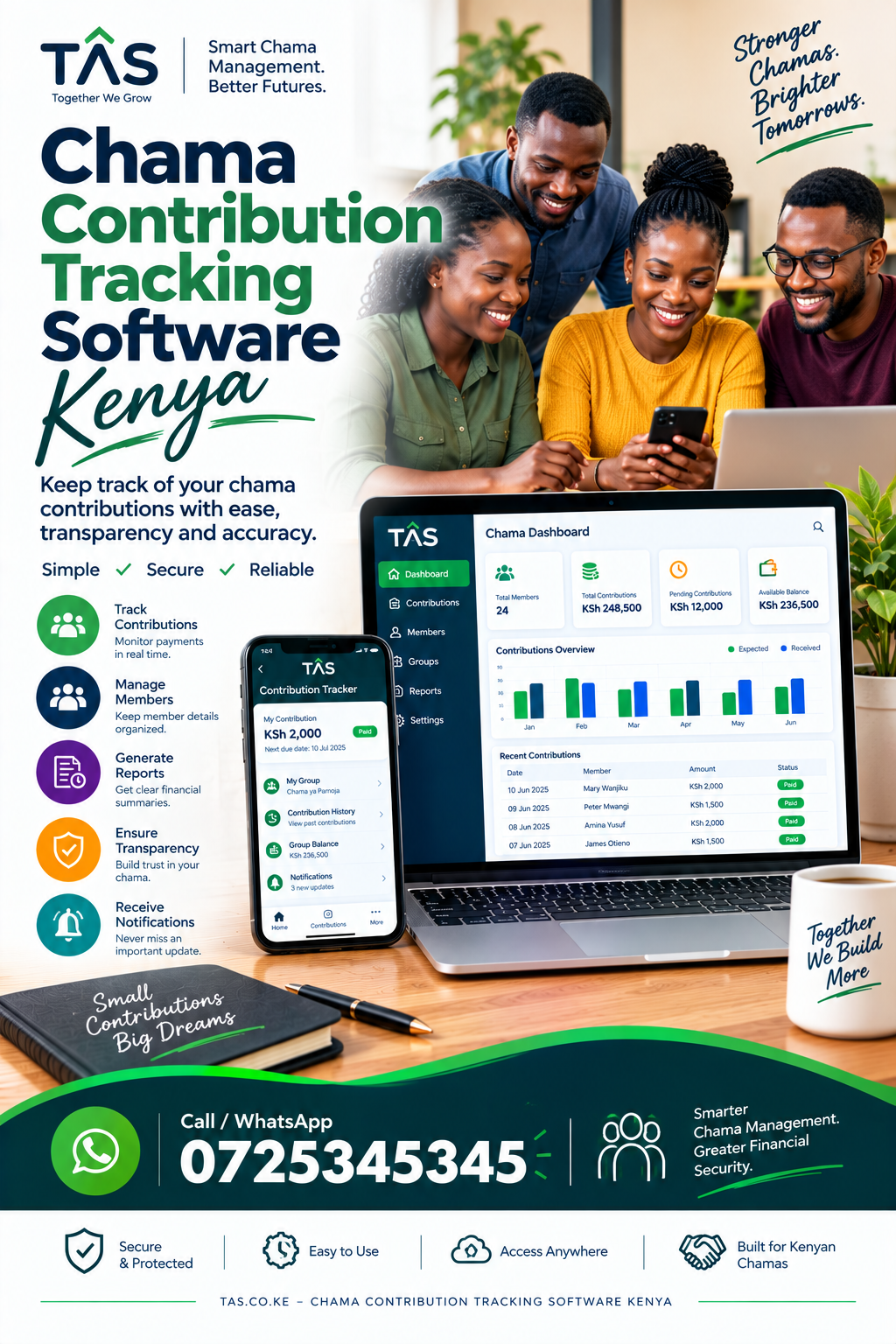 : What Should Your Chama Look For?
Chamasoft alternatives Kenya are increasingly relevant to savings groups, investment groups, welfare groups, and other member-based organizations looking for digital ways to manage contributions, loans, expenses, investments, reports, and member records.
Traditional chama management often depends on notebooks, Excel spreadsheets, WhatsApp messages and manually prepared financial statements. As a group grows, these methods can make it harder to maintain accurate records, track contributions and provide members with clear financial information.
Chamasoft is an established platform designed for investment groups and chamas. Its public website describes functionality for financial management, membership management, expenses, loans, investments, reports and M-Pesa-related transactions.
However, Chamasoft alternatives in Kenya may be worth investigating when a group wants a different combination of features, pricing, reporting, support, workflows, customization or user experience.
This guide explains what to look for when comparing chama management systems and how a Kenyan savings group can evaluate an alternative before making a decision.
Why Are Kenyan Chamas Looking for Chamasoft Alternatives?
There is no single reason why a chama may search for an alternative. Different groups have different requirements.
A small savings group may primarily need contribution tracking and member statements. A larger investment group may require detailed accounting, loan management, project tracking, financial reports, permissions and stronger administrative controls.
Some of the common reasons groups investigate alternatives include:
- Need for a simpler management system
- Different pricing requirements
- More flexible reporting
- Better member management
- Easier contribution tracking
- Loan management requirements
- Investment tracking
- Improved financial visibility
- Better administrative workflows
- Customization requirements
- Easier onboarding
- Better support
- Integration requirements
- Moving away from spreadsheets and manual records
The important point is that choosing software should begin with the group’s actual requirements rather than simply choosing the platform with the longest feature list.
What Is Chamasoft Alternatives Kenya?
Chamasoft is a web and mobile platform designed to automate activities carried out by investment groups and chamas.
According to its public information, the platform helps groups manage areas such as member records, financial management, bank accounts, expenses, loans, investments and financial reports. It also provides an e-wallet and M-Pesa-related functionality.
Chamasoft’s current public pricing page lists a free option and paid plans, including monthly, quarterly and yearly packages. The published monthly plan is KSh 1,000 for up to 20 members, with additional charges for members above that limit, while the yearly plan is listed at KSh 10,000 before applicable tax and additional-member charges. Pricing and features can change, so groups should confirm current terms directly with the provider before subscribing.
Understanding what an existing system provides makes it easier to identify the capabilities your group actually needs from a Chamasoft alternative in Kenya.
What Is Chama Management Software?
Chama management software is a digital system that helps savings and investment groups organize their financial and administrative activities.
Instead of maintaining multiple notebooks or spreadsheets, a group can use software to centralize information.
Depending on the platform, chama management software may help with:
- Member registration
- Member contributions
- Savings
- Loans
- Loan repayments
- Fines and penalties
- Expenses
- Group projects
- Investments
- Meeting records
- Financial reports
- Member statements
- Payment tracking
- User permissions
- Data backups
- Financial reconciliation
For Kenyan groups, software can also be useful when members contribute through different payment channels and the treasurer needs a clear way to reconcile transactions.
Key Features to Look for in Chamasoft Alternatives Kenya
Before selecting an alternative, create a checklist based on how your chama operates.
1. Member Management
A good chama management system should make it easy to maintain member information.
The system should ideally allow administrators to:
- Add new members
- Update member information
- View member balances
- Track member contributions
- Generate individual statements
- Manage member status
- Control access to sensitive information
Member management becomes especially important when a group has dozens or hundreds of members.
2. Contribution Management
Contribution tracking is one of the most important functions of any savings group software.
Your system should help you answer questions such as:
- Who has contributed?
- Who has not contributed?
- How much has each member contributed?
- Which month has a member missed?
- What is the total group contribution?
- Are there outstanding contributions?
A good system should make these answers easy to obtain without manually checking several spreadsheets.
3. Loan Management
Many Kenyan chamas provide loans to members.
When comparing Chamasoft alternatives Kenya, check whether the platform can handle your group’s loan rules.
Important features may include:
- Loan applications
- Loan approvals
- Loan disbursement records
- Interest calculation
- Repayment schedules
- Outstanding balances
- Loan statements
- Penalties
- Guarantors
- Loan reports
Your chosen system should reflect your actual chama constitution and lending procedures.
4. Financial Reports
Reports help committee members understand what is happening financially.
Look for reports covering:
- Contributions
- Loans
- Repayments
- Expenses
- Cash balances
- Member balances
- Investments
- Transactions
- Income and expenses
The ability to export or download information can also be important when preparing meetings, audits or annual financial reviews.
5. Expense Management
Chamas may spend money on land, property, events, administration, welfare activities or other projects.
A digital system should allow authorized users to record expenses and maintain a clear history of transactions.
This can make it easier for members to understand where group money has been spent.
6. Investment Management
Many Kenyan chamas are formed specifically to save and invest.
Depending on the group, investments may include:
- Land
- Property
- Shares
- Money market investments
- Businesses
- Equipment
- Other group projects
When evaluating a Chamasoft alternative in Kenya, ask whether the system can track the investments relevant to your group.
7. User Roles and Permissions
Not every member should necessarily have administrative access.
Look for systems that allow different levels of access for roles such as:
- Chairperson
- Treasurer
- Secretary
- Administrator
- Ordinary member
Permissions can help reduce accidental changes and protect sensitive financial information.
Chamasoft Alternatives Kenya: How to Compare Different Platforms
Instead of asking which software is universally “best,” compare systems against your own requirements.
Create a table containing the features your group needs.
| Requirement | Importance | Questions to Ask |
|---|---|---|
| Member management | High | Can we manage member profiles and statements? |
| Contributions | High | Can we track different contribution categories? |
| Loans | High | Can we configure our loan rules? |
| Reports | High | Which financial reports are available? |
| Expenses | Medium/High | Can authorized users record expenses? |
| Investments | Medium/High | Can we track our projects and investments? |
| Mobile access | High | Can members access information conveniently? |
| Payments | High | What payment integrations are supported? |
| Security | High | How is group information protected? |
| Support | High | What support is available? |
| Pricing | High | What is the total cost? |
| Data export | High | Can we download our records? |
This approach produces a more useful comparison than simply searching for a platform with the largest number of features.
Why Consider a Chama Management System Instead of Excel?
Excel remains useful for many financial tasks, but managing a growing chama entirely through spreadsheets can become complicated.
Common problems include:
- Multiple versions of the same spreadsheet
- Accidental deletion
- Incorrect formulas
- Duplicate entries
- Difficulty tracking changes
- Manual member statements
- Limited member access
- Time-consuming reconciliation
- Difficulty maintaining consistent records
A dedicated chama management software Kenya solution can centralize important information and establish a consistent workflow.
That does not mean every group must immediately abandon spreadsheets. The right approach depends on the group’s size, complexity and financial processes.
Chamasoft Alternatives Kenya for Different Types of Groups
Small Savings Groups
A small chama may only need:
- Member records
- Contributions
- Expenses
- Simple reports
- Basic statements
For such groups, simplicity can be more important than having dozens of advanced features.
Investment Groups
Investment groups may need:
- Contribution management
- Investment tracking
- Project management
- Financial reports
- Member statements
- Loan management
The system should support both daily administration and long-term investment tracking.
Welfare Groups
Welfare groups may require:
- Member registration
- Welfare contributions
- Emergency payments
- Member balances
- Payment history
- Reports
Large Savings Groups
Larger groups should pay particular attention to:
- User permissions
- Data security
- Reporting
- Audit trails
- Payment reconciliation
- Scalability
- Data export
- Support
How to Choose a Chamasoft Alternative in Kenya
Step 1: Define Your Problem
Do not begin with software.
Begin by identifying what your chama wants to improve.
For example:
“Our treasurer spends several hours every month preparing contribution reports.”
That gives you something measurable to test.
Step 2: List Your Current Processes
Document how your group currently handles:
- Contributions
- Loans
- Expenses
- Investments
- Member registration
- Payments
- Reports
Then identify which processes should be automated.
Step 3: Request a Demonstration
Do not rely only on screenshots.
Ask the provider to demonstrate your actual workflows.
For example, request a demonstration showing:
- Adding a member
- Recording a contribution
- Recording a missed contribution
- Creating a loan
- Recording repayment
- Recording an expense
- Generating a member statement
- Producing a group report
This gives your committee practical evidence.
Step 4: Test the Reports
Reports are one of the most important parts of chama software.
Ask:
- Can reports be downloaded?
- Can statements be generated?
- Can transactions be filtered?
- Can reports cover specific dates?
- Can administrators review historical transactions?
Step 5: Understand the Total Cost
Do not compare only monthly subscription prices.
Ask about:
- Setup costs
- Subscription fees
- Member limits
- SMS charges
- Payment charges
- Training
- Support
- Data migration
- Customization
- Additional modules
The cheapest monthly price is not automatically the lowest total cost.
Chamasoft Alternatives Kenya: Questions to Ask Before Switching
If your chama is already using another platform, ask these questions before migrating.
Can we export our existing data?
Your group should understand what happens to historical records before moving.
Can we maintain our existing contribution categories?
Every chama has different rules. Confirm that the new system can accommodate them.
Can we migrate member balances?
Ask how opening balances and historical records will be transferred.
Can members access their information?
Member visibility can improve transparency, but access should be appropriately controlled.
How does the system handle errors?
Mistakes happen. Ask how authorized administrators correct incorrect transactions and whether changes are traceable.
What happens if we leave the platform?
Ask whether your group can retrieve its data if it changes providers later.
Chamasoft Alternatives Kenya: Why TAS Is Worth Evaluating
For Kenyan organizations looking for a Chamasoft alternative, TAS can be included in the evaluation process as another option for managing group financial and administrative activities.
The important approach is to compare TAS against your group’s actual requirements rather than relying on generic claims.
A practical demonstration should cover:
- Member management
- Contributions
- Loans
- Financial reporting
- Expenses
- Investments
- User access
- Data management
- Payment workflows
- Administrative controls
This allows your committee to determine whether the platform fits its specific operating model.
For a chama considering a software change, the objective should be a system that makes financial records easier to manage, understand and review.
Benefits of Moving to Digital Chama Management Software
A well-selected system can help a group organize its operations around a centralized digital record.
Potential benefits include:
Better Record Keeping
Instead of relying on scattered notebooks and spreadsheets, the group can maintain information in one system.
Faster Reporting
Automated reports can reduce the amount of manual work required to prepare financial summaries.
Greater Transparency
Members can have clearer access to relevant financial information according to the permissions established by the group.
Easier Loan Tracking
A structured loan module can help the group follow loans from approval through repayment.
Easier Contribution Tracking
Treasurers can quickly identify contributions, balances and outstanding amounts.
Improved Administration
Committee members can spend less time maintaining records and more time focusing on group activities and investments.
Common Mistakes When Choosing Chamasoft Alternatives Kenya
Choosing Based Only on Price
A low subscription price does not necessarily mean the software is the right fit.
Choosing Based Only on Features
Having 50 features does not matter if the platform cannot properly handle the three processes your chama uses every week.
Not Testing Reports
Always request sample reports before signing up.
Ignoring Data Export
Your group should understand how its data can be retrieved.
Not Checking Support
Ask how support works and what happens when administrators experience a problem.
Migrating Without Reconciliation
Before importing old records, reconcile them. Otherwise, historical errors may simply move into the new system.
Frequently Asked Questions About Chamasoft Alternatives Kenya
What is the best Chamasoft alternative in Kenya?
There is no single platform that is automatically the right choice for every chama. Compare platforms based on your contribution structure, loan requirements, reporting needs, member size, integrations, support and total cost.
Is there Chama management software in Kenya?
Yes. Kenyan groups can choose from different digital platforms designed to manage savings groups, investment groups and related financial activities.
What should I look for in Chama software?
Prioritize member management, contribution tracking, loan management, financial reporting, expense management, investment tracking, permissions, security, support and data export.
Can Chama software manage loans?
Many chama management platforms provide loan management functionality. Before subscribing, confirm that the system supports your group’s specific interest, repayment and approval rules.
Can Chama software manage M-Pesa transactions?
Some platforms provide M-Pesa or e-wallet functionality. Chamasoft, for example, publicly describes an e-wallet and M-Pesa-related functionality.
Can a chama move from Chamasoft to another system?
Potentially, but the process depends on the data export and migration capabilities of both systems. Before switching, request information about data export, historical records, opening balances and migration support.
Is chama management software suitable for small groups?
Yes. Small groups can benefit from centralized records, especially when contribution and loan administration is becoming difficult to manage manually. However, the software should be proportionate to the group’s needs and budget.
How much does Chama software cost in Kenya?
Pricing varies between providers and packages. Some platforms offer free plans while others charge monthly or annual subscriptions. Always check the current pricing and identify additional costs such as member charges, SMS, tax, setup and integrations.
Final Thoughts: Choosing the Right Chamasoft Alternative Kenya
Searching for Chamasoft alternatives Kenya should not simply be about finding another name to replace an existing platform.
The real objective is finding a digital system that matches the way your group operates.
Before making a decision, compare:
- Member management
- Contribution tracking
- Loan management
- Expense management
- Investment management
- Financial reports
- Payment workflows
- User permissions
- Data security
- Support
- Data export
- Total cost
Run real examples through every platform you are considering. Ask providers to demonstrate the transactions that matter most to your group.
For Kenyan savings groups, investment groups and chamas that want to explore a digital management solution, TAS can be included in your evaluation alongside other available platforms.
Ready to discuss your chama management requirements? Contact TAS to learn how a digital system can help organize your group’s contributions, members, loans, investments and financial records.