Understanding Chama Management System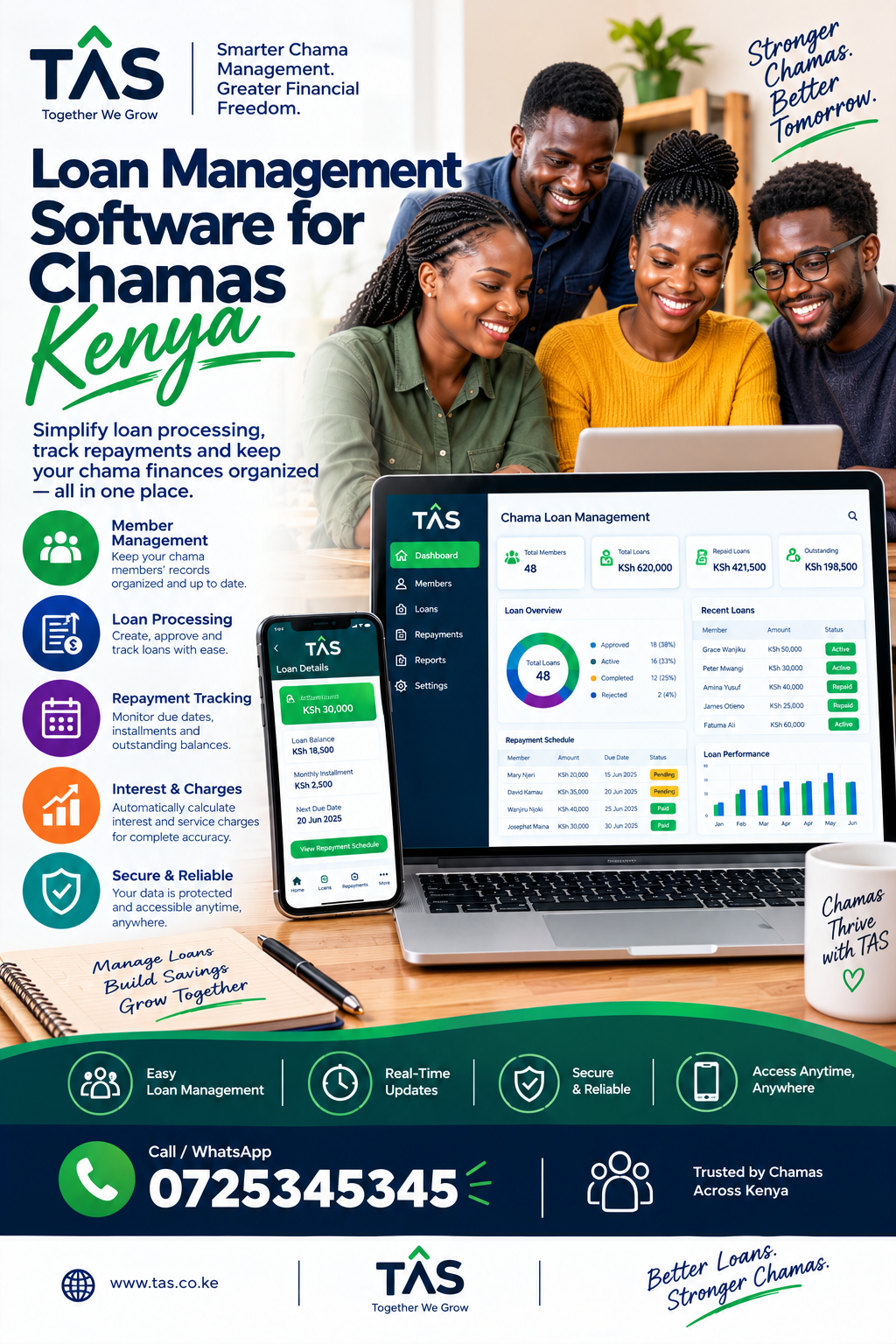
A chama management system is a digital platform designed to help savings groups, investment groups, table-banking groups, merry-go-rounds, welfare groups, and other member-based organizations manage their activities in one place.
Traditionally, many chamas depend on notebooks, spreadsheets, WhatsApp conversations and manually prepared financial statements. While these methods may work for a small group, they can become difficult to manage as membership, contributions, loans and investments increase.
A modern chama management system in Kenya brings important information together, including member records, contributions, savings, loans, repayments, meetings, expenses and financial reports.
This makes it easier for officials and members to understand what is happening within the group.
Modern Kenyan chama platforms increasingly provide features such as contribution tracking, loan management, member management, reporting and payment integrations.
What Is a Chama Management System?
A chama management system is software that automates and organizes the administrative and financial activities of a chama.
Instead of maintaining separate records for every activity, the group can use one centralized system.
For example, a chama may need to keep track of:
- Member registration
- Monthly contributions
- Weekly savings
- Welfare contributions
- Loans
- Loan repayments
- Interest
- Fines and penalties
- Group expenses
- Investments
- Meeting attendance
- Meeting minutes
- Member statements
- Financial reports
A well-designed system can make these records easier to maintain and retrieve.
The main objective is not simply to replace a notebook with software. The objective is to make chama management more organized, transparent and efficient.
Why Chamas Are Moving From Manual Records to Digital Systems
Many groups start with simple record-keeping methods.
The treasurer may record contributions in a notebook while the secretary keeps member information and meeting minutes. Another member may maintain an Excel spreadsheet containing loan balances.
This can create several problems.
1. Records can become difficult to reconcile
When information exists in different notebooks and spreadsheets, comparing records can take considerable time.
2. Human errors can occur
Manual calculations can result in incorrect balances, duplicated entries or missing transactions.
3. Financial transparency can become difficult
Members want to understand their contributions, savings, loans and group finances.
Digital records can make information easier to retrieve and review.
4. Reporting takes longer
Preparing monthly or annual reports manually can require significant administrative work.
5. Growing groups need better organization
A system that works for 10 members may not be convenient when a chama has dozens or hundreds of members.
This is one reason purpose-built chama software has become increasingly common in Kenya. Existing platforms now market features such as digital ledgers, M-Pesa reconciliation, loan workflows, reports and member dashboards.
Key Features of a Chama Management System
The best chama management system should support the actual activities of the group rather than simply providing generic accounting tools.
1. Member Management
Member management is one of the most important parts of chama software.
The system should allow authorized officials to maintain organized member records.
Depending on the platform, information may include:
- Member name
- Contact information
- Membership status
- Joining date
- Contribution history
- Savings balance
- Loan balance
- Guarantor information
- Member statements
A centralized member database also makes it easier for new officials to take over administrative responsibilities.
2. Contribution Tracking
Contributions are at the heart of many savings and investment groups.
A chama management system can help track:
- Monthly contributions
- Weekly contributions
- Welfare contributions
- Special contributions
- Investment contributions
- Missed contributions
- Fines
- Member balances
Instead of manually searching through several pages of records, officials can retrieve contribution information from the system.
Some modern platforms also support automated payment workflows and reconciliation through M-Pesa.
3. M-Pesa Integration
For Kenyan chamas, payment integration can be an important consideration.
A system with M-Pesa support may allow groups to simplify contribution collection and payment reconciliation.
Depending on the software, functionality can include:
- Contribution payment requests
- Payment confirmation
- Automated transaction matching
- Loan repayment tracking
- Digital receipts
- Member account updates
This can reduce the amount of manual transaction entry required by the treasurer.
However, groups should verify exactly which M-Pesa functionality is included before selecting a platform.
4. Chama Loan Management
Many chamas provide loans to members.
Managing these loans manually can become complicated when there are multiple borrowers, interest rates, repayment schedules and outstanding balances.
A chama management system can help manage the complete loan lifecycle.
This may include:
- Loan application
- Loan review
- Approval
- Disbursement
- Repayment schedule
- Interest calculation
- Penalties
- Outstanding balance
- Loan clearance
A good system should allow officials to see the status of loans without calculating every balance manually.
5. Savings and Investment Management
Investment-focused chamas need more than contribution tracking.
They may invest pooled funds in different assets or financial products according to their group’s rules.
A digital system can help maintain records of:
- Investment contributions
- Investment amounts
- Investment income
- Group expenses
- Member ownership or shares
- Investment balances
- Financial performance
The exact investment functionality varies between platforms, so a group should confirm whether the system supports its particular investment structure.
6. Financial Reports
Reports are essential for accountability.
A chama management system can generate reports showing the group’s financial activity over a selected period.
Useful reports may include:
- Contribution reports
- Member statements
- Loan reports
- Repayment reports
- Income reports
- Expense reports
- Savings reports
- Investment reports
- Outstanding balances
- Financial summaries
Reports can also make meetings easier because officials can present organized information to members.
7. Member Statements
Members often want to know:
How much have I contributed?
How much do I owe?
What is my current savings balance?
What loan repayments have I made?
A digital member statement can bring this information together.
Member access should also be controlled so that members only see information they are authorized to access.
8. Meeting Management
Chamas are not only financial organizations.
They also rely on meetings and group decisions.
Some chama management systems provide tools for:
- Meeting scheduling
- Attendance
- Agendas
- Minutes
- Decisions
- Action items
- Member notifications
Keeping meeting records digitally can make it easier to refer back to previous decisions.
9. Security and User Permissions
Financial information should be protected carefully.
A chama software platform should provide appropriate access controls.
For example, the chairperson, secretary and treasurer may have different responsibilities.
Useful security features can include:
- User accounts
- Password protection
- Role-based permissions
- Activity logs
- Secure data storage
- Backups
- Controlled financial access
Security should be considered just as important as convenience when selecting software.
10. Automated Notifications
Notifications can help members remember important activities.
Depending on the system, notifications may be used for:
- Contribution reminders
- Loan repayment reminders
- Meeting announcements
- Payment confirmations
- Loan updates
- Important group notices
Automated reminders can reduce the amount of repetitive communication required from officials.
Chama Management System vs Excel
Excel can be useful for simple record keeping, especially for very small groups.
However, dedicated chama software can provide functionality that is difficult to reproduce manually.
| Feature | Excel | Chama Management System |
|---|---|---|
| Member records | Yes | Yes |
| Contribution tracking | Yes | Yes |
| Loan management | Manual | Automated/workflow-based |
| M-Pesa integration | Usually manual | May be integrated |
| Member statements | Manual | Automated |
| Reports | Manual setup | Built-in/custom |
| User permissions | Limited | Role-based |
| Notifications | Limited | Often automated |
| Audit trail | Requires setup | Often built in |
| Mobile access | Depends on setup | Usually designed for mobile |
The right choice depends on the size and complexity of the group.
Benefits of Using a Chama Management System in Kenya
Better Financial Transparency
Members can have clearer access to relevant financial information.
Reduced Administrative Work
Automating repetitive calculations and reporting can save officials time.
Fewer Manual Errors
Automated calculations and structured records can reduce common data-entry mistakes.
Easier Loan Management
Officials can monitor applications, repayments and outstanding balances from one system.
Faster Reporting
Financial reports can be generated without rebuilding spreadsheets every month.
Better Member Communication
Notifications and digital statements can keep members informed.
Easier Record Keeping
Important information can be stored in an organized digital environment instead of scattered across notebooks and phones.
How Does a Chama Management System Work?
A typical implementation can follow these steps.
Step 1: Create the Chama
The administrator creates an account and enters basic information about the group.
Step 2: Add Members
Members are registered and assigned the appropriate roles.
Step 3: Configure Group Rules
The administrator enters contribution amounts, payment schedules, loan rules, interest rates and other applicable rules.
Step 4: Start Recording Transactions
Contributions, loans, repayments and expenses are entered into the system.
Step 5: Generate Reports
The system organizes the information into statements and financial reports.
Step 6: Monitor Group Performance
Officials can use dashboards and reports to understand the group’s financial position.
Some newer platforms also aim to automate much of this process through mobile, WhatsApp, USSD and payment integrations.
How to Choose the Best Chama Management System
Choosing software should not be based only on how attractive the dashboard looks.
Before making a decision, ask the following questions.
Does It Support Your Chama Structure?
Different groups operate differently.
A merry-go-round may need rotation management, while an investment group may need investment and share tracking.
Does It Support M-Pesa?
For Kenyan groups, payment integration can be particularly useful.
Confirm whether the system supports the payment workflow your group actually uses.
Can Members Access Their Records?
Member self-service can reduce the workload on officials.
Are Reports Available?
Check whether the system produces the reports required for monthly meetings, AGMs and internal accountability.
Is the System Mobile Friendly?
Members and officials should be able to access important information from smartphones where appropriate.
Are Permissions Available?
The treasurer should not necessarily have the same access as every ordinary member.
Can Data Be Exported?
Ask whether the group can export its information if it needs to change systems.
What Does It Cost?
Do not look only at the advertised subscription.
Consider:
- Setup costs
- Monthly or annual fees
- Transaction charges
- Support costs
- Additional users
- Additional modules
Chama Management System for Small and Large Groups
A small chama may only require:
- Member management
- Contribution tracking
- Basic reports
- Meeting records
A larger investment group may need:
- Advanced member management
- M-Pesa integration
- Loan management
- Investment tracking
- Automated reports
- Role-based access
- Notifications
- Audit trails
- Data export
Therefore, the best chama management system is not necessarily the one with the most features.
It is the one that fits the group’s actual needs and budget.
Chama Management Software Kenya: What Should You Look For?
If you search for chama management software Kenya, you will find several platforms offering overlapping functionality.
Current providers highlight features such as contribution management, loans, welfare, member records, reporting, payment integration and security.
Before selecting one, create a simple checklist:
Financial management
- Contributions
- Savings
- Loans
- Repayments
- Expenses
- Investments
Administration
- Members
- Roles
- Meetings
- Attendance
- Documents
Technology
- Mobile access
- Cloud access
- Backups
- Security
- Notifications
Payments
- M-Pesa
- Payment reconciliation
- Receipts
Reporting
- Member statements
- Financial reports
- Loan reports
- Contribution reports
This approach makes software comparisons much more objective.
Common Mistakes When Choosing Chama Software
Choosing Based Only on Price
Cheap software may not provide the functionality your group actually requires.
Ignoring Data Security
Financial records should not be treated like ordinary documents.
Not Testing the System
A demo or trial can help officials determine whether the system is easy to use.
Forgetting About Data Export
Always understand how your group can retrieve its data.
Choosing Too Many Features
More features do not automatically mean better software.
Not Involving Members
The officials may select software that members find difficult to use.
Frequently Asked Questions About Chama Management Systems
What is a chama management system?
A chama management system is software that helps savings and investment groups manage members, contributions, loans, payments, meetings, reports and other administrative activities.
Why use chama management software?
It can reduce manual administration, organize financial records, improve reporting and make group information easier to manage.
Can a chama management system track M-Pesa payments?
Some systems provide M-Pesa integration or reconciliation. However, functionality varies by provider, so confirm the exact payment features before purchasing.
Can chama software manage loans?
Yes. Many dedicated systems include loan applications, approvals, repayment tracking, interest calculations and outstanding balances.
Is chama management software suitable for investment groups?
Yes. Some platforms support investment groups in addition to ordinary savings groups, although the available investment features differ between providers.
Can members access their own statements?
Many modern platforms provide member dashboards or statements. Confirm the exact member-access functionality offered by your chosen provider.
Is chama software better than Excel?
For a simple group, Excel may be sufficient. As a group becomes larger or more complex, dedicated software can provide specialized features, permissions, automation and reporting that are harder to manage manually.
Final Thoughts
A chama management system can transform how a savings or investment group organizes its daily operations.
Instead of relying entirely on notebooks, spreadsheets and manually reconciled payment records, a digital platform can bring member management, contributions, loans, payments, reporting and administration together.
The most important consideration is not simply finding software with the longest feature list. Your chama should select a system that is secure, easy to use, transparent, affordable and suitable for the group’s actual rules and financial activities.
For Kenyan chamas, particular attention should be given to M-Pesa support, contribution tracking, loan management, member statements, reporting, security and mobile accessibility.
A properly implemented system can give chama officials better control over records while giving members greater visibility into their group’s activities.