Blog

  • The Ultimate Chama Software Demo Guide How Kenyan Groups Choose with Total Confidence

    chama software demo

    A chama software demo is the single most important meeting your group will hold before trusting any platform with its money. It is the moment marketing ends and reality begins, when a provider must show — not tell — exactly how their system behaves. Handled well, that one hour protects years of contributions; handled carelessly, it signs your group up for a very expensive disappointment.

    Every serious vendor in Kenya offers a chama software demo, and the invitation costs your group nothing but an hour of attention. Yet most groups walk into these sessions unprepared, watch a polished presentation, and sign up on charm alone. This guide exists so your group never has to rely on charm when real money is at stake.

    The stakes justify the preparation. Your group’s contributions, loans, fines, and records will live inside the chosen system for years to come. The only reliable preview of that future is a thorough chama software demo conducted entirely on your terms.

    This article is the complete playbook for that hour. It covers how to book, how to prepare, exactly what to test, which questions to ask, and the red flags that should end a sales conversation instantly. By the end, your group will run a chama software demo like professional procurement officers.

    One truth deserves stating before anything else. A platform that performs in a live chama software demo with your real numbers will perform in real life. A platform that hesitates, excuses, or promises “that feature is coming” has already told you everything you need to know.

    The timing of this guide matches the market’s maturity. Dozens of platforms now serve Kenyan groups, from simple trackers to full financial operating systems. In a crowded field, the disciplined chama software demo is how serious groups separate genuine infrastructure from pretty brochures.

    There is good news hiding in the process. Demoing software is free, quick, and surprisingly enjoyable once you know exactly what to look for. Groups report that a well-run chama software demo actually builds confidence and genuine excitement about going digital.

    So gather your officials, bring your numbers, and read on. The hour you invest in mastering the chama software demo process will repay itself for as long as your group exists. Let us turn your committee into the most prepared buyer any vendor meets this year.

    What Is a Chama Software Demo?

    A chama software demo is a live, guided walkthrough of a platform, usually by video call, led by someone who knows the system inside out. Unlike a recorded video or a glossy brochure, it answers your questions in real time and bends toward your group’s real needs. That interactivity is exactly what makes the demo the most honest selling format in the entire industry.

    Sessions typically run between thirty and sixty minutes. A good presenter demonstrates the core workflows — registering members, receiving contributions, issuing loans, and generating reports — before opening the floor to questions. You should leave every chama software demo knowing precisely how the system would handle your group’s typical month.

    Many vendors also provide self-guided sandbox accounts alongside the live session. These practice environments let your officials click around freely, break things safely, and form their own impressions. Using both formats together turns a single chama software demo into a complete evaluation experience.

    Why the Demo Is the Most Important Step

    Marketing can claim anything; a live demonstration must prove it. Features listed on a website mean nothing until you watch them execute in front of your own officials. That proof gap is precisely what a disciplined chama software demo closes before any money changes hands.

    The demo also reveals the vendor, not just the software. How prepared is the presenter, how honestly do they handle hard questions, and how quickly do they admit limitations? The character you observe during a chama software demo is the exact character you will meet during support calls.

    Most importantly, the demo prevents expensive mistakes. Groups that sign without testing routinely discover missing features after payment, when switching means migrating data all over again. One thorough chama software demo is the cheapest insurance your group will ever buy.

    How to Book Your Demo

    Booking is simple, but doing it well takes a little structure. Contact two or three shortlisted vendors and propose specific dates at least a week ahead, so everyone can prepare properly. A scheduled, unhurried chama software demo always beats a rushed, same-day session.

    Tell the vendor what you want to see when you book. Send your requirements list — contributions, loans, fines, reports, M-Pesa — and ask them to prepare those exact workflows. Vendors respect buyers who arrive with a script, and your chama software demo will be visibly sharper for it.

    Request the session in your preferred format. Video calls let the whole committee attend from anywhere, while in-person demos suit groups that value face-to-face assurance. Either way, insist on screen sharing so every click in the chama software demo is visible to everyone attending.

    Preparing for the Demo: Bring Your Real Numbers

    Preparation separates useful demos from wasted ones. Gather a sample of your real data before the session: ten member names, three months of contributions, and one or two live loans. Presenting genuine figures is what elevates a chama software demo from theater to evidence.

    Write your top ten questions on one page and share them with attendees beforehand. Every official should arrive knowing what the group needs to see, so nothing important goes unasked. A question sheet is the steering wheel of any chama software demo.

    Assign roles before the session begins. One official asks the questions, one takes notes, and one watches specifically for how the presenter handles pressure. Structure like this turns a casual chama software demo into a professional evaluation.

    Who Should Attend the Demo

    The treasurer must attend, because they will live inside the system every single day. The chairperson should attend, because governance questions — approvals, roles, transparency — need an authoritative voice present. No chama software demo is complete without the two people who will defend the choice at the AGM.

    Invite the secretary too, since minutes, meetings, and communications usually live inside the platform. If your group has a younger, tech-comfortable member, bring them as the usability test — can they navigate without any help? A chama software demo observed by three or four officials produces far richer notes than one observed alone.

    Keep the audience small enough to stay focused. Six attendees is productive, while fifteen becomes a crowd where questions compete and nerves take over. For major decisions, some groups hold a second, internal replay of the chama software demo where the attendees brief the rest.

    The Ultimate Demo Checklist

    Walk into the session with this checklist printed or pinned in your notes. Member registration, contribution invoicing, M-Pesa reconciliation, loans and guarantors, fines, reports, and security roles must all appear. If any item is skipped in a chama software demo, ask for it explicitly before the session ends.

    Ask the presenter to demonstrate a complete monthly cycle, not isolated features. From invoicing at month-start to the AGM statement at month-end, the whole loop should be visible end to end. Platforms that narrate the full cycle in a chama software demo are usually the ones built by people who have actually run groups.

    Time each section as it is shown. If ten minutes go to a flashy dashboard while reconciliation gets ninety seconds, the priorities are telling you something important. Attention distribution during a chama software demo mirrors exactly where the product’s true strengths — and gaps — live.

    Test 1: Contributions and M-Pesa Reconciliation

    This is the heart of the session, so demand it first. Ask the presenter to invoice a test member, then simulate or show a live M-Pesa payment arriving through the group Paybill. Watch how fast the chama software demo matches the payment to the member, the month, and the purpose.

    Insist on seeing the payment posted without any manual matching. If the presenter copies a confirmation number by hand or “marks it paid” manually, note it down — that is manual reconciliation wearing a demo costume. Automatic posting is the standard a serious chama software demo must display.

    Test the edge cases out loud. Ask what happens when a member pays twice, pays partially, or pays into the wrong month — and watch the answer demonstrated, not described. Vendors who welcome these questions are confident in their chama software demo, while vendors who deflect are showing you where their system is weak.

    Test 2: Loans and Guarantors

    Ask for a complete loan lifecycle on screen. Application, guarantor confirmation, approval, disbursement, schedule generation, an instalment payment, and a penalty for lateness should all appear in sequence. Few moments in a chama software demo reveal product depth faster than this one.

    Check both interest methods explicitly. Request a flat-rate calculation and a reducing-balance calculation for the same loan, then compare the totals against your own phone calculator. Accurate math during a chama software demo is non-negotiable — wrong arithmetic here means wrong balances forever.

    Probe guarantor visibility while the loan is open. Ask whether guarantors can see their own exposure and whether the system warns them before a guaranteed loan falls behind. A platform that answers both gracefully in a chama software demo has thought carefully about group psychology.

    Test 3: Fines, Welfare, and Meetings

    Kenyan groups live on fines, so test them honestly. Ask the presenter to apply a lateness fine automatically, view it on the member’s statement, and clear it with a payment. Smooth fines handling in a chama software demo signals that the vendor understands Kenyan group culture.

    Welfare tracking deserves equal attention if your group runs subscriptions and payouts. Ask how welfare balances stay separate from contributions and how payouts are recorded with beneficiaries named. Clean separation shown during a chama software demo protects your group from its most sensitive disputes later.

    Finally, request the meetings and minutes module if the platform has one. Scheduling, attendance, digital votes, and stored minutes should all be visible in under five minutes. A chama software demo that covers governance alongside money is showing you a complete operating system.

    Test 4: Reports and Statements

    Reports are where demos are won and lost. Ask to see the arrears aging report, the collection rate trend, and a member statement for the test member you created earlier. The clarity of those three screens will define your daily experience more than anything else in the chama software demo.

    Then ask for the AGM pack. Annual summaries, loan performance, and dividend-ready figures should export in seconds, ideally as PDF or Excel. One-click reporting demonstrated in a chama software demo converts a weekend of treasurer work into ten quiet minutes.

    Judge the reports as a member would, not as a technician. If your least tech-savvy official cannot read the statement at a glance, the platform will create questions instead of answering them. Readable output is the quiet test every chama software demo must pass.

    Test 5: Security, Roles, and Support

    Security questions must be asked directly, not implied. Ask where data is stored, how often backups run, who can edit historical records, and what happens if an official’s phone is lost. A confident chama software demo answers all four without a moment of hesitation.

    Request a live view of role-based access. Log in as treasurer, then as an ordinary member, and confirm that each sees exactly what their role requires — no more and no less. Access control demonstrated in a chama software demo is worth more than any security promise on a sales page.

    Close by probing support, because that is the relationship you are actually buying. Ask who answers on contribution day, in which language, within what hours, and at what cost. The support answers inside a chama software demo predict your experience better than any feature list ever will.

    Red Flags During a Demo

    Some signals should end the conversation immediately. “We are doing maintenance on that module,” “the report version is coming next month,” and “trust us, it works” are the three classic warnings. A chama software demo that hides its weaknesses is selling you the weaknesses themselves.

    Watch for pressure tactics, too. “Sign today for a discount” and “this price expires Friday” exploit urgency precisely because calm evaluation would find the flaws. No honest chama software demo needs a countdown timer to close a genuinely good product.

    Notice who is demonstrating as well. If the presenter cannot answer basic configuration questions without “checking with the technical team,” the person selling is not the person who built or supports the product. Request a follow-up chama software demo with someone technical — and any reluctance to arrange one is itself an answer.

    Green Flags That Signal a Winner

    The best sign is the presenter asking about your group before showing anything. “What are your contribution amounts, do you lend, and how many members do you have?” — a platform tailored live to your answers is a platform built for groups like yours. That opening curiosity is the hallmark of a great chama software demo.

    The second green flag is honest limitation. Vendors who say “we do not handle that yet, and here is how groups work around it” earn more trust than vendors who promise everything. Integrity under questioning is the strongest endorsement a chama software demo can possibly earn.

    The third is speed under your own data. When your ten members and three months of records produce invoices, statements, and reports without ceremony, you are watching a mature product. Effortless performance with real numbers is the ultimate green light in any chama software demo.

    Demo vs Free Trial vs Live Pilot

    Understand the differences, because they matter greatly. A chama software demo is guided and fast, a free trial is self-serve and exploratory, and a live pilot runs one real billing cycle on the platform. Each format answers a different question, and serious groups often use all three in sequence.

    Use the demo to decide whether the platform deserves a trial at all. Use the trial to let officials form personal, unhurried impressions without a presenter watching over them. Then use the pilot — if the vendor offers one — to prove the chama software demo findings against your group’s actual month.

    Beware vendors who skip straight from brochure to contract. Any platform confident in its own quality will offer a demo, a trial, or both, freely and without pressure. Refusal to demonstrate is the loudest possible comment on the chama software demo they are avoiding.

    The Golden Rule: Your Own Data on Screen

    If you remember one instruction from this entire guide, remember this one. Never judge a platform on sample data with names like “Test Member One.” The entire value of a chama software demo unlocks the moment your real members appear on the screen.

    Send your data securely a day before the session. Ask the vendor to load it and begin the demonstration from your members, your amounts, and your actual loan balances. Groups that request this of Tas.co.ke and every serious provider describe the experience as seeing their own future on screen.

    Verify the loaded figures together at the start. Totals must match your records to the shilling before any workflow is demonstrated, because correct beginnings are what make conclusions trustworthy. Data fidelity shown in a chama software demo predicts exactly how migration day itself will go.

    Taking the Demo to the Group

    Record the session with the vendor’s permission, then replay the highlights at your next meeting. Officials who attended can field questions while members watch their own future statements on screen. Sharing the chama software demo recording turns a committee decision into a genuinely collective one.

    Better still, invite the vendor to a group session for your two or three finalists. A short group demonstration, followed by open questions from the floor, dissolves resistance faster than any memo ever could. Groups that democratize the chama software demo stage report the smoothest adoption afterward.

    Comparing Multiple Demos Fairly

    Compare vendors using the same yardstick, or the whole exercise becomes meaningless. Score each chama software demo against your checklist, question sheet, and own-data test, awarding points item by item. An identical scorecard across sessions reveals real differences that charm usually hides.

    Let the notes rest for a day before deciding. Excitement fades, and what remains is the substance: which platform answered everything, which dodged, and which left your officials saying “that felt like ours.” Sleeping on the chama software demo results is how calm, confident decisions get made.

    After the Demo: Making the Decision

    When the winner is clear, formalize everything in writing. Confirm pricing, onboarding, support terms, and the data-migration plan exactly as they were discussed in the chama software demo. What was promised live must appear in the contract, or it was never truly promised at all.

    Then move to onboarding with the same discipline you showed during evaluation. Clean data, collective training, and one parallel month will carry the platform from promising demo to daily habit. That is the moment the chama software demo pays its dividend — every single month thereafter.

    Frequently Asked Questions

    What is the single most important thing to test in a chama software demo?

    M-Pesa reconciliation with your own data, without exception. Ask the vendor to load your real members and show one payment posting automatically to the right person and month. If that single workflow performs flawlessly, the rest of the chama software demo is confirmation — and if it stumbles, nothing else matters.

    How long should a demo take?

    Between thirty and sixty minutes for a thorough session covering contributions, loans, fines, reports, and security. Anything shorter usually means features were skipped, so request a follow-up if needed. A good vendor will happily give your group the extra time.

    Can we attend a demo without committing to anything?

    Absolutely — a demo is an evaluation tool, not a purchase agreement. Any pressure to sign during or immediately after the session is a red flag in itself. Attend freely, ask everything, and decide on your own timeline.

    Should we record the demo session?

    Yes, with the vendor’s permission, so absent officials can review it later. Recordings also settle any later disagreement about what was promised during the session. Most reputable vendors welcome recording as a sign of a serious buyer.

    What data should we prepare before the demo?

    Ten member names, three months of contributions, one or two live loans, and a list of your top ten questions. Real data transforms the session from a sales pitch into a rehearsal of your actual operations. Keep sensitive details like ID numbers out of the sample until you have chosen a provider.

    Is a free trial better than a demo?

    They serve different purposes — the demo is guided and fast, while the trial is self-serve and exploratory. The strongest evaluation uses both: demo first to shortlist, then trial to go deeper. A live pilot month is the final proof for groups that want absolute certainty.

    How many vendors should we demo?

    Two or three is ideal — enough for honest comparison, not so many that details blur together. Score each session on an identical checklist so the comparison stays objective. More than five demos tends to exhaust officials and slow the decision.

    What questions catch weak platforms fastest?

    Ask about duplicate payments, partial payments, wrong-month payments, and guarantor exposure — then watch them demonstrated live. These edge cases expose shallow products within minutes. Vendors who answer by showing, not describing, are the ones worth shortlisting.

    Can our whole group attend one demo?

    For the final two candidates, yes — a group session builds collective buy-in. Keep early exploratory demos small so questions stay focused and notes stay useful. The group session works best when the committee has already filtered the options.

    What happens after we choose a platform?

    Request written confirmation of everything agreed during the demo: pricing, onboarding, support, and migration. Then follow the proven adoption sequence — clean data, collective training, and one parallel month. Groups that carry demo discipline into onboarding almost never regret their choice.

  • Chama Management Software Pricing in Kenya: paying the right price

    Chama management software pricing

    Chama management software pricing is the question every serious Kenyan group asks once the decision to digitize has been made. Members agree on the why, officials agree on the features, and then someone asks the money question. This guide answers it completely, with realistic Kenyan figures rather than vague promises.

    Understanding chama management software pricing before you request quotes puts your group in the strongest possible negotiating position. Vendors quote differently to informed buyers than to hopeful ones. Knowledge, in pricing conversations as everywhere else, is money.

    The honest starting point is that chama management software pricing in Kenya spans a wide range. Small groups can run professional systems for a few thousand shillings a month, while large federations invest in premium tiers. What matters is matching the tier to your group’s actual size and needs.

    This guide walks through every element of chama management software pricing from the ground up. We cover the models vendors use, the add-ons that inflate bills, and fully worked cost examples for groups of different sizes. We finish with a return-on-investment calculation that turns the price question into a profit question.

    One reassurance before the numbers begin. Chama management software pricing is almost always far lower than the value of the arrears it recovers in the first quarter. Groups that do the math almost never return to manual records.

    Bring your treasurer to this guide. The numbers ahead are meant to be penciled against your own group’s size, contribution levels, and ambitions. That exercise converts chama management software pricing from an abstract quote into a concrete line in your budget.

    By the final section, you will know what a fair price looks like for a group exactly like yours. You will also know which questions earn vendors’ respect — and which red flags should lower any offer. That confidence is the real deliverable of mastering chama management software pricing.

    What Determines the Price You Are Quoted

    The first driver of chama management software pricing is group size, measured either by member count or total units managed. Most vendors price in bands — for example, up to 25 members, up to 100, and enterprise tiers beyond. Know your band before the first conversation.

    The second driver is feature depth. A platform handling contributions and reminders costs less than one with full loan books, guarantor tracking, and financial accounting. Deciding which features you actually need is the first step in controlling chama management software pricing.

    The third driver is support depth. Packages with dedicated onboarding, training visits, and phone support cost more than self-service tiers. Many groups find mid-tier support the sweet spot for chama management software pricing once they weigh their own technical comfort.

    The fourth driver is deployment scale. Platforms serving SACCO-scale federations with thousands of members invest more in infrastructure, which shows in their enterprise pricing. A neighborhood chama should never be paying federation rates — an important sanity check within chama management software pricing.

    The final driver is market position. Established vendors with large client bases price for sustainability rather than desperation. That stability is itself worth paying for, which is why the cheapest entry in chama management software pricing is rarely the best deal.

    The Main Pricing Models Explained

    Model one is the flat monthly subscription. You pay one fixed fee per month regardless of how many members the group has, which makes budgeting beautifully simple. Flat pricing is the friendliest entry point into chama management software pricing for small and medium groups.

    Model two is per-member pricing. The platform charges a small amount per active member each month, so costs scale exactly with your group. Growing groups like how per-member chama management software pricing never charges for capacity they do not use.

    Model three is tiered packaging. Vendors bundle features into bronze, silver, and gold-style tiers, each with its own fee and member ceiling. Tiered structures give groups room to upgrade as they outgrow lower levels of chama management software pricing.

    Model four is annual billing with a discount. Paying twelve months upfront typically saves ten to twenty percent compared to monthly payments. Cash-rich groups often choose annual chama management software pricing precisely to capture that saving.

    Model five is one-time licensing with annual support. Older systems charge a large upfront fee plus yearly maintenance, a structure inherited from the banking software era. Most modern vendors have abandoned it, which is one reason current chama management software pricing favors subscriptions.

    There is no universally correct model — only the correct model for your cash flow. A group with uneven monthly collections may prefer flat fees, while a stable one may prefer per-member clarity. Test each structure against your own finances before committing to any chama management software pricing arrangement.

    Typical Price Ranges in Kenya

    Now for the numbers groups actually ask about. Entry-level plans for groups under roughly thirty members typically run between one thousand and three thousand shillings per month. That band is the realistic floor of professional chama management software pricing in Kenya today.

    Mid-tier plans serving groups of thirty to a few hundred members generally fall between three and eight thousand shillings monthly. These tiers add loan management, richer reports, and stronger support. Most growing investment groups find their long-term home in this middle band of chama management software pricing.

    Premium and enterprise tiers — for federations, large SACCO-style operations, and property-heavy portfolios — can run into tens of thousands monthly. The price buys dedicated support, custom configurations, and guaranteed service levels. Few neighborhood chamas ever need this top slice of chama management software pricing.

    Annual totals make budgeting easier to picture. A small group paying two thousand shillings monthly invests twenty-four thousand shillings a year in its entire financial system. Framed that way, chama management software pricing often costs less than the group spends on meeting refreshments.

    Prices also shift with promotions and partnerships. Some vendors run launch discounts, while others bundle with banks or SACCO partnerships for member benefits. Watching the market for one quarter before signing can save a group an entire month’s fee.

    Always ask what the quoted figure includes. Some vendors bundle SMS and support; others quote a bare platform and bill every message separately. Comparing chama management software pricing without normalizing inclusions is how groups accidentally overpay.

    The Add-Ons That Change the Real Bill

    SMS charges are the classic add-on within chama management software pricing. Reminders and receipts sent per message typically cost between one and three shillings each, billed monthly by volume. A group of fifty members messaging ten times a month should budget several hundred shillings for messages alone.

    Onboarding and data migration are the second common extra. Some vendors include setup free; others charge a one-time fee for importing your historical records and training officials. Ask directly, because onboarding can shift chama management software pricing by thousands of shillings in year one.

    Extra admin seats are the third watch-item. Basic plans often include two or three official logins, with additional users billed monthly. Large committees should total this line before comparing chama management software pricing across vendors.

    Premium support is the fourth. Dedicated account managers and priority response times usually live in higher tiers or as add-on contracts. Groups that rely heavily on phone support should read chama management software pricing with that dependency included.

    Payment processing is the fifth, and it cuts both ways. Some platforms pass M-Pesa transaction costs through to the group; others absorb them inside the subscription. Understanding who pays what is essential to a fair reading of chama management software pricing.

    The defense against add-on inflation is a single question, asked in writing. “What is the total first-year cost for a group of our size, including messages, onboarding, and support?” Every vendor confident in chama management software pricing answers it without hesitation — and hesitation is itself an answer.

    Worked Examples: Pricing by Group Size

    Before the examples, one honest caveat. The figures below reflect typical market bands rather than any single vendor’s list price. Use them as planning anchors, then confirm live quotes for your exact size.

    Example 1: The Ten-Member Welfare Table

    Take a ten-member welfare table contributing five thousand shillings monthly each. A typical entry plan plus message charges lands total chama management software pricing at around fifteen to twenty thousand shillings for the whole first year. That covers invoicing, reminders, receipts, and simple reports for every member.

    Per member, that is roughly 125 to 165 shillings a month — the price of a single soda. The group recovers that amount the first time the platform prevents one disputed or forgotten payment. That is the honest mathematics inside small-group chama management software pricing.

    Example 2: The Forty-Member Investment Chama

    Now scale to a forty-member investment chama lending to members and saving toward land. A mid-tier plan with loans and reports plus message volume totals around five thousand shillings monthly. Annualized, chama management software pricing for this group runs about sixty thousand shillings.

    Against that cost stands the group’s collection reality. Forty members at ten thousand monthly means four hundred thousand shillings crossing the books each month. If digitization improves collection by even five percent, chama management software pricing pays for itself twenty times over.

    Example 3: The Property-Owning Chama

    Finally, picture a property-owning chama with one hundred members and eight rental units. Group finance runs on the chama platform while tenants, rent collection, and landlord statements run on Tas.co.ke. Together, chama management software pricing across both subscriptions keeps every shilling visible for an outlay that feels trivial beside the portfolio.

    The pattern across all three examples is consistent. chama management software pricing scales gently with group size, while the value of clean records scales much faster. That widening gap is why satisfaction rates among digitized groups run so high.

    Free Tools Versus Paid Platforms

    The free option must be discussed honestly. Spreadsheets and chat groups cost nothing and serve brand-new groups adequately for a season. But they cannot reconcile M-Pesa, send automatic reminders, or survive an official’s departure — the gaps that eventually make chama management software pricing worthwhile.

    Freemium platforms occupy the middle ground. They offer genuine functionality free for tiny groups, then move you to paid tiers as you grow. Trying before buying is the best way to learn what chama management software pricing should feel like.

    Beware free tools that monetize your data or vanish without notice. If the business model is unclear, the long-term price may be your records. Reputable vendors behind chama management software pricing survive on subscriptions, not on silent data harvesting.

    The practical advice is sequenced. Start free if you are under five members with no lending; graduate to a paid plan when loans, arrears, or disputes appear. Treat the move as a milestone rather than an expense — that mindset reframes chama management software pricing entirely.

    Calculating the Return on Investment

    ROI turns the pricing debate into arithmetic any committee can follow. Begin with recoverable losses: arrears, forgotten fines, and reconciliation errors that manual systems leak. Most groups find these leaks alone exceed their annual chama management software pricing within a single quarter.

    Add the treasurer’s hours next. Five hours monthly at even a modest implicit value is sixty hours a year returned to the group. Time recovered is a real, if unbanked, return on chama management software pricing.

    Then value the disputes prevented. One avoided crisis — the kind that dissolves decades-old groups — is worth more than a decade of subscriptions. Insurance is the fairest frame for this portion of chama management software pricing.

    There is also the confidence dividend that never reaches a spreadsheet. Officials who trust their numbers make faster decisions and sleep better before AGMs. Peace of mind is difficult to price but impossible to replace.

    Finally, count the opportunities unlocked. Bank accounts, credit lines, and credible negotiations all favor groups with clean statements. Access to finance is the quiet multiplier behind well-chosen chama management software pricing.

    Run the full calculation with your own figures before the AGM vote. Present total cost beside total recovered, and let members see the margin for themselves. Groups that vote on chama management software pricing with the math on one page almost always vote yes.

    How to Get the Best Deal

    Negotiation in this market is normal and expected. Vendors discount for annual prepayment, referrals, and case studies — ask for all three. Polite bargaining often trims chama management software pricing by ten or fifteen percent without any haggling drama.

    Request quotes from at least three vendors using an identical requirements list. Identical inputs are the only way comparisons of chama management software pricing mean anything. Differences that survive like-for-like quoting are real differences.

    Ask about nonprofit, welfare, and faith-based discounts where they might apply. Many vendors quietly offer reduced community rates that never appear on public pages. One question can reshape chama management software pricing for qualifying groups.

    Timing matters in negotiations too. Vendors are most flexible at quarter-end and during product launches, when internal targets loom. A patient group that asks at the right moment often hears a better number.

    Read the renewal terms before signing, not after. Auto-renewal escalations, message-rate changes, and tier migrations all belong in the first conversation. Transparency at signing is what keeps chama management software pricing fair in year three.

    Finally, insist on a demo with your own numbers. Enter a real month of contributions and watch the platform compute, remind, and report live. A system that performs has earned its chama management software pricing — one that stumbles has just saved you money.

    Real Stories from Kenyan Groups

    The Nakuru teachers’ chama nearly rejected digitization over a quoted annual fee. Their treasurer ran the ROI calculation with real arrears figures, and the room reversed its verdict in ten minutes. They now credit that one-page analysis of chama management software pricing with their smoothest financial years ever.

    The Kitengela landlords’ group bundled both sides of its operation. Group finance runs on the chama platform while tenants and rent run on Tas.co.ke, with combined statements at every AGM. Members describe the combined spend as the smartest line their review of chama management software pricing ever produced.

    The Eldoret youth group started on a freemium plan with nine members. Within two years, growth into lending moved them to a mid-tier subscription without a single complaint about cost. Their journey shows how chama management software pricing can grow step by step alongside the group itself.

    Across the country, the pattern repeats. Groups do not complain about what they pay for systems; they complain about what disorder costs them quietly. That inversion is the final lesson of chama management software pricing.

    Frequently Asked Questions

    How much should a small chama of ten members expect to pay?

    Budget between one and three thousand shillings monthly on an entry plan, plus small message charges. At that level, chama management software pricing works out to a few hundred shillings per member per year. Most groups recover the full annual cost within one quarter of cleaner collections.

    Is annual billing worth it?

    Yes, when cash flow allows — discounts of ten to twenty percent are common for prepaid years. Just confirm refund terms in writing before committing to annual chama management software pricing. A group with stable finances almost always saves by paying upfront.

    What hidden costs should we ask about?

    Ask specifically about SMS volumes, extra admin seats, onboarding fees, and support tiers. A total first-year figure in writing is the cleanest way to compare chama management software pricing. Vague answers to that request deserve the same suspicion as vague answers anywhere.

    Can we negotiate the quoted price?

    Yes — annual prepayment, referrals, and multi-year commitments are the standard levers. Most vendors expect the conversation, so never accept the first figure in chama management software pricing as final. A respectful ask routinely saves ten to fifteen percent.

    Is a free plan enough for a new group?

    It can be, for very small groups without lending. The moment loans and arrears enter the picture, paid chama management software pricing earns its keep immediately. Graduate when the group’s money becomes bigger than the group’s memory.

    We own rental units — do we need to pay for two systems?

    Many groups pair a chama platform for contributions and loans with Tas.co.ke for tenants, rent collection, and owner statements. Combined, the two subscriptions still cost less than one month’s disputed rent — a decisive fact when judging chama management software pricing. One connected ecosystem beats two half-visible ledgers every time.

    What is the single best question to ask any vendor?

    Ask: “What is the total first-year cost for a group of our size, with everything included?” Vendors who answer instantly have priced chama management software pricing honestly — and those who hesitate have told you something too.

  • What Percentage Do Chamas Charge for Loans? The Ultimate Guide to Fair Group Interest Rates in Kenya

    what percentage do chamas charge for loans

    What percentage do chamas charge for loans is the very first question most new members ask before committing their savings to any group. The answer shapes how much a school-fees loan really costs, how fast the group’s capital grows, and whether members feel the terms are fair.

    Yet across Kenya, the honest reply is a range rather than a single figure — and understanding that range is the entire purpose of this guide.

    The reason no single answer exists is that every chama writes its own lending rules. A teachers’ group in Nakuru, a traders’ circle in Gikomba, and a professionals’ chama in Kilimani can charge very different rates and all remain perfectly legitimate.

    So the real task behind what percentage do chamas charge for loans is learning what is common, what is fair, and what suits your own group.

    This guide gives you the complete picture in plain language. You will see the typical rates Kenyan groups actually charge, the crucial difference between flat and reducing-balance pricing, and fully worked examples you can verify on any calculator.

    By the end, the question of what percentage do chamas charge for loans will feel like a menu of informed choices rather than a mystery.

    The timing for this knowledge could not be better. Group lending has exploded in scale as chamas fund rentals, matatus, and businesses worth millions of shillings. In that environment, a clear answer to what percentage do chamas charge for loans protects both borrowers and savers from silent mispricing.

    Borrowers need the answer to avoid overpriced credit and unpleasant surprises at repayment time. Savers need it because loan interest is usually the largest income line feeding their annual dividends. Both sides of the table meet in the single question of what percentage do chamas charge for loans.

    Officials need it most of all, because they set the rates and defend them at every AGM. A treasurer who can explain the group’s pricing with confidence wins trust that lasts for years. That confidence begins with mastering what percentage do chamas charge for loans from every angle.

    One reassurance before we begin. There is no national rulebook that fixes group lending rates, which means your constitution — not the government — is the true authority. That freedom is exactly why getting informed about what percentage do chamas charge for loans matters so much.

    The Short Answer: Typical Rates in Kenyan Chamas

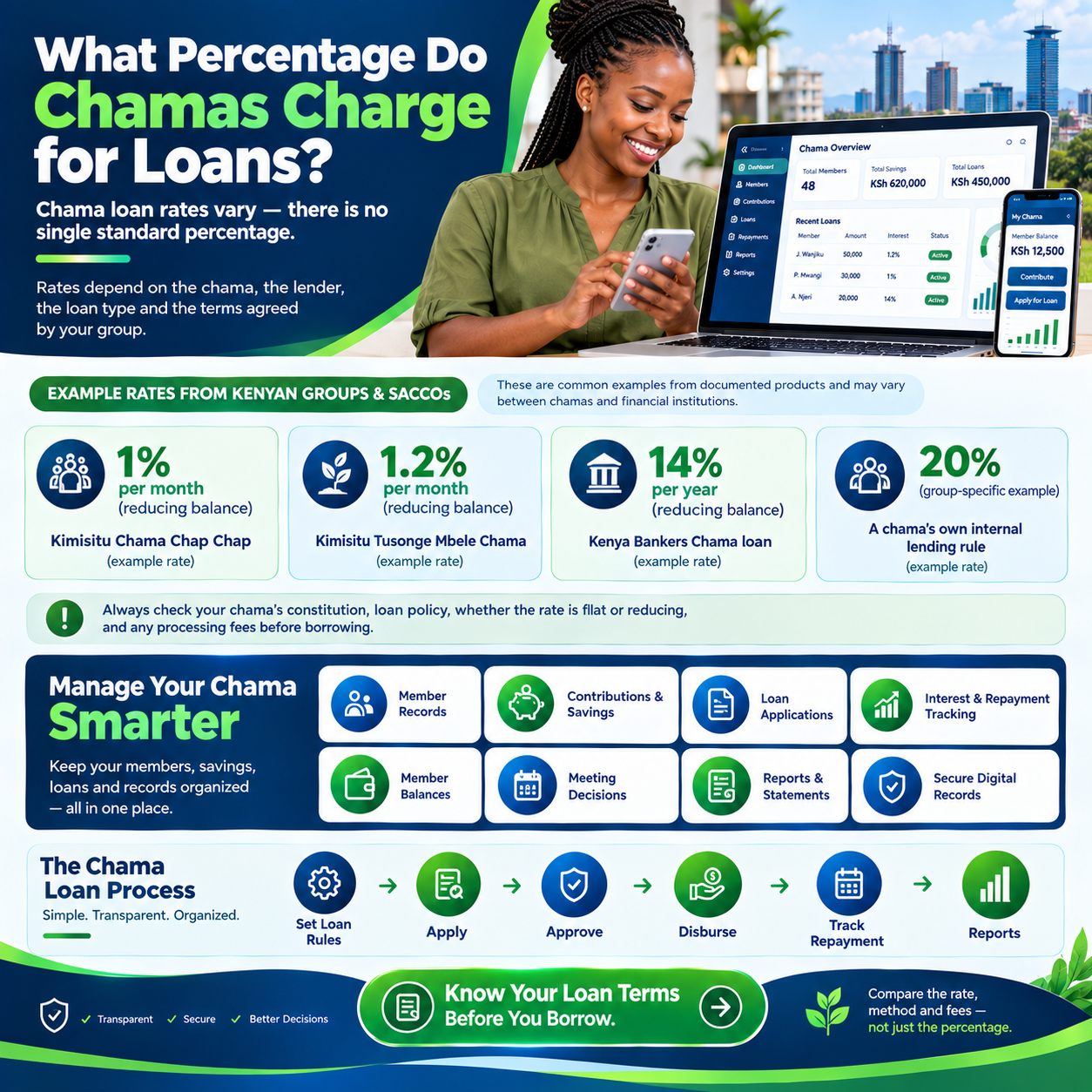
    Here is the honest snapshot of current practice across the country. Most established chamas charge between 8 and 15 percent per annum, with 10 percent flat per year being the single most common figure.

    So the practical heart of what percentage do chamas charge for loans is this: expect to pay roughly one percent of the principal per month.

    Smaller and newer groups often charge slightly more, in the 2 to 3 percent per month range. The higher figure reflects thin reserves, higher perceived risk, and the need to build capital quickly.

    Anyone researching what percentage do chamas charge for loans among startup groups should expect exactly that pattern.

    Mature, well-capitalized groups charge less. Groups with large loan books and diversified income can comfortably lend at 8 to 12 percent per annum while still paying handsome dividends.

    Their pricing discipline is one of the quiet lessons hidden inside what percentage do chamas charge for loans.

    Table banking circles are the exception worth naming. They commonly charge 10 percent of the monthly pot, which annualizes to far more but lasts only weeks.

    That short-cycle pricing is its own distinctive answer to what percentage do chamas charge for loans within the rotation format.

    Emergency loans carry premium pricing almost everywhere. A one-month facility for hospital bills might cost a flat 5 to 10 percent regardless of the amount borrowed.

    Any complete study of what percentage do chamas charge for loans must include this urgent, short-tenure corner of the market.

    The spread between all these figures is not random. It tracks the group’s cost of funds, risk appetite, administrative burden, and financial goals.

    Understanding that spread is what turns the raw question of what percentage do chamas charge for loans into real negotiating power.

    Flat Rate vs Reducing Balance: The Hidden Difference

    Before any percentage means anything, you must know how it is applied. Two groups can both say “10 percent” and produce very different total costs depending on the calculation method.

    This single distinction is the most important technical detail in the whole subject of what percentage do chamas charge for loans.

    Under a flat rate, interest is computed on the original principal for the entire loan period. Borrow 100,000 at 10 percent flat for a year and you owe 10,000 in interest, full stop, no matter how fast you repay.

    Simplicity is the great appeal of flat pricing in what percentage do chamas charge for loans.

    Under a reducing balance, interest is charged only on what you still owe each month. The same 100,000 at 12 percent per annum reducing costs roughly 6,600 in total interest over a year.

    Members comparing figures in what percentage do chamas charge for loans must therefore always ask which method applies.

    Here is the rule of thumb that surprises most members. A flat 10 percent per annum costs roughly the same as a reducing balance of about 18 percent.

    Every serious discussion of what percentage do chamas charge for loans should include that conversion, because it prevents false comparisons between groups.

    Neither method is dishonest, provided it is disclosed. Flat rates win on simplicity and predictability; reducing balances reward early repayment and cost less overall.

    The fairest groups print the method — not just the number — wherever they publish what percentage do chamas charge for loans.

    What Determines the Rate Your Group Sets

    The first factor is the source of funds. Chamas lend members’ savings, not borrowed money, so there is no bank debt to service beneath the rate.

    That structural advantage explains the lower end of what percentage do chamas charge for loans among disciplined groups.

    The second factor is the group’s financial mission. A chama that exists to generate member income must charge enough to fund dividends after expenses.

    A welfare-first circle may charge minimally, which is why the mission shapes what percentage do chamas charge for loans in every constitution.

    The third factor is risk. Loan size relative to savings, member repayment history, and the strength of guarantors all move the price.

    Groups that screen carefully can afford softer answers to what percentage do chamas charge for loans than groups lending blind.

    The fourth factor is tenure. Short loans justify higher monthly pricing because the administrative cost is the same regardless of size.

    Long development loans justify lower annual pricing — a nuance often missed in heated debates about what percentage do chamas charge for loans.

    The fifth factor is inflation and opportunity cost. Money parked in a five-percent loan loses ground when prices are rising seven percent a year.

    Realistic groups set rates with this arithmetic firmly in mind when deciding what percentage do chamas charge for loans.

    The sixth factor is competition. Members who can access a SACCO at 12 percent reducing will not tolerate a chama charging the equivalent of 25.

    Market awareness keeps the answer to what percentage do chamas charge for loans honest over time.

    The final factor is growth strategy. Some groups deliberately charge higher rates to accelerate capital accumulation toward a building project or land purchase.

    Ambition, as much as cost, drives the most aggressive numbers in what percentage do chamas charge for loans.

    Monthly Rates vs Annual Rates: Reading the Fine Print

    Quoting conventions cause more confusion than actual pricing. “Two percent per month” sounds gentle but equals 24 percent per year on a flat basis.

    Clarity about conventions is therefore essential to any honest answer on what percentage do chamas charge for loans.

    The reverse is equally true. “Twelve percent per annum” looks formal but equals just one percent monthly on the outstanding balance.

    Members comparing notes on what percentage do chamas charge for loans must convert everything to the same basis first.

    The cleanest practice is dual disclosure. State the rate as a monthly figure and as an annualized equivalent, with the calculation method named beside both.

    Groups that publish both formats never argue about what percentage do chamas charge for loans at the meeting

    Put the conversion rule on a poster if you must. Annual flat equals monthly flat multiplied by twelve, and reducing-balance equivalents need the rough 1.8 conversion covered earlier.

    A one-line chart of conversions ends most confusion about what percentage do chamas charge for loans permanently.

    How Chama Rates Compare with Banks, Mobile Apps, and SACCOs

    Context makes group pricing meaningful, so let us place it on the national map. Commercial banks typically price personal loans from the mid-teens upward, plus processing fees and insurance add-ons.

    Against that backdrop, mainstream answers to what percentage do chamas charge for loans look genuinely competitive.

    Mobile loan apps sit at the extreme end of the market. Their short tenures and stacked fees translate into effective annualized costs that can reach triple digits.

    Next to that reality, most findings on what percentage do chamas charge for loans reveal group credit as remarkably affordable.

    SACCOs sit closest to chamas in pricing philosophy. Member-owned lenders commonly charge low double digits on a reducing balance, funded by deposits rather than borrowed money.

    The resemblance is no coincidence, because both models answer what percentage do chamas charge for loans with member interest at heart.

    The chama’s true edge is flexibility, not just price. A group can restructure a struggling member’s loan within the same week, something no bank app will ever do.

    That human dimension is part of the complete answer to what percentage do chamas charge for loans.

    Emergency Loans: The Premium Corner of Group Lending

    Emergency products deserve their own pricing logic. They are small, fast, and unsecured, often disbursed within hours of a hospital call.

    Understandably, then, what percentage do chamas charge for loans in emergencies runs higher — commonly a flat 5 to 10 percent for the month.

    The premium is not profiteering; it reflects speed and risk. Fast cash without guarantor meetings costs the group administrative attention and carries higher default exposure.

    Members who understand this accept emergency pricing as the fair edge of what percentage do chamas charge for loans.

    The wisest groups cap emergency pricing in the constitution.

    A written ceiling — say 10 percent flat per month, repayable within sixty days — protects vulnerable members in their worst moments.

    Compassionate limits are the humane dimension of what percentage do chamas charge for loans.

    The Math: Two Fully Worked Examples

    Numbers make everything real, so let us price one loan two ways.

    Grace borrows 100,000 shillings for twelve months at 10 percent per annum flat. This first branch of what percentage do chamas charge for loans is the easiest to compute by hand.

    Flat calculation: interest equals 100,000 × 10% × 1 year, which is 10,000 shillings.

    Total repayment is 110,000, giving a fixed instalment of about 9,167 per month. That is the complete, final answer under this flat method of what percentage do chamas charge for loans.

    Now the same loan at 12 percent per annum on a reducing balance. The fixed monthly instalment works out to roughly 8,885 shillings, and total interest over the year is about 6,619.

    Notice how differently what percentage do chamas charge for loans resolves when only the method changes.

    Grace repays 110,000 under the flat plan and about 106,619 under the reducing plan. The reducing route saves her around 3,400 shillings despite the higher headline rate.

    That comparison is the practical payoff of understanding what percentage do chamas charge for loans precisely.

    One more everyday example completes the picture. A member takes 20,000 for one month at the common 5 percent flat emergency rate, owing 21,000 on payday.

    Short, simple, and transparent — the cleanest corner of what percentage do chamas charge for loans.

    How to Set a Fair Rate in Your Own Group

    Turn now from asking to deciding, because every group eventually writes its own answer. Begin with the group’s purpose: income generation, capital building, or member welfare.

    The mission is the compass for what percentage do chamas charge for loans in your constitution.

    Second, cost your operations honestly. Platform fees, bank charges, transport, and compliance all need covering from the interest you collect.

    A rate set without this arithmetic will quietly underfund the group — the most common error in what percentage do chamas charge for loans.

    Third, benchmark against the alternatives your members actually have. Check the nearest SACCO, the main mobile lenders, and prevailing group practice in your own area.

    Setting your number inside that map is the realistic way to answer what percentage do chamas charge for loans.

    Fourth, choose your method and disclose it loudly. Write “10 percent per annum flat” or “1 percent per month on reducing balance” into the constitution, in those exact words.

    Precision here is what makes what percentage do chamas charge for loans enforceable and dispute-free.

    Finally, review the rate annually at the AGM. Inflation, portfolio performance, and member feedback all justify small, documented adjustments from time to time.

    An annual review keeps your answer to what percentage do chamas charge for loans current without drama.

    Hidden Costs That Sit Beyond the Interest Rate

    The headline percentage never tells the whole story. Processing fees, insurance charges, and penalty interest can add real cost if they are not disclosed upfront.

    Complete transparency about extras is the honest extension of what percentage do chamas charge for loans.

    Fines deserve special attention because they masquerade as pricing. Late-payment penalties are legitimate, but they should be published, capped, and applied impartially to everyone.

    Members evaluating what percentage do chamas charge for loans should always read the penalty schedule too.

    The best groups consolidate everything into one disclosure. A single line — “this loan costs X in interest and Y in fees, repayable as follows” — eliminates every misunderstanding.

    That discipline is the gold standard for publishing what percentage do chamas charge for loans.

    Keeping Rates Fair: Preventing Conflict Before It Starts

    Rate disagreements are really disclosure failures wearing disguises. When members argue about interest, they are usually arguing about what was never clearly written down.

    Preventing that argument is the deepest purpose of settling what percentage do chamas charge for loans in advance.

    Adopt three fairness habits from the most peaceful groups. Publish the schedule on every application form, show total cost before signature, and apply the rate identically to officials and members alike.

    These habits are what make what percentage do chamas charge for loans a settled matter rather than a recurring battle.

    Also protect vulnerable borrowers deliberately. Cap emergency pricing, allow documented restructuring in genuine hardship, and never let penalties exceed the principal.

    Ethical guardrails are the crown of a well-designed answer to what percentage do chamas charge for loans.

    Remember the two-sided bargain at the heart of group lending. Borrowers deserve affordable credit; savers deserve returns that beat inflation and fund real dividends.

    The right number sits where both sides can shake hands — that is the art behind what percentage do chamas charge for loans.

    Tools That Do the Calculations for You

    Manual arithmetic works, but modern tools remove every excuse for error.

    Dedicated chama platforms compute flat and reducing-balance schedules automatically, generate statements, and apply penalties consistently.

    Automation has quietly standardized the professional answer to what percentage do chamas charge for loans.

    When evaluating any platform, bring a real loan to the demo. Ask it to price your actual 100,000 facility both ways and show the full repayment schedule on screen.

    A system that passes that test will serve your group’s answer to what percentage do chamas charge for loans faithfully for years.

    And once your group owns rental property, connect the two sides of the ledger.

    Rental income managed on Tas.co.ke can flow alongside loan interest into one reconciled financial picture.

    That integration gives your AGM the most complete version of what percentage do chamas charge for loans in black and white.

    Real Stories from Kenyan Groups

    The Nakuru teachers’ chama charged “whatever we agreed that day” for its first five chaotic years.

    After writing 10 percent flat into the constitution, disputes vanished and their loan book doubled within two years.

    Their treasurer credits the transformation to finally codifying what percentage do chamas charge for loans.

    The Kitengela landlords’ group priced development loans at 12 percent reducing while capping emergencies at 5 percent flat.

    Members now compare their chama favorably with the SACCO next door — and the annual dividends say the same.

    Their published schedule has become the neighborhood reference for what percentage do chamas charge for loans.

    A third group manages the property side of its wealth through Tas.co.ke, feeding clean rental income into the same AGM accounts as loan interest.

    Members saw both income streams reconciled on one page for the first time last year.

    Seeing the full picture, they voted to keep lending rates steady rather than raise them.

    Frequently Asked Questions

    Is 10 percent flat per year a fair chama rate?

    Yes — it is the most common figure in Kenya, simple to compute, and competitive with member-owned alternatives. Just disclose the method clearly, because what percentage do chamas charge for loans only means something beside its method.

    What rate should a brand-new group of ten members charge?

    Start around 2 percent per month flat, review after the first year, and step down as reserves grow. That staged approach is the practical beginner’s answer to what percentage do chamas charge for loans.

    Which is cheaper: 10 percent flat or 12 percent reducing?

    The reducing option — total interest on a one-year 100,000 loan is about 6,619 reducing versus 10,000 flat. Always convert both offers to total cost before deciding.

    Can a chama legally charge any rate it wants?

    Informal groups set rates by member consent through their constitutions, with no statutory cap on member-to-member lending. Reasonableness, disclosure, and signed agreements are what protect the group if a dispute ever arises.

    Do chamas charge interest on welfare loans?

    Many do not, treating welfare lending as a benefit funded by subscriptions rather than a business line. Groups that do charge typically use token flat rates of 2 to 5 percent to cover administration.

    Does loan interest affect members’ dividends?

    Directly — interest collected is the group’s income, and after expenses and reserves it feeds the distributable pool. That is why savers care as much about lending rates as borrowers do.

    We also own rental units — should that change our pricing?

    Not necessarily, but it changes your funding mix, because rental income can subsidize cheaper lending. The smartest groups run tenants, rent collection, and owner statements on Tas.co.ke while group lending runs on the chama platform. With both books clean, your answer to what percentage do chamas charge for loans can be more generous than your neighbors’.

  • Chama Annual Records Review: 7 Checks Before a New Year

    A chama annual records review helps officials identify what is complete, what is outdated and what needs follow-up before the next working year. It brings membership records, documents and meeting actions into one organised review. The aim is a clear starting point for the group’s next cycle.

    Set the scope and review date before opening files. This is an administrative checklist, not a substitute for any formal financial review your group requires. Use the seven checks below to organise the work, assign responsibility and record questions that remain unresolved.

    Chama annual records review: group meeting illustration with contact number 0725345345
    Clear records support group decisions. TAS enquiries: 0725345345.

    Chama annual records review: Agree the Review Scope

    List the period, record types and officials involved. Decide which records will be checked in full and where a defined sample will be used. Keep those limits visible so a completed checklist is not mistaken for a claim that every historical entry has been verified.

    Assign an owner and a completion date to each part. A shared review becomes easier to coordinate when the secretary, treasurer and other officials know which records they are responsible for preparing.

    2. Check the Current Member Register

    Look for missing references, possible duplicates and contact details awaiting confirmation. Separate membership status from contribution or attendance information. Changes should follow the group’s agreed process and remain traceable.

    Use the member data cleanup checklist for a detailed approach. Keep open questions on a review list instead of filling gaps with assumptions.

    3. Confirm Document Versions and Locations

    Identify the current approved minutes, reports and reference documents. Check that their status and reporting periods are clear. An important file should not depend on one official remembering which chat message contains it.

    Test links in the document index and confirm that authorised officials can open the records. The document naming guide can help make versions easier to distinguish.

    4. Review Unresolved Record Questions

    Bring together questions that remain open from earlier reviews. Give each one an owner, evidence reference and next action. Avoid treating the end of the year as a reason to mark an unexplained item complete.

    Where an issue has been resolved, confirm that the outcome appears in the current record and that the relevant member or official received the response. Keep the trail from the original question to the decision.

    5. Check Outstanding Meeting Actions

    Review actions carried forward from previous meetings. Confirm which are complete, which remain relevant and which need a new decision. Keep the reason where an action was cancelled or replaced.

    The meeting action tracker guide provides useful fields for owners, deadlines and completion evidence. A short current list is more useful than a long list whose statuses nobody trusts.

    6. Review Access and Handover Readiness

    Confirm which current officials need access to the relevant records. Use the storage or software system’s normal permission process when responsibilities change. Do not share passwords as a shortcut for handing over a role.

    Ask another authorised official to locate a sample report and an open query. If they cannot follow the record without the previous owner’s help, improve the index or instructions before treating the handover as complete.

    7. Record Findings and Plan the Next Cycle

    Summarise what was checked, what was corrected and what remains open. Include the chama annual records review date and the officials involved. Keep the summary with the relevant meeting decision so future reviewers can understand the scope.

    A chama annual records review should end with a practical follow-up plan. Assign dates to unresolved tasks and identify one or two recurring problems the group can address during the next cycle.

    A Useful Review Summary

    Organise the summary into completed checks, confirmed corrections, unresolved questions and agreed next steps. Include a reference to the detailed review list rather than copying every document into the summary. Members should be able to distinguish findings from proposals.

    For instance, identifying outdated contact details is a finding; proposing a quarterly confirmation routine is a next step for the group to consider. Keep that distinction clear when the summary is discussed at a meeting.

    Chama Annual Records Review: Prepare a Findings Log

    Use a short findings log to connect each check with its outcome. Record the area reviewed, the question, the evidence location, the responsible official and the next action. Keep confirmed corrections separate from suggestions the committee has not yet approved.

    During the chama annual records review, ask a second official to follow one completed check using the notes alone. They should be able to locate the source and understand the conclusion. If important context is missing, improve the explanation before treating that area as complete.

    Describe the scope honestly

    A review of current member contact details does not establish that every historical transaction is correct. State which records and periods were checked. If you used a sample, describe it and keep any unresolved questions visible. This helps the next committee understand the practical limits of the work.

    For example, a group may locate all approved minutes for the year but still be waiting for a supporting quotation referenced in one meeting. Record both facts. The complete minutes folder does not remove the need to follow up on the missing supporting document.

    Turn findings into assigned work

    End the chama annual records review with a short action list. Give each unresolved item an owner, a realistic review date and a clear description of the information needed. Where a committee decision is required, identify the meeting at which it will be considered.

    At the next review, check progress against those actions before creating a fresh list. Keeping the connection between cycles helps officials avoid investigating the same unresolved question repeatedly.

    Chama Annual Records Review: Common Questions

    Must this review happen in December?

    No. Use the end of your group’s working or reporting cycle, or another date the committee can maintain.

    What if some checks are unfinished?

    Record the incomplete areas and assign follow-up responsibility. An honest review summary is more useful than marking everything complete without evidence.

    Additional Websites for Members

    For business and service research outside your chama administration, you can visit Prim, Zama, Vega, Awasa, Saseni, JAAT and Dereva. Check each website’s current availability and offering against your needs. These links do not establish an affiliation or an integration with TAS.

    Organise Your Group Records with TAS

    Use this chama annual records review guide to identify the next practical task for your committee. Explore TAS chama management software and review the software trial checklist before choosing how to organise your records. For enquiries, call 0725345345.

  • Chama Record Correction Log: 6 Steps for Clear Changes

    A chama record correction log explains how an error was investigated and what changed. It connects a member’s question to the supporting evidence, the reviewer and the final outcome. This is useful when several officials maintain records or when a new committee takes over.

    For chama record correction log, begin with one shared process for reporting a question. Avoid changing an entry simply because a message sounds confident. The six steps below help a Kenyan chama keep corrections understandable while leaving unresolved items visible until there is enough information to decide.

    chama record correction log: group meeting illustration with contact number 0725345345
    Clear records support group decisions. TAS enquiries: 0725345345.

    Chama record correction log: Give the Query a Reference

    Assign a short query reference and record the date received. Identify the relevant member or document reference and reporting period. Use the minimum personal information needed to locate the issue.

    A clear query describes the entry and the question. For example, a member may ask why a payment reference is absent from a particular statement. Keep that precise question instead of replacing it with a vague label such as “account problem.”

    2. Preserve the Starting Record

    Identify the version being reviewed before making changes. Keep a reference to the original statement, register or minutes through the group’s agreed storage process. The reviewer should be able to explain what the record showed when the question was raised.

    This does not mean spreading copies of sensitive documents across personal devices. Store the material in an appropriate location and give authorised reviewers a reliable way to find it.

    3. Match the Supporting Evidence

    Compare the date, amount, reference and purpose where the issue concerns a transaction. For a member detail, use the agreed verification process. Similar names or amounts can be a starting point for investigation but are not enough by themselves.

    Our member statement review guide covers useful checks before a meeting. Keep the evidence reference alongside the query so another official can follow the reasoning.

    4. Record the Review Decision

    Write whether the entry was confirmed, corrected or left open for more evidence. Record the reviewer and the reason. If your group requires another person to approve the change, keep that step visible.

    A chama record correction log should distinguish between a proposed correction and a completed correction. This prevents a suggestion from being mistaken for an approved change.

    5. Check the Updated Record

    After an approved correction is made, inspect the record members will actually use. Check that the intended field changed and that related entries still point to the correct member or period.

    If a revised report is issued, label its version clearly. The TAS document naming guide provides a simple approach to dates, versions and status labels.

    6. Communicate the Outcome and Close the Query

    Reply through the agreed channel with a concise explanation of the outcome. Tell the member where to find the updated information, if applicable. Keep unrelated details about other members out of the response.

    Close the query when the agreed process is complete. If it remains unresolved, record the next action and review date. The next meeting should not erase an open question from the log.

    Fields for a Chama Record Correction Log

    A practical log includes query reference, date received, record being reviewed, question, evidence reference, reviewer, decision, date changed and follow-up status. Keep longer explanations in a linked note if they make the main log difficult to scan.

    Review repeated issues at the end of each cycle. If many queries concern missing period labels, improve the entry instructions. If officials keep using older reports, clarify the version naming. The log can reveal a process problem without assuming that every mistake has the same cause.

    Chama Record Correction Log: A Worked Example

    Imagine a member cannot find a payment reference on a monthly statement. The coordinator records the reporting period, member reference and specific question. The reviewer checks the source record before deciding whether the entry is missing, recorded in another period or already present under an unclear description.

    The chama record correction log then records the evidence used and the outcome. If no correction is required, explain why. If a change is approved, identify the corrected record and the date of the update. This example illustrates a review process; it does not assume the cause of a real member’s query.

    Use clear status labels

    Agree what received, under review, awaiting evidence, resolved and closed mean. A query awaiting evidence should remain visible with a next action. A resolved query may still require a response to the member before the process is closed.

    Check the log at an interval the committee can maintain. Ask whether each open item has an owner and whether the next review date is realistic. Moving a date without a reason makes it harder for another official to understand progress.

    Review repeated issues

    A chama record correction log can help officials identify unclear instructions. If several members ask about the same reporting label, explain that label in the statement guide. If corrections are repeatedly made in an old file, improve version control.

    Keep the review focused on the record and evidence. Do not assume that a repeated question proves misconduct or that a confident response removes the need to check. Clear notes make a fair, consistent review easier.

    Frequently Asked Questions

    Should every query result in a correction?

    No. The original entry may be correct. Record the explanation and evidence so the outcome is understandable.

    Can the log replace supporting documents?

    No. It should point to the evidence and summarise the decision, while the relevant source records remain available to authorised reviewers.

    Additional Websites for Members

    For business and service research outside your chama administration, you can visit Prim, Zama, Vega, Awasa, Saseni, JAAT and Dereva. Check each website’s current availability and offering against your needs. These links do not establish an affiliation or an integration with TAS.

    Organise Your Group Records with TAS

    Use this chama record correction log guide to identify the next practical task for your committee. Explore TAS chama management software and review the software trial checklist before choosing how to organise your records. For enquiries, call 0725345345.

  • Chama Meeting Report Pack: 5 Steps to Better Preparation

    A chama meeting report pack brings the records members need into one organised set before a meeting. It helps the chairperson focus on decisions and gives members time to understand the information being discussed. Clear preparation is especially useful when officials manage records across several files.

    For chama meeting report pack, start with the meeting’s purpose and the reporting period. Include the documents needed for the agenda, identify their status and keep personal information limited to the appropriate audience. The five steps below provide a practical structure for a Kenyan chama’s regular meeting.

    chama meeting report pack: group meeting illustration with contact number 0725345345
    Clear records support group decisions. TAS enquiries: 0725345345.

    Chama meeting report pack: Set the Reporting Period and Cut-Off

    Put the meeting date, reporting period and preparation date on the chama meeting report pack’s cover or introduction. A document prepared today may report on last month. Members need both dates to understand what is included.

    Tell contributors when their sections are due and who will review them. If a late item must be added, label the revision rather than circulating a second file with the same name and no explanation.

    2. Assemble the Core Documents

    Begin with the agenda, the previous approved minutes and an update on agreed actions. Add the relevant period reports and supporting documents needed for a decision. Each document should have an owner and a clear status.

    Do not include every file simply because it exists. A quotation may belong in the chama meeting report pack when the group must compare options, while unrelated correspondence may be better kept in the supporting archive.

    3. Separate Confirmed Information from Open Questions

    Label figures or entries that have been checked and identify those still awaiting evidence. An unresolved question should have an owner and a next step. Avoid presenting a draft as approved information because the meeting date is close.

    Members reviewing their own records can use the TAS statement review guide. Specific questions with dates and references are easier to resolve than a general statement that a report is wrong.

    4. Add a Short Action Update

    Summarise each open action with its reference, owner, due date and current status. Include the evidence needed to close completed work. This connects the previous meeting’s decisions with the current agenda.

    The chama meeting action tracker guide explains how to distinguish an update from a new decision. A task owner should not have to guess whether the committee has approved a change in scope.

    5. Share the Right Version and Record Follow-Up

    Use a consistent file name and give members a clear route to the current pack. Check that links work for the intended audience. A document that opens for its author may still be inaccessible to another official.

    After the meeting, store the approved minutes and resulting actions with references to the documents considered. Keep corrected reports distinguishable from earlier versions. A useful chama meeting report pack supports both preparation and future review.

    A Practical Report Pack Index

    Use an index with five fields: item number, document title, reporting period, owner and status. Add the document location if the chama meeting report pack includes links. Mark an item “for information,” “for review” or “for decision” so members understand what the agenda requires.

    For example, a completed action note may be for information, while a proposal with unanswered questions may be for review. These labels organise the discussion; they do not replace your group’s approval process.

    Check the Pack Before Sending It

    • Confirm the dates and version labels.
    • Open each attachment and check its legibility.
    • Remove unrelated personal details from shared summaries.
    • Test access using an intended recipient’s role.
    • List unresolved questions and their owners.

    Use the document naming guide to keep the pack and its supporting files easy to identify.

    Chama Meeting Report Pack: A Final Quality Check

    Ask an official who did not assemble the documents to review the pack before distribution. They should be able to identify the meeting date, reporting period, current version and items requiring a decision. A fresh reader can often spot an unclear label that the author has overlooked.

    Open the chama meeting report pack on the device members normally use. Check that headings remain readable, tables fit the screen and document links open for the intended role. A file that is technically available may still be difficult to use during a meeting.

    Write a short covering note

    The covering note can identify the meeting, explain how to submit questions and flag any item awaiting evidence. Keep it factual. Do not describe a draft report as approved or imply that silence means every member accepts its contents.

    For example, an action update may be complete while a supporting quotation is still outstanding. State which document is missing and who will provide it. The committee can then decide how to handle that agenda item with a clear understanding of the gap.

    Keep the meeting record connected

    After the meeting, link the approved decisions to the version of the chama meeting report pack that was considered. If a document was corrected during discussion, identify the replacement and retain an explanation of the change.

    Before the next cycle, review recurring preparation problems. Missing dates, unclear ownership and broken document links can usually be addressed by improving the checklist. Assign the improvement to a named official so it does not become another unresolved discussion point.

    Frequently Asked Questions

    How early should the pack be shared?

    Agree a preparation window that gives members time to read it and officials time to check it. The right interval depends on your group’s routine.

    Does every member need every supporting record?

    Share the information needed for participation while respecting the group’s agreed access responsibilities. Keep detailed personal records restricted to the appropriate reviewers.

    Additional Websites for Members

    For business and service research outside your chama administration, you can visit Prim, Zama, Vega, Awasa, Saseni, JAAT and Dereva. Check each website’s current availability and offering against your needs. These links do not establish an affiliation or an integration with TAS.

    Organise Your Group Records with TAS

    Use this chama meeting report pack guide to identify the next practical task for your committee. Explore TAS chama management software and review the software trial checklist before choosing how to organise your records. For enquiries, call 0725345345.

  • Chama Contribution Calendar: 6 Steps to Clear Monthly Records

    A chama contribution calendar helps members and officials work from the same dates. It connects the agreed contribution cycle with record updates, statement reviews and meetings. For a busy Kenyan group, a shared calendar can make the next administrative step easier to understand.

    For chama contribution calendar, begin with the schedule your group has already approved. The calendar records that schedule; it does not create new contribution amounts, penalties or membership conditions. Use the six steps below to turn agreed dates into a routine that members can follow.

    chama contribution calendar: group meeting illustration with contact number 0725345345
    Clear records support group decisions. TAS enquiries: 0725345345.

    Chama contribution calendar: Define the Contribution Period

    Write down whether the group records contributions weekly, monthly or according to another agreed cycle. Use one consistent label for each period. A payment date and the period it relates to may be different, so make that distinction visible.

    For example, an entry received in October may relate to a September obligation under the group’s rules. The calendar should tell the reviewer which period to check, while the transaction record preserves when the payment was received.

    2. Record the Agreed Due Date

    Use the actual date approved by the group and identify where the decision is recorded. If the date varies, explain the rule in plain language. Avoid relying on phrases such as “near month-end” when members need a specific instruction.

    When an approved date changes, record the change and communicate it through the agreed channel. Keep the earlier decision available so officials can explain why two versions of the schedule exist.

    3. Add Time for Updating Records

    Set a realistic window for the official responsible for matching entries and checking references. Receiving a payment and completing the record review are separate tasks. Members should know when updated information is normally available.

    A chama contribution calendar works best when every administrative step has an owner. If the usual official is unavailable, the committee should know who can provide an update or coordinate the handover.

    4. Include a Member Review Window

    Give members time to check their information before the next meeting. Explain the channel for reporting a missing entry or unclear description, and ask for the relevant period and reference.

    Use the member statement review checklist to structure these questions. Keep unresolved items visible rather than treating the review deadline as proof that every record is correct.

    5. Link the Calendar to the Meeting Agenda

    The meeting date should allow officials to prepare a useful summary of completed checks and open questions. Put issues needing a group decision on the agenda, while handling routine clarification through the normal review channel.

    Keep the agenda focused on decisions. A list of dates becomes more useful when it shows what must be ready for the meeting and which official will prepare it.

    6. Review the Routine Each Cycle

    After the meeting, note what caused confusion. Repeated questions may show that a period label is unclear or that statements are shared too late. Adjust the administrative routine through the group’s agreed process and explain the change.

    Store the current chama contribution calendar in a predictable location. If copies are shared through different channels, include a version date so members can identify the latest approved schedule.

    Example of a Monthly Calendar

    As an illustration, a group might use an agreed payment date, a record-checking window two days later, a member review window and a meeting after those checks. These are sample stages, not recommended payment terms. Replace them with your group’s actual decisions and the time your volunteers can maintain.

    Use columns for period, activity, date, owner and status. A short note can explain a rescheduled review or an unresolved entry. The aim is to make responsibility visible, not to create a complicated timetable that nobody updates.

    Chama Contribution Calendar: Check the Next Cycle

    Before sharing the next calendar, compare it with the approved schedule and the planned meeting date. Confirm that each period has a clear label and that record checking can happen before members are asked to review statements. A schedule that leaves no time for questions is difficult to maintain.

    Give the chama contribution calendar to another official and ask them to identify the next three activities. They should be able to name the activity, date and responsible person without a separate explanation. If a label is unclear, change the wording before circulating the schedule.

    Handle a date change clearly

    When the group approves a revised date, preserve a note of the earlier date and the decision authorising the change. Update the current version and communicate which activity changed. Avoid sending a new image of the calendar without explaining what members should notice.

    For example, a meeting may move while the contribution period remains unchanged. Those are different facts. Update the meeting entry without silently changing the reporting period or implying that a different contribution rule was agreed.

    Keep follow-up separate from reminders

    A reminder tells members what is due next. A review note explains which records need checking. Keeping both visible in the chama contribution calendar helps officials avoid treating an unanswered reminder as evidence about a transaction.

    At the end of the cycle, record whether statements were available when expected and whether members had enough time to raise questions. Use that experience to improve the administrative timetable through the group’s agreed process.

    Frequently Asked Questions

    Does the calendar replace payment records?

    No. It describes when activities should happen. The transaction record shows what happened and the evidence supporting it.

    Who should update the calendar?

    Assign one coordinator and agree who may approve date changes. Members should know where to find the current version.

    Additional Websites for Members

    For business and service research outside your chama administration, you can visit Prim, Zama, Vega, Awasa, Saseni, JAAT and Dereva. Check each website’s current availability and offering against your needs. These links do not establish an affiliation or an integration with TAS.

    Organise Your Group Records with TAS

    Use this chama contribution calendar guide to identify the next practical task for your committee. Explore TAS chama management software and review the software trial checklist before choosing how to organise your records. For enquiries, call 0725345345.

  • Chama Member Onboarding: 7 Clear Steps for New Members

    Chama member onboarding gives a new member a clear introduction to your group’s records, responsibilities and communication routines. Without an agreed process, different officials may give different instructions or collect the same details twice. A short checklist helps Kenyan chamas welcome people consistently and answer practical questions early.

    For chama member onboarding, start with the information a member needs in their first month: who to contact, how records are maintained, where approved decisions are shared and how to ask for a correction. The seven steps below focus on administration. Your group’s own agreed membership rules remain the basis for admission and participation.

    chama member onboarding: group meeting illustration with contact number 0725345345
    Clear records support group decisions. TAS enquiries: 0725345345.

    Chama member onboarding: Confirm the Membership Decision

    Record the decision through the process your group has agreed. Keep the date, responsible official and relevant meeting reference together. A name added to a chat group should not be the only evidence that admission has been completed.

    Where a step remains outstanding, label the record clearly. Tell the new member what is still needed and who will follow up. Avoid marking an incomplete application as an active membership simply to make the register look tidy.

    2. Create One Reliable Member Record

    Use a stable member reference and confirm the spelling of the member’s name. Ask for the contact information needed for the group’s administration, explain its purpose and provide an agreed private way to correct it.

    Before adding a new entry, check whether the person already appears in an older register. Our member data cleanup guide explains how to investigate possible duplicates without guessing.

    3. Explain the Contribution Routine

    Give the member the group’s current contribution schedule and the relevant instructions. Distinguish the payment date from the period a contribution relates to. Explain which reference helps officials identify an entry and whom the member should contact if it is missing.

    Use a clearly labelled sample to show how a contribution appears in a record. Do not include another member’s personal transaction details in the welcome material.

    4. Show How Meetings and Decisions Work

    Explain how meeting notices, agendas and approved minutes are shared. Tell the new member how to raise a question and where follow-up actions are recorded. This makes participation easier without requiring them to search through months of messages.

    For their first meeting, provide a short overview of current activities and any decisions that affect their participation. Separate approved decisions from proposals still under discussion.

    5. Check Access and Communication

    If the group uses a digital workspace, confirm that the member can reach the information intended for their role. Let them test access themselves using their own account. Never ask them to share a password with an official.

    Chama member onboarding should include a named contact for access problems. Record that the check was completed, without storing private credentials in the member register.

    6. Give the Member a Simple Welcome Checklist

    Keep the checklist practical: membership reference confirmed, contact details checked, contribution instructions received, meeting channel explained and questions recorded. Assign an owner and follow-up date to any unfinished item.

    Ask the member to explain the next step in their own words. This is often a better check than asking whether everything is clear. If several newcomers ask the same question, improve that part of the welcome guide.

    7. Review the First Month

    Arrange a short follow-up after the first reporting cycle. Check whether the member received the intended communications and could locate their own records. Ask about unclear instructions rather than assuming silence means the process worked.

    Keep the outcome with the onboarding checklist. A completed chama member onboarding process leaves the next official able to see what was explained, what was confirmed and what still needs attention.

    Chama Member Onboarding: A First-Month Checklist

    Keep one short checklist for each new member. Record the member reference, welcome date, coordinator, completed checks and open questions. The checklist should point to the official register rather than becoming a second register with different contact details.

    During chama member onboarding, ask the new member to locate the next meeting notice and explain how they would query an unclear entry. These two practical tasks reveal whether the instructions are usable. If either task is difficult, clarify the relevant step and record the follow-up.

    A simple welcome conversation

    Begin with the group’s current activities, then explain where approved information is shared. Show a sample record that contains invented details. Finish by confirming whom the member can contact and when the first review will happen. Avoid turning the welcome into a long presentation of features the member does not yet need.

    For example, a newcomer may understand the payment instructions but be unsure how to identify the contribution period. Add that question to the checklist and ask the responsible official to explain the convention. Do not mark the whole process complete while a practical question remains unanswered.

    Keep the checklist useful for the next official

    A completed chama member onboarding checklist should show what was confirmed and what still needs attention. Record the date of each review and the person responsible for the next action. Store it in the agreed location with access appropriate to its contents.

    At the end of the month, note one improvement to the welcome process. Repeated questions can help the committee make the next member’s introduction clearer.

    Frequently Asked Questions

    Who should coordinate onboarding?

    Choose one coordinator and let other officials complete the checks relevant to their responsibilities. This reduces conflicting instructions.

    Should the welcome pack include every historical document?

    Start with current rules and the records needed for participation. Provide an organised route to relevant background documents instead of overwhelming the member.

    Additional Websites for Members

    For business and service research outside your chama administration, you can visit Prim, Zama, Vega, Awasa, Saseni, JAAT and Dereva. Check each website’s current availability and offering against your needs. These links do not establish an affiliation or an integration with TAS.

    Organise Your Group Records with TAS

    Use this chama member onboarding guide to identify the next practical task for your committee. Explore TAS chama management software and review the software trial checklist before choosing how to organise your records. For enquiries, call 0725345345.

  • Chama Software Nyeri: Complete Guide to Managing Chamas Digitally

    Chama Software Nyeri


    Chama Software Nyeri: Complete Guide to Managing Chamas Digitally

    Managing a chama involves much more than collecting money every month. Members expect accurate contribution records, clear loan balances, proper financial reports and accountability from committee members. Chama Software Nyeri provides a practical way for savings groups, investment groups, welfare groups and table-banking organisations to organise these activities digitally and reduce the challenges associated with manual record keeping.

    For a chama operating in Nyeri, digital management can make it easier to keep track of members, contributions, loans, repayments, expenses, meetings and financial reports. Instead of relying on several notebooks, spreadsheets, M-Pesa messages and WhatsApp conversations, a dedicated system can bring important information into one organised environment.

    This guide explains what chama management software does, why it can be useful for groups in Nyeri, which features matter most, how to manage contributions and loans, how to improve financial accountability, and what a chama should consider before choosing a digital system.

    What Is Chama Software?

    Chama software is a digital platform designed to help member-based groups manage their administrative and financial activities.

    A typical chama may need to maintain information about:

    • Members
    • Monthly contributions
    • Savings
    • Welfare funds
    • Loans
    • Loan repayments
    • Guarantors
    • Income
    • Expenses
    • Investments
    • Meetings
    • Minutes
    • Budgets
    • Financial reports
    • Member statements

    When these records are maintained manually, information can become scattered. The treasurer may have one notebook for contributions, another file for loans and a spreadsheet for expenses. The secretary may maintain a separate membership list while meeting minutes remain in physical files.

    Chama Software Nyeri can help bring these activities together.

    The main objective is not simply to replace paper with a computer. The objective is to create a structured record where different activities are connected.

    For example, when a member makes a contribution, that transaction should be associated with the correct member. When the same member receives a loan, the loan should also be connected to the member’s record. When the borrower makes repayments, those payments should update the loan history.

    This connected approach can make chama administration easier to understand and manage.

    Why Chamas in Nyeri Need Better Record Keeping

    Chamas can start small. A group of friends, colleagues, farmers, business owners or professionals may agree to contribute a fixed amount every month.

    At the beginning, a notebook may seem sufficient.

    However, the volume of transactions can grow quickly.

    Imagine a chama with 50 members. If every member makes one monthly contribution, the group already has 600 contribution transactions in a year. Add loan repayments, welfare payments, expenses, investments and other transactions, and the amount of information becomes significantly larger.

    Chama Software Nyeri can help organise this information so that officials do not have to rely on manual calculations for every report.

    Better records can also reduce disagreements.

    If a member believes they have contributed KSh 60,000 while the treasurer’s notebook shows KSh 55,000, the group needs a reliable way to investigate the difference. Digital transaction histories can make that process more structured.

    The Importance of Digital Chama Management

    The main advantage of digital management is organisation.

    A well-designed chama system can allow authorised users to access information according to their responsibilities.

    For example:

    • The treasurer can manage financial transactions.
    • The secretary can maintain member and meeting records.
    • The chairperson can review reports.
    • Other committee members can receive appropriate access.
    • Members can access information relevant to them where the system supports member access.

    Chama Software Nyeri can therefore support a clearer division of responsibilities.

    The software does not remove the need for committee oversight. Instead, it gives officials a more structured environment in which to perform their duties.

    This is important because technology should strengthen good governance rather than replace it.

    Managing Chama Members

    Member management is one of the first functions a chama should consider when choosing software.

    The member register may include:

    • Full name
    • Membership number
    • Contact information
    • Date of joining
    • Membership status
    • Contribution requirements
    • Savings information
    • Loan information
    • Welfare information

    Chama Software Nyeri can help centralise this information.

    A central member record is useful because financial transactions can be associated with individual members.

    For example, when the treasurer needs to know how much a specific member has contributed, the information should be available without searching through multiple pages of a ledger.

    Similarly, if the member has an outstanding loan, the relevant loan information should be easy to identify.

    The group should only collect information that is necessary for its legitimate activities and should establish appropriate controls over access to personal information.

    Contribution Tracking

    Contributions are the foundation of many savings groups.

    Members may contribute weekly, monthly or according to another schedule approved by the chama.

    Manual contribution records can become difficult to manage when the group grows.

    Chama Software Nyeri can help the group maintain contribution records by member and payment period.

    A contribution tracking system should make it possible to determine:

    • Expected contribution
    • Amount actually paid
    • Date of payment
    • Outstanding amount
    • Total contributions
    • Contribution history

    For example, if members are expected to contribute KSh 5,000 every month, the treasurer should be able to identify members who have paid the full amount, those who have made partial payments and those who have not yet paid.

    This information can then be used during committee meetings without manually calculating every member’s position.

    Managing Welfare Contributions

    Many chamas operate welfare funds alongside ordinary savings.

    A welfare contribution may be used for approved circumstances such as emergencies, bereavement or other forms of member assistance.

    Chama Software Nyeri can help separate welfare transactions from ordinary contributions.

    This distinction matters because money collected for welfare purposes may be governed by different rules from ordinary savings.

    A chama might have:

    • General savings
    • Welfare contributions
    • Investment contributions
    • Emergency funds
    • Special project contributions

    Each category should be clearly identified.

    When funds are properly categorised, financial reports become easier to understand.

    Members can see not only how much money the chama has collected but also the purpose associated with different funds.

    Loan Management

    Loans are often one of the most complicated areas of chama administration.

    A loan may involve several stages:

    1. Application
    2. Approval
    3. Guarantor confirmation
    4. Disbursement
    5. Repayment
    6. Balance monitoring
    7. Final settlement

    Chama Software Nyeri can provide a structured way of organising loan information.

    Suppose a member receives a loan of KSh 100,000.

    The system should allow authorised users to identify the borrower, approved amount, repayment activity and remaining balance.

    This becomes increasingly important when a chama has many borrowers.

    Without structured records, a treasurer may need to calculate each borrower’s outstanding amount manually.

    With organised digital records, the process can be much easier.

    Loan Repayment Tracking

    Recording a loan is only the beginning.

    The chama must also know how much the borrower has repaid.

    Chama Software Nyeri can help organise repayment transactions against the relevant loan.

    A repayment record should ideally answer questions such as:

    • Who made the payment?
    • When was it made?
    • How much was paid?
    • Which loan did it relate to?
    • What balance remains?
    • Was the repayment made according to the agreed schedule?

    Accurate repayment records are particularly important when several loans are active simultaneously.

    They also make it easier to produce member statements.

    Guarantor Records

    Many chamas use guarantors when issuing loans.

    The purpose is to provide an additional layer of accountability according to the group’s rules.

    Chama Software Nyeri can help organise guarantor information alongside loan records where the platform provides that functionality.

    A committee may need to know:

    • Who guaranteed the loan?
    • How much did they guarantee?
    • Which member borrowed the money?
    • Does the guarantor already have other obligations?
    • Has the loan been repaid?

    Keeping this information organised reduces the risk of losing important details.

    The chama should nevertheless define its own lending and guarantor rules through its constitution or approved policies.

    Managing Income and Expenses

    Chamas receive money, but they also spend money.

    Expenses may include:

    • Meeting costs
    • Transport
    • Communication
    • Bank charges
    • Welfare payments
    • Training
    • Investment costs
    • Administrative expenses
    • Project expenses

    Chama Software Nyeri can help categorise these transactions.

    Expense categories should be standardised.

    For example, if one committee member records an expense as “transport” while another records a similar expense as “travel”, reports may become unnecessarily fragmented.

    The committee should therefore agree on categories before entering large amounts of historical data.

    Budget Management

    Budgeting allows a chama to plan before spending.

    Suppose a group expects to receive KSh 1 million in contributions during a financial year.

    The members may decide to allocate money toward:

    • Loans
    • Investments
    • Welfare
    • Administration
    • A special project

    Chama Software Nyeri can support budget monitoring where budgeting features are available.

    The committee can then compare expected amounts with actual results.

    This helps answer questions such as:

    • Are members contributing as expected?
    • Are expenses within approved limits?
    • Is the investment budget being followed?
    • Is welfare spending increasing?
    • Is there enough liquidity for approved activities?

    Budgeting is most useful when reports are reviewed regularly.

    Financial Reporting

    Financial reporting is one of the biggest reasons to digitise chama records.

    Members and committee officials may want to know:

    • Total contributions
    • Outstanding loans
    • Loan repayments
    • Total expenses
    • Income received
    • Welfare payments
    • Investment activity
    • Available funds

    Chama Software Nyeri can make these records easier to organise and report.

    A useful report should be understandable.

    The purpose is not to create complicated financial documents that ordinary members cannot interpret.

    Instead, reports should provide a clear view of the group’s financial position.

    The committee should also be able to trace important totals back to the transactions that produced them.

    Member Statements

    Members frequently want to know their personal financial position.

    A member may ask:

    “How much have I contributed?”

    “How much do I owe?”

    “How much have I repaid?”

    “How much is my current savings balance?”

    Chama Software Nyeri can help organise the information needed to answer these questions.

    Member statements can also reduce the workload on the treasurer.

    Rather than manually calculating an individual’s contribution history every time, the official can use the member’s digital record.

    The statement should be checked against approved financial records, particularly during initial system implementation.

    Meeting Management

    A chama is not only a financial organisation. It is also a member organisation.

    Important decisions are usually made during meetings.

    These may include:

    • Approving loans
    • Approving expenses
    • Changing contribution amounts
    • Approving investments
    • Admitting members
    • Reviewing financial reports
    • Approving welfare payments
    • Setting annual objectives

    Chama Software Nyeri can be part of a broader digital management approach where meeting records are also organised.

    Meeting management can include:

    • Attendance
    • Agenda
    • Minutes
    • Decisions
    • Action items

    When financial and meeting records are organised, the committee can more easily connect decisions with subsequent transactions.

    Role-Based Access

    Not every person should necessarily have access to every chama record.

    The treasurer may require financial access.

    The secretary may need access to membership and meeting records.

    The chairperson may need oversight.

    Members may require access to their own statements.

    Chama Software Nyeri can support better administration when user permissions are properly configured.

    The committee should avoid sharing one administrator password among several people.

    Each authorised user should ideally have their own login, subject to the capabilities of the selected system.

    When a committee official leaves office, access should also be reviewed.

    Data Security

    Chamas maintain personal and financial information.

    This means data security should be considered before selecting a software platform.

    Chama Software Nyeri should be evaluated alongside questions about:

    • User authentication
    • Password management
    • Access permissions
    • Backups
    • Data recovery
    • Data export
    • Hosting
    • Privacy
    • Support

    Kenya’s data protection framework places obligations on organisations handling personal data. A chama should therefore understand what information it collects, why it collects it and who can access it.

    Security is not only a technical issue.

    It is also a governance issue.

    M-Pesa and Digital Payments

    M-Pesa is widely used for payments in Kenya, making mobile-money records an important part of chama administration.

    Members may use mobile money to make:

    • Contributions
    • Loan repayments
    • Welfare payments
    • Investment contributions
    • Other approved payments

    Chama Software Nyeri can help organise the records associated with these transactions.

    However, receiving an M-Pesa payment does not automatically mean that the accounting record is complete.

    The treasurer should still identify:

    • The member
    • The amount
    • The date
    • The purpose
    • The relevant account or category

    Reconciliation is important.

    The group’s records should agree with the underlying payment information.

    Why Reconciliation Matters

    Reconciliation involves comparing two sets of records to identify differences.

    For example, a chama may compare its software records with:

    • M-Pesa statements
    • Bank statements
    • Receipts
    • Cash records

    Chama Software Nyeri can make the internal records easier to organise, but reconciliation remains a human responsibility.

    If the software shows KSh 500,000 while the actual bank and mobile-money balances are different, the committee needs to investigate the difference.

    Digital tools help identify and manage information; they do not remove the need for financial controls.

    Chama Investment Management

    Some groups save specifically to invest.

    Investment chamas may purchase:

    • Land
    • Property
    • Business assets
    • Equipment
    • Shares
    • Agricultural projects

    Chama Software Nyeri can help organise contribution and financial information supporting these activities.

    Investment groups should maintain clear records of:

    • Member contributions
    • Investment costs
    • Income generated
    • Expenses
    • Assets
    • Ownership arrangements
    • Approved decisions

    The software should support record keeping while investment decisions remain the responsibility of the members and authorised officials.

    Chama Software for Farmers

    Nyeri has a strong agricultural economy, making farming-related savings groups particularly relevant.

    A farmers’ chama may save for:

    • Fertiliser
    • Seeds
    • Livestock
    • Machinery
    • Transport
    • Irrigation
    • Storage
    • Processing
    • Market access

    Chama Software Nyeri can help organise financial contributions associated with these activities.

    For example, a dairy farmers’ group may maintain ordinary savings and a separate fund for purchasing equipment.

    Keeping these categories separate makes financial reporting clearer.

    Chama Software for Business Owners

    Business owners may create chamas to pool money for expansion.

    The group may purchase equipment, provide member loans or invest in business opportunities.

    Chama Software Nyeri can support the organisation of member and financial records.

    For a business-focused group, the committee should pay particular attention to expense tracking, investment records, contribution histories and financial reports.

    Chama Software for Welfare Groups

    Welfare groups have different requirements from investment chamas.

    The main objective may be to collect regular contributions and provide financial support when members experience approved circumstances.

    Chama Software Nyeri can help organise welfare contributions and payments when the relevant features are available.

    The group should establish clear eligibility rules.

    For example, the constitution might specify:

    • Qualifying events
    • Maximum assistance
    • Waiting periods
    • Required documentation
    • Approval procedures

    Software can record these activities, but the committee remains responsible for applying the group’s rules.

    Supporting Transparency

    Trust is critical in any chama.

    Members contribute because they expect the group to manage money responsibly.

    Poor record keeping can damage confidence even when errors are accidental.

    Chama Software Nyeri can support better transparency by creating organised records.

    Transparency should mean that authorised members can understand:

    • How money was received
    • How money was spent
    • How loans were issued
    • How repayments were recorded
    • How balances were calculated
    • Which decisions were approved

    Transparency does not mean giving every member unrestricted access to every piece of personal information.

    Access should follow the group’s rules and applicable data protection requirements.

    Reducing Treasurer Workload

    The treasurer is often one of the busiest people in a chama.

    They may have to:

    • Record payments
    • Calculate balances
    • Prepare reports
    • Track loans
    • Reconcile statements
    • Answer member questions
    • Record expenses
    • Present financial updates

    Chama Software Nyeri can help reduce repetitive administrative work when these functions are supported by the platform.

    The objective is not to replace the treasurer.

    The objective is to allow the treasurer to spend more time reviewing financial information and less time searching through notebooks.

    Supporting Committee Handover

    Committee positions can change.

    A treasurer may serve for one year and hand over responsibilities to another member.

    With manual records, handover can become difficult.

    The incoming official may receive:

    • Several notebooks
    • Excel files
    • Receipts
    • WhatsApp messages
    • Bank statements
    • M-Pesa records
    • Unclear passwords

    Chama Software Nyeri can provide a central record structure that makes administrative handover easier.

    The outgoing official should transfer responsibilities according to the chama’s approved procedures, and former officials should no longer retain unnecessary administrative access.

    Moving From Excel to Dedicated Software

    Excel remains useful for many organisations.

    However, problems can occur when multiple versions of the same spreadsheet exist.

    One person may have updated the contribution sheet while another person has an older version.

    Chama Software Nyeri can provide a centralised environment instead of relying on several disconnected spreadsheets.

    Before migrating, the chama should:

    1. Verify member names.
    2. Remove duplicates.
    3. Confirm opening balances.
    4. Check outstanding loans.
    5. Review contribution balances.
    6. Verify expense categories.
    7. Confirm investment records.
    8. Identify missing information.
    9. Decide who will manage the system.
    10. Test the new records.

    Bad data should not simply be transferred into a new platform.

    Choosing the Right Chama Software

    The right platform depends on the group’s needs.

    A committee should not choose software simply because it has the most features.

    Chama Software Nyeri should be evaluated based on how well it supports the chama’s actual processes.

    Consider:

    Requirement Question
    Members Can we manage member records?
    Contributions Can we track payments?
    Loans Can we manage loans?
    Repayments Can we monitor outstanding balances?
    Guarantors Can guarantors be recorded?
    Expenses Can spending be categorised?
    Reports Can useful reports be generated?
    Meetings Can meeting records be maintained?
    Security Can access be controlled?
    Data Can records be exported?
    Support Is assistance available?

    The committee should test these functions rather than relying solely on a sales demonstration.

    Questions to Ask a Provider

    Before adopting a system, ask the provider specific questions.

    Chama Software Nyeri should be assessed through practical questions such as:

    1. How many members can the system support?
    2. Can different users have different permissions?
    3. Can contributions be tracked?
    4. Can loans be managed?
    5. Can repayments be recorded?
    6. Can guarantors be associated with loans?
    7. Can member statements be generated?
    8. Can income and expenses be recorded?
    9. Can reports be exported?
    10. How are backups handled?
    11. How is member data protected?
    12. What support is provided?
    13. Can the chama test the system?
    14. What happens when officials change?
    15. Can historical records be migrated?

    These questions help the committee compare systems objectively.

    Testing Before Implementation

    A chama should test a potential system before fully adopting it.

    Chama Software Nyeri can be evaluated using realistic scenarios.

    For example:

    Test One: Add a Member

    Create a test member and verify that the information is stored correctly.

    Test Two: Record a Contribution

    Enter a contribution and check whether the member’s balance changes appropriately.

    Test Three: Create a Loan

    Create a test loan and confirm the approved amount and repayment information.

    Test Four: Record Repayment

    Enter a repayment and check whether the outstanding amount changes correctly.

    Test Five: Record an Expense

    Create an expense and verify that it appears in the relevant report.

    Test Six: Generate a Report

    Generate a financial report and compare it against manually verified figures.

    Test Seven: Test Permissions

    Use different user roles to confirm that each user sees the information they are authorised to access.

    Testing provides stronger evidence than simply watching a demonstration.

    Common Mistakes When Choosing Chama Software

    One common mistake is choosing a platform only because it is cheap.

    Another is selecting software simply because another chama uses it.

    Every group has different rules.

    Chama Software Nyeri should be selected based on the group’s actual requirements.

    Other common mistakes include:

    • Failing to clean historical data
    • Giving too many users administrator access
    • Not testing reports
    • Ignoring data export
    • Not training officials
    • Keeping unofficial records indefinitely
    • Failing to reconcile transactions
    • Not documenting procedures

    The software is only one part of a successful implementation.

    Data Migration

    Moving historical records into software requires care.

    Suppose the chama has five years of records.

    The committee should not assume that everything written in the old records is accurate.

    Chama Software Nyeri can be introduced more successfully when historical balances are checked first.

    The migration process should identify:

    • Active members
    • Former members
    • Current balances
    • Outstanding loans
    • Contribution balances
    • Welfare balances
    • Investments
    • Assets
    • Liabilities

    Once the opening figures have been verified, the committee can begin using the new system with greater confidence.

    Training Chama Officials

    Even good software can fail if users do not know how to use it.

    Training should focus on actual responsibilities.

    The treasurer should learn financial workflows.

    The secretary should learn member and meeting functions.

    The chairperson should learn how to review reports.

    Chama Software Nyeri becomes more valuable when the people using it understand both the software and the chama’s internal procedures.

    Training should also include what to do when an error is discovered.

    Users should not simply delete transactions to hide mistakes.

    There should be an approved correction process.

    Chama Governance and Software

    Technology cannot replace governance.

    A chama should have rules defining:

    • Who approves loans
    • Who approves expenses
    • Who enters transactions
    • Who reviews reports
    • Who can change member information
    • Who can access sensitive data
    • How corrections are handled
    • How committee handovers work

    Chama Software Nyeri can support these processes when properly configured.

    A strong system with poor governance can still produce problems.

    Good governance combined with organised records provides a stronger foundation.

    Benefits for Chama Members

    Members benefit when information is easier to access and understand.

    Chama Software Nyeri can help members receive clearer information about their own financial position where the system supports member access.

    Potential benefits include:

    • Clearer statements
    • Easier contribution verification
    • Better loan information
    • Improved transparency
    • Faster responses to financial queries

    Members should still review their information and report discrepancies promptly.

    Benefits for Chama Treasurers

    For treasurers, the main advantage is organisation.

    Chama Software Nyeri can reduce the amount of manual work involved in maintaining multiple financial records.

    A treasurer can focus on:

    • Recording transactions
    • Reviewing balances
    • Reconciling payments
    • Monitoring loans
    • Preparing reports
    • Reviewing expenses

    This can make the role more manageable as the chama grows.

    Benefits for Secretaries

    Secretaries often manage member and meeting information.

    Chama Software Nyeri can support better organisation of these records.

    Instead of searching through multiple files, the secretary can work from a central system where available.

    This is especially useful when a member asks about an earlier decision or wants to confirm their membership information.

    Benefits for Chairpersons

    Chairpersons need oversight.

    They may not need to enter every transaction, but they need enough information to understand what is happening.

    Chama Software Nyeri can support leadership reporting when appropriate dashboards and reports are available.

    This can help the chairperson prepare for meetings and identify issues that require committee attention.

    Benefits for Investment Chamas

    Investment chamas often require more detailed records because members want to know how pooled funds are being used.

    Chama Software Nyeri can help organise member contributions and investment-related financial records.

    The group should maintain documentation for every major investment decision and keep financial records aligned with approved resolutions.

    Benefits for Welfare Chamas

    Welfare groups can use digital records to distinguish contributions from assistance payments.

    Chama Software Nyeri can help organise these transactions where welfare management features are supported.

    The group should establish clear rules for claims and approvals.

    This reduces the possibility of inconsistent decisions.

    Benefits for Agricultural Chamas

    Agricultural groups may need to save for seasonal expenses and collective projects.

    Chama Software Nyeri can help organise contributions connected to those activities.

    For example, members could maintain a separate project fund for farm equipment while continuing to contribute to ordinary savings.

    Separate categories make it easier to determine how much money is available for each purpose.

    Benefits for Business Chamas

    Business-oriented groups may require structured expense and investment records.

    Chama Software Nyeri can help organise information associated with pooled business funds.

    The committee can then review contribution levels, expenses and approved investments using structured records.

    Cost Considerations

    Chama software pricing varies between providers.

    Factors may include:

    • Number of members
    • Number of users
    • Features
    • Support
    • Billing period
    • Integrations
    • Customisation
    • Data migration

    Chama Software Nyeri should therefore be evaluated based on overall value rather than price alone.

    The cheapest system may not be suitable if it lacks essential features.

    At the same time, a chama should avoid paying for features it does not need.

    When Should a Chama Digitise?

    There is no universal membership number that determines when software becomes necessary.

    A chama should consider digitising when:

    • Records are difficult to maintain
    • Members frequently request statements
    • Loan activity is increasing
    • Reports take too long
    • Several spreadsheets are being used
    • Errors are becoming common
    • Committee handover is difficult
    • Financial activity is becoming more complex

    Chama Software Nyeri can be considered when these challenges begin affecting administration.

    Starting early can also prevent years of disorganised records from accumulating.

    A Practical Implementation Plan

    A chama can introduce software gradually.

    Step 1: Review Existing Records

    Gather the official notebooks, spreadsheets, receipts and financial statements.

    Step 2: Clean the Data

    Remove duplicates and correct known errors.

    Step 3: Confirm Balances

    Verify member contributions, outstanding loans and other important balances.

    Step 4: Define Responsibilities

    Decide who will administer the system.

    Step 5: Configure the Software

    Create members, categories, loan rules and relevant settings.

    Step 6: Test

    Run sample transactions.

    Step 7: Reconcile

    Compare system results with approved records.

    Step 8: Train Users

    Train committee members based on their responsibilities.

    Step 9: Go Live

    Choose a specific date when the system becomes the official operational record.

    Step 10: Review

    After the first month, identify errors and improve the process.

    Chama Software Nyeri can then become part of the chama’s normal administration rather than a separate project.

    Maintaining Accurate Digital Records

    Software does not automatically create accurate information.

    Users must follow consistent procedures.

    Every transaction should be:

    1. Supported by appropriate evidence.
    2. Entered promptly.
    3. Assigned to the correct category.
    4. Associated with the correct member where applicable.
    5. Reviewed when necessary.
    6. Reconciled against the relevant source.

    Chama Software Nyeri becomes more useful when the group maintains these habits consistently.

    Accuracy should be treated as an ongoing responsibility.

    What Should a Chama Dashboard Show?

    A useful dashboard may show:

    • Number of members
    • Contribution activity
    • Outstanding contributions
    • Active loans
    • Loan balances
    • Repayments
    • Income
    • Expenses
    • Recent transactions
    • Available balances

    Chama Software Nyeri should make important information easy to understand rather than simply displaying large numbers of charts.

    The committee should prioritise information that supports decisions.

    Frequently Asked Questions

    What is Chama Software Nyeri?

    Chama Software Nyeri refers to digital software used to manage chama activities such as members, contributions, loans, repayments, expenses, meetings and reports. It can be used by savings, investment, welfare and other member-based groups in Nyeri.

    Can a small chama use chama software?

    Yes. Small groups can use software to establish organised records early. The group can begin with basic functions such as member management, contributions, loans and expenses.

    Can chama software track contributions?

    Yes. Chama Software Nyeri can support contribution tracking when the relevant functionality is available. The system can organise payments by member and period and help identify outstanding contributions.

    Can chama software manage loans?

    Yes. A suitable platform can organise loan applications, approvals, repayments, balances and guarantor information where those features are available.

    Can M-Pesa payments be recorded?

    Yes. Chama officials can record M-Pesa-related transactions according to their approved procedures. Some systems may offer additional integration capabilities, so the specific provider should be checked.

    Is chama software only for investment groups?

    No. Chama Software Nyeri can be relevant to savings groups, welfare groups, table-banking groups, investment groups, employee groups and community organisations.

    How can software help a treasurer?

    It can centralise financial records and reduce repetitive calculations. This can make it easier to track contributions, loans, expenses and reports.

    How should a chama protect member information?

    The group should use appropriate access controls, avoid unnecessary collection of personal information and understand how its software provider handles security, backups and data access.

    How can a chama move from Excel to software?

    The group should first clean its existing data, verify opening balances, decide which records should be migrated, test the software and train officials before making the new system operational.

    What should a chama check before choosing software?

    It should check member management, contributions, loans, repayments, expenses, reports, permissions, security, backups, support, data export and ease of use.

    Final Checklist for Chamas in Nyeri

    Before choosing Chama Software Nyeri, a chama should confirm that its preferred platform can support the activities it actually performs.

    Use this checklist:

    • Member management
    • Contribution tracking
    • Savings records
    • Welfare management
    • Loan management
    • Loan repayment tracking
    • Guarantor records
    • Income tracking
    • Expense management
    • Budgeting
    • Financial reports
    • Member statements
    • Meeting records
    • User permissions
    • Data security
    • Backups
    • Data export
    • User training
    • Customer support

    The committee should test each important function before making a final decision.

    Conclusion

    A chama depends on trust, accurate records and responsible management. As groups grow, maintaining these standards through notebooks and disconnected spreadsheets can become increasingly difficult.

    Chama Software Nyeri provides a digital approach to organising member records, contributions, loans, repayments, expenses and reports.

    For groups in Nyeri, the right system can support many different purposes. A farmers’ group may use it to organise contributions for agricultural projects. An investment chama may use it to manage member contributions and investment records. A welfare group may use it to organise contributions and approved assistance. Business-oriented groups may use it to maintain clearer financial records.

    The important point is to choose software based on actual requirements.

    Before implementation, the committee should review its current processes, identify weaknesses in record keeping, verify historical balances, establish user responsibilities and test the proposed system.

    Chama Software Nyeri should ultimately make chama administration more organised rather than more complicated.

    Good software is only part of the solution. Accurate data, responsible officials, clear financial controls, appropriate user permissions and consistent reconciliation are equally important.

    When technology and good governance work together, a chama can spend less time searching through records and more time focusing on the financial goals that brought its members together.

    For a growing savings, welfare, investment or table-banking group in Nyeri, moving from scattered records to a structured digital system can provide a practical foundation for better administration, clearer reporting and more organised financial management.

    Chama Software Nyeri can therefore be considered as part of a broader effort to modernise chama administration while keeping accountability and member trust at the centre of the process.

  • Chama Software Meru: Complete Guide to Managing Savings Groups Digitally

    Chama Software Meru


    Chama Software Meru: A Complete Guide to Managing Chamas Digitally

    Managing a chama requires more than collecting monthly contributions and keeping a notebook. As a group grows, members expect accurate records, clear financial information, properly tracked loans, organised meetings and timely reports. Chama Software Meru provides a way for savings groups, investment groups, welfare groups and other member-based organisations in Meru to organise these activities through a structured digital system. This guide explains how digital chama management works, the features to look for, the benefits for local groups, common implementation mistakes and practical steps for choosing software that fits your chama.

    Understanding Chama Management in Meru

    Chamas play an important role in collective saving and investment. A group can start with a few friends, colleagues, relatives, business associates or members of a local community. At first, managing the group may seem straightforward.

    One person keeps the member list.

    Another person records contributions.

    The treasurer tracks money.

    The secretary records meeting minutes.

    The committee discusses loans and investments during meetings.

    For a small group, these responsibilities can be handled using notebooks, spreadsheets and messaging applications. Problems usually appear when the number of members, transactions and responsibilities increases.

    Chama Software Meru can help bring those activities into one organised environment. Instead of having contribution information in one document, loan records somewhere else and meeting information in another location, the group can maintain connected records.

    This is especially useful for groups that want better visibility over their financial activities without making administration unnecessarily complicated.

    Why manual records become difficult

    Manual record keeping is not automatically bad. Many successful groups have operated for years using books and spreadsheets. The challenge is that manual systems depend heavily on individuals.

    Consider a chama with 40 members.

    Each month, members may make contributions. Some members may also repay loans. The group may have welfare contributions, penalties, expenses and investment activities. After several months, the treasurer may be managing hundreds of individual entries.

    A simple question such as “How much has this member contributed this year?” can require checking several pages or spreadsheet rows.

    Another question, such as “How much remains on this loan?” may require reviewing the original loan amount and several repayment entries.

    Chama Software Meru can provide a central record where these activities are associated with the appropriate member and transaction.

    The objective is not simply to replace paper with a computer. The objective is to make information easier to record, retrieve, review and report.

    What Is Chama Software?

    Chama Software Meru refers to digital tools designed to help chamas manage their members, contributions, savings, loans, expenses, meetings and financial records.

    The exact features differ between platforms, so groups should avoid assuming that every chama application works in the same way.

    A useful platform should support the actual activities of the group.

    For example, a typical chama may need to manage:

    • Member registration
    • Member contact details
    • Monthly contributions
    • Savings
    • Welfare funds
    • Loans
    • Loan repayments
    • Guarantors
    • Penalties
    • Income
    • Expenses
    • Budgets
    • Meetings
    • Meeting minutes
    • Financial reports
    • Member statements
    • User permissions
    • Historical records

    Chama Software Meru can be particularly useful when these activities need to be connected rather than managed independently.

    Suppose a member contributes KSh 5,000 in January and another KSh 5,000 in February. The system should allow the organisation to associate each payment with that member and the appropriate period.

    If the same member later receives a loan, the loan should also be associated with the member. Repayments can then be recorded against the loan so that the outstanding balance can be understood.

    That connected approach makes financial administration easier to follow.

    Why Meru Chamas Can Benefit From Digital Management

    Meru has a mixture of urban, rural and semi-urban communities, businesses, professionals and community organisations. Chamas may operate among employees, traders, farmers, professionals, friends, family members or investment partners.

    The structure of each group can be different.

    Some members may contribute the same amount every month. Others may use flexible contribution rules. Some groups may focus on welfare, while others concentrate on investment or lending.

    Chama Software Meru gives groups a framework for organising information while allowing their own rules and procedures to remain central.

    Digital management can help with several common challenges.

    1. Keeping member records organised

    A member register is one of the most important records in a chama.

    It can contain names, contacts, joining dates, membership status and financial information associated with the member.

    When records are kept in different notebooks or spreadsheets, updates can easily become inconsistent.

    A central system reduces the need to maintain several separate versions of the same member information.

    2. Tracking contributions

    Contributions are often the foundation of a savings group.

    The committee may need to know:

    • Who has paid?
    • Who has not paid?
    • How much has each member contributed?
    • What is the total contribution for a particular period?
    • Are there outstanding amounts?
    • Are there penalties for late payments?

    Chama Software Meru can help organise contribution records so that officials can retrieve the information without manually reviewing multiple documents.

    3. Monitoring loans

    Loans create another layer of administration.

    The group may need to record applications, approvals, amounts, repayment terms, guarantors, repayments and outstanding balances.

    When these details are recorded manually, mistakes can occur when balances are updated.

    A structured loan record can make it easier to understand the status of each facility.

    Chama Software Meru can therefore support groups that have moved beyond simple savings and now provide loans to members.

    Key Features to Look For

    Not every chama needs the same collection of features. A small welfare group may have different requirements from an investment group with 100 members.

    When evaluating software, focus on actual workflows rather than the number of features listed on a sales page.

    Member management

    Member management should provide a reliable central register.

    Important capabilities may include:

    • Adding new members
    • Updating member information
    • Tracking membership status
    • Recording joining dates
    • Searching member records
    • Viewing individual financial activity
    • Managing authorised access

    Chama Software Meru should make it easier for authorised officials to find the right member record when performing routine administrative work.

    Contribution tracking

    A contribution module should allow the chama to record payments accurately.

    Depending on the platform, it may support regular savings, welfare payments, special contributions or other categories established by the group.

    A useful system should make it possible to review contribution history rather than simply showing a current total.

    This matters because a total balance without transaction history may not provide enough information when members have questions.

    Chama Software Meru can help make individual and group contribution information easier to organise.

    Loan management

    Loan management is another major consideration for many Kenyan chamas.

    The system should ideally make it possible to record:

    1. Loan application
    2. Approval
    3. Principal amount
    4. Repayment terms
    5. Guarantors where applicable
    6. Repayments
    7. Outstanding balance
    8. Loan status

    The exact workflow should follow the chama’s constitution and approved policies.

    Chama Software Meru should support the group’s existing rules rather than forcing the organisation to abandon procedures that members have approved.

    Expense management

    Chamas have expenses too.

    The group may pay for meeting facilities, administration, events, bank charges, investment-related costs or other approved activities.

    Expenses should be recorded with enough detail to explain what was spent, when it was spent and why it was approved.

    Chama Software Meru can help keep income and expense records together with other financial information.

    Meeting management

    Meetings are not separate from financial management.

    Important financial decisions are often made during meetings.

    Members may approve loans, budgets, investments, expenses or changes to group activities.

    A useful platform can help organise meeting dates, agendas, attendance and minutes, depending on the features provided.

    Chama Software Meru can therefore be useful for groups that want administrative records and financial records to remain connected.

    Chama Contributions and Savings

    For many groups, contribution tracking is one of the first reasons to move away from paper records.

    Imagine a chama with 30 members contributing KSh 2,000 each month.

    The expected monthly contribution would be KSh 60,000 if everyone pays the full amount. But members may sometimes pay late, pay partially or make additional payments.

    A manual spreadsheet can record this, but the committee may need to calculate totals and outstanding amounts regularly.

    Chama Software Meru can make the process more structured by associating contributions with members and periods.

    Why contribution history matters

    A member may ask for a record covering the previous six or twelve months.

    A good system should make historical information accessible to authorised users.

    Contribution history can also help during:

    • Annual meetings
    • Financial reviews
    • Member statements
    • Loan assessments
    • Leadership handovers
    • Internal audits
    • Dispute resolution

    Accurate historical records can reduce unnecessary disagreements because officials can refer to documented transactions.

    Chama Software Meru can help a chama maintain an organised history instead of relying entirely on individual officials’ personal records.

    Managing Loans More Effectively

    Loans are often more complicated than contributions.

    A loan involves a principal amount, repayment conditions and a series of future transactions.

    If a member borrows KSh 50,000, for example, the chama may have specific rules covering the repayment period, interest, penalties and guarantors.

    The system should record those details according to the group’s approved procedures.

    Chama Software Meru can help officials maintain loan information in one place.

    Loan repayment tracking

    Repayment tracking should provide clarity.

    Officials should be able to determine:

    • Original loan amount
    • Amount repaid
    • Outstanding balance
    • Repayment dates
    • Missed payments
    • Applicable charges
    • Current loan status

    This information can be particularly important during monthly financial meetings.

    Chama Software Meru can help a chama structure its loan and repayment records as part of a wider financial management workflow.

    Guarantor records

    Some chamas require members to guarantee loans for colleagues.

    When guarantor information is maintained manually, it may be difficult to determine which obligations are connected to a particular member.

    A structured record can make these relationships easier to review.

    Chama Software Meru can support organised documentation of member and loan relationships where the selected platform provides the required functionality.

    M-Pesa and Payment Records

    M-Pesa is an important payment method for many Kenyan organisations and individuals. However, receiving money through M-Pesa does not automatically create a complete accounting record.

    A payment still needs to be associated with the correct member, contribution category, loan or other transaction.

    This is where payment reconciliation becomes important.

    Chama Software Meru can help groups think about payments as part of a wider record-keeping process rather than treating payment confirmations as the entire financial system.

    Why reconciliation matters

    Suppose ten members send payments during a weekend.

    The treasurer may have several transaction messages to review.

    The question is not simply whether money arrived.

    The committee needs to know:

    • Who paid?
    • How much did they pay?
    • What was the payment for?
    • Which period does it cover?
    • Was the correct member account updated?
    • Is the payment already recorded?

    A proper reconciliation process helps answer those questions.

    Chama Software Meru can be part of a digital workflow where payment records are reviewed and matched with the appropriate financial entries.

    Financial Reporting for Chamas

    Reports turn individual transactions into useful information.

    A treasurer may enter hundreds of transactions during the year, but committee members usually need summaries.

    They may want to understand:

    • Total contributions
    • Total loans issued
    • Loan repayments
    • Outstanding loans
    • Income
    • Expenses
    • Cash position
    • Member balances
    • Welfare collections
    • Investment-related records

    Chama Software Meru can help organise the underlying information used to produce financial reports.

    Reports should be understandable

    A report does not become useful simply because it contains many figures.

    Members should be able to understand what the numbers mean.

    For example, a report showing total contributions should ideally indicate the reporting period and relevant categories.

    A loan report should make it possible to understand outstanding balances.

    Expense reports should provide enough information to explain spending.

    Chama Software Meru can help reduce the administrative effort involved in assembling information for meetings and reviews.

    Transparency and Accountability

    Trust is fundamental to a chama.

    Members contribute their money with the expectation that records will be handled responsibly.

    Software cannot create trust on its own, but good records can support transparent administration.

    A digital system can make it easier to establish who entered or changed information when the platform provides suitable audit and permission features.

    Chama Software Meru can support this approach by giving authorised officials a structured place to manage records.

    Role-based access

    Not every user needs access to every administrative function.

    A chairperson, treasurer, secretary and ordinary member may have different responsibilities.

    For example:

    • The treasurer may need financial access.
    • The secretary may manage meetings.
    • A committee member may review reports.
    • A regular member may need access to their own records.

    Chama Software Meru can be evaluated based on whether its user permissions match the group’s governance structure.

    Data Security and Backups

    Chama records can contain sensitive financial and personal information.

    This makes security an important consideration when selecting software.

    Before subscribing, ask the provider:

    • How are accounts protected?
    • Who can access financial records?
    • Are permissions available?
    • Are backups performed?
    • Can data be exported?
    • How are former officials removed from the system?
    • What happens if an administrator loses access?

    Chama Software Meru should be evaluated not only on convenience but also on how the platform handles access and organisational records.

    Why backups matter

    A paper book can be lost through physical damage.

    A spreadsheet can be deleted or overwritten.

    A laptop can fail.

    A phone can be lost.

    Digital systems should therefore have appropriate backup procedures.

    However, a chama should still understand what the provider backs up, how often backups occur and whether the organisation can retrieve its data.

    Chama Software Meru can be considered alongside these questions when a group is assessing its digital record-keeping requirements.

    Moving From Excel to Digital Chama Management

    Excel can be useful for small groups, and there is no need to abandon it simply because software exists.

    The question is whether the current method still works efficiently.

    Warning signs include:

    • Multiple versions of the same spreadsheet
    • Broken formulas
    • Missing transactions
    • Difficulty calculating balances
    • Delayed reports
    • Unclear responsibility for updates
    • Records stored on one person’s computer
    • Difficulty tracking historical transactions
    • Repeated manual data entry

    Chama Software Meru can provide an alternative when the group has reached the point where spreadsheets are creating more administrative work than they save.

    Do not migrate messy records blindly

    One common mistake is moving inaccurate records into a new system without checking them first.

    Before implementation, the committee should review:

    1. Member list
    2. Opening balances
    3. Contribution history
    4. Loan balances
    5. Outstanding payments
    6. Expenses
    7. Bank or payment records
    8. Investment records

    Chama Software Meru is most useful when the information entered into the platform has first been reviewed and agreed upon by the relevant officials.

    Choosing the Right Software for a Meru Chama

    There is no single software configuration that suits every group.

    A chama with 15 members may have different requirements from one with 200 members.

    A welfare group may prioritise contribution and benefit records, while an investment group may need stronger financial reporting and investment tracking.

    Chama Software Meru should therefore be selected according to the group’s actual activities.

    Step 1: Define your requirements

    Before contacting a provider, write down the processes the chama needs to manage.

    For example:

    • Membership
    • Contributions
    • Welfare
    • Loans
    • Repayments
    • Expenses
    • Meetings
    • Reports
    • Investments
    • User access

    This creates a practical checklist.

    Step 2: Identify the current problems

    Do not start with features.

    Start with problems.

    Ask:

    What takes too long?

    Where do errors happen?

    Which reports are difficult to prepare?

    Which records are difficult to find?

    Which tasks depend too heavily on one official?

    Chama Software Meru becomes more valuable when it directly addresses those administrative challenges.

    Step 3: Test real transactions

    A demonstration should not only show menus.

    Ask to perform real examples.

    Create a test member.

    Record a contribution.

    Create a loan.

    Record a repayment.

    Add an expense.

    Generate a report.

    Review a member statement.

    Check permissions.

    Chama Software Meru should be judged by how well these workflows match the group’s actual procedures.

    Step 4: Check data export

    Data belongs to the organisation, so data portability should be discussed before subscribing.

    Ask what information can be exported and in what format.

    Also ask whether exports include historical records or only current summaries.

    Chama Software Meru should be evaluated with long-term record ownership in mind.

    Cost Considerations

    Price matters, but the cheapest subscription is not automatically the lowest-cost solution.

    A group should consider the total administrative cost.

    For example, a low-cost tool may require several hours of manual reconciliation each month. Another platform may cost more but reduce repetitive administrative work.

    Chama Software Meru should therefore be assessed based on the overall workflow rather than the subscription price alone.

    Questions to ask about pricing

    Before purchasing, ask:

    • Is pricing monthly, quarterly or annual?
    • Is there a member limit?
    • Is there an administrator limit?
    • Are all features included?
    • Are there setup fees?
    • Is support included?
    • Are data exports included?
    • Are additional modules charged separately?
    • Is there a free trial?
    • What happens if membership grows?

    A clear answer to these questions helps the committee budget realistically.

    Chama Software Meru can be included in a structured purchasing checklist alongside the group’s financial and operational requirements.

    Training Members and Officials

    Buying software is only the beginning.

    The committee must also learn how to use it correctly.

    Training should cover the tasks people perform regularly.

    For a treasurer, that may include recording contributions, managing expenses, reviewing balances and preparing reports.

    For a secretary, it may include member records and meeting administration.

    For members, training may focus on viewing their records or statements.

    Chama Software Meru can deliver value when users understand the workflows and consistently record information in the right place.

    Create simple internal procedures

    The group should document who does what.

    For example:

    Treasurer

    Records financial transactions and reviews balances.

    Secretary

    Maintains meeting information and member administration.

    Chairperson

    Provides oversight and approves activities according to the group’s rules.

    Committee

    Reviews reports and financial information.

    Members

    Review their records and raise discrepancies through the agreed process.

    Chama Software Meru should support these responsibilities rather than replace the group’s governance procedures.

    Common Mistakes to Avoid

    Digital transformation can introduce new problems if implementation is rushed.

    Mistake 1: Choosing software based only on appearance

    A clean dashboard may look impressive, but appearance does not prove that the software handles your actual workflows.

    Test the important processes.

    Chama Software Meru should be evaluated through practical use rather than screenshots alone.

    Mistake 2: Ignoring data migration

    If opening balances are wrong, future reports may also be wrong.

    Review the old records before migration.

    Mistake 3: Giving everyone administrative access

    Too many administrative accounts can increase the risk of accidental or unauthorised changes.

    Use permissions appropriate to each role.

    Chama Software Meru should be configured around the principle that users receive the access necessary for their responsibilities.

    Mistake 4: Failing to reconcile payments

    A payment message is not automatically a complete accounting record.

    Match payments with members and transaction categories.

    Mistake 5: Ignoring member communication

    Members should understand why the group is introducing a digital system.

    Explain what information will be recorded, who can access it and how members can review their own records.

    Chama Software Meru works best as part of an agreed administrative process rather than as an isolated technology purchase.

    A Practical Implementation Plan

    A chama can introduce software gradually.

    Phase 1: Prepare records

    Collect existing member, contribution, loan and financial information.

    Identify inconsistencies.

    Agree on opening balances.

    Phase 2: Configure the system

    Set up the organisation, users, members and relevant categories.

    Phase 3: Test

    Run several transactions.

    Check the results.

    Compare reports with existing records.

    Chama Software Meru can be tested against actual examples before the group fully commits to the new workflow.

    Phase 4: Train officials

    Teach administrators their specific responsibilities.

    Phase 5: Go live

    Choose a clear date from which the system becomes the official operational record.

    Phase 6: Review

    After the first month, identify problems.

    Ask users what is confusing.

    Check whether transactions are being recorded consistently.

    Chama Software Meru can form part of this structured transition when a Meru group is looking for a centralised platform for member and financial administration.

    Chama Software for Different Types of Groups

    Not every chama operates the same way.

    Savings groups

    Savings groups may focus on regular contributions and member balances.

    The most important capabilities may include contribution tracking, member statements and reporting.

    Investment groups

    Investment groups may need additional records for investments, income, expenses and decisions.

    Welfare groups

    Welfare groups may focus on member eligibility, contributions, benefits and payments.

    Table-banking groups

    Table-banking groups may need contribution, lending and repayment workflows.

    Employee groups

    Employee savings groups may require strong member administration and recurring contribution tracking.

    Chama Software Meru can be evaluated against the specific operating model of each type of group.

    Using Reports During Monthly Meetings

    A good monthly meeting should not depend entirely on memory.

    Reports can provide a starting point for discussion.

    The committee can review:

    • Contributions received
    • Outstanding contributions
    • Loans issued
    • Repayments
    • Outstanding loans
    • Expenses
    • Cash balances
    • Member changes
    • Other approved financial activities

    Chama Software Meru can help turn transaction records into information that is easier for committee members to review.

    Reports can improve preparation

    Instead of preparing every figure manually immediately before a meeting, officials can maintain records continuously.

    This can reduce the pressure on the treasurer and make financial discussions more focused.

    Leadership Changes and Record Continuity

    Chamas regularly elect new officials.

    A treasurer may hand over to another treasurer.

    A secretary may leave the committee.

    A chairperson may change.

    If records exist primarily in one individual’s notebook, phone or laptop, the handover can become difficult.

    A central system creates a more structured organisational record.

    Chama Software Meru can help support continuity when authorised officials change.

    The new treasurer can review historical transactions instead of depending entirely on verbal explanations from the previous office holder.

    This is particularly important for groups that have operated for several years.

    Measuring Whether the Software Is Working

    After implementation, the committee should evaluate the results.

    Ask:

    • Are transactions being entered on time?
    • Are reports easier to prepare?
    • Are member questions answered faster?
    • Are fewer manual calculations required?
    • Are loan balances easier to review?
    • Can officials find historical records?
    • Are permissions working correctly?
    • Are members comfortable with the process?

    Chama Software Meru should ultimately be assessed by the improvements it brings to administration, not simply by whether the system has been installed.

    Questions to Ask Before Subscribing

    A committee should prepare questions before selecting a platform.

    Here are some useful ones:

    1. Can the software support our membership size?
    2. Can we record our contribution rules?
    3. Can we manage loans?
    4. Can we record repayments?
    5. Can we manage expenses?
    6. Can we generate reports?
    7. Can users have different permissions?
    8. Can members access their information?
    9. Can our data be exported?
    10. What support is available?
    11. How are backups handled?
    12. What happens when our membership increases?

    Chama Software Meru can be compared against these requirements before the group makes a subscription decision.

    Frequently Asked Questions

    What is Chama Software Meru?

    Chama Software Meru is a digital solution category designed to help Meru-based chamas organise member records, contributions, loans, expenses, meetings and reports. The exact capabilities depend on the software provider.

    Can chama software replace Excel?

    It can replace some spreadsheet-based workflows, especially where a dedicated system provides member, contribution, loan and reporting features. However, Excel may still be useful for specialised analysis. The decision should depend on the group’s actual requirements.

    Is chama software suitable for small groups?

    Yes. Small groups can use digital systems when the benefits justify the cost and administration. A small group should choose a platform that is simple enough for its current needs while allowing reasonable growth.

    Can chama software manage loans?

    Many dedicated platforms include loan management. Chama Software Meru can be evaluated for features such as applications, approvals, repayment schedules, balances and guarantor records where those capabilities are provided.

    Can M-Pesa transactions be used with chama records?

    M-Pesa payments can be incorporated into financial workflows, but the exact integration depends on the software and payment setup. A group should ask how payments are matched to members and transactions.

    How does chama software improve transparency?

    It can centralise records, provide controlled access and make transaction histories easier to review. Transparency still depends on proper governance, accurate data entry and appropriate permissions.

    How should a chama choose software?

    Start by documenting current workflows and problems. Then create a requirements checklist, compare relevant systems, test actual transactions and review security, support, pricing and data export.

    Is internet access required?

    Cloud-based systems generally require internet access. A group should confirm the provider’s technical requirements before implementation and consider how officials will access the system from their normal devices.

    Can chama records be transferred when officials change?

    A properly managed digital system can make leadership handover easier because records remain associated with the organisation rather than one individual’s personal files. The group should still confirm how user accounts and access are transferred.

    Final Checklist for a Meru Chama

    Before choosing a platform, the committee can use this checklist:

    Requirement What to verify
    Member management Can member information be organised and updated?
    Contributions Can regular and special contributions be tracked?
    Loans Can loans and repayments be recorded?
    Guarantors Can guarantor relationships be documented where required?
    Expenses Can approved expenses be recorded?
    Meetings Can meetings and decisions be organised?
    Reports Can useful financial reports be generated?
    Security Are user permissions and account controls available?
    Backups Does the provider explain its backup approach?
    Data export Can the chama retrieve its records?
    Support Is assistance available when users need it?
    Scalability Can the system accommodate future membership growth?

    Chama Software Meru should be considered within this wider checklist rather than selected solely because of a feature list or promotional message.

    Why a Connected System Matters

    The biggest advantage of dedicated chama software is not necessarily one individual feature.

    It is the relationship between records.

    A member contributes money.

    That contribution becomes part of the member’s financial history.

    The member may later borrow.

    The loan becomes another part of the member’s record.

    Repayments reduce the outstanding loan.

    Expenses affect the group’s financial position.

    Meetings document decisions.

    Reports bring the information together.

    Chama Software Meru can provide a central framework for these activities when the platform’s capabilities match the chama’s requirements.

    This connected approach can reduce the need to repeatedly copy information between separate documents.

    Building Better Digital Records

    Good software cannot compensate for poor processes.

    The chama should establish simple rules for entering information.

    For example:

    • Record transactions promptly.
    • Use consistent categories.
    • Review entries regularly.
    • Reconcile payments.
    • Restrict administrative access.
    • Back up or export records where appropriate.
    • Review reports during meetings.
    • Document corrections.
    • Train new officials.
    • Keep members informed.

    Chama Software Meru becomes more valuable when these practices are followed consistently.

    Digital administration is therefore partly a technology project and partly a governance project.

    The software provides the tools, while the members and officials establish how those tools are used.

    Practical Example: A Growing Meru Chama

    Consider a hypothetical chama with 50 members.

    The group collects monthly contributions and also offers loans.

    Initially, the treasurer uses an Excel spreadsheet.

    The secretary maintains a separate member list.

    Loan records are kept in another workbook.

    Meeting minutes are stored in a notebook.

    Payment confirmations are scattered across messages.

    After a year, the committee needs to prepare a financial summary.

    The treasurer has to combine information from several sources.

    Chama Software Meru could provide a central alternative where members, contributions, loans, expenses and reports are organised in connected workflows.

    The committee could establish opening balances, configure members, record new transactions and begin generating reports from the new system.

    The example illustrates an important principle: software is most useful when it solves a real administrative problem.

    Making the Transition Easier

    A group does not need to change every process overnight.

    Start with the most important records.

    For many groups, this could mean:

    1. Members
    2. Contributions
    3. Loans
    4. Repayments
    5. Income and expenses
    6. Reports

    After users become comfortable with these workflows, additional capabilities can be introduced.

    Chama Software Meru can be part of a gradual digital transition rather than an unnecessarily complicated implementation.

    The committee should also set a clear cut-off date.

    For example, after the beginning of a new financial period, all new transactions could be entered into the digital system while historical records are retained according to the group’s agreed procedures.

    The Role of the Committee

    Successful software adoption should not rest entirely on the treasurer.

    The committee should collectively understand the system.

    The chairperson should understand governance and access.

    The secretary should understand member and meeting records.

    The treasurer should understand financial workflows.

    Other committee members should know how to review reports.

    Chama Software Meru can support administration, but accountability remains with the organisation’s elected or appointed officials.

    That distinction is important.

    Software records what users enter.

    The group remains responsible for ensuring that those entries are accurate and authorised.

    Preparing for Future Growth

    A chama that has 20 members today may have 50 members later.

    The organisation may also create additional savings categories, introduce new loan products or expand into investments.

    Selecting a system only for today’s needs can create migration problems later.

    Chama Software Meru should therefore be assessed for reasonable scalability.

    Ask whether the system can accommodate:

    • More members
    • More transactions
    • More administrators
    • Additional reporting requirements
    • New financial categories
    • Leadership changes
    • Historical records

    Growth should be considered before the group reaches the point where its existing system becomes difficult to manage.

    Final Thoughts

    Managing a chama in Meru involves people, money, decisions and records. As the organisation grows, these responsibilities become harder to coordinate using disconnected notebooks, spreadsheets and messages.

    Chama Software Meru offers a useful way to think about the digital management of these activities, particularly for groups that want structured records for members, contributions, loans, expenses, meetings and reporting.

    The right platform should not simply have a long feature list. It should fit the way the chama actually operates.

    Before choosing software, document your processes.

    Identify the problems in the current system.

    Create a requirements checklist.

    Test real transactions.

    Review security and permissions.

    Understand pricing.

    Confirm data export options.

    Train officials.

    Then establish a clear process for maintaining the records.

    For a chama in Meru, the goal should be straightforward: make administration more organised, make financial information easier to understand, reduce unnecessary manual work and create records that can support the group as it grows.

    Chama Software Meru can be part of that transition when its features, pricing, security controls and workflows align with the group’s actual needs.

    A successful digital chama is ultimately not defined by the software alone. It is defined by accurate records, responsible financial management, clear procedures and members who can understand how their group is being managed.