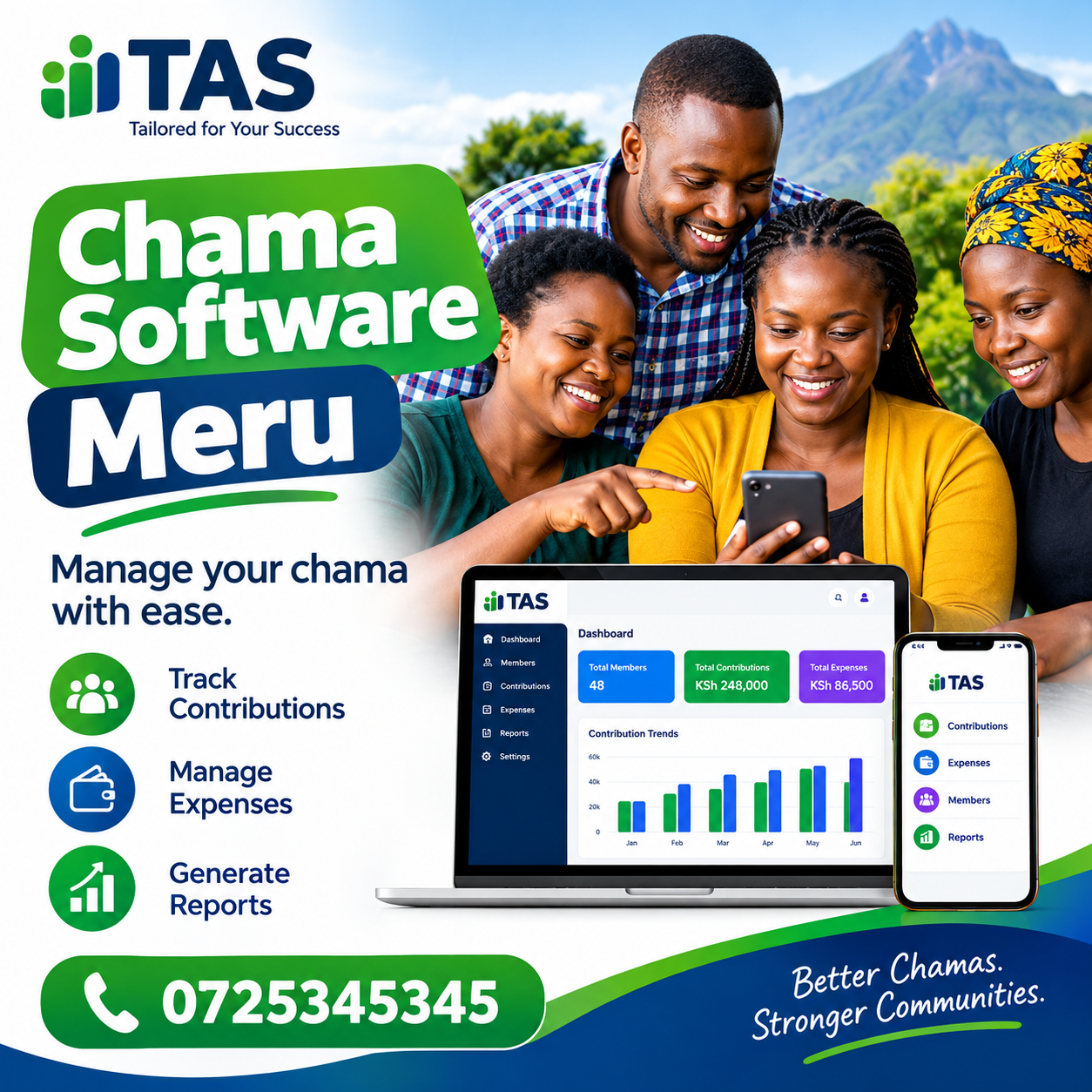
Chama Software Meru: A Complete Guide to Managing Chamas Digitally
Managing a chama requires more than collecting monthly contributions and keeping a notebook. As a group grows, members expect accurate records, clear financial information, properly tracked loans, organised meetings and timely reports. Chama Software Meru provides a way for savings groups, investment groups, welfare groups and other member-based organisations in Meru to organise these activities through a structured digital system. This guide explains how digital chama management works, the features to look for, the benefits for local groups, common implementation mistakes and practical steps for choosing software that fits your chama.
Understanding Chama Management in Meru
Chamas play an important role in collective saving and investment. A group can start with a few friends, colleagues, relatives, business associates or members of a local community. At first, managing the group may seem straightforward.
One person keeps the member list.
Another person records contributions.
The treasurer tracks money.
The secretary records meeting minutes.
The committee discusses loans and investments during meetings.
For a small group, these responsibilities can be handled using notebooks, spreadsheets and messaging applications. Problems usually appear when the number of members, transactions and responsibilities increases.
Chama Software Meru can help bring those activities into one organised environment. Instead of having contribution information in one document, loan records somewhere else and meeting information in another location, the group can maintain connected records.
This is especially useful for groups that want better visibility over their financial activities without making administration unnecessarily complicated.
Why manual records become difficult
Manual record keeping is not automatically bad. Many successful groups have operated for years using books and spreadsheets. The challenge is that manual systems depend heavily on individuals.
Consider a chama with 40 members.
Each month, members may make contributions. Some members may also repay loans. The group may have welfare contributions, penalties, expenses and investment activities. After several months, the treasurer may be managing hundreds of individual entries.
A simple question such as “How much has this member contributed this year?” can require checking several pages or spreadsheet rows.
Another question, such as “How much remains on this loan?” may require reviewing the original loan amount and several repayment entries.
Chama Software Meru can provide a central record where these activities are associated with the appropriate member and transaction.
The objective is not simply to replace paper with a computer. The objective is to make information easier to record, retrieve, review and report.
What Is Chama Software?
Chama Software Meru refers to digital tools designed to help chamas manage their members, contributions, savings, loans, expenses, meetings and financial records.
The exact features differ between platforms, so groups should avoid assuming that every chama application works in the same way.
A useful platform should support the actual activities of the group.
For example, a typical chama may need to manage:
- Member registration
- Member contact details
- Monthly contributions
- Savings
- Welfare funds
- Loans
- Loan repayments
- Guarantors
- Penalties
- Income
- Expenses
- Budgets
- Meetings
- Meeting minutes
- Financial reports
- Member statements
- User permissions
- Historical records
Chama Software Meru can be particularly useful when these activities need to be connected rather than managed independently.
Suppose a member contributes KSh 5,000 in January and another KSh 5,000 in February. The system should allow the organisation to associate each payment with that member and the appropriate period.
If the same member later receives a loan, the loan should also be associated with the member. Repayments can then be recorded against the loan so that the outstanding balance can be understood.
That connected approach makes financial administration easier to follow.
Why Meru Chamas Can Benefit From Digital Management
Meru has a mixture of urban, rural and semi-urban communities, businesses, professionals and community organisations. Chamas may operate among employees, traders, farmers, professionals, friends, family members or investment partners.
The structure of each group can be different.
Some members may contribute the same amount every month. Others may use flexible contribution rules. Some groups may focus on welfare, while others concentrate on investment or lending.
Chama Software Meru gives groups a framework for organising information while allowing their own rules and procedures to remain central.
Digital management can help with several common challenges.
1. Keeping member records organised
A member register is one of the most important records in a chama.
It can contain names, contacts, joining dates, membership status and financial information associated with the member.
When records are kept in different notebooks or spreadsheets, updates can easily become inconsistent.
A central system reduces the need to maintain several separate versions of the same member information.
2. Tracking contributions
Contributions are often the foundation of a savings group.
The committee may need to know:
- Who has paid?
- Who has not paid?
- How much has each member contributed?
- What is the total contribution for a particular period?
- Are there outstanding amounts?
- Are there penalties for late payments?
Chama Software Meru can help organise contribution records so that officials can retrieve the information without manually reviewing multiple documents.
3. Monitoring loans
Loans create another layer of administration.
The group may need to record applications, approvals, amounts, repayment terms, guarantors, repayments and outstanding balances.
When these details are recorded manually, mistakes can occur when balances are updated.
A structured loan record can make it easier to understand the status of each facility.
Chama Software Meru can therefore support groups that have moved beyond simple savings and now provide loans to members.
Key Features to Look For
Not every chama needs the same collection of features. A small welfare group may have different requirements from an investment group with 100 members.
When evaluating software, focus on actual workflows rather than the number of features listed on a sales page.
Member management
Member management should provide a reliable central register.
Important capabilities may include:
- Adding new members
- Updating member information
- Tracking membership status
- Recording joining dates
- Searching member records
- Viewing individual financial activity
- Managing authorised access
Chama Software Meru should make it easier for authorised officials to find the right member record when performing routine administrative work.
Contribution tracking
A contribution module should allow the chama to record payments accurately.
Depending on the platform, it may support regular savings, welfare payments, special contributions or other categories established by the group.
A useful system should make it possible to review contribution history rather than simply showing a current total.
This matters because a total balance without transaction history may not provide enough information when members have questions.
Chama Software Meru can help make individual and group contribution information easier to organise.
Loan management
Loan management is another major consideration for many Kenyan chamas.
The system should ideally make it possible to record:
- Loan application
- Approval
- Principal amount
- Repayment terms
- Guarantors where applicable
- Repayments
- Outstanding balance
- Loan status
The exact workflow should follow the chama’s constitution and approved policies.
Chama Software Meru should support the group’s existing rules rather than forcing the organisation to abandon procedures that members have approved.
Expense management
Chamas have expenses too.
The group may pay for meeting facilities, administration, events, bank charges, investment-related costs or other approved activities.
Expenses should be recorded with enough detail to explain what was spent, when it was spent and why it was approved.
Chama Software Meru can help keep income and expense records together with other financial information.
Meeting management
Meetings are not separate from financial management.
Important financial decisions are often made during meetings.
Members may approve loans, budgets, investments, expenses or changes to group activities.
A useful platform can help organise meeting dates, agendas, attendance and minutes, depending on the features provided.
Chama Software Meru can therefore be useful for groups that want administrative records and financial records to remain connected.
Chama Contributions and Savings
For many groups, contribution tracking is one of the first reasons to move away from paper records.
Imagine a chama with 30 members contributing KSh 2,000 each month.
The expected monthly contribution would be KSh 60,000 if everyone pays the full amount. But members may sometimes pay late, pay partially or make additional payments.
A manual spreadsheet can record this, but the committee may need to calculate totals and outstanding amounts regularly.
Chama Software Meru can make the process more structured by associating contributions with members and periods.
Why contribution history matters
A member may ask for a record covering the previous six or twelve months.
A good system should make historical information accessible to authorised users.
Contribution history can also help during:
- Annual meetings
- Financial reviews
- Member statements
- Loan assessments
- Leadership handovers
- Internal audits
- Dispute resolution
Accurate historical records can reduce unnecessary disagreements because officials can refer to documented transactions.
Chama Software Meru can help a chama maintain an organised history instead of relying entirely on individual officials’ personal records.
Managing Loans More Effectively
Loans are often more complicated than contributions.
A loan involves a principal amount, repayment conditions and a series of future transactions.
If a member borrows KSh 50,000, for example, the chama may have specific rules covering the repayment period, interest, penalties and guarantors.
The system should record those details according to the group’s approved procedures.
Chama Software Meru can help officials maintain loan information in one place.
Loan repayment tracking
Repayment tracking should provide clarity.
Officials should be able to determine:
- Original loan amount
- Amount repaid
- Outstanding balance
- Repayment dates
- Missed payments
- Applicable charges
- Current loan status
This information can be particularly important during monthly financial meetings.
Chama Software Meru can help a chama structure its loan and repayment records as part of a wider financial management workflow.
Guarantor records
Some chamas require members to guarantee loans for colleagues.
When guarantor information is maintained manually, it may be difficult to determine which obligations are connected to a particular member.
A structured record can make these relationships easier to review.
Chama Software Meru can support organised documentation of member and loan relationships where the selected platform provides the required functionality.
M-Pesa and Payment Records
M-Pesa is an important payment method for many Kenyan organisations and individuals. However, receiving money through M-Pesa does not automatically create a complete accounting record.
A payment still needs to be associated with the correct member, contribution category, loan or other transaction.
This is where payment reconciliation becomes important.
Chama Software Meru can help groups think about payments as part of a wider record-keeping process rather than treating payment confirmations as the entire financial system.
Why reconciliation matters
Suppose ten members send payments during a weekend.
The treasurer may have several transaction messages to review.
The question is not simply whether money arrived.
The committee needs to know:
- Who paid?
- How much did they pay?
- What was the payment for?
- Which period does it cover?
- Was the correct member account updated?
- Is the payment already recorded?
A proper reconciliation process helps answer those questions.
Chama Software Meru can be part of a digital workflow where payment records are reviewed and matched with the appropriate financial entries.
Financial Reporting for Chamas
Reports turn individual transactions into useful information.
A treasurer may enter hundreds of transactions during the year, but committee members usually need summaries.
They may want to understand:
- Total contributions
- Total loans issued
- Loan repayments
- Outstanding loans
- Income
- Expenses
- Cash position
- Member balances
- Welfare collections
- Investment-related records
Chama Software Meru can help organise the underlying information used to produce financial reports.
Reports should be understandable
A report does not become useful simply because it contains many figures.
Members should be able to understand what the numbers mean.
For example, a report showing total contributions should ideally indicate the reporting period and relevant categories.
A loan report should make it possible to understand outstanding balances.
Expense reports should provide enough information to explain spending.
Chama Software Meru can help reduce the administrative effort involved in assembling information for meetings and reviews.
Transparency and Accountability
Trust is fundamental to a chama.
Members contribute their money with the expectation that records will be handled responsibly.
Software cannot create trust on its own, but good records can support transparent administration.
A digital system can make it easier to establish who entered or changed information when the platform provides suitable audit and permission features.
Chama Software Meru can support this approach by giving authorised officials a structured place to manage records.
Role-based access
Not every user needs access to every administrative function.
A chairperson, treasurer, secretary and ordinary member may have different responsibilities.
For example:
- The treasurer may need financial access.
- The secretary may manage meetings.
- A committee member may review reports.
- A regular member may need access to their own records.
Chama Software Meru can be evaluated based on whether its user permissions match the group’s governance structure.
Data Security and Backups
Chama records can contain sensitive financial and personal information.
This makes security an important consideration when selecting software.
Before subscribing, ask the provider:
- How are accounts protected?
- Who can access financial records?
- Are permissions available?
- Are backups performed?
- Can data be exported?
- How are former officials removed from the system?
- What happens if an administrator loses access?
Chama Software Meru should be evaluated not only on convenience but also on how the platform handles access and organisational records.
Why backups matter
A paper book can be lost through physical damage.
A spreadsheet can be deleted or overwritten.
A laptop can fail.
A phone can be lost.
Digital systems should therefore have appropriate backup procedures.
However, a chama should still understand what the provider backs up, how often backups occur and whether the organisation can retrieve its data.
Chama Software Meru can be considered alongside these questions when a group is assessing its digital record-keeping requirements.
Moving From Excel to Digital Chama Management
Excel can be useful for small groups, and there is no need to abandon it simply because software exists.
The question is whether the current method still works efficiently.
Warning signs include:
- Multiple versions of the same spreadsheet
- Broken formulas
- Missing transactions
- Difficulty calculating balances
- Delayed reports
- Unclear responsibility for updates
- Records stored on one person’s computer
- Difficulty tracking historical transactions
- Repeated manual data entry
Chama Software Meru can provide an alternative when the group has reached the point where spreadsheets are creating more administrative work than they save.
Do not migrate messy records blindly
One common mistake is moving inaccurate records into a new system without checking them first.
Before implementation, the committee should review:
- Member list
- Opening balances
- Contribution history
- Loan balances
- Outstanding payments
- Expenses
- Bank or payment records
- Investment records
Chama Software Meru is most useful when the information entered into the platform has first been reviewed and agreed upon by the relevant officials.
Choosing the Right Software for a Meru Chama
There is no single software configuration that suits every group.
A chama with 15 members may have different requirements from one with 200 members.
A welfare group may prioritise contribution and benefit records, while an investment group may need stronger financial reporting and investment tracking.
Chama Software Meru should therefore be selected according to the group’s actual activities.
Step 1: Define your requirements
Before contacting a provider, write down the processes the chama needs to manage.
For example:
- Membership
- Contributions
- Welfare
- Loans
- Repayments
- Expenses
- Meetings
- Reports
- Investments
- User access
This creates a practical checklist.
Step 2: Identify the current problems
Do not start with features.
Start with problems.
Ask:
What takes too long?
Where do errors happen?
Which reports are difficult to prepare?
Which records are difficult to find?
Which tasks depend too heavily on one official?
Chama Software Meru becomes more valuable when it directly addresses those administrative challenges.
Step 3: Test real transactions
A demonstration should not only show menus.
Ask to perform real examples.
Create a test member.
Record a contribution.
Create a loan.
Record a repayment.
Add an expense.
Generate a report.
Review a member statement.
Check permissions.
Chama Software Meru should be judged by how well these workflows match the group’s actual procedures.
Step 4: Check data export
Data belongs to the organisation, so data portability should be discussed before subscribing.
Ask what information can be exported and in what format.
Also ask whether exports include historical records or only current summaries.
Chama Software Meru should be evaluated with long-term record ownership in mind.
Cost Considerations
Price matters, but the cheapest subscription is not automatically the lowest-cost solution.
A group should consider the total administrative cost.
For example, a low-cost tool may require several hours of manual reconciliation each month. Another platform may cost more but reduce repetitive administrative work.
Chama Software Meru should therefore be assessed based on the overall workflow rather than the subscription price alone.
Questions to ask about pricing
Before purchasing, ask:
- Is pricing monthly, quarterly or annual?
- Is there a member limit?
- Is there an administrator limit?
- Are all features included?
- Are there setup fees?
- Is support included?
- Are data exports included?
- Are additional modules charged separately?
- Is there a free trial?
- What happens if membership grows?
A clear answer to these questions helps the committee budget realistically.
Chama Software Meru can be included in a structured purchasing checklist alongside the group’s financial and operational requirements.
Training Members and Officials
Buying software is only the beginning.
The committee must also learn how to use it correctly.
Training should cover the tasks people perform regularly.
For a treasurer, that may include recording contributions, managing expenses, reviewing balances and preparing reports.
For a secretary, it may include member records and meeting administration.
For members, training may focus on viewing their records or statements.
Chama Software Meru can deliver value when users understand the workflows and consistently record information in the right place.
Create simple internal procedures
The group should document who does what.
For example:
Treasurer
Records financial transactions and reviews balances.
Secretary
Maintains meeting information and member administration.
Chairperson
Provides oversight and approves activities according to the group’s rules.
Committee
Reviews reports and financial information.
Members
Review their records and raise discrepancies through the agreed process.
Chama Software Meru should support these responsibilities rather than replace the group’s governance procedures.
Common Mistakes to Avoid
Digital transformation can introduce new problems if implementation is rushed.
Mistake 1: Choosing software based only on appearance
A clean dashboard may look impressive, but appearance does not prove that the software handles your actual workflows.
Test the important processes.
Chama Software Meru should be evaluated through practical use rather than screenshots alone.
Mistake 2: Ignoring data migration
If opening balances are wrong, future reports may also be wrong.
Review the old records before migration.
Mistake 3: Giving everyone administrative access
Too many administrative accounts can increase the risk of accidental or unauthorised changes.
Use permissions appropriate to each role.
Chama Software Meru should be configured around the principle that users receive the access necessary for their responsibilities.
Mistake 4: Failing to reconcile payments
A payment message is not automatically a complete accounting record.
Match payments with members and transaction categories.
Mistake 5: Ignoring member communication
Members should understand why the group is introducing a digital system.
Explain what information will be recorded, who can access it and how members can review their own records.
Chama Software Meru works best as part of an agreed administrative process rather than as an isolated technology purchase.
A Practical Implementation Plan
A chama can introduce software gradually.
Phase 1: Prepare records
Collect existing member, contribution, loan and financial information.
Identify inconsistencies.
Agree on opening balances.
Phase 2: Configure the system
Set up the organisation, users, members and relevant categories.
Phase 3: Test
Run several transactions.
Check the results.
Compare reports with existing records.
Chama Software Meru can be tested against actual examples before the group fully commits to the new workflow.
Phase 4: Train officials
Teach administrators their specific responsibilities.
Phase 5: Go live
Choose a clear date from which the system becomes the official operational record.
Phase 6: Review
After the first month, identify problems.
Ask users what is confusing.
Check whether transactions are being recorded consistently.
Chama Software Meru can form part of this structured transition when a Meru group is looking for a centralised platform for member and financial administration.
Chama Software for Different Types of Groups
Not every chama operates the same way.
Savings groups
Savings groups may focus on regular contributions and member balances.
The most important capabilities may include contribution tracking, member statements and reporting.
Investment groups
Investment groups may need additional records for investments, income, expenses and decisions.
Welfare groups
Welfare groups may focus on member eligibility, contributions, benefits and payments.
Table-banking groups
Table-banking groups may need contribution, lending and repayment workflows.
Employee groups
Employee savings groups may require strong member administration and recurring contribution tracking.
Chama Software Meru can be evaluated against the specific operating model of each type of group.
Using Reports During Monthly Meetings
A good monthly meeting should not depend entirely on memory.
Reports can provide a starting point for discussion.
The committee can review:
- Contributions received
- Outstanding contributions
- Loans issued
- Repayments
- Outstanding loans
- Expenses
- Cash balances
- Member changes
- Other approved financial activities
Chama Software Meru can help turn transaction records into information that is easier for committee members to review.
Reports can improve preparation
Instead of preparing every figure manually immediately before a meeting, officials can maintain records continuously.
This can reduce the pressure on the treasurer and make financial discussions more focused.
Leadership Changes and Record Continuity
Chamas regularly elect new officials.
A treasurer may hand over to another treasurer.
A secretary may leave the committee.
A chairperson may change.
If records exist primarily in one individual’s notebook, phone or laptop, the handover can become difficult.
A central system creates a more structured organisational record.
Chama Software Meru can help support continuity when authorised officials change.
The new treasurer can review historical transactions instead of depending entirely on verbal explanations from the previous office holder.
This is particularly important for groups that have operated for several years.
Measuring Whether the Software Is Working
After implementation, the committee should evaluate the results.
Ask:
- Are transactions being entered on time?
- Are reports easier to prepare?
- Are member questions answered faster?
- Are fewer manual calculations required?
- Are loan balances easier to review?
- Can officials find historical records?
- Are permissions working correctly?
- Are members comfortable with the process?
Chama Software Meru should ultimately be assessed by the improvements it brings to administration, not simply by whether the system has been installed.
Questions to Ask Before Subscribing
A committee should prepare questions before selecting a platform.
Here are some useful ones:
- Can the software support our membership size?
- Can we record our contribution rules?
- Can we manage loans?
- Can we record repayments?
- Can we manage expenses?
- Can we generate reports?
- Can users have different permissions?
- Can members access their information?
- Can our data be exported?
- What support is available?
- How are backups handled?
- What happens when our membership increases?
Chama Software Meru can be compared against these requirements before the group makes a subscription decision.
Frequently Asked Questions
What is Chama Software Meru?
Chama Software Meru is a digital solution category designed to help Meru-based chamas organise member records, contributions, loans, expenses, meetings and reports. The exact capabilities depend on the software provider.
Can chama software replace Excel?
It can replace some spreadsheet-based workflows, especially where a dedicated system provides member, contribution, loan and reporting features. However, Excel may still be useful for specialised analysis. The decision should depend on the group’s actual requirements.
Is chama software suitable for small groups?
Yes. Small groups can use digital systems when the benefits justify the cost and administration. A small group should choose a platform that is simple enough for its current needs while allowing reasonable growth.
Can chama software manage loans?
Many dedicated platforms include loan management. Chama Software Meru can be evaluated for features such as applications, approvals, repayment schedules, balances and guarantor records where those capabilities are provided.
Can M-Pesa transactions be used with chama records?
M-Pesa payments can be incorporated into financial workflows, but the exact integration depends on the software and payment setup. A group should ask how payments are matched to members and transactions.
How does chama software improve transparency?
It can centralise records, provide controlled access and make transaction histories easier to review. Transparency still depends on proper governance, accurate data entry and appropriate permissions.
How should a chama choose software?
Start by documenting current workflows and problems. Then create a requirements checklist, compare relevant systems, test actual transactions and review security, support, pricing and data export.
Is internet access required?
Cloud-based systems generally require internet access. A group should confirm the provider’s technical requirements before implementation and consider how officials will access the system from their normal devices.
Can chama records be transferred when officials change?
A properly managed digital system can make leadership handover easier because records remain associated with the organisation rather than one individual’s personal files. The group should still confirm how user accounts and access are transferred.
Final Checklist for a Meru Chama
Before choosing a platform, the committee can use this checklist:
| Requirement | What to verify |
|---|---|
| Member management | Can member information be organised and updated? |
| Contributions | Can regular and special contributions be tracked? |
| Loans | Can loans and repayments be recorded? |
| Guarantors | Can guarantor relationships be documented where required? |
| Expenses | Can approved expenses be recorded? |
| Meetings | Can meetings and decisions be organised? |
| Reports | Can useful financial reports be generated? |
| Security | Are user permissions and account controls available? |
| Backups | Does the provider explain its backup approach? |
| Data export | Can the chama retrieve its records? |
| Support | Is assistance available when users need it? |
| Scalability | Can the system accommodate future membership growth? |
Chama Software Meru should be considered within this wider checklist rather than selected solely because of a feature list or promotional message.
Why a Connected System Matters
The biggest advantage of dedicated chama software is not necessarily one individual feature.
It is the relationship between records.
A member contributes money.
That contribution becomes part of the member’s financial history.
The member may later borrow.
The loan becomes another part of the member’s record.
Repayments reduce the outstanding loan.
Expenses affect the group’s financial position.
Meetings document decisions.
Reports bring the information together.
Chama Software Meru can provide a central framework for these activities when the platform’s capabilities match the chama’s requirements.
This connected approach can reduce the need to repeatedly copy information between separate documents.
Building Better Digital Records
Good software cannot compensate for poor processes.
The chama should establish simple rules for entering information.
For example:
- Record transactions promptly.
- Use consistent categories.
- Review entries regularly.
- Reconcile payments.
- Restrict administrative access.
- Back up or export records where appropriate.
- Review reports during meetings.
- Document corrections.
- Train new officials.
- Keep members informed.
Chama Software Meru becomes more valuable when these practices are followed consistently.
Digital administration is therefore partly a technology project and partly a governance project.
The software provides the tools, while the members and officials establish how those tools are used.
Practical Example: A Growing Meru Chama
Consider a hypothetical chama with 50 members.
The group collects monthly contributions and also offers loans.
Initially, the treasurer uses an Excel spreadsheet.
The secretary maintains a separate member list.
Loan records are kept in another workbook.
Meeting minutes are stored in a notebook.
Payment confirmations are scattered across messages.
After a year, the committee needs to prepare a financial summary.
The treasurer has to combine information from several sources.
Chama Software Meru could provide a central alternative where members, contributions, loans, expenses and reports are organised in connected workflows.
The committee could establish opening balances, configure members, record new transactions and begin generating reports from the new system.
The example illustrates an important principle: software is most useful when it solves a real administrative problem.
Making the Transition Easier
A group does not need to change every process overnight.
Start with the most important records.
For many groups, this could mean:
- Members
- Contributions
- Loans
- Repayments
- Income and expenses
- Reports
After users become comfortable with these workflows, additional capabilities can be introduced.
Chama Software Meru can be part of a gradual digital transition rather than an unnecessarily complicated implementation.
The committee should also set a clear cut-off date.
For example, after the beginning of a new financial period, all new transactions could be entered into the digital system while historical records are retained according to the group’s agreed procedures.
The Role of the Committee
Successful software adoption should not rest entirely on the treasurer.
The committee should collectively understand the system.
The chairperson should understand governance and access.
The secretary should understand member and meeting records.
The treasurer should understand financial workflows.
Other committee members should know how to review reports.
Chama Software Meru can support administration, but accountability remains with the organisation’s elected or appointed officials.
That distinction is important.
Software records what users enter.
The group remains responsible for ensuring that those entries are accurate and authorised.
Preparing for Future Growth
A chama that has 20 members today may have 50 members later.
The organisation may also create additional savings categories, introduce new loan products or expand into investments.
Selecting a system only for today’s needs can create migration problems later.
Chama Software Meru should therefore be assessed for reasonable scalability.
Ask whether the system can accommodate:
- More members
- More transactions
- More administrators
- Additional reporting requirements
- New financial categories
- Leadership changes
- Historical records
Growth should be considered before the group reaches the point where its existing system becomes difficult to manage.
Final Thoughts
Managing a chama in Meru involves people, money, decisions and records. As the organisation grows, these responsibilities become harder to coordinate using disconnected notebooks, spreadsheets and messages.
Chama Software Meru offers a useful way to think about the digital management of these activities, particularly for groups that want structured records for members, contributions, loans, expenses, meetings and reporting.
The right platform should not simply have a long feature list. It should fit the way the chama actually operates.
Before choosing software, document your processes.
Identify the problems in the current system.
Create a requirements checklist.
Test real transactions.
Review security and permissions.
Understand pricing.
Confirm data export options.
Train officials.
Then establish a clear process for maintaining the records.
For a chama in Meru, the goal should be straightforward: make administration more organised, make financial information easier to understand, reduce unnecessary manual work and create records that can support the group as it grows.
Chama Software Meru can be part of that transition when its features, pricing, security controls and workflows align with the group’s actual needs.
A successful digital chama is ultimately not defined by the software alone. It is defined by accurate records, responsible financial management, clear procedures and members who can understand how their group is being managed.