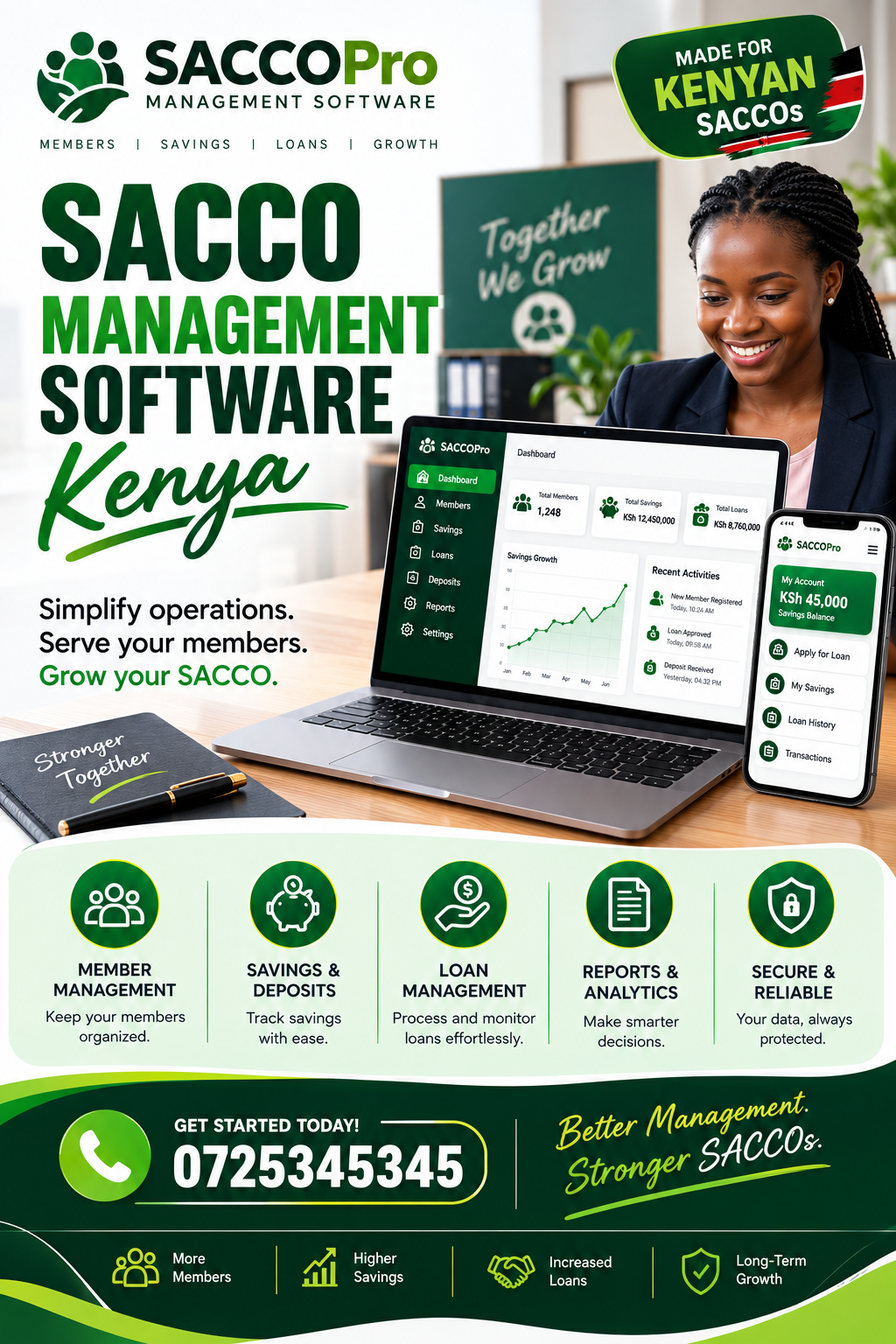
SACCO Management Software Kenya: A Complete Guide for Modern SACCOs
For SACCOs dealing with growing membership, savings records, loan applications, repayments and daily financial administration, SACCO Management Software Kenya provides a practical way to bring important operations into one organized system. This guide is designed for SACCO managers, accountants, treasurers, committee members, administrators and board leaders who want to understand how digital SACCO management works, which features matter most, and how to choose a solution that fits Kenyan operations.
A SACCO can start with a relatively small number of members and still accumulate a surprising amount of information. Member registrations, deposits, withdrawals, loan applications, guarantors, repayment schedules, meeting records, dividends and financial reports all need to remain accurate. As membership grows, spreadsheets and paper files become harder to control.
That is where SACCO Management Software Kenya becomes useful. Instead of maintaining disconnected records, a SACCO can organize member information, financial transactions and operational workflows in a centralized digital environment.
The right system is not simply about replacing a ledger book with a computer screen. It should help the SACCO improve accuracy, reduce repetitive work, strengthen accountability and give authorized users access to reliable information when they need it.
What Is SACCO Management Software?
At its simplest, SACCO Management Software Kenya refers to digital software designed to help Savings and Credit Cooperative Organizations manage their members, savings, loans, repayments, accounting records and administrative activities.
A SACCO management platform can bring several previously separate activities together. Rather than having one spreadsheet for members, another for loans, paper documents for applications and separate files for payments, the information can be connected within one system.
This creates a more consistent operational process.
For example, when a member makes a contribution, the transaction can be recorded against the correct member account. When the same member applies for a loan, authorized staff can review relevant information without searching through multiple files.
Similarly, repayment records can be maintained alongside loan balances, schedules and other relevant information.
For a growing organization, SACCO Management Software Kenya can therefore serve as an operational foundation rather than merely an electronic record-keeping tool.
Why SACCOs Need a Centralized System
Manual administration creates several challenges. Information can be duplicated, records may be updated late, and different employees may unknowingly work from different versions of the same document.
A centralized system helps create a single source of operational information.
This can make it easier to:
- Register and manage members
- Record savings and contributions
- Manage loan applications
- Track loan balances
- Monitor repayments
- Maintain guarantor information
- Generate reports
- Record transactions
- Manage user access
- Review historical activity
- Support financial reconciliation
For organizations handling many transactions, these capabilities can significantly reduce administrative pressure.
How SACCO Management Software Kenya Supports Member Management
Member management is one of the most important functions of SACCO Management Software Kenya. A SACCO needs accurate information about every member, and that information should remain accessible throughout the member’s relationship with the organization.
A digital member profile can contain details such as:
- Full name
- Contact information
- Membership number
- Registration date
- Identification details
- Contribution history
- Savings records
- Loan information
- Guarantor relationships
- Account status
The exact information collected should depend on the SACCO’s operational requirements and applicable policies.
Reducing Duplicate Member Records
Duplicate records can create confusion. A member may accidentally be registered twice, or information may be recorded differently in different files.
A centralized database gives administrators a better opportunity to identify duplicate records and maintain consistent member information.
For a SACCO with hundreds or thousands of members, this becomes increasingly important.
Easier Member Searches
Finding a member in a paper filing cabinet takes time. Searching through multiple spreadsheets can also become frustrating.
With SACCO Management Software Kenya, authorized users can search member records digitally using relevant identifiers. This can make everyday tasks such as responding to inquiries, checking account information or preparing reports much faster.
Managing SACCO Savings and Contributions
Savings are at the heart of many SACCO operations. Contributions need to be recorded correctly because they affect member balances, eligibility and potentially access to other SACCO services.
Using SACCO Management Software Kenya, a SACCO can create structured records for member savings and contributions.
Instead of relying on handwritten entries, administrators can maintain digital transaction histories that make it easier to review activity.
Tracking Contribution History
A useful savings module should allow authorized users to determine:
- When a contribution was recorded
- Which member made the contribution
- The amount involved
- The relevant account
- Whether the transaction was reversed or adjusted
- The member’s resulting balance
This historical information can become particularly valuable when members have questions about their accounts.
Supporting Different Savings Categories
Some SACCOs maintain multiple savings products or contribution categories.
Depending on the organization’s structure, these may include ordinary savings, development contributions or other member-specific accounts.
A flexible system such as SACCO Management Software Kenya should allow the SACCO to organize these records without forcing administrators to maintain separate manual systems.
Loan Management for Kenyan SACCOs
Loan administration can become complicated because it involves applications, eligibility checks, approvals, disbursements, repayment schedules, guarantors, balances and arrears.
This makes loan management one of the areas where SACCO Management Software Kenya can deliver substantial operational value.
A digital loan workflow can help the SACCO follow a consistent process from application through repayment.
Loan Application Processing
A typical workflow may include:
- Member submits a loan request.
- The SACCO checks member information.
- Eligibility requirements are reviewed.
- Supporting documents are assessed.
- Guarantor information is confirmed where applicable.
- The application goes through the required approval process.
- Approved funds are disbursed.
- A repayment schedule is generated.
- Payments are recorded against the loan.
- The account is monitored until the loan is cleared.
Automating parts of this process can reduce unnecessary paperwork while giving management better visibility.
Monitoring Loan Balances
Once a loan has been disbursed, administrators need to know how much has been repaid and what remains outstanding.
With SACCO Management Software Kenya, loan information can be organized so that staff can review balances, repayment activity and relevant schedules more efficiently.
This is especially useful when a SACCO has many active loans.
Guarantor Management
Many SACCO lending models involve guarantors. Managing guarantor relationships manually can become difficult because one member may guarantee loans for several other members.
A digital system can help SACCO administrators keep track of these relationships.
With SACCO Management Software Kenya, guarantor information can be connected to relevant loan records, making it easier to determine which members are associated with particular obligations.
This can improve record visibility and reduce the need to search through physical forms.
Why Guarantor Records Matter
A good guarantor management process should help answer questions such as:
- Who guaranteed a particular loan?
- Which loans has a member guaranteed?
- What is the status of those loans?
- What supporting information is available?
- Has a guarantor relationship changed?
The system should complement, rather than replace, the SACCO’s established policies and approval controls.
M-Pesa and Digital Payment Management
Kenya’s widespread use of mobile money has made digital payments an important consideration for many financial organizations.
For SACCOs, payments may arrive through different channels. Recording these transactions accurately is essential.
A platform such as SACCO Management Software Kenya can help organize payment records and connect transactions to the relevant member or account.
Payment Reconciliation
One of the biggest administrative challenges is ensuring that money received matches what has been recorded.
A reconciliation process can help identify:
- Missing transactions
- Duplicate entries
- Incorrect amounts
- Unallocated payments
- Reversed transactions
- Timing differences
For example, if a member sends a contribution through mobile money, the SACCO should be able to determine whether the payment was correctly assigned to that member’s account.
Why Reconciliation Matters
Without proper reconciliation, an organization may have differences between its payment records and internal member balances.
Using SACCO Management Software Kenya can help create a more organized workflow around transaction review and reconciliation.
The objective is not simply faster data entry. It is better financial visibility.
SACCO Accounting and Financial Records
Accounting is another critical area for any SACCO. Management needs accurate information to understand income, expenses, assets, liabilities and overall financial performance.
A well-designed system can connect operational transactions with financial records.
With SACCO Management Software Kenya, SACCO administrators can reduce the need to manually transfer information between unrelated systems.
Important Accounting Capabilities
Depending on the solution, useful capabilities may include:
- Income and expense tracking
- Transaction records
- Receivables management
- Payables management
- General ledger functionality
- Financial reporting
- Account reconciliation
- Audit trails
- Period-based reporting
The specific accounting functionality should be evaluated carefully before implementation.
Reducing Manual Data Entry
Manual data entry increases the opportunity for errors, especially when the same transaction has to be entered multiple times.
A connected system can reduce unnecessary duplication.
For example, when a transaction is recorded through an approved workflow, related reports can potentially reflect that transaction without staff having to manually copy the information into several files.
Reporting and Management Visibility
Management decisions depend on reliable information. SACCO leaders may need reports on membership, savings, loans, repayments, arrears and expenses.
This is one of the strongest reasons to consider SACCO Management Software Kenya.
Instead of waiting for staff to compile information manually, authorized managers can use structured reports generated from the system.
Useful SACCO Reports
Depending on the system, reports may cover:
| Report | Purpose |
|---|---|
| Member report | Reviews membership information |
| Savings report | Tracks contributions and balances |
| Loan report | Reviews outstanding loans |
| Repayment report | Monitors loan payments |
| Arrears report | Identifies overdue accounts |
| Income report | Reviews revenue |
| Expense report | Tracks organizational spending |
| Transaction report | Provides transaction history |
| Activity report | Supports administrative review |
Reports should be configurable enough to meet the SACCO’s specific requirements.
Making Decisions From Better Data
When management has current and organized information, it becomes easier to identify trends and operational problems.
For example, a SACCO may notice increasing arrears in a particular loan category. Management can then investigate the underlying issue and take appropriate action.
The software does not make the decision automatically. It provides information that helps authorized decision-makers act more effectively.
Member Statements and Transparency
Members naturally want to understand their financial relationship with a SACCO.
They may want to know how much they have saved, what they have borrowed, how much they have repaid and what balances remain.
A system such as SACCO Management Software Kenya can support better access to structured member information.
Digital Member Statements
A member statement may include:
- Opening balance
- Contributions
- Withdrawals where applicable
- Loan disbursements
- Repayments
- Charges
- Adjustments
- Closing balance
Providing clear statements can reduce disputes and improve communication.
Member Self-Service
Some SACCO platforms may also provide member-facing portals or digital access.
Depending on the implementation, members could be able to view account information, submit requests or access statements without contacting an administrator for every simple inquiry.
This can reduce workload for SACCO staff.
User Roles and Access Control
Not every employee should have access to every SACCO record.
For example, a receptionist may need to view member information but should not necessarily have permission to approve loans or modify financial records.
Access control is therefore an important consideration when selecting SACCO Management Software Kenya.
Common User Roles
A SACCO may establish roles for:
- System administrators
- Accountants
- Loan officers
- Member service officers
- Managers
- Auditors
- Board or committee users
Each role can be assigned permissions according to organizational requirements.
Why Role-Based Access Matters
Proper permissions help reduce unauthorized changes and improve accountability.
If a financial record is modified, management should ideally be able to identify who performed the action and when.
This is where audit trails become valuable.
Audit Trails and Accountability
SACCOs handle financial information, so accountability should be built into daily operations.
A useful digital system should maintain activity records showing important actions performed by users.
For example, management may want to know:
- Who created a member record?
- Who approved a transaction?
- Who changed an account?
- When was an adjustment made?
- Who processed a loan?
- Which user generated or modified a report?
These records can support internal reviews.
Using SACCO Management Software Kenya can make administrative activity more traceable when the system provides suitable audit functionality.
Automating SACCO Workflows
Automation is one of the biggest advantages of moving from manual administration to software.
A SACCO employee may spend significant time performing repetitive tasks such as entering transactions, updating spreadsheets, preparing lists and calculating balances.
Automated workflows can reduce some of this work.
With SACCO Management Software Kenya, SACCOs can evaluate workflows that may be suitable for digital automation.
Examples of Automatable Tasks
Potential areas include:
- Member registration
- Loan application routing
- Repayment schedule creation
- Payment allocation
- Statement generation
- Report preparation
- Notifications
- Arrears monitoring
- Record searches
- Data consolidation
Automation should be introduced carefully. A process should be understood before it is automated.
Managing Loan Arrears
Loan arrears can affect a SACCO’s financial health and require consistent monitoring.
If staff rely entirely on manual lists, overdue accounts may be identified late.
A digital loan management process can provide clearer visibility into accounts requiring attention.
Using SACCO Management Software Kenya, management can look for systems that support arrears monitoring and related reporting.
Why Arrears Monitoring Should Be Timely
The longer an overdue account remains unnoticed, the more difficult it may become to manage.
A useful system can help staff identify accounts that require follow-up based on the SACCO’s established policies.
Possible monitoring categories include:
- Current loans
- Recently overdue loans
- Long-outstanding balances
- Loans approaching due dates
- Accounts requiring review
The software should support the organization’s credit management process rather than replace human judgment.
SACCO Expense Management
SACCOs do not only manage member money. They also have their own operating expenses.
Rent, salaries, utilities, communication, transport, technology and other costs need to be recorded and reviewed.
A solution such as SACCO Management Software Kenya can help organizations consider how expense information can be incorporated into broader management workflows.
Why Expense Tracking Matters
Without organized expense records, management may struggle to understand where funds are being spent.
Expense reporting can help answer:
- How much was spent?
- What was it spent on?
- Which period did the expense relate to?
- Who authorized it?
- Which account was affected?
These questions support stronger financial control.
SACCO Budgeting
Budgeting allows management to plan expected income and expenditure.
A digital system can support budget preparation by giving decision-makers access to historical financial information.
For example, management can compare previous expenditure with expected costs for the coming period.
A SACCO evaluating SACCO Management Software Kenya should consider whether the platform can support the organization’s budgeting and financial planning processes.
Budget Monitoring
Budgeting becomes more useful when actual spending can be compared with planned amounts.
This can help identify variances early.
If a particular expense category exceeds the expected budget, management can investigate why the difference occurred.
Data Security for SACCOs
SACCO systems contain sensitive financial and member information. Security therefore deserves careful attention.
When assessing SACCO Management Software Kenya, SACCO leaders should ask detailed questions about authentication, permissions, backups, data protection and access controls.
Questions to Ask a Software Provider
Before selecting a platform, ask:
- How are user accounts protected?
- Is role-based access available?
- How are backups handled?
- What happens if a device is lost?
- Can access be revoked immediately?
- Are important activities logged?
- How is data transferred?
- How are software updates managed?
A provider should be able to explain its security approach clearly.
Backups and Business Continuity
A backup strategy is essential because hardware failure, accidental deletion or other incidents can affect access to records.
The SACCO should understand:
- How frequently data is backed up
- Where backups are maintained
- How restoration works
- Who is responsible for recovery
- What happens during system downtime
These questions should be answered before implementation rather than after a problem occurs.
Cloud-Based SACCO Management
Cloud-based systems can allow authorized users to access the platform through an internet connection rather than depending entirely on a single office computer.
For SACCOs with staff working from different locations, this may be convenient.
When evaluating SACCO Management Software Kenya, ask whether the platform is cloud-based and how access is controlled.
Cloud access does not automatically mean a system is secure or appropriate. The SACCO should evaluate the provider’s infrastructure, security practices and support arrangements.
Mobile Access for SACCO Staff
Kenyan businesses increasingly rely on mobile devices for communication and operations.
A SACCO may have staff who need to review information away from the main office.
Mobile-friendly access can make routine work more convenient.
However, convenience should not come at the expense of security.
For a platform such as SACCO Management Software Kenya, organizations should assess whether the interface works effectively on the devices staff actually use.
Choosing the Right SACCO Software
Choosing software should begin with operational requirements rather than attractive features.
A SACCO should first identify its biggest administrative challenges.
For example, is the main problem:
- Loan management?
- Member records?
- Payment reconciliation?
- Accounting?
- Reporting?
- Manual paperwork?
- Lack of visibility?
- Poor communication?
- Duplicate records?
Once the problem is clear, the SACCO can evaluate platforms against actual needs.
A solution such as SACCO Management Software Kenya should be assessed according to functionality, usability, security, support and overall fit.
Create a Requirements Checklist
Before speaking to providers, create a list of essential requirements.
| Requirement | Priority |
|---|---|
| Member management | Essential |
| Savings management | Essential |
| Loan management | Essential |
| Reporting | Essential |
| User permissions | Essential |
| Payment reconciliation | High |
| Accounting | High |
| Mobile access | Medium |
| Member portal | Medium |
| Notifications | Medium |
The priorities will differ from one SACCO to another.
Questions to Ask Before Buying
A demonstration can reveal how the software works in practice.
During a product demonstration, ask the provider to show actual workflows rather than simply describing features.
For example:
- Show how a new member is registered.
- Show how a contribution is recorded.
- Show how a loan is created.
- Show how repayment is posted.
- Show how arrears are identified.
- Show how reports are generated.
- Show how users are assigned permissions.
- Show how an audit trail is accessed.
- Show how records are backed up.
- Explain how support requests are handled.
This gives management a more realistic picture of the system.
SACCO Software Implementation
Buying software is only the beginning. Implementation determines whether the organization receives real value.
When implementing SACCO Management Software Kenya, management should establish a clear transition plan.
Step 1: Document Existing Processes
Before moving records into a new system, document how current processes work.
This includes:
- Member registration
- Savings collection
- Loan processing
- Repayment
- Accounting
- Reporting
- Approvals
This makes it easier to identify unnecessary steps.
Step 2: Clean Existing Data
Old records should be reviewed before migration.
Look for:
- Duplicate members
- Incorrect balances
- Missing information
- Outdated contact details
- Duplicate transactions
Poor-quality data can create problems even when the new software works correctly.
Step 3: Train Users
Employees need practical training.
Training should cover the tasks they perform regularly rather than focusing only on theoretical software features.
For example, a loan officer should practice processing an actual sample loan from application through repayment.
Training SACCO Staff
Staff adoption can determine whether a software investment succeeds.
If employees find the system confusing, they may continue maintaining parallel spreadsheets.
That defeats much of the purpose of digitization.
A platform such as SACCO Management Software Kenya should therefore be evaluated not only for functionality but also for ease of use.
Practical Training Approach
A strong training program can include:
- Initial system orientation
- Role-specific training
- Sample transactions
- Reporting exercises
- Troubleshooting guidance
- Follow-up sessions
- Written procedures
Training should continue after launch when necessary.
Cost Considerations
SACCO software pricing varies depending on the provider, features, number of users, deployment model and level of support.
Instead of focusing only on the initial price, consider the total cost of ownership.
This can include:
- Subscription or license fees
- Setup costs
- Data migration
- Training
- Support
- Integrations
- Additional users
- Maintenance
- Hardware where required
When comparing SACCO Management Software Kenya options, calculate the expected cost against the operational value the system can provide.
Avoid Choosing Based Only on Price
The cheapest system is not always the most economical choice.
A platform that lacks essential functionality may force employees to continue using spreadsheets and manual workarounds.
A slightly more capable system may deliver better value if it solves the SACCO’s most expensive administrative problems.
Common Mistakes SACCOs Make
Digital transformation can fail when an organization approaches software as a simple purchasing exercise.
One common mistake is buying software without defining requirements.
Another is migrating unclean data into the new system.
Some organizations also provide insufficient training and then conclude that the software does not work.
When assessing SACCO Management Software Kenya, SACCO leadership should consider implementation, training and support alongside features.
Mistake 1: Ignoring User Needs
Management may select software based on what looks impressive during a presentation.
The employees who will use it daily may have different priorities.
Include accountants, loan officers, administrators and other key users in the evaluation process.
Mistake 2: Keeping Too Many Parallel Records
Running paper files, spreadsheets and software simultaneously for an extended period can create conflicting information.
A transition period may be necessary, but management should establish clear procedures for determining which system is authoritative.
Benefits of SACCO Digital Transformation
The value of SACCO Management Software Kenya is best understood by looking at the broader operational improvements it can support.
Improved Accuracy
Structured digital workflows can reduce certain types of manual errors.
Faster Access to Information
Staff can locate records without searching through physical files.
Better Reporting
Management can access organized information for decision-making.
Greater Accountability
User permissions and activity logs can make administrative actions more traceable.
Improved Member Service
Staff can respond to routine inquiries more quickly when information is readily available.
Reduced Administrative Work
Automation can reduce repetitive data entry and manual calculations.
Supporting SACCO Growth
Growth creates both opportunities and administrative pressure.
A SACCO that adds hundreds of members needs systems capable of handling the additional records.
If processes remain completely manual, administrative workload can increase rapidly.
Scalable SACCO Management Software Kenya can help organizations establish processes that are easier to expand as membership grows.
Planning for Future Requirements
Do not choose software based only on today’s membership.
Consider where the SACCO expects to be in three to five years.
Questions worth asking include:
- Will membership increase significantly?
- Will loan products expand?
- Will more staff require access?
- Will members expect online services?
- Will reporting requirements become more sophisticated?
- Will additional payment channels be introduced?
Choosing with future requirements in mind can reduce the need for disruptive system changes later.
SACCO Management and Committee Oversight
SACCO committees and boards need reliable information when reviewing organizational performance.
Management reports can support discussions about membership growth, loan performance, savings, arrears, expenses and other operational matters.
Using SACCO Management Software Kenya can help create a structured information base for management and oversight, provided appropriate reporting and access controls are available.
Board members should not necessarily have the same permissions as operational employees. Access should reflect each person’s responsibilities.
Using Data for Better SACCO Decisions
Data becomes useful when it answers practical questions.
For example:
- Which loan products have the highest demand?
- How are repayments performing?
- Which accounts are overdue?
- How are savings changing?
- What are the largest operating expenses?
- How many new members joined during a period?
- How many members are inactive?
A reporting system can help management examine these questions without manually combining information from several files.
With SACCO Management Software Kenya, the goal should be to turn routine transaction data into useful management information.
Improving Member Communication
Good member service involves more than processing transactions.
Members may need updates about payments, loan applications, account information, meetings and other SACCO activities.
Depending on the system, notifications can potentially be used to support communication.
A SACCO considering SACCO Management Software Kenya should ask whether the platform supports the communication channels it actually intends to use.
Communication should remain clear, timely and consistent with the organization’s policies.
Integrations and Connected Systems
A SACCO may already use accounting software, payment platforms, communication tools or other business systems.
Integration can reduce duplicated data entry.
Before purchasing SACCO Management Software Kenya, ask which integrations are supported and whether additional integration work is required.
What to Check About Integrations
Consider:
- Payment integrations
- Accounting integrations
- SMS services
- Email services
- APIs
- Data import and export
- Reporting integrations
Do not assume that two systems can connect simply because both are digital.
Data Migration
Data migration deserves careful planning.
A SACCO may have years of member, savings and loan records.
Moving everything into a new platform without preparation can introduce errors.
A good migration process typically involves:
- Identifying the data sources.
- Reviewing data quality.
- Removing duplicates.
- Standardizing fields.
- Mapping old fields to new fields.
- Testing the migration.
- Verifying balances.
- Obtaining user sign-off.
- Performing the final migration.
- Maintaining an appropriate backup.
This process is especially important for financial records.
What Makes Good SACCO Software User-Friendly?
Software does not need to be complicated to be powerful.
A good interface should allow users to find common functions quickly.
Menus should be logical. Forms should be understandable. Reports should be easy to locate.
When testing SACCO Management Software Kenya, give actual employees sample tasks and observe how easily they complete them.
Signs of Good Usability
Look for:
- Clear navigation
- Simple forms
- Useful search functions
- Readable dashboards
- Consistent terminology
- Straightforward reports
- Helpful error messages
- Easy-to-understand workflows
A system that looks impressive but takes too long to use may create unnecessary frustration.
SACCO Software and Operational Efficiency
Efficiency is not simply about doing things faster.
It is about reducing unnecessary steps while maintaining appropriate controls.
For example, if an employee previously spent hours preparing a report manually, automated reporting can free time for higher-value activities.
If staff repeatedly search through physical documents to answer member questions, centralized records can reduce that workload.
Using SACCO Management Software Kenya can therefore contribute to operational efficiency when the platform is configured around actual SACCO workflows.
How to Measure Software Success
After implementation, management should measure whether the system is delivering value.
Useful indicators can include:
- Time required to register members
- Time required to process loans
- Time required to prepare reports
- Number of data-entry errors
- Number of unresolved reconciliation issues
- Staff adoption
- Member service response time
- Number of manual spreadsheets still being used
These measurements can show whether digitization is improving operations.
A Practical SACCO Software Checklist
Before making a final decision, use a checklist such as this:
| Area | Question |
|---|---|
| Members | Can the system manage complete member records? |
| Savings | Can contributions be tracked accurately? |
| Loans | Can applications and repayments be managed? |
| Guarantors | Can guarantor relationships be tracked? |
| Payments | Can transactions be reconciled? |
| Accounting | Does it support required financial workflows? |
| Reports | Can management generate useful reports? |
| Security | Are roles and permissions available? |
| Audit | Can important activities be traced? |
| Support | Is reliable technical assistance available? |
| Training | Does the provider offer user training? |
| Scalability | Can the system support future growth? |
The checklist should be customized to the SACCO’s specific structure.
Why Kenyan SACCOs Should Prioritize Practical Fit
There is no single software configuration that is perfect for every SACCO.
A small community SACCO may have very different needs from a large organization with multiple branches and thousands of members.
A SACCO should therefore assess its own workflows first.
When reviewing SACCO Management Software Kenya, decision-makers should focus on whether the platform fits their operations rather than simply counting the number of advertised features.
Future Trends in SACCO Management
SACCO operations are likely to continue becoming more digital.
Members increasingly expect convenient access to information and faster services. Staff also need tools that reduce unnecessary administrative work.
Future SACCO platforms may place greater emphasis on:
- Mobile member services
- Automated reporting
- Digital applications
- Payment integrations
- Real-time dashboards
- Data analytics
- Workflow automation
- Improved self-service
- Stronger access controls
The key is to adopt technology for a clear operational purpose rather than following trends simply because they are new.
How SACCO Management Software Kenya Can Support Daily Operations
For a SACCO that still depends heavily on paper files and disconnected spreadsheets, SACCO Management Software Kenya can provide a structured foundation for daily administration.
A typical day might involve registering members, receiving payments, reviewing loan applications, responding to account inquiries, reconciling transactions and preparing reports.
When these activities are connected, employees spend less time moving information between systems.
The real benefit is operational consistency.
Building a More Organized SACCO
Organization is especially important when financial records are involved.
Every transaction should have an appropriate record. Every approval should follow an established process. Every user should have suitable access. Reports should be based on reliable information.
A well-implemented SACCO Management Software Kenya solution can support these objectives by bringing processes into a structured digital environment.
The technology, however, should be supported by clear internal procedures.
Software cannot compensate for unclear responsibilities or weak approval processes.
Frequently Asked Questions
What is SACCO management software?
SACCO management software is a digital platform used to organize and automate activities such as member management, savings, loans, repayments, reporting, accounting and administration.
For organizations comparing SACCO Management Software Kenya solutions, the most important consideration is whether the platform addresses their specific operational requirements.
What features should SACCO software have?
Important features can include member management, savings tracking, loan management, repayment schedules, guarantor records, payment reconciliation, accounting, reporting, user permissions and audit trails.
The exact feature requirements depend on the SACCO’s size, services and internal processes.
Can SACCO software manage loans?
Yes. Many SACCO platforms are designed to support loan applications, approvals, disbursements, repayment schedules, balances, guarantors and arrears monitoring.
When assessing SACCO Management Software Kenya, ask the provider to demonstrate a complete loan workflow rather than only showing a list of features.
Can SACCO software support M-Pesa payments?
Some systems can support mobile-money-related workflows or integrations, but capabilities differ between providers.
A SACCO should confirm exactly how payments are received, identified, allocated and reconciled before selecting a platform.
Is cloud-based SACCO software better?
Cloud-based software can offer convenient access and centralized data, but suitability depends on security, reliability, internet availability, support and the SACCO’s requirements.
A cloud solution should be evaluated based on its actual infrastructure and controls rather than the word “cloud” alone.
How much does SACCO management software cost in Kenya?
There is no single standard price. Cost can depend on the provider, number of users, features, deployment model, implementation requirements, integrations and support.
SACCOs should compare total ownership costs rather than focusing only on the initial subscription or license fee.
Can members access their information online?
Some platforms provide member portals or mobile access, while others focus primarily on internal administration.
If member self-service is important, ask providers to demonstrate exactly what members can see and do.
Is SACCO software suitable for small SACCOs?
Yes, provided the software matches the organization’s size and requirements.
A smaller SACCO should avoid paying for unnecessary complexity while still selecting a system that can accommodate reasonable future growth.
How long does implementation take?
Implementation time varies according to the complexity of the SACCO, amount of historical data, number of users, integrations and customization required.
A clear implementation plan, clean data and proper training can help reduce avoidable delays.
What should a SACCO consider before buying software?
The SACCO should evaluate functionality, usability, security, reporting, integrations, scalability, support, training, data migration and total cost.
A practical demonstration using real-world SACCO scenarios can be more informative than a generic sales presentation.
Practical Next Steps for SACCO Leaders
If your SACCO is considering digital transformation, start with the problems that consume the most time or create the greatest risk.
List the current processes and identify where delays, duplicate records, manual calculations or reporting difficulties occur.
Then define the essential features required from a new platform.
Next, shortlist providers and request demonstrations.
During each demonstration, use realistic scenarios. Ask the provider to show how a member is registered, how savings are recorded, how a loan is processed, how repayments are tracked and how management reports are generated.
A solution such as SACCO Management Software Kenya should ultimately be judged by how well it solves the SACCO’s real operational challenges.
Also consider the people who will use the platform every day. Their experience matters because even technically capable software can underperform if employees find it difficult to use.
Making the Transition From Manual to Digital
Moving away from paper and spreadsheets does not need to happen chaotically.
A SACCO can begin by mapping its processes, cleaning its data and identifying priority areas.
Member records and financial information should be handled carefully throughout the transition.
Management should also define who is responsible for approving changes, checking migrated balances and resolving discrepancies.
For SACCOs evaluating SACCO Management Software Kenya, a phased approach may be useful when the organization has a large amount of historical data or complex workflows.
The most important objective is to create a reliable operating process that staff can follow consistently.
Final Considerations Before Implementation
Before signing an agreement, request clear information about implementation, training, support, data ownership, backups, security, integrations and future upgrades.
Ask what happens if the SACCO wants to export its data.
Ask how technical support is provided and what response process is followed.
Ask whether the software can accommodate additional users and growing membership.
Ask whether the provider has experience supporting organizations with requirements similar to yours.
For a SACCO assessing SACCO Management Software Kenya, these questions can help separate a system that merely looks attractive from one that is practical for everyday use.
A successful digital system should make important information easier to manage, give authorized users better visibility and reduce avoidable administrative work.
The objective is a SACCO that can process member activity more efficiently while maintaining appropriate financial controls and reliable records.
For additional business technology resources, SACCO teams can also review JIM.co.ke alongside their software evaluation process.
When comparing platforms, SACCO Management Software Kenya should be assessed against the organization’s actual needs, available budget, staff capabilities and long-term growth plans.
A well-selected platform can become an important part of daily SACCO administration, supporting member records, savings, loans, payments, reporting and accountability from one organized environment.
For organizations ready to modernize their operations, SACCO Management Software Kenya offers another useful search direction when comparing digital management approaches.
Finally, the strongest technology decision is rarely the one with the longest feature list. It is the one that solves the right problems, fits the organization’s workflows, protects important information and remains practical for staff and members to use.
SACCO Management Software Kenya
SACCO Management Software Kenya
SACCO Management Software Kenya
SACCO Management Software Kenya
SACCO Management Software Kenya
SACCO Management Software Kenya
SACCO Management Software Kenya