Accounting System for SMEs Westlands: A Practical Guide for Kenyan Businesses
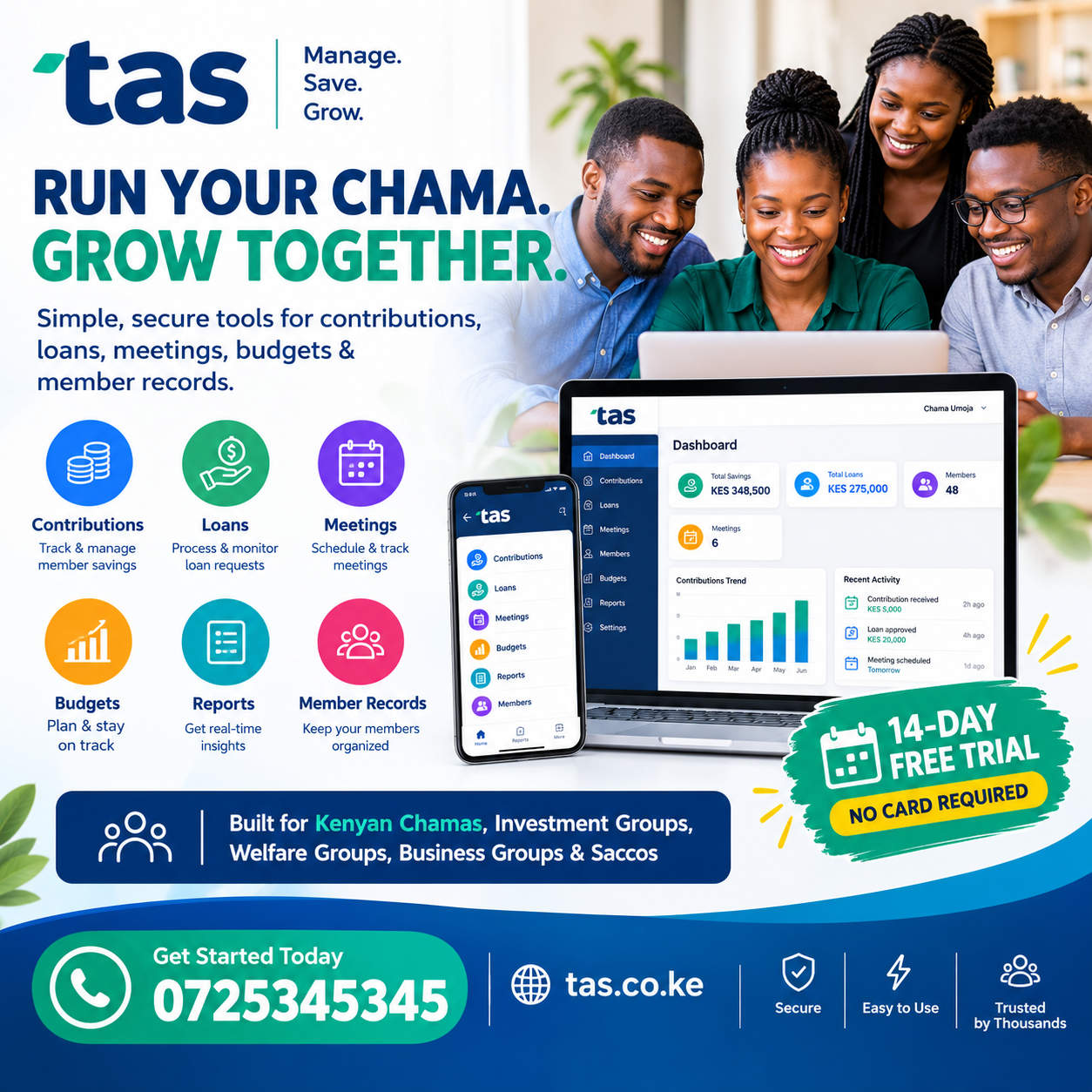
Accounting System for SMEs Westlands: A Practical Guide for Kenyan Businesses
Small and medium-sized enterprises in Westlands need reliable financial records to control expenses, manage customer payments and make informed business decisions. An Accounting System for SMEs Westlands can help business owners replace scattered spreadsheets, handwritten cashbooks and disconnected invoices with an organised process for recording financial transactions. For shops, consultancies, restaurants, professional service firms, distributors and growing companies, the right accounting approach makes it easier to understand where money comes from, where it goes and what the business can afford. This guide explains the essential features, practical benefits, implementation steps and selection criteria that Kenyan entrepreneurs should consider before investing in accounting software.
1. Understanding Accounting Systems for Small and Medium-Sized Businesses
An accounting system is the combination of procedures, records and tools a business uses to track its financial activities. It captures sales, purchases, expenses, customer balances, supplier obligations and other transactions that affect the company’s finances.
For a small business, the system may begin with a cashbook and carefully organised receipts. As transactions increase, spreadsheets or dedicated accounting software can make the process more efficient. The objective remains the same: maintain accurate records and turn those records into information that supports sound decisions.
An Accounting System for SMEs Westlands should fit the way a business operates instead of forcing employees to follow unnecessarily complicated procedures. A consulting firm, for example, may prioritise client invoices and project expenses. A retail shop may need stock valuation, supplier balances and daily sales summaries. A service company may need recurring invoices and a clear record of payments received.
What does an accounting system actually do?
A well-organised system can help a business:
- Record income from products and services.
- Capture operating expenses and purchases.
- Generate invoices and payment receipts.
- Track money owed by customers.
- Monitor bills payable to suppliers.
- Reconcile bank transactions and mobile money records.
- Prepare profit and loss reports.
- Review cash flow and outstanding obligations.
- Keep supporting documents organised.
- Produce useful information for management and professional advisers.
These functions are connected. Recording a sale, for instance, should make it possible to identify the customer, the amount charged, the payment status and the revenue period. Where inventory is involved, the transaction may also need to update stock records.
The benefit is not simply having digital records. It is having records that agree with one another and provide a dependable picture of the business.
Why business size matters
A microenterprise may process only a handful of invoices each week, while an established SME may have several employees recording transactions daily. A suitable solution must account for this difference.
A small organisation usually benefits from straightforward workflows, affordable costs and easy reporting. A growing company may need user permissions, multiple departments, inventory integration, budgeting and more advanced financial controls.
An Accounting System for SMEs Westlands should therefore be evaluated against present requirements and likely growth. Buying a complex platform before the business needs it can waste money. Choosing a tool that cannot accommodate growth can create expensive migration work later.
2. Why Westlands Businesses Need Better Financial Management
Westlands is an important commercial area in Nairobi, with businesses serving individual consumers, corporate clients and customers from other parts of Kenya. Different operating models create different accounting challenges, but many businesses face similar questions: Are customers paying on time? Which expenses are increasing? Is the business profitable? Will there be enough cash to meet next month’s obligations?
These questions cannot be answered reliably when information is scattered across notebooks, email messages, bank statements and personal mobile money records.
Managing frequent transactions
A busy business may process dozens or hundreds of transactions over a short period. If staff postpone recording them, receipts can be lost, payments can be misclassified and customer balances can become inaccurate.
A consistent recording process helps capture transactions close to the time they occur. This reduces the amount of work required at the end of the month and makes unusual transactions easier to investigate.
Separating business and personal money
Mixing personal spending with company funds makes it difficult to measure business performance. An owner might withdraw money for household expenses, pay a business bill from a personal account or use company funds for an unrelated purchase.
These movements should be identified and recorded appropriately rather than automatically treated as business expenses. Owners should establish clear procedures for withdrawals, reimbursements and capital contributions.
Using separate business accounts where practical also improves visibility and simplifies reconciliation.
Understanding the true cost of operating
Rent, electricity, internet access, salaries, transport, subscriptions, marketing and professional fees can gradually consume revenue. Without a structured expense record, a business owner may underestimate the cost of serving customers.
An Accounting System for SMEs Westlands can help group expenses into useful categories and compare spending across periods. The resulting reports can highlight rising costs, recurring charges and areas where management should investigate further.
Preparing for growth
As sales increase, a business often adds employees, suppliers, equipment and new services. Each addition creates financial transactions that must be recorded consistently.
Building good accounting habits early helps the company manage this growth without depending entirely on the memory of its owner or one employee.
3. Common Accounting Challenges Faced by SMEs
Before selecting software, business owners should identify the problems they want to solve. Purchasing a platform without understanding existing weaknesses can simply move disorganised processes onto a computer.
Manual bookkeeping errors
Handwritten records are vulnerable to illegible entries, arithmetic mistakes, missing pages and inconsistent descriptions. Spreadsheets can also contain broken formulas, duplicate entries and accidental changes.
Digital tools can reduce some of these risks through calculations, standardised fields and transaction references. However, software does not eliminate errors if staff enter incorrect information or ignore reconciliation procedures.
Delayed invoicing and payment follow-up
Some businesses complete work before preparing invoices. Others issue invoices promptly but have no consistent method for following up on overdue balances.
The result may be delayed collections and uncertainty about how much cash will become available. A useful accounting workflow should make it easy to identify unpaid invoices, their due dates and the customers responsible.
Missing receipts and supporting documents
An expense entry without a receipt, invoice or other appropriate supporting record can be difficult to verify later. Employees may also submit documents long after a purchase was made.
Businesses should define what evidence is required for different transactions and establish a convenient process for submitting it. Digital storage can help, provided documents are readable, backed up and associated with the correct transaction.
Inaccurate cash flow estimates
Profit and cash are related but not identical. A business can record revenue from a credit sale while waiting weeks for the customer to pay. It may also have cash in the bank that is already committed to supplier invoices, payroll or tax obligations.
Regular cash flow reviews help distinguish available money from funds that will soon be needed elsewhere.
Difficulty producing reliable reports
When sales, expenses and bank balances are maintained separately, preparing a monthly financial summary can take considerable time. Different employees may even produce different figures from the same underlying records.
A centralised accounting process provides a clearer basis for reporting and makes it easier to investigate discrepancies.
An Accounting System for SMEs Westlands can address many of these operational weaknesses when the business configures it correctly, maintains consistent records and reviews the reports regularly.
4. Essential Features to Look for in Accounting Software
Not every SME needs the same functions. The best starting point is to identify the features that directly address the company’s daily activities.
Invoicing and receipts
The software should make it straightforward to create professional invoices, record payments and identify balances still outstanding. Useful invoice details include:
- Business and customer information.
- A unique invoice number.
- Description of products or services.
- Quantities, rates and applicable taxes.
- Issue date and payment due date.
- Payment instructions.
- The current payment status.
Receipts should clearly show what was paid and which invoice or transaction the payment relates to.
Expense tracking
Expense management should support meaningful categories, transaction dates, supplier information and supporting documents. Businesses may need categories for rent, transport, utilities, office supplies, salaries and professional services.
A good process also distinguishes ordinary expenses from purchases of assets, loan repayments and owner withdrawals. These items can have different accounting treatment, so they should not all be grouped together simply because money left the bank account.
Bank reconciliation
Bank reconciliation compares the business’s accounting records with transactions shown on its bank statement. It helps identify bank charges, unrecorded payments, duplicate entries and timing differences.
A system that supports reconciliation can make this routine easier, but someone still needs to investigate differences rather than adjusting balances blindly.
Financial reports
At minimum, many SMEs need access to a profit and loss statement, balance sheet, cash flow information and reports on unpaid customer invoices and supplier bills.
These reports answer different questions. Profit and loss reporting summarises income and expenses over a period. A balance sheet shows assets, liabilities and equity at a particular date. Cash flow reporting focuses on movements of cash.
User permissions and audit trails
When several employees handle finances, they should not automatically receive identical access. The person issuing invoices may not need permission to change accounting settings or delete transactions.
Role-based permissions and activity histories can help management understand who changed a record and when. Access should be reviewed whenever an employee changes responsibilities or leaves the organisation.
An Accounting System for SMEs Westlands should provide an appropriate balance between ease of use, financial visibility and protection against unauthorised changes.
5. Managing Invoices, Customers and Outstanding Payments
Customer payments are central to the survival of many SMEs. A company may generate substantial sales but still struggle to pay its bills if customers delay settling their invoices.
Create a consistent invoicing process
Businesses should agree on when invoices are issued, who approves them and how customers receive them. Where possible, invoicing should happen promptly after the agreed milestone, delivery or completion of work.
Each invoice should have a unique reference and clearly state the payment terms. If the agreement requires a deposit, staged payments or payment on completion, the invoice and customer record should reflect that arrangement.
Monitor accounts receivable
Accounts receivable represents money customers owe the business. An ageing report groups outstanding balances by how long they have remained unpaid.
For example, a company might separate balances that are current, 1–30 days overdue, 31–60 days overdue and more than 60 days overdue. The exact categories can be adjusted to match its normal payment terms.
This makes follow-up more systematic. Recent overdue invoices may need a friendly reminder, while long-outstanding balances may require a discussion with the customer or a review of credit arrangements.
Establish clear credit policies
Before offering customers credit, an SME should decide who qualifies, the maximum amount allowed and how overdue balances will be handled. Large orders from a customer with a poor payment history can create unnecessary pressure on cash flow.
Credit policies should be applied consistently and communicated clearly. Staff should not promise payment extensions that exceed their authority.
Handle partial payments accurately
Customers may pay a deposit, settle an invoice in instalments or combine several invoice payments into one transfer. The accounting records should show the amount received, the outstanding balance and the allocation of each payment.
An Accounting System for SMEs Westlands can support this process by keeping invoices and payment records connected. Staff should still verify that the money was received before marking a transaction as paid.
6. Expense Control and Budgeting for Sustainable Growth
A business cannot improve profitability simply by increasing sales. It must also understand the resources required to generate those sales and maintain operations.
Build a realistic budget
A budget estimates expected income and expenditure for a future period. It should reflect the business’s actual operating model, including seasonal changes, contractual commitments and expected growth.
A practical SME budget may include:
- Expected monthly sales.
- Direct costs associated with sales.
- Rent and utilities.
- Salaries and staff-related costs.
- Marketing and customer acquisition.
- Software and communication expenses.
- Equipment purchases.
- Loan and financing commitments.
- Tax obligations and other statutory payments.
The owner should compare actual results with the budget regularly. Large differences deserve investigation, not automatic assumptions that the budget was wrong.
Distinguish fixed and variable expenses
Fixed costs generally remain relatively stable over a given operating range, while variable costs change with activity or sales. The distinction is useful when assessing the effect of increased sales or a slower month.
For example, rent may remain unchanged when sales fall, while packaging or delivery costs may decline with fewer orders. Understanding this relationship helps a business estimate how much revenue it needs to cover its costs.
Identify unnecessary spending
Recurring payments for unused subscriptions, duplicate services or poorly controlled purchases can gradually reduce profitability. Expense reports help managers identify these patterns.
Before cutting a cost, however, the business should consider its value. Reducing essential maintenance or customer support may save money immediately but create larger problems later.
An Accounting System for SMEs Westlands can make spending patterns easier to review by organising transactions consistently and supporting comparisons across months. The quality of the analysis still depends on accurate classification and thoughtful management decisions.
7. M-Pesa, Bank Transactions and Digital Payments in Kenya
Mobile money is an important part of daily commerce in Kenya. Many businesses receive customer payments through M-Pesa, bank transfers, card payments or cash. Accounting records need to capture each payment channel accurately.
Record M-Pesa transactions correctly
A payment received through M-Pesa should be recorded against the relevant sale, invoice or customer account. The business should retain appropriate transaction references and reconcile recorded receipts against its available statements or transaction reports.
A payment message alone does not always provide the complete accounting picture. For example, the amount received may cover several invoices, or the transaction may later be reversed. The business needs a process for handling such situations.
Reconcile payment channels separately
Businesses using several payment methods should maintain clear records of each channel. A daily reconciliation may compare sales records with cash collected, mobile money receipts, card settlements and bank deposits.
Differences can arise from transaction charges, settlement delays, refunds, reversals or recording mistakes. Each difference should be investigated and documented.
Evaluate integrations carefully
Some accounting platforms offer direct payment integrations, while others require manual imports or entries. Business owners should verify exactly what an advertised integration does.
Questions worth asking include:
- Does it import transactions automatically or only display payment information?
- Can receipts be matched to existing invoices?
- Are transaction fees recorded separately?
- How are reversals and refunds handled?
- Does the integration require a separate subscription?
- What happens if the connection fails?
An Accounting System for SMEs Westlands should support the payment methods the business actually uses, rather than charging for integrations that are unnecessary or unavailable in its operating environment.
8. Tax Records, Compliance and Financial Documentation
Good accounting records make it easier to prepare information for tax reporting and respond to questions from professional advisers or relevant authorities. Software can organise information, but it does not automatically guarantee compliance.
Maintain complete supporting records
Businesses should retain invoices, receipts, contracts, bank statements, payroll records and other documents relevant to their activities. The records should be organised so that a transaction can be traced from the original document to the accounting entry and, where relevant, to a report.
Document retention requirements depend on the applicable laws and the type of record. SMEs should confirm current obligations with the Kenya Revenue Authority or a qualified tax professional rather than relying on outdated advice.
Understand VAT and other tax obligations
Tax responsibilities depend on factors such as the business’s activities, turnover, registration status and applicable legislation. A company should not assume that every transaction receives the same tax treatment.
Accounting software may help separate taxable sales, exempt transactions and other categories where the configuration supports them. The business must still ensure that the correct rules are applied and updated when requirements change.
Prepare for professional review
A structured ledger and organised supporting documents reduce the time needed to answer questions from an accountant or auditor. Reconciliations, approval records and explanations of unusual transactions can be particularly useful.
An Accounting System for SMEs Westlands should make it possible to retrieve the information needed for review without relying on one employee’s memory or searching through unrelated files.
9. Choosing Between Spreadsheets and Dedicated Accounting Software
Spreadsheets remain useful for small businesses, particularly during their earliest stages. They can support simple cashbooks, budget estimates and basic transaction lists. Their limitations become more apparent as transaction volumes, users and reporting requirements increase.
When a spreadsheet may be enough
A carefully designed spreadsheet can be suitable when:
- The number of transactions is low.
- One person manages the records.
- Reporting needs are straightforward.
- Formulas and access are controlled.
- Backups are maintained.
- Transactions are reconciled regularly.
Even in a small business, spreadsheets need clear procedures. Users should avoid overwriting original entries, using inconsistent categories or maintaining several conflicting versions of the same file.
When dedicated software becomes valuable
Accounting software becomes more attractive when the business needs multiple users, recurring invoices, customer balances, supplier records, integrated inventory, more frequent reports or better controls.
It can reduce repetitive work and make information easier to retrieve. However, subscription fees, training, data migration and configuration should be included in the decision.
Compare the total cost
The cheapest subscription is not necessarily the most affordable solution over time. Businesses should consider implementation, employee training, payment processing, data storage, support and the cost of exporting information if they later change platforms.
An Accounting System for SMEs Westlands should deliver value relative to the business’s needs and transaction volume. A small consultancy may need a simple invoicing and expense workflow, while a distributor may need stronger inventory and purchasing capabilities.
10. Cloud Accounting, Data Security and Access Control
Cloud accounting systems store information on infrastructure managed by a service provider and are generally accessed through an internet connection. Depending on the product, they can allow authorised users to work from different locations.
This can be useful for business owners who travel, managers who oversee multiple branches and accountants who need controlled access to records.
Check security features
Before choosing a cloud service, ask about:
- Multi-factor authentication.
- User permissions and role management.
- Encryption and secure connections.
- Backup frequency and recovery procedures.
- Login and activity logs.
- Data export options.
- Incident response and customer support.
- The provider’s data protection practices.
No software can eliminate every security risk. Employees also need strong passwords, careful handling of suspicious messages and clear procedures for reporting unexpected access.
Understand backup and recovery
A provider’s backup policy should be reviewed rather than assumed. Businesses should know whether deleted records can be restored, how long backups are retained and how data can be exported.
Periodic exports may provide an additional safeguard, subject to secure storage and appropriate access controls. Sensitive financial documents should not be placed in unrestricted shared folders.
Protect customer and employee information
Accounting records can contain names, contact information, payroll data and financial details. Access should be limited to people who need the information for legitimate work.
Kenyan businesses should assess their responsibilities under applicable data protection requirements and obtain appropriate guidance where necessary.
An Accounting System for SMEs Westlands should be evaluated for its security controls as carefully as for its reporting features. Convenient access is useful only when information remains appropriately protected.
11. Accounting Software for Different Types of SMEs
The right system depends on how a business earns revenue, incurs costs and receives payments. A feature that is essential for one company may be unnecessary for another.
Retail shops and wholesalers
Retail businesses often need daily sales summaries, purchase records, supplier balances and stock information. Wholesalers may also need customer credit limits, bulk pricing and records of deliveries.
If the business maintains inventory, owners should confirm how the accounting platform treats stock movements, cost of goods sold, damaged products and stock adjustments. An inventory tool and an accounting tool may need to exchange information reliably.
Consultancies and professional services
Consulting firms, agencies and other service providers often need client invoicing, project expense tracking, deposits and payment follow-up.
Where staff work on several projects, the ability to associate expenses and invoices with each project can help management assess profitability. Time tracking may also be useful when fees depend on hours worked.
Restaurants and hospitality businesses
Restaurants must account for sales, ingredients, supplier purchases, staff costs and payment settlements. Businesses with point-of-sale systems should understand how daily sales summaries reach the accounting records.
Food wastage, discounts, refunds and stock differences may also require attention. A system that records only total cash received may not provide enough detail for meaningful management decisions.
Construction and contracting firms
Contractors may handle deposits, milestone payments, subcontractor invoices, equipment costs and project-specific purchases. Their accounting workflows should make it possible to compare actual costs with estimates.
Clear records of approvals, invoices and payment milestones are particularly valuable when projects extend across several months.
Property and facilities businesses
Property-related SMEs may need to record rent, maintenance expenses, service charges, deposits and payments received from different customers. The accounting process should distinguish money collected on behalf of another party from revenue belonging to the business where applicable.
An Accounting System for SMEs Westlands should be selected according to the organisation’s transactions, reporting needs and operational complexity rather than its industry label alone.
12. How to Implement an Accounting System Successfully
Selecting the software is only one part of implementation. The business must also prepare its records, define responsibilities and establish routines for keeping the information accurate.
Step 1: Review the current process
Document how the business records sales, purchases, expenses, customer payments and supplier bills. Identify duplicate work, missing information and activities that depend on one person’s memory.
Ask employees which steps take the most time and where errors occur. Their feedback can reveal practical problems that are not obvious from management reports.
Step 2: Define the required outcomes
Set specific goals before comparing products. Examples include shortening the time needed to prepare monthly reports, improving invoice follow-up or reducing unresolved reconciliation differences.
Avoid vague objectives such as simply becoming more digital. A measurable objective makes it easier to assess whether implementation has delivered value.
Step 3: Prepare clean financial data
Collect customer and supplier information, account balances, unpaid invoices, outstanding bills and relevant historical records. Remove duplicates and resolve obvious inconsistencies before importing the data.
Agree on a cutover date and document the opening balances. Retain access to the original records in line with the business’s retention and security requirements.
Step 4: Configure accounts and categories
Set up a chart of accounts that reflects the business’s income, expenses, assets, liabilities and equity. The structure should be sufficiently detailed for management reporting without creating an unnecessarily long list of categories.
Where tax treatment matters, obtain appropriate professional guidance before finalising the configuration.
Step 5: Assign roles and train users
Decide who can issue invoices, approve expenses, record payments, reconcile accounts and change settings. Separate sensitive responsibilities where the size of the organisation makes that practical.
Train staff using realistic examples from their work. A short written procedure can help employees follow the same steps even when the usual administrator is absent.
Step 6: Test before full adoption
Run a controlled test using representative transactions. Confirm that invoices calculate correctly, payments reduce balances properly and reports reflect the underlying entries.
Check how the system handles refunds, partial payments, credit notes and bank reconciliation. Correct configuration problems before relying on the platform for all business reporting.
Step 7: Review the first reporting cycle
After implementation, compare the new records with bank statements, payment reports and other available evidence. Investigate differences rather than assuming the new system must be correct.
Gather feedback from users and refine workflows where necessary.
An Accounting System for SMEs Westlands is most useful when the software, the people using it and the company’s accounting procedures work together.
13. Understanding Accounting Software Costs
Software pricing varies according to the provider, plan, number of users, features, integrations and support arrangements. Businesses should obtain current quotations rather than assume that a particular monthly fee applies to every customer.
Common cost components
The total cost may include:
- Monthly or annual subscriptions.
- Initial setup and configuration.
- Data migration.
- Training and onboarding.
- Additional user licences.
- Payment or bank integrations.
- Inventory or payroll modules.
- Technical support.
- Data export or migration assistance.
Some providers offer trial periods or different subscription levels. SMEs should confirm which features are included and whether advertised prices exclude taxes or optional services.
Evaluate value, not price alone
A system that saves several hours of administrative work each month may justify a higher subscription than a cheaper product that requires extensive manual processing. However, the expected savings should be realistic.
Consider how much time staff currently spend preparing invoices, following up payments and compiling reports. Compare those activities with the expected workflow after implementation.
Ask about future increases
Businesses should understand renewal terms, cancellation conditions and what happens to their information if they stop subscribing. It is also sensible to confirm whether support is included and how quickly the provider responds to operational problems.
An Accounting System for SMEs Westlands should fit the company’s budget without sacrificing essential controls or creating dependence on a provider that cannot meet its requirements.
14. Common Mistakes to Avoid When Selecting Accounting Software
A thoughtful selection process can prevent unnecessary spending and reduce the risk of inaccurate records.
Buying based on features alone
Long feature lists can make a platform appear attractive, but a business may never use many of those functions. Focus on the processes that matter most, then check whether the software handles them well.
Ask for a demonstration using realistic scenarios rather than a general presentation.
Ignoring employee training
Even a well-designed application can produce poor records if employees do not understand how to use it. Training should explain both the software steps and the accounting purpose behind them.
Staff need to know how to categorise transactions, attach documents, correct mistakes and escalate unusual situations.
Failing to reconcile accounts
Automation can reduce manual work, but imported transactions may still be duplicated, misclassified or unmatched. Regular reconciliation remains essential.
A system should support a dependable process, not replace management oversight.
Migrating incomplete data
Importing duplicate customer accounts, unexplained balances or inconsistent opening figures can undermine confidence in the new system. Data preparation should be treated as a core implementation task.
Overlooking support and data portability
A low-cost platform may become expensive if support is unavailable during a critical reporting period. Businesses should also understand how they can export their records in a usable format.
An Accounting System for SMEs Westlands should be judged by how reliably it supports everyday work, not simply by the number of features displayed on its website.
15. Measuring Whether Your Accounting System Is Working
Once the system is in use, management should review whether it improves the quality and timeliness of financial information.
Monitor invoice collection
Track the amount of overdue customer debt and how long invoices typically remain unpaid. A decline in overdue balances may indicate that invoicing and follow-up processes are improving.
Interpret the figures carefully, since payment performance can also change because of customer mix, contract terms or seasonal demand.
Review monthly reporting time
Measure how long the business takes to close its books and prepare routine reports. Consistent, timely reporting can help managers identify problems earlier.
A shorter reporting cycle is valuable only if the underlying figures remain accurate.
Track reconciliation differences
Record unresolved differences between accounting balances and bank or payment statements. Investigate recurring discrepancies to identify their underlying causes.
The aim is not merely to clear differences quickly, but to improve the process that produced them.
Compare actual spending with budget
Review major categories monthly and explain material variations. A budget variance may reflect higher prices, an unexpected repair, additional sales activity or a genuine overspending problem.
Management should respond to the cause rather than automatically treating every variance as a failure.
An Accounting System for SMEs Westlands can provide the information needed for these reviews when the company maintains accurate records and establishes a consistent reporting schedule.
16. Practical Example: Improving the Finances of a Westlands Consultancy
Consider a hypothetical consultancy in Westlands that provides marketing, business advisory and administrative services to corporate clients. The company issues invoices, receives payments through bank transfers and M-Pesa, and pays monthly rent, salaries, transport and software subscriptions.
Initially, its owner records invoices in a spreadsheet and expenses in a separate file. Staff send payment confirmations through messages, while the owner checks the bank account when time allows. At the end of the month, preparing a financial summary requires several hours of manual work.
The main difficulty is not necessarily low sales. It is the lack of one dependable process for connecting invoices, payments and expenses.
Before implementation
The business experiences several problems:
- Some customer reminders are sent late.
- The owner cannot immediately identify all overdue invoices.
- Receipts are stored in different folders.
- Subscription renewals are occasionally overlooked.
- Monthly reports require repeated manual calculations.
- It is difficult to estimate how much cash is available after upcoming bills.
These issues create administrative pressure and make decisions less reliable.
After establishing a structured process
The consultancy selects a suitable accounting platform, imports verified customer and supplier records, and establishes consistent invoice and expense procedures.
Every invoice receives a unique reference. Incoming payments are matched to the relevant customer balance, while expenses are categorised and supported by receipts. Bank and mobile money transactions are reconciled on a set schedule.
The owner then reviews unpaid invoices, monthly spending and expected cash requirements.
What improves?
The new process does not guarantee higher profits, but it creates better visibility. Staff can identify overdue balances more easily, the owner can investigate rising expenses and routine reporting becomes more organised.
The company can also make more informed decisions about hiring, marketing expenditure and the timing of new commitments.
An Accounting System for SMEs Westlands can support a similar improvement when the solution is appropriate for the business and the team follows consistent procedures. The example is illustrative rather than a claim about a real company’s results.
17. Questions to Ask Before Choosing a Provider
A product demonstration should help business owners determine whether the platform fits their actual workflow.
Ask the provider:
- Which accounting and reporting functions are included in the proposed plan?
- Can the system track customers, suppliers, unpaid invoices and bills?
- How does it handle M-Pesa and bank transaction reconciliation?
- Can staff attach receipts and other supporting documents?
- What permissions can be assigned to different users?
- How are backups, security incidents and account recovery handled?
- Can reports be exported into common formats?
- What setup and training assistance is available?
- Are there additional fees for users, integrations or support?
- What happens to the business’s records after cancellation?
- How are software updates and changes in tax requirements handled?
- Can the provider demonstrate the system using transactions similar to those of the business?
Request clear answers in writing where costs, support commitments or data access are concerned. If the provider cannot explain an essential feature, verify it before making a commitment.
An Accounting System for SMEs Westlands should be selected on demonstrated suitability, transparent terms and dependable support rather than promises that cannot be independently assessed.
18. Building a Sustainable Financial Management Routine
Software produces better results when the business establishes a routine for reviewing and maintaining its records.
Daily tasks
Depending on transaction volume, daily activities may include recording sales, issuing invoices, capturing expenses and checking payment notifications. Staff should identify unusual transactions promptly rather than leaving every question until month-end.
Weekly tasks
A weekly review can cover overdue invoices, supplier bills, missing receipts and payment-channel differences. Managers can also check upcoming obligations and follow up on unresolved questions.
Monthly tasks
At month-end, reconcile bank and payment accounts, review expenses, check outstanding balances and prepare management reports. Investigate unusual changes before using the figures for important decisions.
Periodic professional review
An accountant or qualified tax professional can help review accounting policies, tax treatment, reporting quality and compliance obligations. The frequency of professional review depends on the business’s size, complexity and circumstances.
An Accounting System for SMEs Westlands should make this routine easier to carry out consistently. The system is a tool for maintaining reliable records; accountability still rests with the people managing the business.
19. Frequently Asked Questions
1. What is an accounting system for an SME?
It is a set of procedures and tools used to record and organise business transactions. Depending on the business, it may include invoicing, expense tracking, customer and supplier balances, bank reconciliation and financial reporting.
2. Why should a Westlands business use accounting software?
Accounting software can reduce repetitive administrative work, improve visibility into outstanding payments and make routine reports easier to prepare. Its value depends on the quality of the software, the business’s needs and how consistently staff use it.
3. Is accounting software suitable for a very small business?
Yes. A small business may benefit from simple invoicing, expense recording and cash flow tracking. The chosen product should be affordable and easy to use without requiring unnecessary features.
4. Can accounting software handle M-Pesa payments?
Some products provide direct integrations, while others require manual entries or imported transaction records. Confirm the exact capabilities, fees and reconciliation process before choosing a solution.
5. Does accounting software automatically calculate every tax obligation correctly?
No. Correct results depend on the software’s configuration, the accuracy of the transaction data and the applicable tax rules. Businesses should verify current requirements with the Kenya Revenue Authority or a qualified professional.
6. How much does accounting software cost in Kenya?
Costs vary by provider, subscription plan, user count, integrations, support and implementation needs. Request a current quotation and assess the total cost rather than comparing subscription prices alone.
7. Can several employees use the same accounting system?
Many systems support multiple users with different permissions. The business should confirm the limits of its chosen plan and restrict access according to each employee’s responsibilities.
8. How do I know whether my business needs dedicated software?
Consider switching when spreadsheets become difficult to maintain, invoices are frequently overdue, records are duplicated, several employees need access or monthly reporting consumes too much time. The decision should reflect measurable operational needs.
9. Is cloud accounting safe?
Cloud accounting can offer useful security and backup features, but protection depends on the provider’s controls and the business’s own practices. Review authentication, permissions, recovery procedures, data export options and the handling of personal information.
10. How long does implementation take?
The timeline depends on transaction volume, data quality, integrations, staff availability and system complexity. A small business with clean records may need less preparation than a company with several departments and years of inconsistent data. Agree on a realistic implementation plan before migrating.
20. Conclusion: Choosing an Accounting Approach That Supports Growth
Financial clarity helps business owners make decisions based on evidence rather than guesswork. Reliable records reveal whether customers are paying on time, where operating costs are rising, how much cash is available and which obligations need attention.
For SMEs in Westlands, the most effective approach begins with a clear understanding of the business’s needs. A suitable system should handle essential transactions, support accurate reporting, protect financial information and fit the company’s budget. It should also allow employees to follow consistent procedures without creating unnecessary administrative work.
Before purchasing a solution, review current accounting practices, identify the biggest problems, compare providers and test the most important workflows. Confirm the availability of invoicing, expense tracking, reconciliation, reporting, user permissions and any integrations the business genuinely requires. Make sure that data can be backed up and exported, and establish a routine for reviewing the results.
An Accounting System for SMEs Westlands is most valuable when it forms part of a broader commitment to sound financial management. Accurate entries, organised supporting documents, regular reconciliation and timely management reviews remain essential regardless of the software chosen.
With the right processes in place, a business can spend less time searching for information and more time understanding its performance, serving customers and planning its next stage of growth.
Accounting System for SMEs Westlands
Accounting System for SMEs Westlands
Accounting System for SMEs Westlands
Accounting System for SMEs Westlands
Accounting System for SMEs Westlands
Accounting System for SMEs Westlands
Accounting System for SMEs Westlands
Accounting System for SMEs Westlands
Accounting System for SMEs Westlands
Accounting System for SMEs Westlands
Accounting System for SMEs Westlands
Accounting System for SMEs Westlands
Accounting System for SMEs Westlands
Accounting System for SMEs Westlands
Accounting System for SMEs Westlands
Accounting System for SMEs Westlands
Accounting System for SMEs Westlands
Accounting System for SMEs Westlands
Accounting System for SMEs Westlands
Accounting System for SMEs Westlands
Accounting System for SMEs Westlands
Accounting System for SMEs Westlands
Accounting System for SMEs Westlands
Accounting System for SMEs Westlands
Accounting System for SMEs Westlands
Accounting System for SMEs Westlands
Accounting System for SMEs Westlands
Accounting System for SMEs Westlands
Accounting System for SMEs Westlands
Accounting System for SMEs Westlands
Accounting System for SMEs Westlands
Accounting System for SMEs Westlands
Accounting System for SMEs Westlands
Accounting System for SMEs Westlands
Accounting System for SMEs Westlands
Accounting System for SMEs Westlands
Accounting System for SMEs Westlands
Accounting System for SMEs Westlands
Accounting System for SMEs Westlands
Accounting System for SMEs Westlands
Accounting System for SMEs Westlands
Accounting System for SMEs Westlands
Accounting System for SMEs Westlands
Accounting System for SMEs Westlands
Accounting System for SMEs Westlands