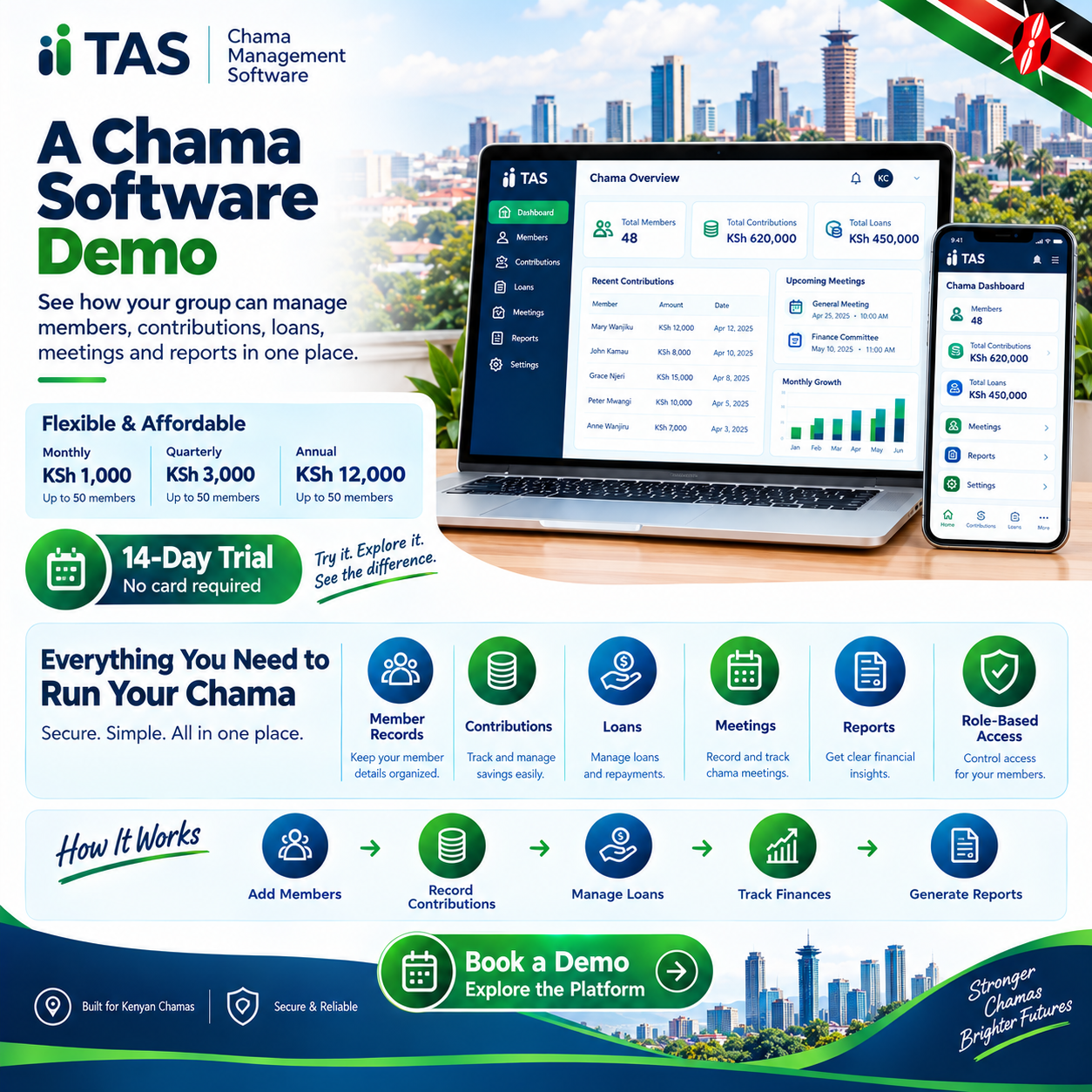
A chama software demo is the single most important meeting your group will hold before trusting any platform with its money. It is the moment marketing ends and reality begins, when a provider must show — not tell — exactly how their system behaves. Handled well, that one hour protects years of contributions; handled carelessly, it signs your group up for a very expensive disappointment.
Every serious vendor in Kenya offers a chama software demo, and the invitation costs your group nothing but an hour of attention. Yet most groups walk into these sessions unprepared, watch a polished presentation, and sign up on charm alone. This guide exists so your group never has to rely on charm when real money is at stake.
The stakes justify the preparation. Your group’s contributions, loans, fines, and records will live inside the chosen system for years to come. The only reliable preview of that future is a thorough chama software demo conducted entirely on your terms.
This article is the complete playbook for that hour. It covers how to book, how to prepare, exactly what to test, which questions to ask, and the red flags that should end a sales conversation instantly. By the end, your group will run a chama software demo like professional procurement officers.
One truth deserves stating before anything else. A platform that performs in a live chama software demo with your real numbers will perform in real life. A platform that hesitates, excuses, or promises “that feature is coming” has already told you everything you need to know.
The timing of this guide matches the market’s maturity. Dozens of platforms now serve Kenyan groups, from simple trackers to full financial operating systems. In a crowded field, the disciplined chama software demo is how serious groups separate genuine infrastructure from pretty brochures.
There is good news hiding in the process. Demoing software is free, quick, and surprisingly enjoyable once you know exactly what to look for. Groups report that a well-run chama software demo actually builds confidence and genuine excitement about going digital.
So gather your officials, bring your numbers, and read on. The hour you invest in mastering the chama software demo process will repay itself for as long as your group exists. Let us turn your committee into the most prepared buyer any vendor meets this year.
What Is a Chama Software Demo?
A chama software demo is a live, guided walkthrough of a platform, usually by video call, led by someone who knows the system inside out. Unlike a recorded video or a glossy brochure, it answers your questions in real time and bends toward your group’s real needs. That interactivity is exactly what makes the demo the most honest selling format in the entire industry.
Sessions typically run between thirty and sixty minutes. A good presenter demonstrates the core workflows — registering members, receiving contributions, issuing loans, and generating reports — before opening the floor to questions. You should leave every chama software demo knowing precisely how the system would handle your group’s typical month.
Many vendors also provide self-guided sandbox accounts alongside the live session. These practice environments let your officials click around freely, break things safely, and form their own impressions. Using both formats together turns a single chama software demo into a complete evaluation experience.
Why the Demo Is the Most Important Step
Marketing can claim anything; a live demonstration must prove it. Features listed on a website mean nothing until you watch them execute in front of your own officials. That proof gap is precisely what a disciplined chama software demo closes before any money changes hands.
The demo also reveals the vendor, not just the software. How prepared is the presenter, how honestly do they handle hard questions, and how quickly do they admit limitations? The character you observe during a chama software demo is the exact character you will meet during support calls.
Most importantly, the demo prevents expensive mistakes. Groups that sign without testing routinely discover missing features after payment, when switching means migrating data all over again. One thorough chama software demo is the cheapest insurance your group will ever buy.
How to Book Your Demo
Booking is simple, but doing it well takes a little structure. Contact two or three shortlisted vendors and propose specific dates at least a week ahead, so everyone can prepare properly. A scheduled, unhurried chama software demo always beats a rushed, same-day session.
Tell the vendor what you want to see when you book. Send your requirements list — contributions, loans, fines, reports, M-Pesa — and ask them to prepare those exact workflows. Vendors respect buyers who arrive with a script, and your chama software demo will be visibly sharper for it.
Request the session in your preferred format. Video calls let the whole committee attend from anywhere, while in-person demos suit groups that value face-to-face assurance. Either way, insist on screen sharing so every click in the chama software demo is visible to everyone attending.
Preparing for the Demo: Bring Your Real Numbers
Preparation separates useful demos from wasted ones. Gather a sample of your real data before the session: ten member names, three months of contributions, and one or two live loans. Presenting genuine figures is what elevates a chama software demo from theater to evidence.
Write your top ten questions on one page and share them with attendees beforehand. Every official should arrive knowing what the group needs to see, so nothing important goes unasked. A question sheet is the steering wheel of any chama software demo.
Assign roles before the session begins. One official asks the questions, one takes notes, and one watches specifically for how the presenter handles pressure. Structure like this turns a casual chama software demo into a professional evaluation.
Who Should Attend the Demo
The treasurer must attend, because they will live inside the system every single day. The chairperson should attend, because governance questions — approvals, roles, transparency — need an authoritative voice present. No chama software demo is complete without the two people who will defend the choice at the AGM.
Invite the secretary too, since minutes, meetings, and communications usually live inside the platform. If your group has a younger, tech-comfortable member, bring them as the usability test — can they navigate without any help? A chama software demo observed by three or four officials produces far richer notes than one observed alone.
Keep the audience small enough to stay focused. Six attendees is productive, while fifteen becomes a crowd where questions compete and nerves take over. For major decisions, some groups hold a second, internal replay of the chama software demo where the attendees brief the rest.
The Ultimate Demo Checklist
Walk into the session with this checklist printed or pinned in your notes. Member registration, contribution invoicing, M-Pesa reconciliation, loans and guarantors, fines, reports, and security roles must all appear. If any item is skipped in a chama software demo, ask for it explicitly before the session ends.
Ask the presenter to demonstrate a complete monthly cycle, not isolated features. From invoicing at month-start to the AGM statement at month-end, the whole loop should be visible end to end. Platforms that narrate the full cycle in a chama software demo are usually the ones built by people who have actually run groups.
Time each section as it is shown. If ten minutes go to a flashy dashboard while reconciliation gets ninety seconds, the priorities are telling you something important. Attention distribution during a chama software demo mirrors exactly where the product’s true strengths — and gaps — live.
Test 1: Contributions and M-Pesa Reconciliation
This is the heart of the session, so demand it first. Ask the presenter to invoice a test member, then simulate or show a live M-Pesa payment arriving through the group Paybill. Watch how fast the chama software demo matches the payment to the member, the month, and the purpose.
Insist on seeing the payment posted without any manual matching. If the presenter copies a confirmation number by hand or “marks it paid” manually, note it down — that is manual reconciliation wearing a demo costume. Automatic posting is the standard a serious chama software demo must display.
Test the edge cases out loud. Ask what happens when a member pays twice, pays partially, or pays into the wrong month — and watch the answer demonstrated, not described. Vendors who welcome these questions are confident in their chama software demo, while vendors who deflect are showing you where their system is weak.
Test 2: Loans and Guarantors
Ask for a complete loan lifecycle on screen. Application, guarantor confirmation, approval, disbursement, schedule generation, an instalment payment, and a penalty for lateness should all appear in sequence. Few moments in a chama software demo reveal product depth faster than this one.
Check both interest methods explicitly. Request a flat-rate calculation and a reducing-balance calculation for the same loan, then compare the totals against your own phone calculator. Accurate math during a chama software demo is non-negotiable — wrong arithmetic here means wrong balances forever.
Probe guarantor visibility while the loan is open. Ask whether guarantors can see their own exposure and whether the system warns them before a guaranteed loan falls behind. A platform that answers both gracefully in a chama software demo has thought carefully about group psychology.
Test 3: Fines, Welfare, and Meetings
Kenyan groups live on fines, so test them honestly. Ask the presenter to apply a lateness fine automatically, view it on the member’s statement, and clear it with a payment. Smooth fines handling in a chama software demo signals that the vendor understands Kenyan group culture.
Welfare tracking deserves equal attention if your group runs subscriptions and payouts. Ask how welfare balances stay separate from contributions and how payouts are recorded with beneficiaries named. Clean separation shown during a chama software demo protects your group from its most sensitive disputes later.
Finally, request the meetings and minutes module if the platform has one. Scheduling, attendance, digital votes, and stored minutes should all be visible in under five minutes. A chama software demo that covers governance alongside money is showing you a complete operating system.
Test 4: Reports and Statements
Reports are where demos are won and lost. Ask to see the arrears aging report, the collection rate trend, and a member statement for the test member you created earlier. The clarity of those three screens will define your daily experience more than anything else in the chama software demo.
Then ask for the AGM pack. Annual summaries, loan performance, and dividend-ready figures should export in seconds, ideally as PDF or Excel. One-click reporting demonstrated in a chama software demo converts a weekend of treasurer work into ten quiet minutes.
Judge the reports as a member would, not as a technician. If your least tech-savvy official cannot read the statement at a glance, the platform will create questions instead of answering them. Readable output is the quiet test every chama software demo must pass.
Test 5: Security, Roles, and Support
Security questions must be asked directly, not implied. Ask where data is stored, how often backups run, who can edit historical records, and what happens if an official’s phone is lost. A confident chama software demo answers all four without a moment of hesitation.
Request a live view of role-based access. Log in as treasurer, then as an ordinary member, and confirm that each sees exactly what their role requires — no more and no less. Access control demonstrated in a chama software demo is worth more than any security promise on a sales page.
Close by probing support, because that is the relationship you are actually buying. Ask who answers on contribution day, in which language, within what hours, and at what cost. The support answers inside a chama software demo predict your experience better than any feature list ever will.
Red Flags During a Demo
Some signals should end the conversation immediately. “We are doing maintenance on that module,” “the report version is coming next month,” and “trust us, it works” are the three classic warnings. A chama software demo that hides its weaknesses is selling you the weaknesses themselves.
Watch for pressure tactics, too. “Sign today for a discount” and “this price expires Friday” exploit urgency precisely because calm evaluation would find the flaws. No honest chama software demo needs a countdown timer to close a genuinely good product.
Notice who is demonstrating as well. If the presenter cannot answer basic configuration questions without “checking with the technical team,” the person selling is not the person who built or supports the product. Request a follow-up chama software demo with someone technical — and any reluctance to arrange one is itself an answer.
Green Flags That Signal a Winner
The best sign is the presenter asking about your group before showing anything. “What are your contribution amounts, do you lend, and how many members do you have?” — a platform tailored live to your answers is a platform built for groups like yours. That opening curiosity is the hallmark of a great chama software demo.
The second green flag is honest limitation. Vendors who say “we do not handle that yet, and here is how groups work around it” earn more trust than vendors who promise everything. Integrity under questioning is the strongest endorsement a chama software demo can possibly earn.
The third is speed under your own data. When your ten members and three months of records produce invoices, statements, and reports without ceremony, you are watching a mature product. Effortless performance with real numbers is the ultimate green light in any chama software demo.
Demo vs Free Trial vs Live Pilot
Understand the differences, because they matter greatly. A chama software demo is guided and fast, a free trial is self-serve and exploratory, and a live pilot runs one real billing cycle on the platform. Each format answers a different question, and serious groups often use all three in sequence.
Use the demo to decide whether the platform deserves a trial at all. Use the trial to let officials form personal, unhurried impressions without a presenter watching over them. Then use the pilot — if the vendor offers one — to prove the chama software demo findings against your group’s actual month.
Beware vendors who skip straight from brochure to contract. Any platform confident in its own quality will offer a demo, a trial, or both, freely and without pressure. Refusal to demonstrate is the loudest possible comment on the chama software demo they are avoiding.
The Golden Rule: Your Own Data on Screen
If you remember one instruction from this entire guide, remember this one. Never judge a platform on sample data with names like “Test Member One.” The entire value of a chama software demo unlocks the moment your real members appear on the screen.
Send your data securely a day before the session. Ask the vendor to load it and begin the demonstration from your members, your amounts, and your actual loan balances. Groups that request this of Tas.co.ke and every serious provider describe the experience as seeing their own future on screen.
Verify the loaded figures together at the start. Totals must match your records to the shilling before any workflow is demonstrated, because correct beginnings are what make conclusions trustworthy. Data fidelity shown in a chama software demo predicts exactly how migration day itself will go.
Taking the Demo to the Group
Record the session with the vendor’s permission, then replay the highlights at your next meeting. Officials who attended can field questions while members watch their own future statements on screen. Sharing the chama software demo recording turns a committee decision into a genuinely collective one.
Better still, invite the vendor to a group session for your two or three finalists. A short group demonstration, followed by open questions from the floor, dissolves resistance faster than any memo ever could. Groups that democratize the chama software demo stage report the smoothest adoption afterward.
Comparing Multiple Demos Fairly
Compare vendors using the same yardstick, or the whole exercise becomes meaningless. Score each chama software demo against your checklist, question sheet, and own-data test, awarding points item by item. An identical scorecard across sessions reveals real differences that charm usually hides.
Let the notes rest for a day before deciding. Excitement fades, and what remains is the substance: which platform answered everything, which dodged, and which left your officials saying “that felt like ours.” Sleeping on the chama software demo results is how calm, confident decisions get made.
After the Demo: Making the Decision
When the winner is clear, formalize everything in writing. Confirm pricing, onboarding, support terms, and the data-migration plan exactly as they were discussed in the chama software demo. What was promised live must appear in the contract, or it was never truly promised at all.
Then move to onboarding with the same discipline you showed during evaluation. Clean data, collective training, and one parallel month will carry the platform from promising demo to daily habit. That is the moment the chama software demo pays its dividend — every single month thereafter.
Frequently Asked Questions
What is the single most important thing to test in a chama software demo?
M-Pesa reconciliation with your own data, without exception. Ask the vendor to load your real members and show one payment posting automatically to the right person and month. If that single workflow performs flawlessly, the rest of the chama software demo is confirmation — and if it stumbles, nothing else matters.
How long should a demo take?
Between thirty and sixty minutes for a thorough session covering contributions, loans, fines, reports, and security. Anything shorter usually means features were skipped, so request a follow-up if needed. A good vendor will happily give your group the extra time.
Can we attend a demo without committing to anything?
Absolutely — a demo is an evaluation tool, not a purchase agreement. Any pressure to sign during or immediately after the session is a red flag in itself. Attend freely, ask everything, and decide on your own timeline.
Should we record the demo session?
Yes, with the vendor’s permission, so absent officials can review it later. Recordings also settle any later disagreement about what was promised during the session. Most reputable vendors welcome recording as a sign of a serious buyer.
What data should we prepare before the demo?
Ten member names, three months of contributions, one or two live loans, and a list of your top ten questions. Real data transforms the session from a sales pitch into a rehearsal of your actual operations. Keep sensitive details like ID numbers out of the sample until you have chosen a provider.
Is a free trial better than a demo?
They serve different purposes — the demo is guided and fast, while the trial is self-serve and exploratory. The strongest evaluation uses both: demo first to shortlist, then trial to go deeper. A live pilot month is the final proof for groups that want absolute certainty.
How many vendors should we demo?
Two or three is ideal — enough for honest comparison, not so many that details blur together. Score each session on an identical checklist so the comparison stays objective. More than five demos tends to exhaust officials and slow the decision.
What questions catch weak platforms fastest?
Ask about duplicate payments, partial payments, wrong-month payments, and guarantor exposure — then watch them demonstrated live. These edge cases expose shallow products within minutes. Vendors who answer by showing, not describing, are the ones worth shortlisting.
Can our whole group attend one demo?
For the final two candidates, yes — a group session builds collective buy-in. Keep early exploratory demos small so questions stay focused and notes stay useful. The group session works best when the committee has already filtered the options.
What happens after we choose a platform?
Request written confirmation of everything agreed during the demo: pricing, onboarding, support, and migration. Then follow the proven adoption sequence — clean data, collective training, and one parallel month. Groups that carry demo discipline into onboarding almost never regret their choice.