Author: tasadmin

  • Chama Contribution Tracking Software Kenya: Buyer Guide

    Chama Contribution Tracking Software Kenya: Buyer Guide

    A contribution tracker should tell a Kenyan chama more than the total collected. It should show which member paid, the fund and period covered, the amount and date recorded, and the evidence officers used to verify the entry. When those details are scattered, the treasurer spends too much time rebuilding balances and too little time reviewing exceptions.

    This buyer guide explains how to evaluate chama contribution tracking software Kenya groups can use as one controlled record. It focuses on the working details that matter during selection: member records, contribution categories, income and expenses, reports, role-based access, audit history, export, and a realistic trial process.

    If your committee is comparing the whole platform rather than only contributions, begin with the chama management system Kenya guide.

    What contribution tracking software should solve

    The essential unit is not a spreadsheet row. It is a clear link between one member, one obligation, and one verified payment. A useful system should preserve that link while showing the group how individual entries affect period totals and member records.

    Software does not remove the treasurer’s responsibility to verify transactions. It should organise the record so officers can compare it with original bank, mobile money, cash, or receipt evidence. For the operational process, use TAS’s practical guide on how to track chama contributions. This article focuses on choosing the software that will support that process.

    Must-have capabilities for a Kenyan chama

    A clean member register

    Every payment must be assigned to the right person. Look for searchable member records and a clear way to distinguish active, inactive, and former members according to the group’s rules. During a trial, create two people with similar names and confirm that officers can still identify the correct record without guessing.

    Separate contribution types and periods

    Monthly savings, welfare, and a project fund may all be member contributions, but they should not be merged into one unexplained total. Test whether the software can preserve the contribution type, relevant period, amount, date, and reference. A partial or advance payment should remain understandable to a reviewer later.

    Income and expense records

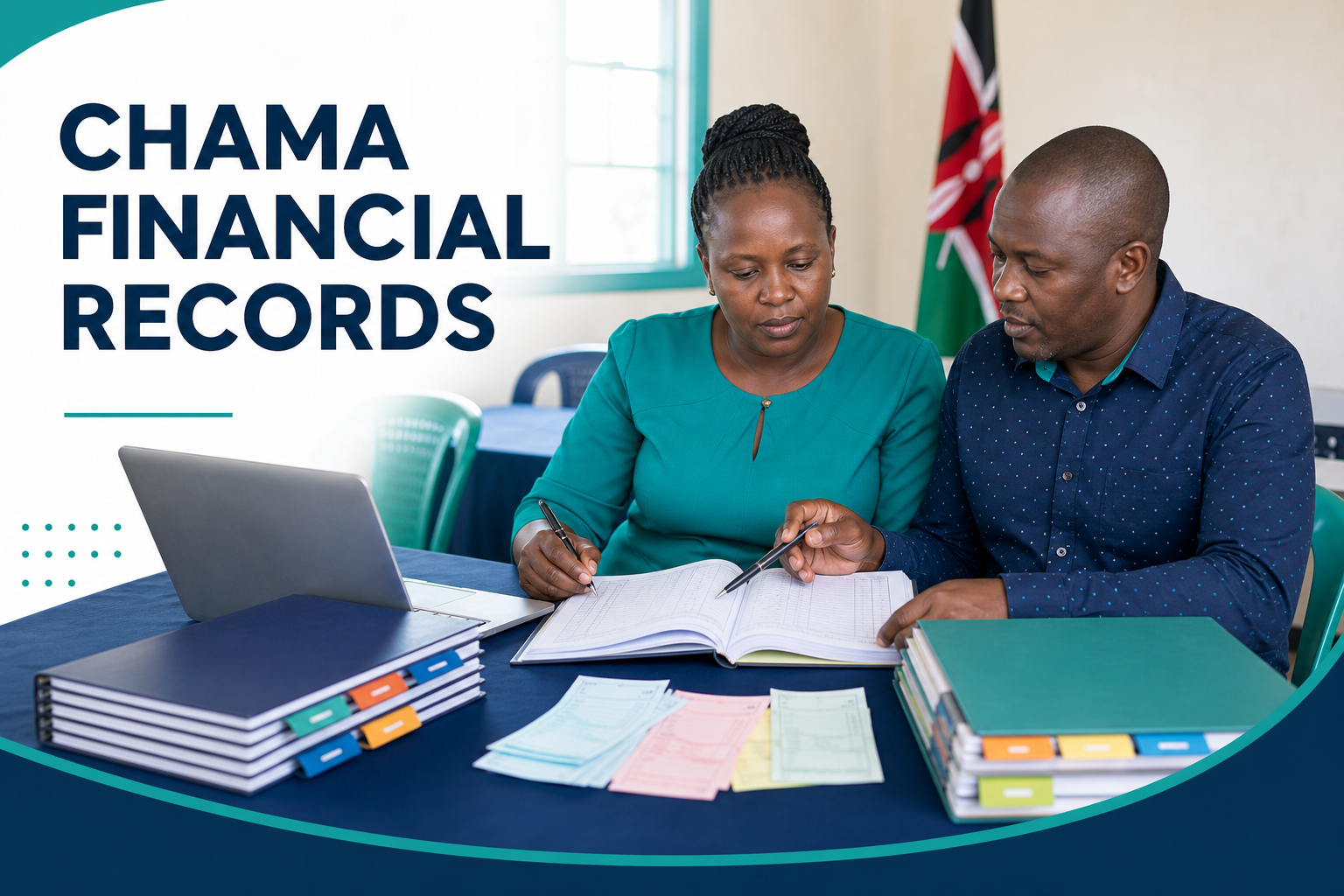
    Contribution reports become misleading when unrelated income and expenses are mixed into collections. The system should keep these records distinct while allowing the committee to review the full financial position. The live guide to chama financial records in Kenya explains the wider records that support a dependable ledger.

    Member, contribution, and financial reports

    Ask for the reports your chama actually reviews, not only a dashboard demonstration. Can the treasurer explain the total for a period? Can a reviewer identify partial or missing entries from the underlying records? Can the committee see contributions alongside other income and expenses without recalculating everything elsewhere?

    Role-based access

    Contribution data should not be editable by everyone. A treasurer may capture verified receipts, while a chairperson or committee reviewer checks exceptions and reports. Test separate users with different roles and confirm that each can perform the required work without receiving unnecessary access.

    Audit history for corrections

    Errors will happen. The important control is whether a correction remains attributable and explained. Ask the vendor to demonstrate what the audit history shows when an amount, member, period, or reference is corrected. Silent overwriting makes disputes and officer handovers harder.

    Secure cloud access and data export

    A cloud system should give authorised officers the current record without circulating editable copies. Confirm how user access is removed when an official leaves office. Also test an export during the trial: open it, review the fields, and check that the chama can retain approved copies for its reporting or backup procedure. TAS provides secure cloud access and keeps data exportable.

    Contribution software buyer checklist

    Area Question to ask Trial evidence
    Members Can each payment be assigned to one dependable member record? Create, find, and update a test member
    Funds Can different contribution types and periods remain separate? Record two purposes for the same member
    Exceptions Can officers explain partial, advance, or corrected entries? Enter a realistic exception and review its history
    Finance Are contributions, other income, and expenses distinguishable? Run a period report after entering all three
    Access Can permissions match treasurer and reviewer roles? Sign in as two test users and compare actions
    Ownership Can the chama export usable records? Export, open, and inspect the data

    Take notes while testing. A simple “yes” on a sales checklist is not enough. Record whether your officers completed the workflow themselves, where they needed help, and whether the resulting reports could be explained without a separate spreadsheet.

    How to use a 14-day trial well

    TAS offers a 14-day trial. Use it as a controlled evaluation rather than attempting a full migration on day one.

    1. Prepare one realistic contribution cycle

    Select a small set of non-sensitive or approved test records. Include active members, at least two contribution types, a complete payment, a partial payment, an advance payment, other income, and an expense. Write down the expected result before entering anything.

    2. Set up roles before transactions

    Create the access pattern the group intends to use. Let the treasurer record entries and a separate authorised reviewer check them. Avoid one shared administrator account during the test, because it hides whether role-based access will work in normal operations.

    3. Record verified entries only once

    Use transaction or receipt evidence and assign each amount to the correct member, fund, and period. If one payment covers several purposes, apply the group’s approved allocation rule and make the explanation clear. Do not post the same receipt twice because it appears in more than one supporting source.

    4. Test a correction and a month-end review

    Intentionally enter a harmless test error, then correct it through the normal process. Review the audit history. Next, compare recorded receipts with the source evidence, check contribution categories, review other income and expenses, and investigate differences before treating the report as final.

    5. Generate reports and export the data

    Ask the treasurer to produce the member, contribution, and financial views the committee needs. Ask a reviewer to trace one total back to the entries behind it. Finally, export the trial records and confirm that the file is readable and contains the information the group expects.

    Plan migration before you buy

    A software decision and a data-cleaning exercise are related, but they are not the same task. Choose an agreed cut-off date. Before that date, resolve duplicate member names, unclear contribution types, unexplained balances, and differences between the existing ledger and source evidence.

    Do not transfer doubtful figures merely because they appear in an old file. Put them on an exception list and have the authorised committee decide how they should be treated. Begin the new system with an approved opening position. The TAS guide on how to digitise a chama gives a staged approach to preparation, piloting, and handover.

    Controls the software should support, not replace

    • Verification: compare every posted receipt with original evidence.
    • Separation of duties: where practical, let one officer enter and another review.
    • Documented corrections: explain changes instead of silently forcing totals to match.
    • Period close: finish exception review before presenting a report as final.
    • Access review: update permissions when committee roles change.
    • Meeting accountability: record approved rule changes and their effective dates.

    A buyer should be cautious when a demonstration makes the work appear completely automatic. Ask what the system records, what an officer must verify, and what happens when a real payment has the wrong reference, covers several funds, is reversed, or is entered twice.

    Common buying mistakes

    • Buying a dashboard instead of a workflow: test the entry, review, correction, report, and export stages.
    • Ignoring member data quality: duplicate identities will produce confusing contribution histories in any system.
    • Testing only perfect payments: include partial, advance, corrected, and unallocated examples.
    • Assuming every claim is included: request a live demonstration of each capability that matters.
    • Skipping officer handover: test access removal, audit history, reporting, and export before committing.

    Frequently asked questions

    Can contribution tracking software replace reconciliation?

    No. It organises member and financial records, but the treasurer still needs to compare entries with original bank, mobile money, cash, or receipt evidence and investigate differences.

    Should a small chama use contribution software?

    It can be useful when records are scattered, handover is difficult, or reports take too long to prepare. Compare the value of clearer records and controls with the subscription and onboarding effort.

    What should the contribution report show?

    At minimum, your officers should be able to understand payments by member, contribution type, and period, then relate those entries to the period totals the committee reviews.

    Can the chama export its TAS data?

    Yes. TAS data remains exportable. Test the relevant export during the trial so the committee knows what it contains and how it fits the group’s backup or review process.

    Does TAS track more than contributions?

    Yes. TAS also handles member records, income and expenses, loans, guarantors, schedules, repayments, meetings, minutes and actions, and reports, with role-based access and audit history.

    Test contribution tracking with TAS

    Explore TAS contribution and finance features, then start the 14-day trial. Bring one real contribution cycle, two officer roles, and a month-end checklist. The best buying decision will come from evidence that your own committee can record, review, explain, and export the data confidently.


  • Chama Management System Kenya: Complete Software Guide

    Chama Management System Kenya: Complete Software Guide

    Choosing a chama management system in Kenya is not simply a decision to replace Excel. It is a decision about how members, money, loans, meetings, and approvals will be recorded from now on. The right system should give authorised people one current record while preserving the detail behind every balance and decision.

    Search results for chama management system Kenya can look similar, so begin with your group’s actual workflow. What does the treasurer record? Who approves loans? How are guarantors tracked? Which report does the committee need before a meeting? This guide explains the capabilities to compare, the controls to test, and a practical way to introduce software without carrying old record problems into a new platform.

    What is a chama management system?

    A chama management system is a shared, controlled workspace for the group’s operational and financial records. It connects member profiles, contributions, income, expenses, loans, meetings, and reports so officers do not have to rebuild the same information from several files.

    That does not mean chat and spreadsheets become useless. A group may still use chat to coordinate and export data when required. The important difference is that neither becomes the official working ledger. Listings described as chama management software Kenya or chama software Kenya should be evaluated on whether they preserve a reliable end-to-end record, not just whether the dashboard looks attractive.

    Core capabilities a Kenyan chama should compare

    One dependable member register

    Each active member should have one searchable record with the status and details the group needs. A clean register prevents duplicate names from splitting contributions or loans. It also makes leadership handover easier because the membership list is not held in one officer’s private phone or laptop.

    Contribution and finance records

    The system should record contributions against the right member, fund, period, amount, and date. It should also keep other income and expenses distinct, then turn those entries into understandable financial reports. For the operating detail, read how to track chama contributions; for purchasing criteria, use the chama contribution tracking software guide.

    Complete loan and guarantor tracking

    A proper loan record should follow an application through review, approval, disbursement, schedule, repayments, and closure. Guarantors should be connected to the relevant borrower and loan, not stored as unexplained names in meeting notes. TAS supports these loan stages; the practical controls are covered in the chama loan management guide.

    Meetings, minutes, and action follow-up

    Financial entries often depend on decisions made in meetings. A useful system should help the group retain the meeting, attendance, minutes, decisions, and assigned actions that explain those changes. This creates continuity when an official is absent or a new committee takes office. See the guide to chama meeting management for a practical workflow.

    Reports people can understand

    A report is valuable only when its underlying records are current. Test whether the system can show member, contribution, loan, meeting, and financial information in the form your committee uses. Confirm that users can move from a summary back to the relevant records when a figure needs an explanation. The chama financial reporting software guide provides a report-by-report checklist.

    Role-based access and audit history

    Not every person should be able to change every record. A treasurer, secretary, committee reviewer, and ordinary member have different responsibilities. Role-based access should reflect those responsibilities, while audit history helps authorised reviewers understand who changed a record and when.

    Secure cloud access and exportable data

    Cloud access allows authorised officers to work from the current record rather than emailing spreadsheet copies. Ask how permissions are managed when officials change, and confirm that the group’s data can be exported for approved review or backup needs. TAS provides secure cloud access and keeps data exportable; use the secure chama management system checklist for the controls your committee should verify.

    How to compare chama management software in Kenya

    Do not start with a long feature list. Select a small number of real workflows and ask each shortlisted system to handle them from beginning to end. Use realistic but non-sensitive test data during an initial trial, supported by this structured guide on how to choose chama management software.

    Workflow to test What to do Evidence of a good fit
    New member Create a profile and assign the correct status One searchable record without duplicate identities
    Monthly contribution Record a verified payment for a defined fund and period The entry appears in the member and contribution reports
    Expense Record a committee-approved cost with its reference It remains separate from member contributions
    Loan Move an application through approval, guarantors, schedule, and repayment Every stage remains attributable and easy to review
    Meeting decision Record minutes and an assigned action The decision and responsibility are clear later
    Officer handover Change access and export agreed records Old permissions can be removed without losing history

    During the test, ask two people with different roles to use the software. A system may be easy for an administrator but confusing for a reviewer. Check whether the committee can explain a contribution balance, loan position, or report without asking the vendor to interpret it.

    Questions to ask before buying chama software

    • Does it cover members, contributions, other income, expenses, loans, guarantors, meetings, and reports in one system?
    • Can the group define appropriate access for each role?
    • Does it preserve audit history when a record is corrected?
    • Can officers export the group’s data when required?
    • Can the vendor demonstrate your real workflow rather than a generic dashboard?
    • Are onboarding, support, subscription terms, and renewal responsibilities clear?
    • Can the committee test the system before committing?

    TAS offers a 14-day trial, which is enough for a focused evaluation if the committee prepares its test cases in advance. Do not spend the trial entering every historical record. First prove that the current workflow, controls, reports, and access model fit the group.

    Evaluate value beyond the subscription price

    Compare the full operating effort, not only the quoted fee. Consider how long officers currently spend cleaning member lists, matching contribution entries, rebuilding loan schedules, preparing meeting packs, and explaining figures during handover. Then test how much of that repeated administration becomes one orderly workflow. Review the current plan limits and billing details in the chama software pricing Kenya guide.

    Also consider the cost of poor continuity. An inexpensive tool is not good value if records still depend on one person’s files, corrections have no history, or the committee cannot export usable data. Avoid promising a return before testing it. Let the trial show whether authorised officers can complete their work more clearly and with fewer duplicate steps.

    A practical implementation plan

    Phase 1: Agree on rules and ownership

    List active contribution types, loan rules, approval roles, required meeting records, and regular reports. Decide who owns data cleaning, entry, review, and final sign-off. Software should reflect approved rules rather than allowing each officer to invent a different process.

    Phase 2: Clean the opening data

    Resolve duplicate member names, inactive records, uncertain balances, and old loan differences before migration. Choose a cut-off date and document any item that still requires committee review. The guide to digitising a chama explains how to move in manageable stages.

    Phase 3: Pilot one current period

    Enter a small, verified set of members, contributions, expenses, loans, and meeting decisions. Compare the resulting reports with source statements, receipts, and approved minutes. A system entry is not proof that money moved; officers must still verify transactions against the original evidence.

    Phase 4: Train by role and close the old process

    Teach each official only the tasks and permissions relevant to the role. Set a date after which the new system becomes the current record. Keep approved legacy files read-only under the group’s retention procedure instead of continuing two editable ledgers indefinitely.

    Common buying mistakes

    • Choosing on price alone: a cheaper tool that cannot follow the group’s real workflow creates more manual work.
    • Buying for one officer: include the people who record, review, approve, and receive reports.
    • Assuming automation: ask for a live demonstration of every capability that matters and do not infer features from marketing language.
    • Migrating unverified figures: cleaning data first prevents old errors from becoming official digital balances.
    • Sharing administrator access: individual, role-appropriate access makes accountability clearer.

    Frequently asked questions

    Is a chama management system only for large groups?

    No. A smaller group can benefit when records are already spread across people or files. The useful question is whether the time saved, clearer controls, and continuity justify the subscription for that chama.

    Can a chama keep Excel after adopting software?

    Yes, for approved exports, analysis, or historical reference. Avoid maintaining a second editable master ledger, because two competing versions quickly recreate the problem the software was meant to solve.

    Does the system remove the need for reconciliation?

    No. The treasurer should still compare recorded receipts and payments with original bank, mobile money, or cash evidence. The system organises the record; officers remain responsible for verification and review.

    What should a committee test during a free trial?

    Test one member lifecycle, one contribution period, one expense, one loan with guarantors and a repayment, one meeting decision, the reports you need, role access, audit history, and a data export.

    How does TAS fit this checklist?

    TAS connects members, contributions, income and expenses, loans, guarantors, schedules, repayments, meetings, minutes and actions, and reports. It also provides role-based access, audit history, secure cloud access, and exportable data.

    Test TAS with your chama’s real workflow

    Explore the TAS chama management system to review its capabilities, then start the 14-day trial. Bring a short set of test cases and let your treasurer, secretary, and reviewer decide whether the full record is clear enough to use and govern.

  • How to Track Chama Meeting Minutes, Attendance and Decisions

    How to Track Chama Meeting Minutes, Attendance and Decisions

    A productive chama meeting should end with more than a general memory of what members discussed. It should leave a dependable record of who attended, what was agreed, who owns each follow-up task and when the next review will happen. That is the practical purpose of chama meeting management: turning discussion into an accountable process that members and officials can follow.

    When attendance sits in one notebook, minutes are typed later from memory and financial decisions remain in a group chat, important details can be difficult to confirm. A shared process helps the chairperson lead, the secretary capture an accurate record, the treasurer connect decisions to financial information and members understand what happens next. TAS brings meeting plans, attendance, minutes and action items into the same secure cloud workspace as member, contribution, loan and financial records.

    Why chama meeting records need a clear system

    Minutes are not simply a long transcript. They are the chama’s agreed record of a meeting. Useful minutes show the meeting details, attendance, agenda items, decisions and assigned actions without trying to reproduce every spoken sentence. This makes the record easier to review and reduces uncertainty when members later ask why a payment, loan, investment or operating decision was made.

    A consistent system also creates continuity when an office bearer is absent or a committee changes. Instead of relying on one person’s files, authorised users can refer to the same meeting history. The group can then connect a decision with the action that followed it and, where relevant, with the contribution, loan or financial report discussed at the meeting.

    Good records do not replace a chama constitution. Your constitution should remain the guide for notice periods, quorum, who can participate, how decisions are made and when minutes become approved. The management workflow supports those rules by making the required information easier to capture and retrieve.

    Give each Kenyan chama official a defined meeting role

    Many Kenyan chamas use office-bearer titles such as chairperson, vice-chairperson, secretary and treasurer, although the exact structure depends on the group’s constitution. Define responsibilities before the meeting so that record keeping does not become an improvised task.

    • Chairperson: confirms the agenda, guides discussion, states decisions clearly and checks that each action has an owner and a realistic due date.
    • Vice-chairperson: supports the chairperson and performs the meeting-lead role when required under the chama’s own rules.
    • Secretary: records meeting details, attendance, apologies, discussion summaries, decisions and action items. The secretary also prepares the minutes for the group’s defined review or approval process.
    • Treasurer: presents relevant contribution, loan, income, expense or financial-report context and confirms the figures used when the meeting reaches a financial decision.
    • Committee leads or assigned officers: provide updates on the matters they own, such as welfare, investments, credit or member onboarding, where those roles exist.
    • Members: confirm their attendance, participate according to the constitution, raise corrections through the agreed process and take responsibility for actions assigned to them.

    Role-based access in TAS can give leaders, officers and members the appropriate view and actions without giving everyone the same administrative control. Assign access according to actual responsibilities, and review it whenever office bearers change.

    A before, during and after chama meeting management workflow

    Before the meeting: prepare the record, not just the room

    1. Create the meeting entry. Record the date, time, venue or meeting method, meeting type and purpose. Use a consistent name, such as “Monthly Members Meeting – August 2026,” so that it is easy to find later.
    2. Build a focused agenda. Include approval of previous minutes, matters arising, member updates, contribution or loan reports where relevant, new decisions and any other business allowed by your rules.
    3. Prepare supporting records. Check that the member list is current and that the treasurer has the correct reports for the period under discussion. Do not copy sensitive financial details into multiple informal documents when authorised users can review the proper record.
    4. Review open action items. Put incomplete tasks from earlier meetings under matters arising. Note the owner, original due date, present status and what decision is now required.
    5. Confirm meeting responsibilities. Identify who will chair, take minutes, present financial information and provide each committee update.

    This preparation gives the secretary a ready structure. It also keeps the meeting centred on matters that need information, discussion or a decision rather than spending time reconstructing old records.

    During the meeting: capture attendance, decisions and ownership

    Start by confirming the meeting details and recording attendance against the member records. Note apologies and any other attendance category required by the constitution. The chairperson should then confirm whether the meeting can proceed under the group’s own quorum rule; the system should record the facts, not invent the rule.

    For each agenda item, the secretary can use a simple sequence: context, key discussion, decision and action. The context explains why the item is on the agenda. The discussion summary records material points without attributing every comment unless attribution matters. The decision states exactly what the group agreed. The action identifies the responsible person, expected result and due date.

    Read back important decisions before moving to the next item. A sentence such as “The meeting agreed that the treasurer will prepare the updated loan schedule for review by the finance committee on the recorded due date” is clearer than “Loans were discussed.” If no decision was reached, record that honestly and state the next step rather than implying approval.

    Where a discussion relies on contribution, loan or financial information, name the report and reporting period used. This gives future readers context without turning the minutes into a second ledger. TAS keeps meeting records alongside the operational and financial reporting context, making it easier for authorised users to trace what informed the decision.

    After the meeting: turn minutes into follow-through

    1. Complete the draft promptly. Expand unclear notes while the discussion is still fresh, but do not add decisions that the meeting did not make.
    2. Check names, dates and figures. Compare attendance with member records and verify any financial reference with the treasurer or the source report.
    3. Separate decisions from action items. A decision records what was agreed; an action item records the work needed, its owner and its due date.
    4. Follow the approval process. Share, correct and approve the minutes according to the chama constitution. Keep proposed corrections clear so the final record remains trustworthy.
    5. Review open actions. Use the action-item list between meetings and bring unresolved items into the next agenda rather than allowing them to disappear inside the minutes.

    An audit history adds useful accountability by showing the record’s history within the platform. It does not remove the need for careful review, but it makes controlled changes easier to trace than repeatedly circulating renamed document copies.

    Practical chama meeting minutes template

    Use the following structure as a checklist and adapt it to your constitution and meeting type:

    • Meeting identification: chama name, meeting type, date, start time, end time, venue or method and meeting reference.
    • Officials: chairperson, minute taker and officers presenting reports.
    • Attendance: members present, apologies and any other status the group formally records.
    • Quorum: the observed attendance and the chairperson’s confirmation under the constitution.
    • Previous minutes: whether they were reviewed, corrections raised and the outcome under the chama’s process.
    • Matters arising: prior action item, owner, status and any new direction.
    • Agenda item: short context, key points, exact decision and any related report period.
    • Action item: required result, responsible person, due date and review point.
    • Other business: only matters accepted under the meeting rules, with decisions and actions recorded in the same format.
    • Next meeting: proposed or agreed date, time, venue or method.
    • Close and approval: closing time and the later approval details required by the constitution.

    A good action item is specific enough for another member to understand. “Jane to follow up” is weak. “Secretary to update the member record with the approved contact change by the recorded due date” defines the task, owner and expected output. TAS supports recording and following action items so that agreed work remains visible after the meeting.

    Connect meeting decisions to member and financial context

    Some of the most important chama decisions concern contributions, loans, expenses and the use of group funds. Meeting minutes should state the decision and the basis reviewed, while the detailed transaction remains in the appropriate financial record.

    For example, if officials review member contribution performance, the minutes can identify the reporting period, summarise the issue and record the agreed follow-up. If a loan matter is discussed, the record can identify the relevant application or schedule without exposing unnecessary personal information to people who are not authorised to see it. Role-based permissions help preserve this boundary.

    This connected approach avoids two common problems: minutes with vague statements that cannot be checked, and minutes overloaded with copied account details. TAS provides member records plus contribution, loan, attendance and financial reporting in one platform, helping authorised users move from the meeting record to the correct operational context.

    Common meeting record mistakes to avoid

    • Writing from memory days later: complete the draft while notes and decisions are still clear.
    • Recording discussion but not the outcome: state whether the item was agreed, deferred, rejected or left open.
    • Assigning work to a group: give each action one accountable owner, even when several people will help.
    • Leaving due dates blank: agree a review date that fits the task instead of using an indefinite “soon.”
    • Mixing proposed and approved minutes: label the record accurately and follow the constitution’s approval steps.
    • Giving everyone administrator access: use role-based access that matches each person’s responsibilities.
    • Keeping actions only inside narrative minutes: maintain a clear action-item view for follow-up.

    Use TAS to create a dependable meeting record

    Effective chama meeting management is a repeatable discipline: prepare a clear agenda, capture attendance, record precise decisions, assign each action and review progress. When member, meeting and financial records sit in a secure cloud workspace with role-based access and audit history, authorised officials can spend less effort searching through scattered copies and more effort acting on agreed priorities.

    Explore TAS chama management features to see how meetings fit alongside member, contribution, loan and financial records. When your group is ready to organise its records in one workspace, start a 14-day TAS trial.

  • How to Digitize a Chama Without Losing Historical Records

    How to Digitize a Chama Without Losing Historical Records

    Learning how to digitize a chama is not simply a matter of typing totals into new software. The real job is to move the group’s financial and governance history into a controlled system without losing the evidence behind it. Members should still be able to see where an opening balance came from, which resolution approved an expense, who guaranteed a loan and why a correction was made.

    A safe migration combines people, records and checkpoints. The chama agrees on scope, inventories files, enters a test batch, reconciles it to independent statements and approves the cut-over.

    What successful chama digitisation should achieve

    A digitised chama should have one approved member list, traceable contribution and expense entries, complete active-loan schedules, searchable meeting decisions and controlled access. The system should make current work easier while preserving the context needed to explain historical balances.

    Before migration, agree on the outcome. Are you moving only active members and verified opening balances, or every transaction for several years? Will paper minutes be indexed as scans, summarised into structured actions, or both?

    Write the decision in a migration brief and have it approved through the chama’s normal governance process. The brief should name the cut-off date, records included, responsible officials, reviewers, exception process and location of the retained archive.

    A safe migration plan at a glance

    Phase Main output Approval checkpoint
    1. Inventory Register of all ledgers, statements, files and missing periods Secretary and treasurer confirm completeness
    2. Prepare Member identifiers, categories, cut-off date and migration rules Officials approve the data map
    3. Pilot Small batch of members, transactions, loans and minutes Reviewers compare entries with source documents
    4. Migrate Verified historical data and an exception log Control totals reconcile by period and category
    5. Cut over Approved opening position and new operating procedure Officials sign the migration report
    6. Preserve Read-only archive, exports and retained originals Periodic restore and access check

    Step 1: Form a small migration team

    Do not leave the exercise to the person who kept the old ledger. Include a record owner and an independent reviewer. The treasurer can explain financial entries, the secretary can verify minutes, and another authorised official can check totals. A larger or disputed history may need professional accounting or legal help.

    Separate entry from approval where practical. One person captures a batch; another compares it with the source. Record each reviewer’s name, date and outcome. This simple control reduces accidental changes and makes the final handover more credible.

    Step 2: Inventory every source before entering data

    Collect paper ledgers, receipt books, payment vouchers, bank and mobile-money statements, spreadsheets, member registers, loan and guarantor files, repayment schedules, meeting files, asset lists and previous reports.

    Create an inventory with a unique box or file number, record type, date range, owner, physical location, format and condition. Mark missing pages, unclear entries and periods with no statement. Photograph or scan fragile items before handling them repeatedly, but retain the originals under the approved retention policy.

    If two records disagree, do not quietly choose one. Add the difference to an exception log, note the competing sources, assign an owner and record the resolution or approved treatment.

    Step 3: Agree on the cut-off and migration depth

    A clear cut-off prevents a contribution from entering both systems, or neither. The chama might close the old cashbook at month-end, reconcile it and begin new digital entries the following day.

    Choose one of two defensible approaches for older financial history:

    • Detailed migration: enter each historical transaction with its date, member or payee, category, amount and source reference. This offers richer history but takes more time to validate.
    • Verified opening balances: enter approved balances at the cut-off, supported by a signed schedule, reconciliation, member balances, active-loan breakdown and retained source archive. Label them clearly as migration balances rather than ordinary transactions.

    A chama can combine the approaches, such as detailed entries for the current financial year and verified opening balances for earlier years. Document the decision so a future official understands why the online history begins where it does.

    Step 4: Create consistent IDs and data rules

    Give each member one permanent identifier. Map spelling variants and former phone numbers to that member instead of creating duplicates. Agree on date format, contribution categories, loan status labels, expense categories and reference patterns before bulk entry.

    Keep a data dictionary for every field. “Transaction date” may mean when money was received or paid, while “entry date” means when it was captured. “Reference” may hold a bank, mobile-money, receipt or voucher identifier.

    Never fill gaps with invented values. Use a documented “unknown” or exception status where the system permits, then investigate. If a date or allocation is later confirmed, make an authorised correction that retains the change history.

    Step 5: Clean and approve the member register

    Start with the member master because contributions and loans depend on it. Compare the constitution, admission minutes and existing register. Confirm each member’s name, contact information, admission date, member number and current status. Keep former members where they are needed to explain historical transactions; mark them inactive rather than deleting their records.

    Digitising names, contacts and financial histories is also personal-data processing. The Kenya Data Protection Act requires, among other principles, lawful, fair and transparent processing, data limited to a legitimate purpose, accuracy and appropriate safeguards. Section 41 addresses technical and organisational measures and access appropriate to purpose. This article is not legal advice, so the chama should assess its own obligations and obtain qualified guidance where needed.

    Collect only fields the chama genuinely requires. Restrict full member profiles to authorised roles, and create a clear procedure for correcting inaccurate information.

    Step 6: Migrate financial records in controlled batches

    Work period by period, not as one enormous upload. A sensible batch could be one month or one contribution cycle. Number the batch, identify its source files and capture its expected totals before entry. Then enter contributions, other income, expenses, loan disbursements, repayments and charges using the agreed categories.

    After each batch, run these manual checks:

    1. Compare the total money received and paid with the old cashbook.
    2. Compare bank and mobile-money movements with their official statements.
    3. Add member-level contributions and confirm that they equal the contribution control total.
    4. Compare expense totals by category with vouchers and approvals.
    5. Confirm that the closing cash and account position follows from the opening position plus verified movements.
    6. List timing differences, reversals, charges and unresolved items separately.

    Do not assume statement transactions will import or reconcile themselves. Retain the source statements and perform an explicit comparison. Post corrections through an approved adjustment or reversal process instead of overwriting history until the balance “looks right.”

    Step 7: Rebuild every active loan from its source file

    An opening loan balance is not enough on its own. For each active loan, capture the borrower, approval date, principal, approved terms, disbursement, guarantors, schedule, repayments already made, arrears if applicable and balance at cut-off. Compare the calculated position with the loan register, member record, cashbook and statement evidence.

    Record guarantor acceptance from the available approved documentation. If a schedule was revised, retain the original and the dated approval for the change. Put disputed balances into the exception log rather than presenting them as confirmed.

    Step 8: Preserve meetings, decisions and actions

    Financial history needs governance history. Index each minute by meeting date, type and signed status. Capture major decisions such as budgets, loan approvals, expenditure authority, signatory changes and write-offs. Add responsible people and deadlines for unresolved actions.

    A scan is useful evidence but cannot replace searchable structured details. Use both where appropriate: keep the signed minute as the source, then record the decision and action in the system. Never alter an old signed minute to match a later interpretation; add a subsequent clarifying resolution.

    Step 9: Configure access before inviting everyone

    Decide who can view, create, approve, correct and export each type of record. The treasurer may manage finance, the secretary may manage meetings, and designated reviewers may inspect reports. Avoid a shared administrator password. Give each user an individual account, remove access when a role ends and review permissions periodically.

    Turn on the controls available in the chosen system, keep devices protected and document how officials will report a suspected unauthorised change. An audit history is most useful when accounts are individual and corrections follow a defined process.

    Step 10: Pilot, reconcile and sign off

    Test the process with a small but varied sample: a fully paid member, a member with a balance, an active loan with guarantors, several expenses and one meeting with actions. Ask reviewers to trace digital entries back to the original sources and reports back to their underlying entries.

    Use three checkpoints before full cut-over:

    • Record checkpoint: required fields, dates, references and attachments are present.
    • Financial checkpoint: account, contribution, expense and loan control totals reconcile.
    • Governance checkpoint: authorised officials review exceptions and approve the opening position.

    Run both processes in parallel only for a short, fixed verification period. When approval is complete, make old working files read-only, name the digital system as the official operational record and preserve the archive.

    A practical 30-day digitisation checklist

    • Approve the scope, cut-off date, team and exception process.
    • Inventory all financial, member, loan and meeting sources.
    • Back up fragile files and label retained originals.
    • Create member IDs, categories and a data dictionary.
    • Clean the member list without deleting historical identities.
    • Pilot one contribution period and a sample of active loans.
    • Reconcile every batch to cashbooks and official statements.
    • Review role-based access and individual user accounts.
    • Resolve or formally carry forward every exception.
    • Approve opening balances and document the cut-over.
    • Test an export and confirm that it can be read.
    • Schedule the first post-migration review.

    Common migration mistakes to avoid

    • Entering one unexplained lump-sum balance with no supporting schedule.
    • Creating duplicate members because names are spelled differently.
    • Deleting inactive members who still have historical transactions.
    • Scanning documents without indexing dates, subjects and approvals.
    • Assuming bank or M-Pesa records have reconciled automatically.
    • Letting one person enter, correct and approve every balance.
    • Discarding paper records before retention and legal needs are confirmed.
    • Starting full migration before a small batch has passed review.

    Digitise your chama with a controlled starting point

    TAS brings member records, contributions, income, expenses, financial reports, loans, guarantors, schedules, repayment tracking, meetings, minutes and actions into a secure cloud workspace. Role-based access and audit history help officials maintain control, and the group’s data remains exportable.

    Start with current, verified records during the 14-day trial. Configure roles, migrate one small batch, compare it with the source documents and test the reports before extending the migration. That measured approach protects history while giving the chama a clearer system for the future.

    Start your 14-day TAS trial and build a migration process your members can review and trust.

  • What Financial Records Should a Chama Keep in Kenya?

    What Financial Records Should a Chama Keep in Kenya?

    If you are looking for a practical chama financial records Kenya checklist, begin with one principle: another authorised official should be able to follow every shilling from its source to its final use. A contribution should connect to a member, date, amount, payment reference and fund. An expense should connect to an approval, payee, purpose and supporting document. A loan should connect to the borrower, guarantors, approved terms, repayment schedule and actual repayments.

    That detail gives members a common set of facts, helps officials prepare reports, supports a clean handover and makes questions easier to resolve. This guide explains the core records to consider and how a digital system can improve control without replacing the group’s constitution or approval process.

    Why accurate chama records matter in Kenya

    Good records protect continuity when a treasurer travels, an official’s term ends or a member asks for clarification. They also let leaders compare the cashbook with bank or mobile-money statements, identify missing evidence and report consistently.

    For a chama registered as a community group, the current Community Groups Registration Act is especially relevant. Section 31 requires financial records that correctly record and explain transactions, financial position and performance, and that enable true and fair financial statements. It also provides for those financial records to be retained for seven years after the covered transactions are completed.

    The same Act assigns the treasurer responsibility for the group’s accounts and for reporting money received, money paid, money remaining and group property. It also addresses the member register, financial reporting, inspection of records and the handover of books, papers, funds and property when a treasurer leaves office. These duties should be read together with the chama’s constitution and any rules that apply to its particular registration.

    Chama financial records Kenya checklist

    The following table is a strong working baseline. Your constitution, members or professional adviser may require additional documents.

    Record Minimum details to capture Useful supporting evidence
    Member register Full name, contact details, admission date, membership status and approved member number Membership form, admission minute and authorised updates
    Contribution ledger Member, fund, expected amount, amount received, date, channel, reference and balance Receipt, deposit slip, bank statement or mobile-money statement
    Cashbook Every receipt and payment in date order, with category, description, reference and running balance Receipts, payment vouchers, invoices and statements
    Income and expense records Source or payee, amount, purpose, budget line, approval and payment date Invoice, signed voucher, procurement note and meeting resolution
    Loan register Borrower, principal, approved terms, guarantors, disbursement, schedule, repayments and outstanding balance Application, approval minute, guarantor acceptance and payment evidence
    Bank and mobile-money records Account details, statement period, opening balance, movements, charges and closing balance Official statement and a signed reconciliation
    Minutes and resolutions Date, attendance, agenda, financial decisions, authorised signatories, actions and approvals Signed minutes, agenda, attendance list and attachments
    Financial reports Reporting period, income, expenses, balances, loans, amounts due, assets, liabilities and explanatory notes Underlying ledgers, reconciliations and approval minute

    1. Keep a controlled member register

    The member register is the foundation for individual statements and contribution tracking. Give each member one unique identifier and use it consistently. Record admission, resignation, suspension or other status changes only after the required group process. Do not silently overwrite a former name, phone number or status; keep an authorised change record so leaders can explain when and why the member profile changed.

    Section 28 of the Community Groups Registration Act specifically requires a registered community group to keep a register containing each member’s name, contact address and date of admission. A well-managed chama can add operational fields while collecting only information it genuinely needs.

    2. Separate contribution types and member balances

    Do not post every receipt into one undifferentiated total. If the chama collects a regular contribution, welfare contribution, project contribution or approved levy, create a distinct category for each. For every payment, record the member, period covered, amount, date, reference, payment channel and person who entered or verified it.

    A payment message in a WhatsApp group is not a complete ledger. It may help locate evidence, but the official record should sit in a controlled register and connect to the relevant bank, cash or mobile-money evidence. Where one payment covers several periods or funds, document the agreed allocation rather than guessing later.

    3. Maintain a cashbook for all money in and out

    The cashbook gives the chama one chronological financial story. Record contributions and other income on the receipt side, and approved expenses, loan disbursements, refunds and bank charges on the payment side. Use a unique reference for every entry. The reference should lead to a receipt, voucher, statement line, invoice or approval.

    Cash transactions need particular discipline. Issue a numbered receipt when cash is received, record who received it, deposit it promptly under the group’s rules and keep the deposit evidence. For a cash expense, use an approved voucher signed according to the constitution. Avoid combining unrelated expenses in one vague entry such as “meeting costs.”

    4. Preserve expense approvals and source documents

    An expense record should answer five questions: who was paid, how much, for what, who approved it and how payment was proved. Keep the supplier invoice or receipt, payment voucher, approval and transaction reference together. If members approve a significant purchase during a meeting, connect the expense to the relevant minute or written resolution.

    Use specific descriptions. “Hall hire for 10 August quarterly meeting” is more useful than “miscellaneous.” If a receipt is unavailable, follow the exception process in the chama’s rules rather than inventing a document or leaving the entry unsupported.

    5. Document loans from approval to final repayment

    A complete loan file includes the application, decision, approved principal, applicable rate or charge, term, repayment frequency, due dates, guarantors, disbursement evidence and repayment history. Each repayment should reduce the correct components according to the group’s approved rules. Changes such as an extension or revised schedule should have a dated approval and should not erase the original terms.

    Guarantor details also need a traceable record. Capture who guaranteed what amount, when they accepted, the relevant loan and any approved release or substitution. Do not assume a verbal discussion is enough when a dispute later depends on the agreed obligation.

    6. Reconcile statements to the ledger every month

    Reconciliation is a controlled comparison, not an automatic assumption that the ledger is right. At an agreed cut-off date:

    1. Obtain the official bank and mobile-money statements for the period.
    2. Tick each statement item against a cashbook or contribution entry.
    3. List deposits in transit, bank charges, reversed transactions and unpresented items separately.
    4. Investigate duplicates, missing entries and unexplained differences.
    5. Post approved corrections with a dated explanation; never delete history merely to force a match.
    6. Have a second authorised official review and sign off the reconciliation.

    This remains a valuable checkpoint even when records are digital. Software can organise entries and reports, but officials should still compare them with independent source statements.

    7. Connect minutes to financial decisions

    Minutes provide the governance context behind the numbers. They should show attendance, declarations where relevant, motions, decisions, voting or approval method, authorised amounts, responsible people and deadlines. Link a budget, loan decision, asset purchase, signatory change or write-off to the meeting where it was approved.

    Keep an action list after the meeting. For example, “Treasurer to obtain August statement by 5 September” is measurable; “Treasurer to follow up” is not. At the next meeting, record whether each financial action was completed.

    8. Prepare consistent financial reports

    Members need reports they can compare from one period to the next. Use the same categories and a stated reporting cut-off. A practical pack may include an income and expense summary, cash and account balances, contributions expected versus received, member arrears, active loan balances, repayments due, assets and liabilities, plus notes explaining unusual items.

    For registered community groups, section 33 of the Community Groups Registration Act addresses a report on activities and financial affairs once every two years, adopted at the annual general meeting before submission to the Director. Registration renewal also involves financial and activity reporting. Confirm the exact form, dates and current administrative process directly with the relevant Social Development office.

    How to store and control chama records

    Use roles instead of shared passwords

    The treasurer may enter financial records, the secretary may maintain minutes and an authorised reviewer may approve or inspect reports. Give each official an individual account with only the access needed for the role. When an official leaves, remove that access promptly and document the handover.

    Keep an audit history

    Corrections should show the original entry, revised information, reason, date and responsible user. Deleting a disputed transaction can destroy evidence. A better process is to reverse or adjust it through an approved entry that preserves the trail.

    Retain evidence and protect personal information

    Keep readable vouchers, statements, minutes and reports for the required period. Restrict access to member contact, identification and financial information. The Data Protection Act sets principles for lawful, fair, transparent and limited processing of personal data, as well as appropriate safeguards. A chama should assess its own obligations rather than assuming digitisation removes them.

    A monthly record-closing checklist

    • All contributions are posted to the correct member, period and fund.
    • Every income and expense entry has a reference and supporting evidence.
    • Loan disbursements and repayments agree with the relevant schedules.
    • Bank, cash and mobile-money balances have been manually reconciled.
    • Unexplained items are listed, assigned and followed to resolution.
    • Reports use a clear cut-off date and have been reviewed by a second official.
    • Minutes capture approvals and outstanding action items.
    • Backups or exports are readable and stored according to the group’s policy.

    Common record-keeping mistakes to avoid

    • Using the bank balance as the only report: it does not show amounts owed, uncleared items, restricted funds or outstanding loans.
    • Editing old figures without an explanation: this weakens the audit trail and member confidence.
    • Mixing personal and chama funds: it makes ownership and approval difficult to prove.
    • Depending on one official’s phone or laptop: records can disappear during loss, damage or handover.
    • Keeping totals without member-level detail: leaders cannot prepare reliable statements or resolve allocation questions.
    • Ignoring small differences: repeated uninvestigated amounts can hide a process problem.

    Bring your chama records into one controlled workspace

    TAS helps Kenyan chamas manage member records, contributions, income, expenses, loans, guarantors, repayment schedules, meetings, minutes, actions and financial reports in a secure cloud workspace. Role-based access and audit history support clearer accountability, while exportable data helps the group retain control of its records.

    Start with one reporting period, reconcile it against source statements and let authorised officials review the result. When the process is sound, extend it to earlier records using documented checkpoints.

    Start a 14-day TAS trial and build a financial record process that is easier to review, explain and hand over.

  • Chama Loan Management Software Kenya: Guarantors and Repayments

    Chama Loan Management Software Kenya: Guarantors and Repayments

    A chama loan should remain traceable from the member’s request to the final confirmed repayment. The committee needs a consistent answer to five questions: what was requested, who guaranteed it, what terms were approved, what the repayment schedule requires and what balance remains. For groups comparing chama loan management software Kenya options, the essential test is whether officers can keep those connected records in one controlled workspace instead of reconstructing them from notebooks, spreadsheets and meeting discussions.

    Software supports the record, but the chama still sets its lending policy, verifies evidence and makes decisions through authorised officials. This guide explains how to evaluate and use a loan workflow for applications, guarantors, schedules and repayments while preserving the history behind every decision.

    If you are comparing the full platform rather than only its loan tools, start with the chama management system Kenya guide. It places loans alongside member, contribution, meeting and financial records.

    Begin with an approved chama lending policy

    Software cannot correct unclear lending rules. Before accepting applications, document who may borrow, any membership or contribution conditions, maximum amounts, repayment periods, guarantor requirements, decision authority and the process for handling missed payments or changed circumstances.

    State how the group handles a guarantor who wants to withdraw, a member who exits, an early settlement or a request to change agreed terms. The committee should apply the same approved policy consistently rather than inventing a new rule after a difficult case appears. The system should record the policy-led decision; it should not be presented as making that decision for the chama.

    Chama loan management workflow at a glance

    Stage Record to keep Control question
    Application Member, amount, purpose, requested period and supporting details Is the request complete and linked to the correct member?
    Review Policy checks, contribution context and committee assessment Was the approved policy applied consistently?
    Guarantee Guarantors, commitments and confirmation status Can the committee understand each guarantor’s exposure?
    Decision Outcome, authorised officials, date, terms and meeting reference Is the approved amount separate from the requested amount?
    Schedule Expected instalment amounts and due dates Does the schedule match the approved terms?
    Repayment Date, amount, reference and updated outstanding position Was the entry checked against source evidence?
    Closure Final balance review and guarantor release Are no unexplained amounts left open?

    How to manage a chama loan step by step

    1. Capture a complete application

    Record the request against the correct member profile. Include the amount, purpose, requested repayment period, proposed guarantors and any details required by the chama’s policy. Preserve the application date and original request so a later recommendation or approval does not overwrite what the member initially asked for.

    Check completeness before committee review. If something is missing, record the required clarification. An informal conversation should not be mistaken for a complete application or an approved loan.

    2. Review the application using consistent criteria

    Use the approved policy for every applicant. Review the membership status, contribution context, existing loan position, requested period and other evidence the chama has lawfully chosen to require. Keep the assessment with the application so that another authorised officer can understand how the committee reached its recommendation.

    If the committee proposes a different amount or period, record the proposal separately. Changing the application itself weakens the trail between what was requested and what was eventually decided.

    3. Record guarantors and their commitments clearly

    A guarantor record needs more than a name. Associate each guarantor with the borrower and loan, record the commitment under the chama’s rules and preserve its confirmation status. Review whether that member is connected to other active guarantees so the committee can understand the commitments already recorded.

    Do not treat a person as a confirmed guarantor merely because the borrower supplied a name. Follow the approved confirmation process and limit access to the personal and financial information involved. TAS supports guarantor records within its loan workflow, while the group remains responsible for consent, policy and the final decision.

    4. Preserve the authorised decision

    Record whether the request was approved, declined, deferred or returned for more information. An approval should show the authorised amount, repayment period, schedule basis, guarantor conditions, decision date and the officials or committee responsible under the chama’s rules.

    If the decision arose in a meeting, connect it to the relevant minutes or meeting reference. TAS supports meetings, minutes and action items as well as loan records, helping authorised users retain both the lending record and its governance context.

    5. Build the repayment schedule from approved terms

    The schedule should show the expected amount and due date for each instalment. Check that it reflects the approved terms rather than the original request. Review the schedule with the borrower using the chama’s agreed process so the expected dates and amounts are understood.

    A schedule is a plan, not proof of payment. Keep it separate from the repayment history so the committee can compare what was expected with what has been recorded from verified evidence.

    6. Record each verified repayment once

    For each repayment, identify the member, loan, date, amount and source reference used by the chama. Check the entry against appropriate evidence before treating it as confirmed. Where one amount needs to be allocated across different obligations, apply the group’s approved allocation process and avoid recording the same money twice.

    Investigate duplicates, reversals, unclear references and incorrect allocations promptly. Do not quietly overwrite an error. Use the authorised correction process and retain audit history so another officer can understand why the outstanding amount changed.

    Manage overdue repayments from facts, not assumptions

    Start by reviewing the approved schedule, confirmed repayment entries, outstanding amount and last recorded payment. Check for a duplicate, omission or incorrect allocation before beginning follow-up. Once the record is confirmed, use the notice, meeting or changed-terms process defined in the lending policy.

    Record the next action and any committee decision. If the authorised committee changes the terms, preserve the original schedule, the decision record and the revised schedule. This is more accountable than deleting the earlier commitment and leaving future reviewers with no explanation.

    Track guarantors until formal loan closure

    Guarantee management continues after approval. During each loan review, authorised officials should be able to see which active loans a member guarantees and the related commitments recorded under the chama’s rules. If a borrower misses a payment, do not alter a guarantor’s responsibility informally; follow policy and document the authorised action.

    When the borrower appears to have completed repayment, confirm the final balance before closing the loan and releasing the guarantee. The record should show when the commitment began, which loan it covered and when the group formally treated it as complete.

    Use role-based access and audit history

    Loan files contain member and financial information. Give each person the access needed for a defined duty. For example, an officer may capture the application, authorised committee members may record the decision and the treasurer may enter reviewed repayments. Avoid shared administrator accounts because they make individual responsibility difficult to establish.

    TAS provides role-based access, audit history and secure cloud access. These controls support accountability, but officials must still keep individual accounts secure, review permissions when leadership changes and correct records through an authorised process.

    Review loans within the wider chama records

    A loan should not become an isolated spreadsheet. The member record identifies the borrower and guarantors; contribution records may provide policy context; meeting minutes preserve approvals; income-and-expense records provide financial context; and reports help the committee review the overall loan position.

    That connected view is one reason to evaluate the whole platform. Use the guide on how to choose chama management software to test loan workflows alongside member records, contributions, meetings, reporting, access and data export.

    Monthly loan-book checklist

    1. List applications awaiting information, guarantor confirmation, review or decision.
    2. Confirm that every approved loan has the required decision and guarantor records.
    3. Compare schedules with repayment entries for the reporting period.
    4. Check repayments against the source references accepted by the chama.
    5. Investigate duplicates, reversals, omissions and unclear allocations.
    6. Review overdue amounts and record the next policy-led action.
    7. Check each guarantor’s recorded commitments across active loans.
    8. Close a repaid loan only after confirming the final balance.
    9. Prepare the loan and financial reports required for the committee meeting.
    10. Export the authorised records required by the group’s continuity process.

    Chama loan software evaluation checklist

    Trial test Pass condition
    Application history The original request remains distinct from the final decision.
    Guarantor records Authorised users can understand who guarantees which active loan.
    Schedule Expected amounts and dates match the approved terms.
    Repayment entry A reviewed entry updates the loan history once and can be traced.
    Correction An authorised correction preserves understandable audit history.
    Role access Each test user can perform required duties without unnecessary control.
    Reports and export The committee can review the loan position and export usable data.

    Frequently asked questions

    What should chama loan management software record?

    It should support the records your approved process needs, including the member application, guarantors, decision, schedule and repayments. Evaluate how those records connect to meetings, member information and reports rather than checking only a balance.

    Does loan software decide whether a member qualifies?

    The chama should make lending decisions under its approved policy and authorised process. TAS organises loan and related records; it does not replace the committee’s judgement or responsibility.

    How should a chama track guarantors?

    Connect each confirmed guarantor to the correct borrower and loan, preserve the commitment under the group’s rules, review active commitments and release the guarantee only after the final loan balance is confirmed.

    What is the difference between a loan schedule and repayments?

    The schedule states the amounts and dates expected under the approved terms. Repayment records show the entries made from reviewed payment evidence. Keeping them separate allows the committee to identify what remains outstanding.

    Can TAS export chama loan data?

    TAS states that chama data remains exportable. Test the export during the 14-day trial and confirm that the authorised output contains the fields the committee needs for review and continuity.

    Manage the full loan record in TAS

    Effective chama loan management software in Kenya should help authorised officials follow one dependable history from application and guarantors through schedules and repayments. TAS keeps loan records in the same secure cloud workspace as members, contributions, meetings, income and expenses, reports and audit history.

    Review the TAS chama loan and management features, or start a 14-day trial and test the workflow against your chama’s approved lending policy.

  • How to Track Chama Contributions Without Excel or WhatsApp

    How to Track Chama Contributions Without Excel or WhatsApp

    Tracking chama contributions should answer a simple question: who has paid, what was the payment for, and what remains outstanding? In many Kenyan groups, however, the answer is spread across an Excel sheet on one laptop, screenshots in WhatsApp, a bank or mobile money statement, and a treasurer’s notebook. Each source may contain part of the truth, but none gives the whole group a reliable record.

    A better process does not begin with a complicated accounting project. It begins with one member register, clearly defined contribution types, consistent entry rules, and a routine for checking recorded payments against the evidence. This guide explains how to track chama contributions without treating Excel or WhatsApp as the official ledger.

    Why Excel and WhatsApp become difficult as a chama grows

    Excel can be useful for calculations, and WhatsApp is convenient for communication. The risk comes when either tool becomes the only contribution record. A spreadsheet may have several versions, formulas can be changed accidentally, and members may not know which copy is final. A payment screenshot in a chat does not show whether the amount was entered in the ledger, assigned to the right fund, or later corrected.

    The problem becomes more visible at month-end. The chairperson asks for total collections, the treasurer is still matching references, and members dispute arrears because their proof is buried in old messages. A proper chama system should make the ledger the source of truth while statements, receipts, and chat messages remain supporting evidence.

    What every contribution entry should contain

    A contribution is more than an amount. Before recording collections, agree on the minimum information that makes each entry understandable later. The exact fields may depend on your constitution and contribution rules, but a practical record should identify:

    • the member who made the payment;
    • the contribution type or fund, such as monthly savings, welfare, or a project fund;
    • the period the payment covers;
    • the amount received and the date received;
    • the payment method and transaction or receipt reference, where available;
    • the person who entered the record; and
    • a clear note for any correction, partial payment, or unusual allocation.

    Do not force different obligations into one vague “contribution” column. If a member pays KSh 5,000 for monthly savings and KSh 1,000 for welfare, record the two purposes distinctly. That separation makes balances and financial reports easier to explain.

    A practical workflow for tracking chama contributions

    1. Define the contribution rules first

    List every active contribution type and document its amount, frequency, due date, and start date. Decide how the group handles partial payments, advance payments, waivers, and late amounts. If a rule changes, record the approval date and the period from which the new rule applies. Clear rules prevent a software record from becoming a digital version of an unclear manual process.

    2. Clean the member register

    Create one record for each active member and resolve duplicates before entering current payments. Use the member name and identifier your chama has agreed to use consistently. Mark membership status correctly so former or inactive members do not distort current collection reports. Keep contact and next-of-kin details restricted to people whose roles require access.

    3. Record a verified payment once

    Confirm the transaction in the relevant bank, mobile money, or cash evidence, then enter it against the correct member, fund, and period. Do not create several entries because a screenshot was shared more than once. Where a payment covers several obligations, allocate it according to an agreed rule and leave a note that another officer can understand.

    This is an important control: recording a payment is not the same as automatically reconciling it. The treasurer should still compare the chama ledger with the original statement or receipt and investigate missing, duplicated, or wrongly referenced amounts.

    4. Separate contributions, other income, and expenses

    Member contributions should not be mixed with interest income, event proceeds, bank charges, meeting costs, or project expenses. Record each transaction in its proper category. When the categories are clean, the committee can see how much members contributed, what other money came in, and what the chama spent without rebuilding the numbers before every meeting.

    5. Review exceptions every week

    Do not wait until the AGM to discover unresolved entries. Set a weekly review for payments without a usable reference, amounts assigned to the wrong period, duplicate member records, partial payments, and corrections awaiting approval. Contact the affected member for evidence where necessary, then update the ledger through the group’s agreed correction process.

    Keep the explanation with the corrected record. An audit history is more useful than silently replacing a figure because it shows what changed and supports accountability when officers hand over responsibilities.

    6. Close the month with a repeatable check

    At month-end, compare total recorded receipts with the source statements and cash records. Review each contribution type, confirm outstanding amounts, check expenses, and investigate the difference before presenting the report. Export the relevant data for backup or committee review if your governance process requires it, but keep the live system as the current record.

    A consistent close also makes leadership handovers safer. The incoming treasurer receives an explained member ledger, reconciled totals, and a list of open exceptions instead of trying to reconstruct balances from private files.

    Once the check is complete, prepare a concise report for the meeting: expected contributions, amount recorded, unpaid or partially paid obligations, other income, expenses, and issues needing a decision. TAS can produce contribution and financial reports from the records already captured, reducing the need to rebuild the same summary manually.

    Assign access according to chama roles

    Good contribution tracking is not achieved by giving every person permission to edit everything. It is achieved by matching access to responsibility and separating entry, review, and approval where the group has enough officers.

    Role Typical responsibility Useful control
    Treasurer Record verified receipts, income, and expenses Attach references and explain corrections
    Chairperson or committee reviewer Review exceptions and period reports Question differences before reports are accepted
    Secretary Record meeting decisions affecting contributions Link rule changes to approved minutes
    Member Review the records made available for their role Raise discrepancies promptly with evidence

    Role-based access protects member and financial information while allowing officers to do their work. Secure cloud access also means authorised users can reach the current records without circulating editable spreadsheet copies. TAS includes role-based access and audit history to support this control.

    Month-end contribution checklist

    Use the same checklist every month so that quality does not depend on who happens to be the treasurer:

    1. Confirm all active members and contribution obligations for the period.
    2. Compare ledger entries with original bank, mobile money, and cash evidence.
    3. Investigate missing references, duplicates, reversals, and unallocated amounts.
    4. Review partial payments and outstanding obligations member by member.
    5. Confirm that other income and expenses are in the right categories.
    6. Document approved corrections instead of deleting unexplained history.
    7. Generate the contribution and financial reports needed for the meeting.
    8. Export a copy where required by the chama’s backup or review procedure.

    How to move from a spreadsheet without carrying over its problems

    Choose a clear cut-off date. Before that date, clean member names, identify duplicate rows, confirm opening balances, and resolve obvious gaps with the supporting statements. Do not import or re-enter uncertain figures simply because they appear in an old sheet. Put disputed items on a review list and let the committee approve the treatment.

    Start the new process with one agreed opening position. Enter a small recent period first, run the contribution report, and compare it with the verified source records. Once officers understand the workflow, continue with the remaining approved data. Keep the old files read-only for reference according to your chama’s retention policy.

    Common mistakes to avoid

    • Using WhatsApp as proof of posting: a message or screenshot is evidence to check, not confirmation that the ledger was updated.
    • Sharing one administrator login: individual, role-appropriate access makes responsibility clearer.
    • Editing totals to force a match: find the transaction causing the difference and document the correction.
    • Mixing funds: separate contribution types so members and leaders understand the purpose of each amount.
    • Reporting before reconciliation: mark unresolved items clearly and avoid presenting provisional totals as final.

    Build one reliable contribution record with TAS

    TAS brings member records, contributions, income, expenses, meetings, and financial reports into one secure cloud workspace. Its role-based access and audit history help a chama protect its records while keeping responsibility visible. Data remains exportable, so the group is not forced to depend on a circulated spreadsheet as its working ledger.

    Explore TAS chama management features, or start the 14-day trial and test the contribution workflow with your own officers and rules.

  • Hello world!

    Welcome to WordPress. This is your first post. Edit or delete it, then start writing!